
FeelFish 2.12.0 Released, Supports Generating Covers Based on Novel Content
All Posts
- FeelFish Now Supports HarmonyOS PC
- FeelFish 4.0 Major Release 🐟 – Building a Professional-Grade Novel Writing Workbench
- A First Principles Approach to Web Novel Writing
- DeepSeek V4 Novel Writing Capability Review (II)
- Recruit Partners, Enjoy Cash Sharing
- DeepSeek V4 with Million-Context Capacity, Fit Your Entire Novel In!
- DeepSeek V4 Novel Writing Capability Evaluation (Part One)
- Novel Writing Enters the Multi-Agent Era — Introducing FeelFish 3.0
- FeelFish 2.13 is here with tons of new features! Come and try it out!
- FeelFish 2.13.0 Major Update: Cloud Drive + Knowledge Base + Semantic Search, Redefining the New Experience of AI Creation
- FeelFish 2.12.0 Released, Supports Generating Covers Based on Novel Content
- FeelFish Smart Planning Mode: Making AI Novel Writing More Planned
- Why Do AI-Written Novels Always Feel Repetitive? Can AI Really Write Compelling Stories?
- How to Avoid Plagiarism When Using AI to Write Novels
- FeelFish: Professional AI Novel Writing Agent Software
Have you ever encountered this issue where you've finished writing your novel, but when you go to publish it on Qidian, they require a cover image? Whether you use Dobe or Qwen to generate the cover, the results are often unsatisfying.
To address this not-so-small problem, FeelFish version 2.12.0 now supports generating images. With a simple command, you can have FeelFish automatically create a cover based on the content of your novel.
As shown in the image below, we've added a new prompt in the FeelFish prompt marketplace:
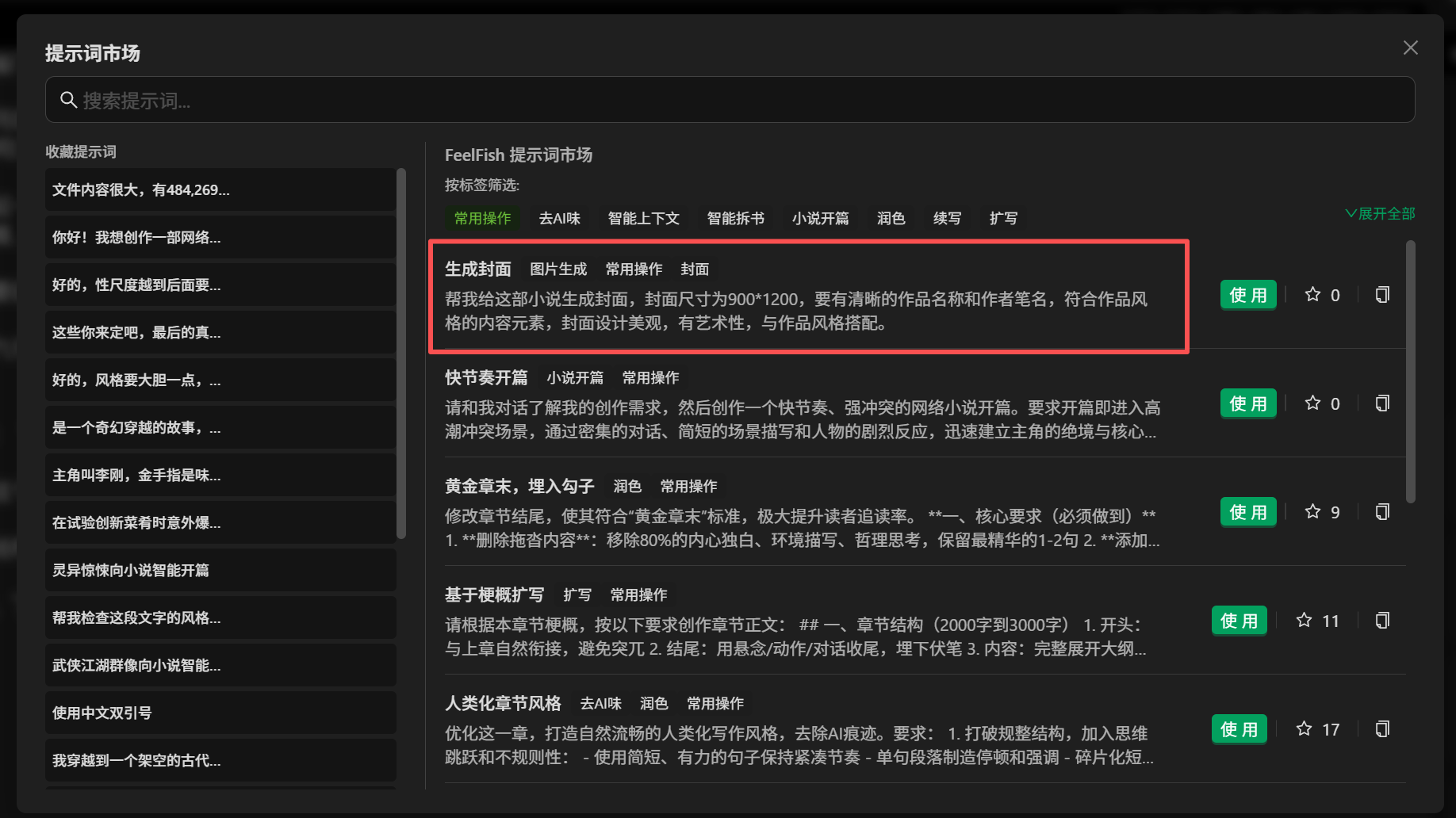
You can use this prompt to generate a cover. Of course, you can also converse with FeelFish and use any command to have it generate images according to your requirements, including covers, illustrations, and more. Come and explore!
Let's see the effect of generating a cover using the prompts from our prompt marketplace:
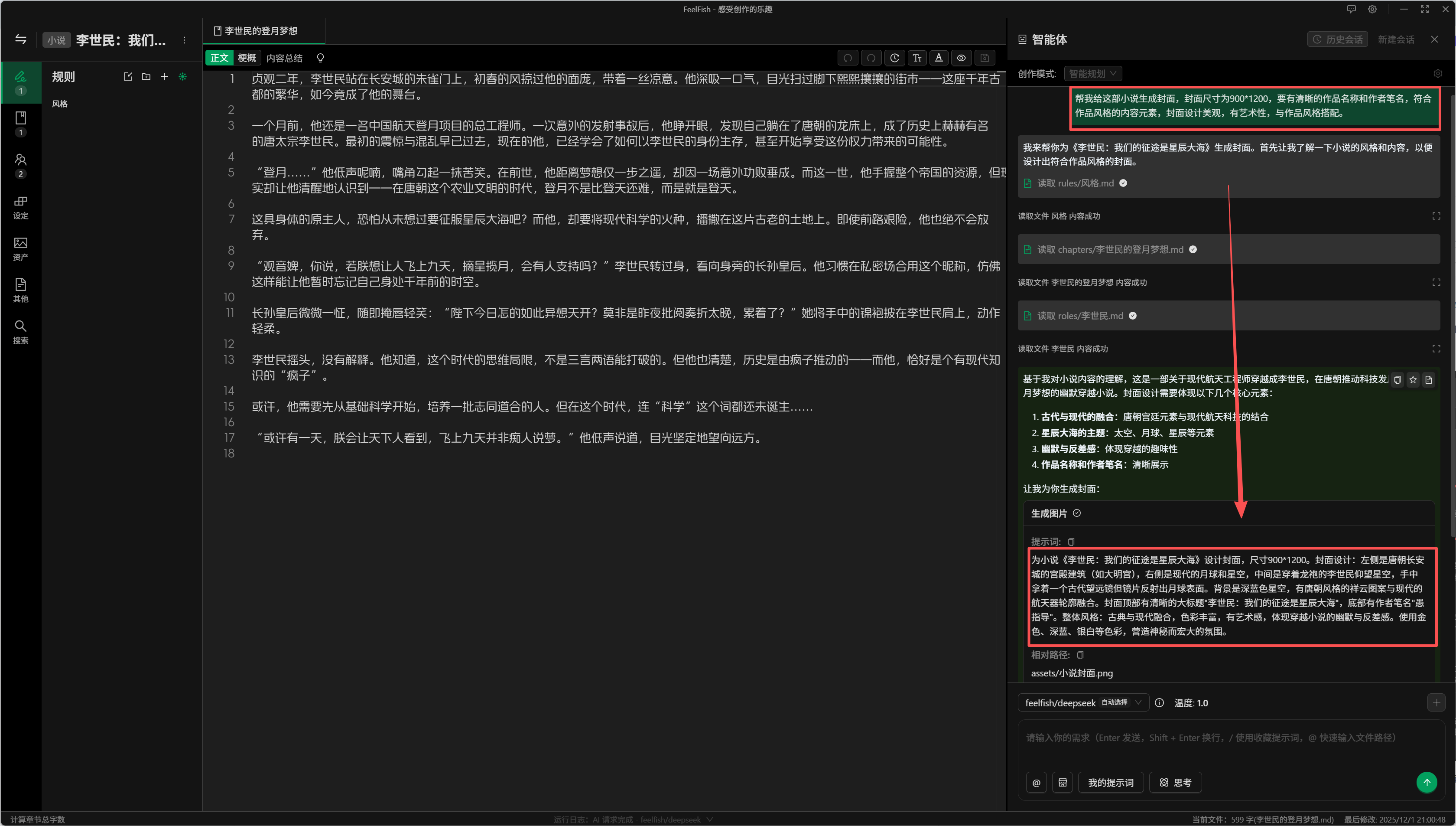
As you can see in the image above, the AI will automatically read the content of your novel, design the cover based on that content, and then call upon a professional image generation model to produce the final image. Here’s an example of the cover we get:

What do you think? Pretty good, right? If you're not satisfied, you can continue the conversation and have FeelFish generate a new cover, or make adjustments based on the already generated cover.
After the image is generated, it will be saved in the assets folder within your novel's directory. You can directly upload it to platforms like Qidian for use.
Come and give it a try! In the future, we plan to support even more diverse scenarios, such as manga. If you have any suggestions, please feel free to contact us and provide feedback.