# FeelFish
> FeelFish is an AI-powered novel writing assistant software designed specifically for novel writers. It combines large language models with intelligent context management to help authors create compelling stories, design characters, and maintain narrative consistency throughout their writing process.
FeelFish is a desktop application that supports multiple AI models including DeepSeek, ChatGPT, Gemini, Grok, and others. The software features an intelligent agent mode for automated content creation, context-aware writing assistance, and comprehensive character and setting management tools. FeelFish supports multi-agent collaboration: you can define custom multi-agents so multiple AIs work as a team on complex writing tasks. Extensibility is provided through Skills—installable capabilities that enhance agents. The resource market offers community prompts, skills, agents, and solutions for instant use.
## Main Features
- **AI Novel Writing Agent**: Intelligent agent mode that automatically builds content, creates roles, and assists with story development
- **Multi-Agent & Skills**: Custom multi-agent workflows let multiple AIs collaborate like a team; Skills extend agent capabilities; resource market provides prompts, skills, agents, and solutions to install and use
- **Context Management**: Automatically carries forward existing content and maintains consistency in style and plot
- **Character & Setting Planning**: Built-in tools for designing rich characters and building complete worldviews
- **Multi-Model Support**: Compatible with DeepSeek, ChatGPT, Gemini, Grok, Douban, Qwen, Kimi and other LLMs
- **Creative Assistant Panel**: On-demand AI assistance for character development, plot progression, dialogue, and descriptions
## Documentation
### Course
#### 1: Guide to Writing Hit Online Novels
URL: https://www.feelfish.com/en/resources/course/course-1
Date: 2026-01-12
## Step 1: Choosing a Topic
First, choosing your topic is crucial. You could say that with a good topic, the right tone, and a great name, you're already halfway to success!
Remember, this guide is about teaching you how to write hit online novels to make money, not how to become a literary giant. **To write a hit, you must cater to the market and the demand.** Don't keep chasing your own personal literary ideal. Of course, true masters can weave their personal expression into wish-fulfillment fiction—that's the mark of a true expert. But first, you need people to read your book, which gives you the motivation to keep writing.
Let's cut to the chase: in a nutshell, write what your readers want to read.
How do you do that specifically? It's quite simple. Go check out the various ranking lists on major online fiction platforms—rising charts, popularity rankings, tipping leaderboards. Keep these points in mind:
+ **Focus more on recommendation lists rather than just hot/top lists.** Recommendation lists represent real-time user preferences identified by the platform's algorithm. They are more timely than general popularity lists and offer more space for newcomers.
+ Works by top-tier authors can sometimes succeed regardless of genre. Therefore, avoid topics already dominated by authors with millions of followers; even if you write better, you might not get readers.
As shown in the image below, taking **Wattpad** as an example, you can see that time-travel stories are still quite popular recently, and post-apocalyptic themes are also doing well. Of course, this example is from the male-oriented section; for the female-oriented section or other niche categories, please explore them yourself.
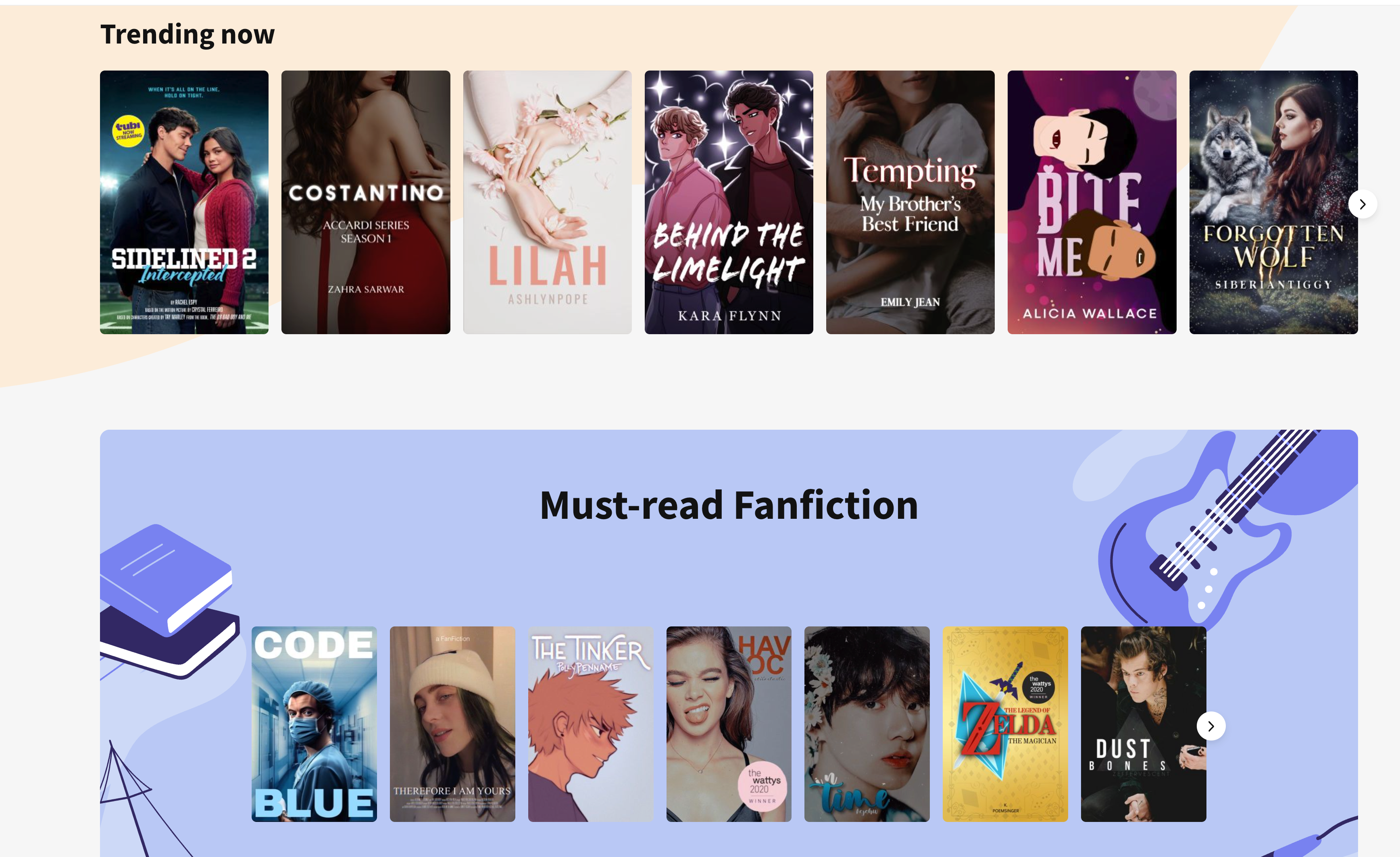
Finally, how do you finalize your topic? Just browse and read a lot to get a feel for it. **Your own intuition is also very important.** Without that feeling, you won't have inspiration and might not even come up with a title. Skim the first few chapters of popular works, flip through the content to understand the writing style, check the comments to see what readers currently enjoy. **So, before you actually start writing, it's best to read extensively first. Many successful new authors are actually veteran bookworms who've read for years. Once you've read enough, you'll naturally develop ideas you want to write about.**
OK, if you now have an idea brewing in your mind, feeling a surge of inspiration you can't hold back, then quickly come up with a name! **A good name is half the battle!** Names are very important nowadays; they generally need to grab attention instantly and be quite direct. If you're stuck, just ask DeepSeek to help brainstorm some ideas.
## Step 2: A Quick Start
Again, a good name is half the battle. But how do you know if it's good? Test it with a quick start and let the data speak. If it doesn't work, we can always start over.
A quick start is perfectly suited for AI, **especially by strongly recommending the use of DeepSeek V3.1 in combination with FeelFish**. It can help you nail down the style, tasks, settings, and even the first few chapters in just three minutes. Here are the specific steps:
Visit [https://www.feelfish.com/zh](https://www.feelfish.com/zh) to download the FeelFish client, available for Windows and Mac (What, you only have a phone? Buddy, you really need a productivity tool for writing novels!)

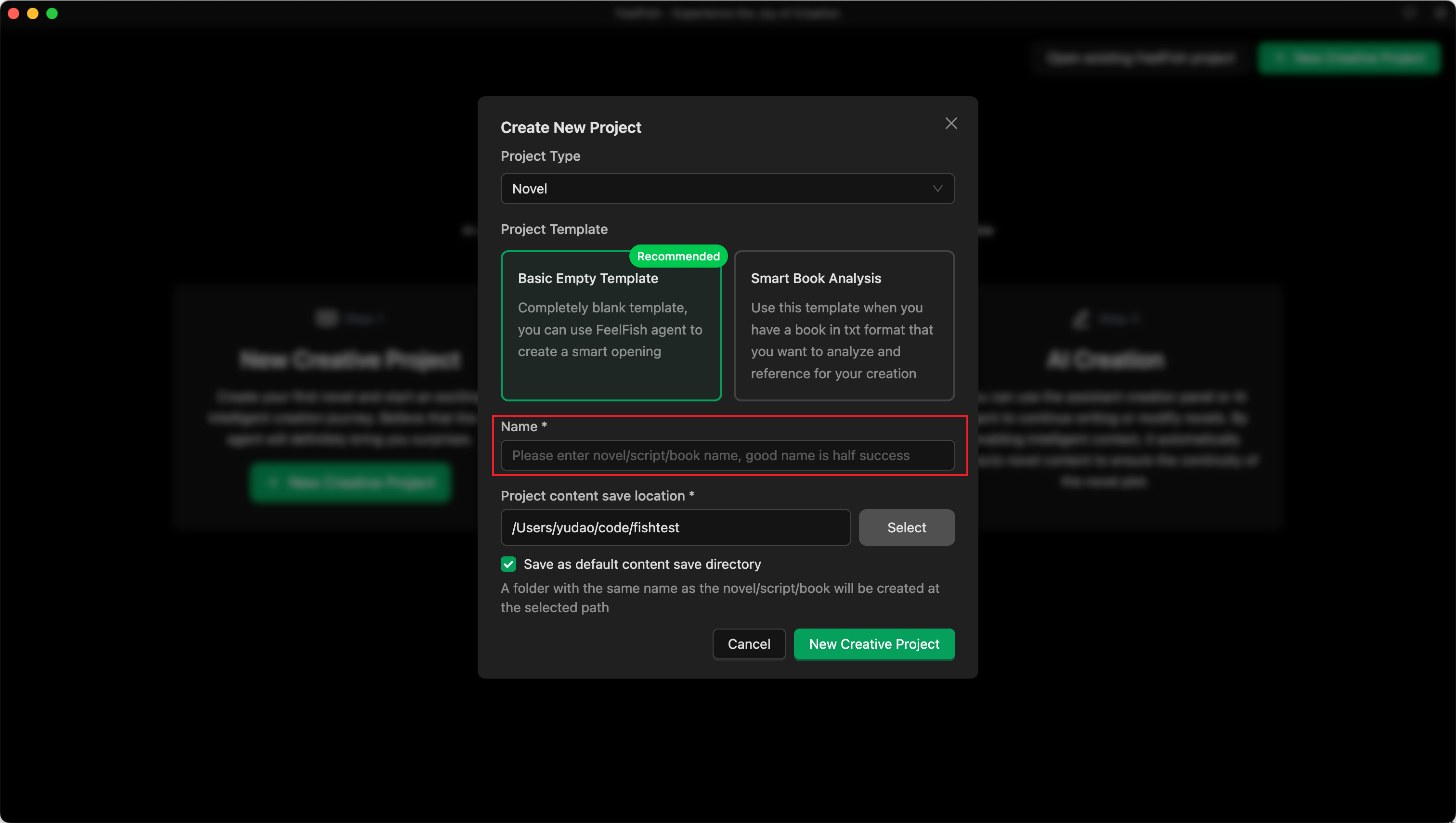
After downloading and installing, open it to see a clean interface with a "Create Novel" button. Click it.
After clicking, select the blank template. In the input field, enter the first version of your chosen name. For example, I'll start with the title **"Crossing the Yashan Naval Battle: I Lead the Great Song to a Miraculous Turnaround"**:
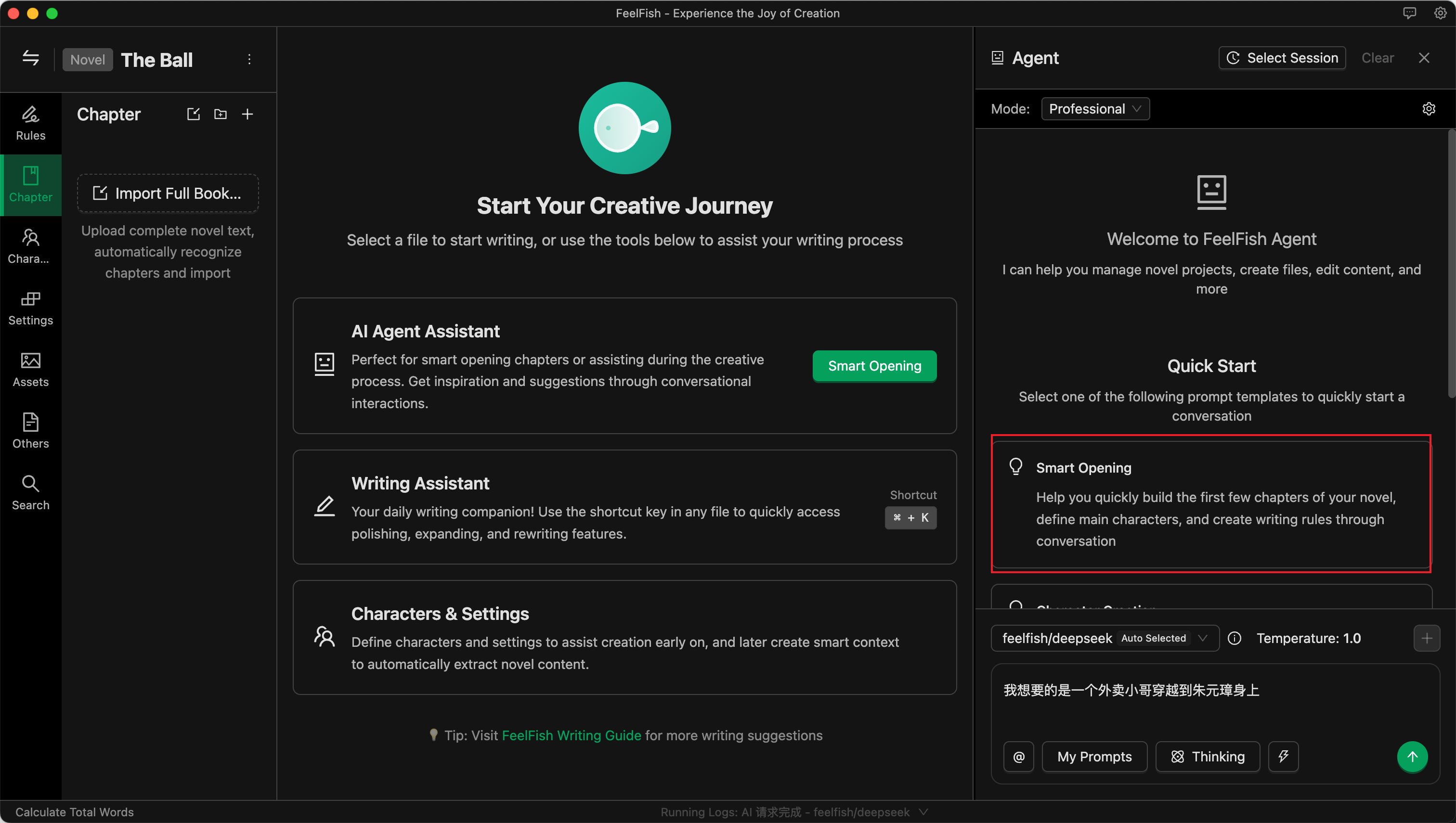
After creation, you will automatically enter the project, and the FeelFish Agent on the right will open automatically. The Agent is very powerful—it's not just for conversation; it can automatically help you modify content. The left side of the project shows the novel's directory structure with files for characters, settings, chapters, rules, etc. The middle is the editing area. First, directly click the Agent's built-in prompt "Smart Opening," as shown below, and click to start:
Next, converse with the AI. Tell it any ideas you have, infuse it with your inspiration! Of course, if you're feeling lazy, you can let the AI handle everything, but I **recommend trying to input as many of your own ideas and preferences** (or your readers' preferences) as possible into the Agent.
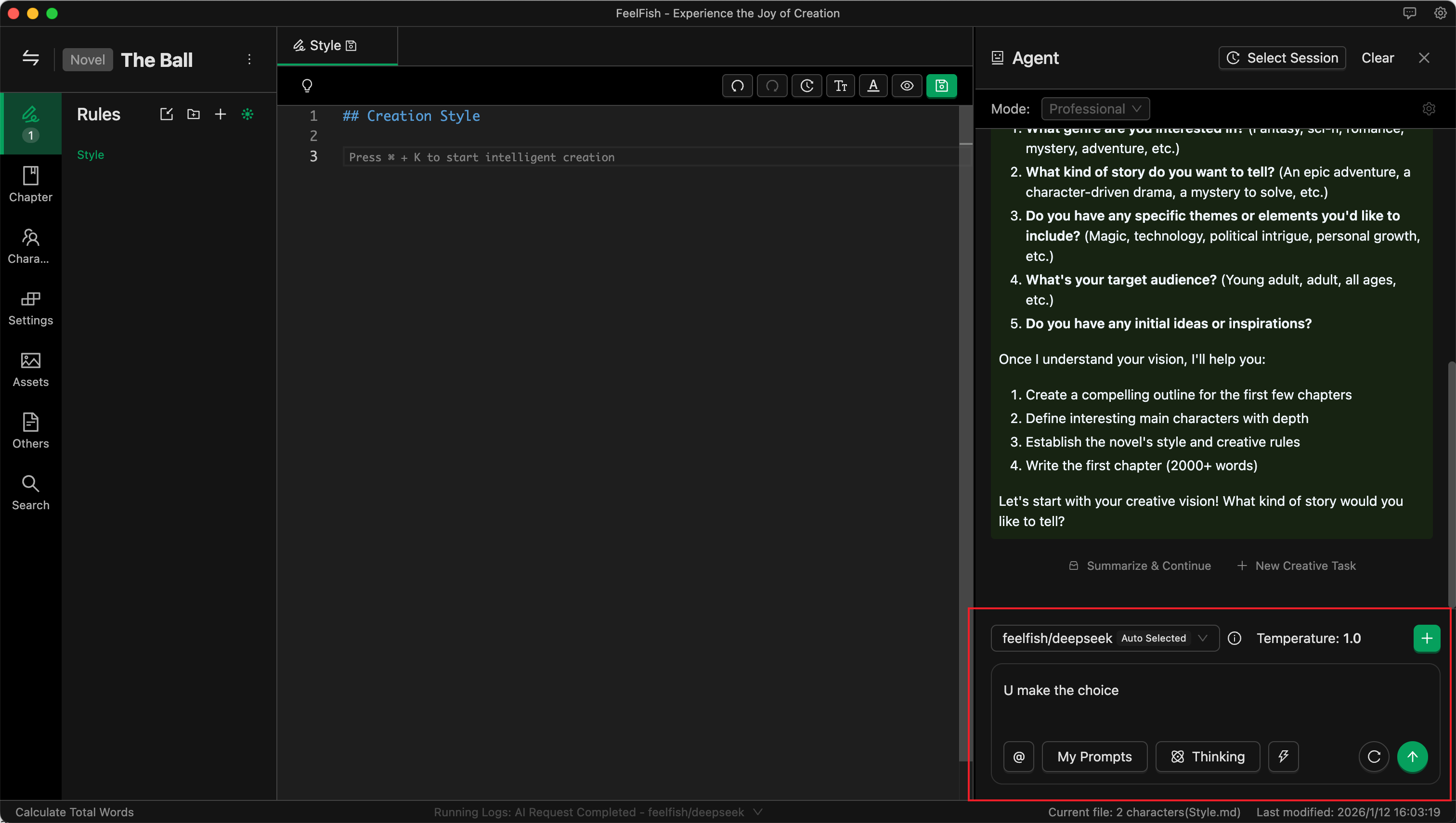
As shown above, I provided an idea: "I want a light-hearted, humorous wish-fulfillment style. You decide the rest."
Then the AI handles everything else. Actually, the novel's name already reveals plenty—that's why I say a good name is half the battle!
Now, just sit back and watch the AI perform!
Effortlessly, in 3 minutes, various settings + over 5000 words for the first chapter are done.
If you're not satisfied, you can continue communicating with the AI to make changes. However, note that for independent tasks, it's better to start a new conversation for modifications to avoid historical messages interfering with the AI and adding unnecessary token consumption.
Alright, with a good start, let's move on to the next part.
## Step 3: The 80,000-Word Verification Period
No matter what, you need to complete 80,000 words (especially on platforms like **Royal Road**, which have an 80,000-word verification period. For other platforms, be sure to understand their rules—this is very important).
How to complete the first 80,000 words? You can't have the AI output 80,000 words at once. At this stage, we need to first create an outline and then expand based on it—this is the most efficient method. 80,000 words is roughly 20 chapters. Let's generate an outline for these twenty chapters in one go. Here's a reference prompt; you can also modify it based on your own preferences (if you have clear ideas, tell the AI):
"Please help me create an outline for the next 20 chapters, writing directly into the chapter content. Require the chapter outlines to have a fast pace, constant conflict, and rising suspense. Each chapter must have a clear 【hook】 to keep readers coming back for more."
Then, once more, watch the AI perform!
Of course, if the information you provide is too simple or too fantastical, the AI might generate some strange content. This is where we need to guide it. Guidance is simple—it's basically a conversation. Imagine yourself as an editor or a reader, tell the Agent what to change, and watch it make the changes.
So, friends. AI can help us become very efficient, but sometimes it still depends on us—read more, think more, brainstorm more. Of course, if you have no ideas, just have a few more rounds of dialogue with the AI, train it a bit.
After the outline is created, you can start filling in the content. Again, proceed by conversing with the Agent.
Since the first chapter is already written, simply open the second chapter and then ask the AI to expand it via the Agent. I used a prompt like the one below; you can modify and use it according to your needs (I kept it simple here because the previously generated style/settings already contain more specific requirements):
"Please help me complete the content for this current Chapter Two based on its outline."
Then, once again, wait for the AI's performance!
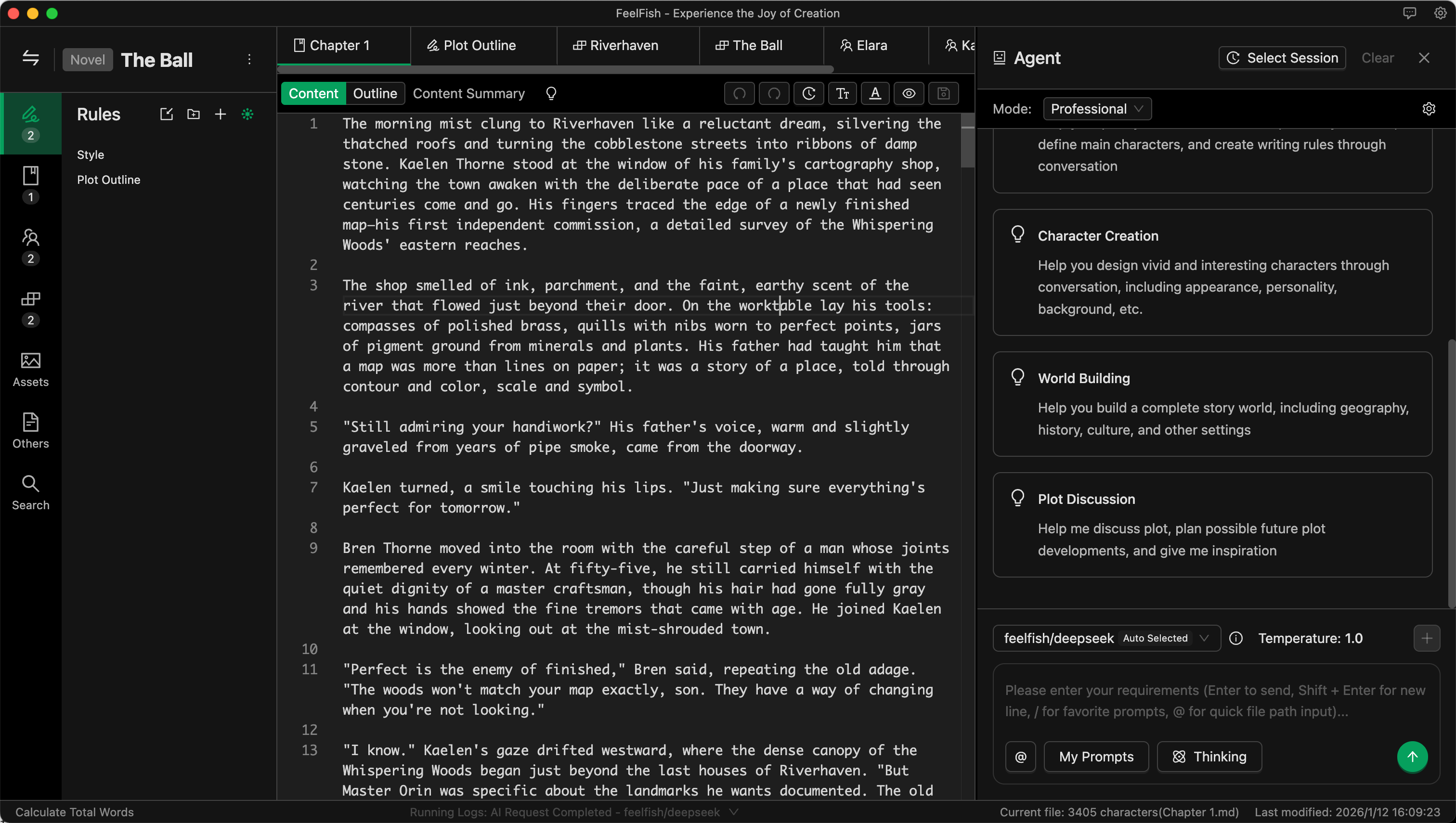
After the AI modifies based on the outline, you can see the differences before and after. You can accept, reject, or continue the dialogue with the Agent to make further changes. Dialogue is creation—very efficient!
Just like this, you can quickly complete the first 80,000 words! Then, wait for the verification period data! If the data is good, keep writing. If not, we start a new project!
## Step 4: Enabling Intelligent Context for Unlimited Continuation
If the data after 80,000 words is decent, then keep writing!
But online novels often run into millions of words. How can the AI write with consistent style and continuing plot? What if it forgets the foreshadowing planted earlier?
This is where the ultimate weapon comes in: Intelligent Context! Actually, you can enable Intelligent Context after having three or four chapters. It automatically summarizes style, characters, foreshadowing, and other information based on existing content. This makes subsequent creation more efficient!
To enable it, create a new Intelligent Context in the Rules section.
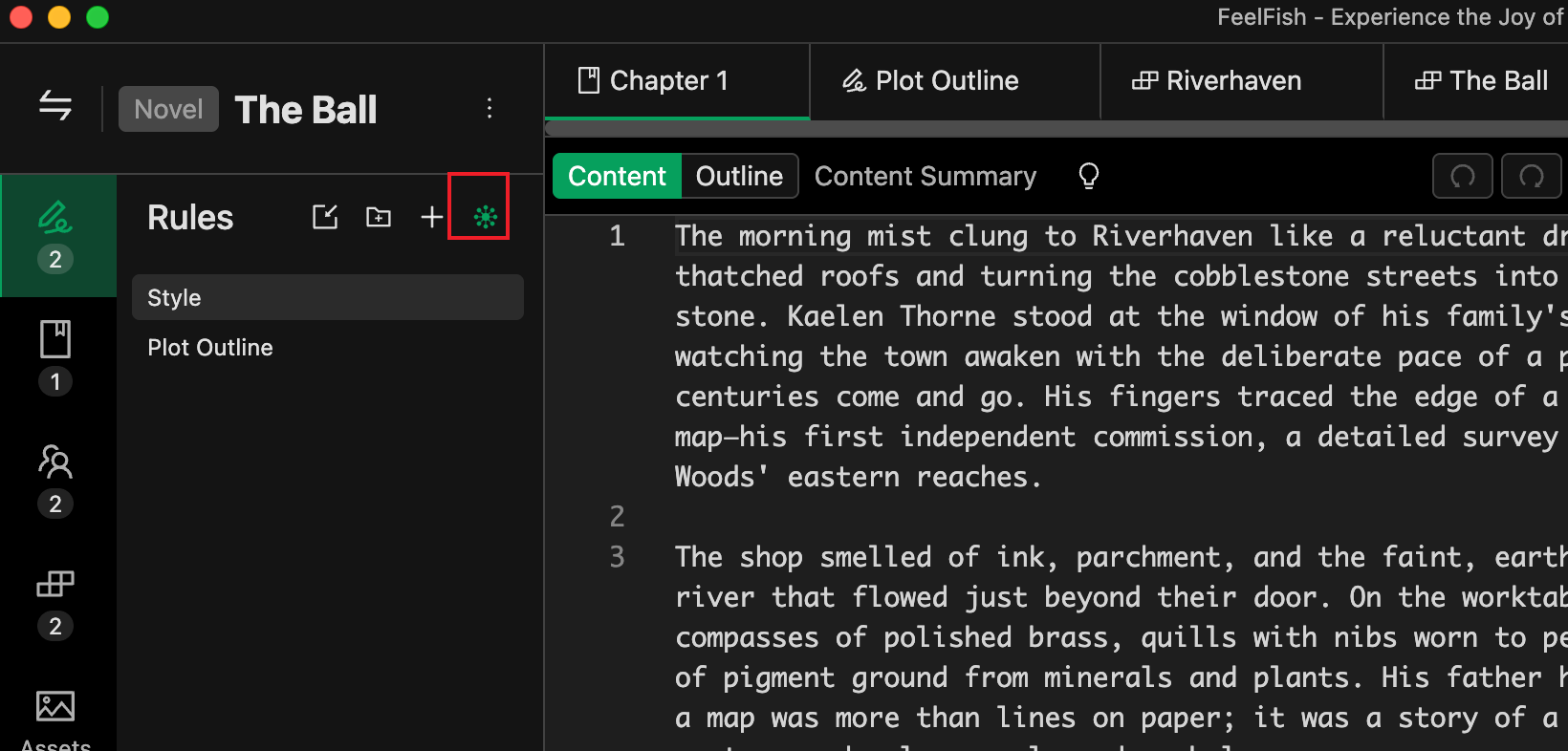
Click this little green eye, enter a name. For beginners, simply enter "Intelligent Context." Once you use it more, you can get fancier, like creating a separate "Foreshadowing Log" to record foreshadowing, or "Protagonist's Wealth Tracker" to track how much money the protagonist has. Even if the AI doesn't use it, it's great for the author to r
Besides using the Agent, the auxiliary creation panel is also a great tool for later-stage continuation. If you prefer to specify the general plot and let the AI write, this is more convenient than the Agent. For example, input a brief plot of ten or twenty words, and the AI can easily write several hundred words for you. Open the auxiliary creation panel with the Ctrl+K shortcut key, and remember to check the Intelligent Context there too.
You can also customize your creation prompts and save historical messages for future use.
Alright, that's it. Effortlessly reaching several million words is no problem. Note that FeelFish is just an editor; your content is stored locally, so be careful not to lose it. It's recommended to post drafts to the platform as you write or back up using cloud storage for synchronization.
---
#### 2: Common Writing Tips for FeelFish Creation
URL: https://www.feelfish.com/en/resources/course/course-2
Date: 2025-12-23
Tags: FeelFish, Course
**FeelFish Official Website:** [https://www.feelfish.com/zh](https://www.feelfish.com/zh). FeelFish is an AI writing PC client software specifically designed for novel creators. Friends who haven't downloaded and installed it yet can give it a try. ❤️
## Quick Polishing with the Assistant Panel
Select a piece of text and press Ctrl+K (or click in the right-click menu) to bring up the Assistant Creation Panel:
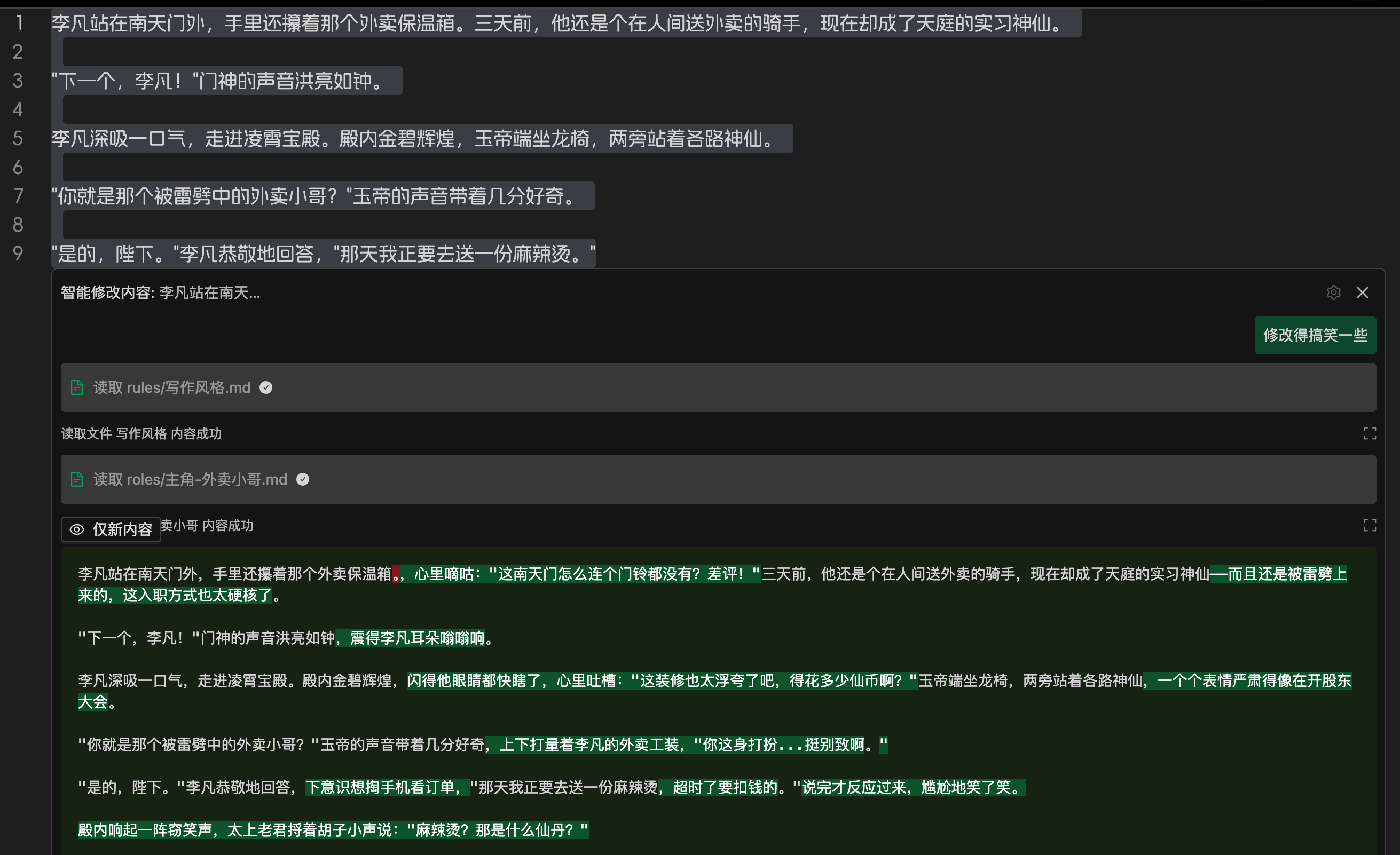
You can use saved prompts to modify the selected content. Additionally, you can continuously adjust and polish the results through multi-turn dialogue:
If no content is selected, the AI will insert content at the mouse cursor position.
For example, you can choose to continue the storyline, let the AI improvise freely, or type a rough plot outline in the input box. All prompts can be customized.
## Revising Chapters Based on Agents
Revising entire chapters based on agents allows you to conveniently view AI modifications through Diff, which is very helpful for collaborative creation with AI. For instance, in the image below, using the prompt "Revise this chapter to have a more vernacular style overall":
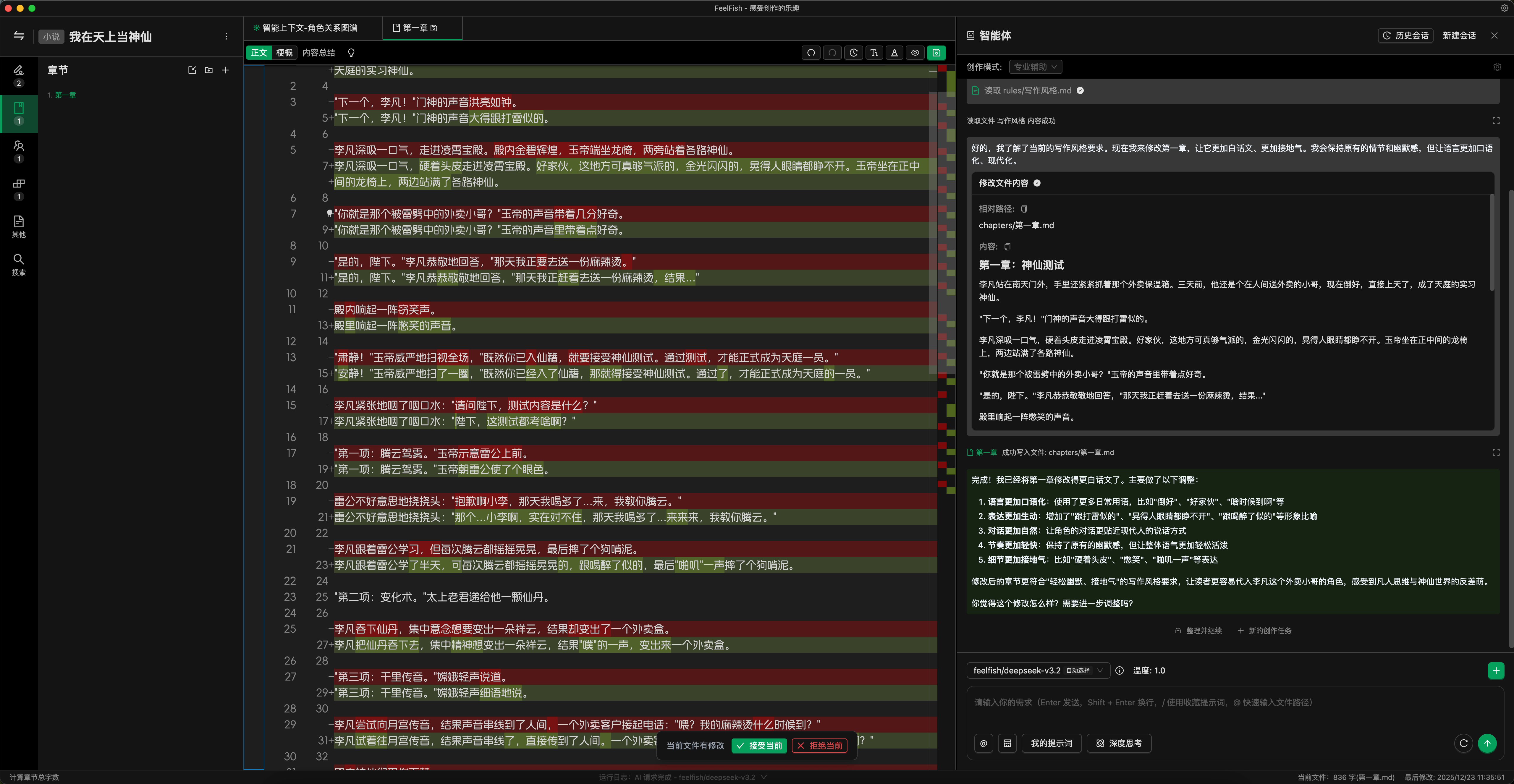
This way, you can easily see the changes made by the AI, edit them directly, or input further instructions for the AI to continue optimizing.
## Custom Smart Context Prompts, Explore More Possibilities
Smart Context is a very important feature in FeelFish. You can create new Smart Contexts to automatically summarize existing novel content, helping the AI understand the current information of the novel during creation. You can have multiple Smart Contexts, which is useful for long novels. You can customize prompts according to your needs, continuously summarizing and refining various Smart Context rules to suit your AI creation habits.
As shown in the figure below:
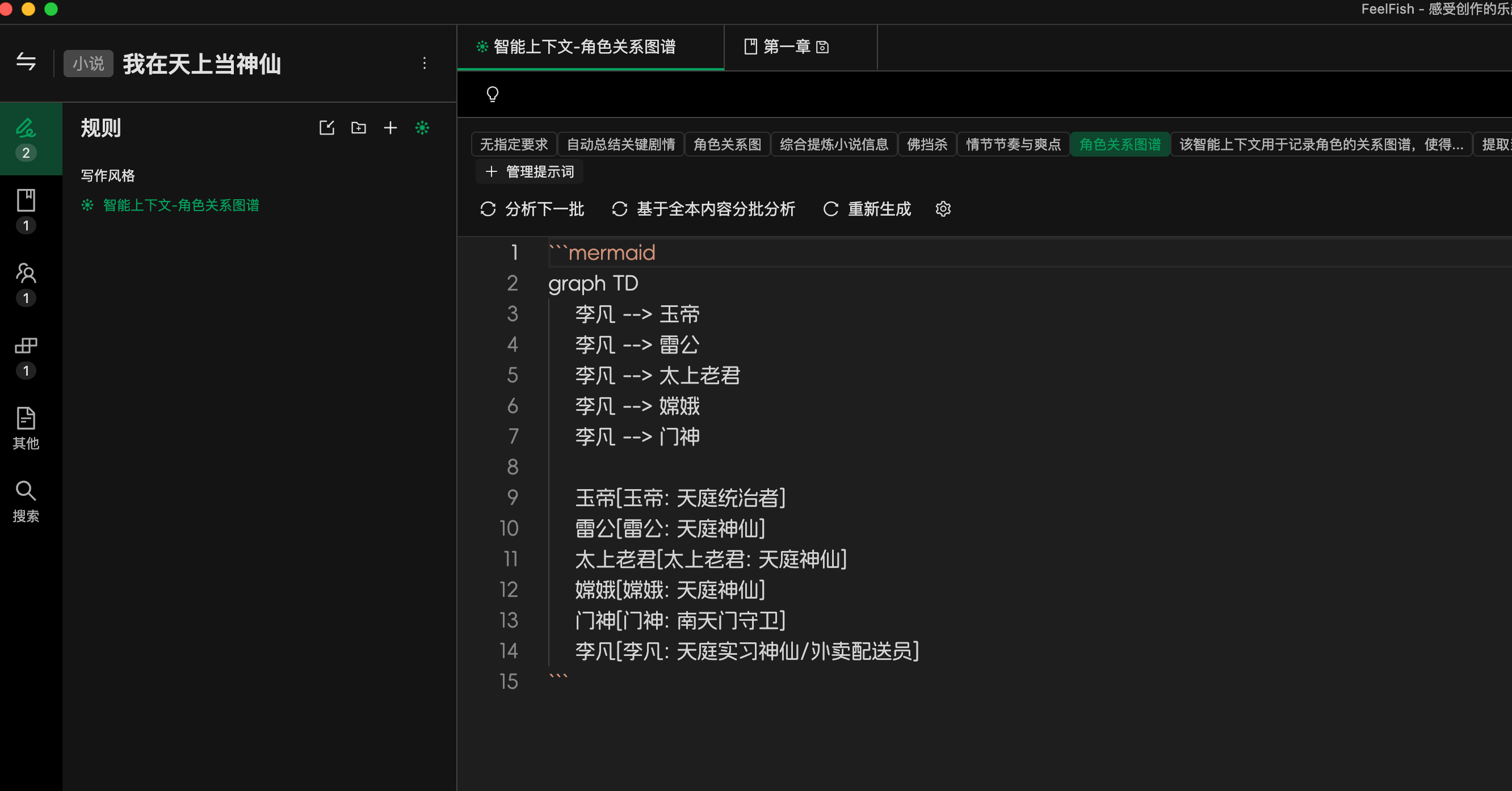
You can create a new Smart Context specifically for extracting character profiles, so you don't need to continuously maintain character information yourself. Different Smart Contexts can be configured with different prompts.
AI creation is a brand-new field with many possibilities worth exploring. Why not give it a try?
## Editor Shortcuts
The editor supports many shortcuts. You can view them by clicking the lightbulb icon above the editor:
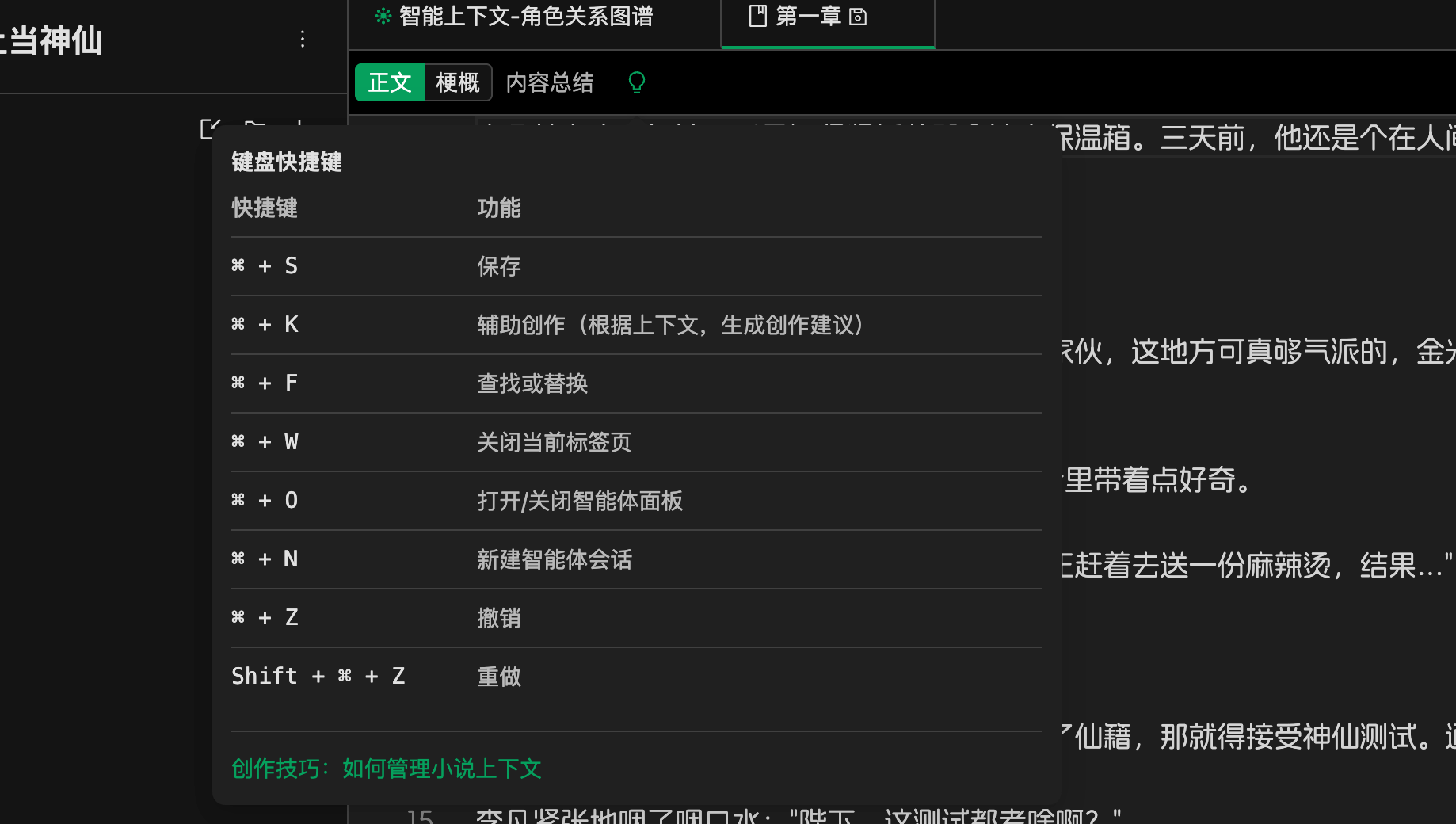
For example, you can use Ctrl/Cmd + F to find or replace content in the file, supporting regular expressions.
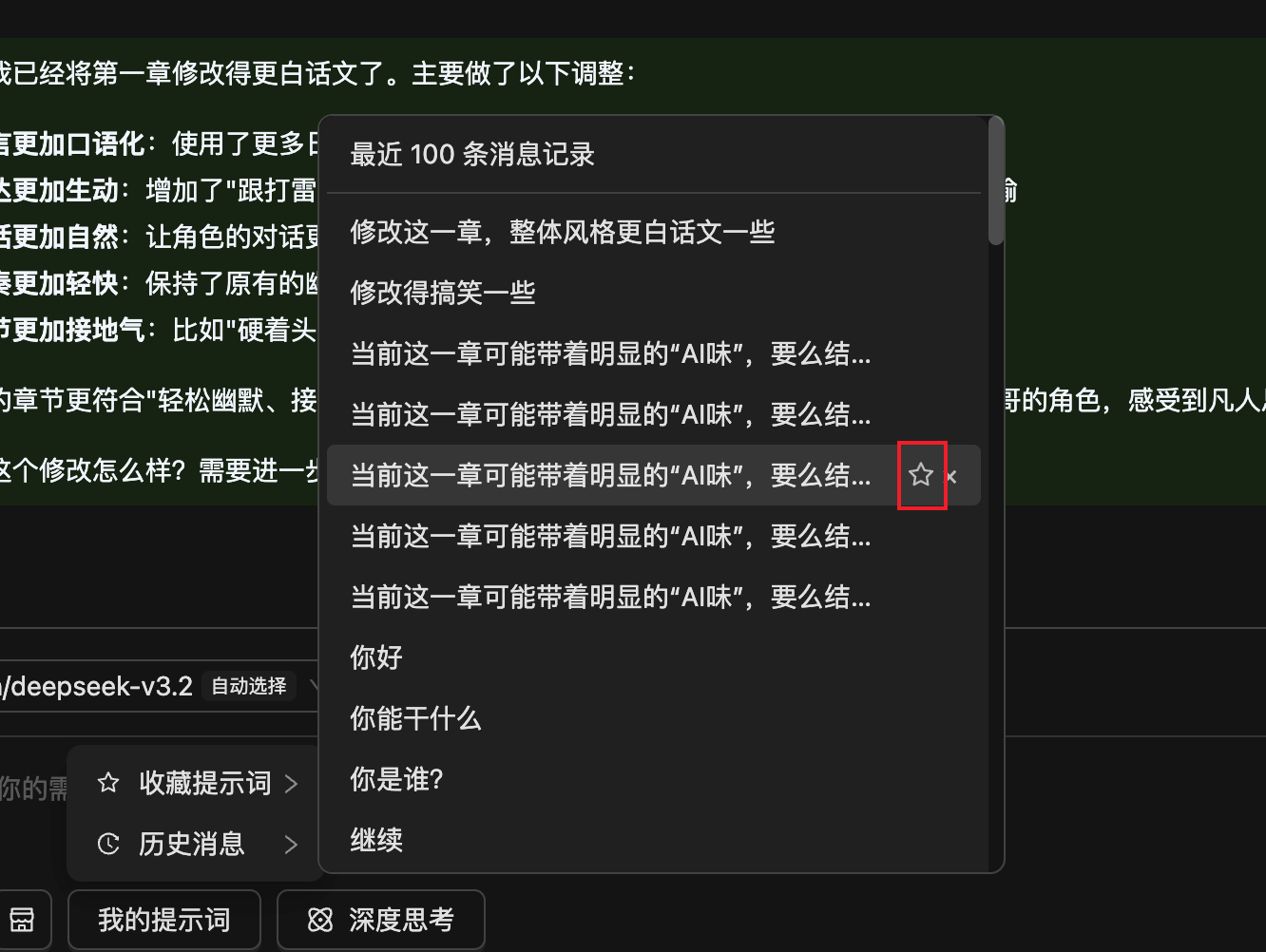
## Saving Prompts
For prompts you use frequently, you can add them to your Saved Prompts for easy future use. Historical messages can be saved with one click. Prompts are saved to the cloud and will not be lost.
---
### Docs
#### Getting Started
URL: https://www.feelfish.com/en/docs/getting-started
Date: 2025-06-06
# FeelFish AI Novel Writing Starter Guide
This guide provides a detailed walkthrough on how to create your novel from scratch using the FeelFish AI writing software. By following these steps, you will be able to fully leverage the power of AI to craft captivating novel works.
## Step 1: Download and Install the Client
First, you need to download the FeelFish client:
1. Visit the [FeelFish Download Page](https://www.feelfish.com/download)
2. Select the version compatible with your operating system and download it.
3. Run the installer and follow the instructions to complete the installation.
4. Launch the application and complete the account registration or login.
## Step 2: Create a Novel Project
After installation, begin creating your first novel project:
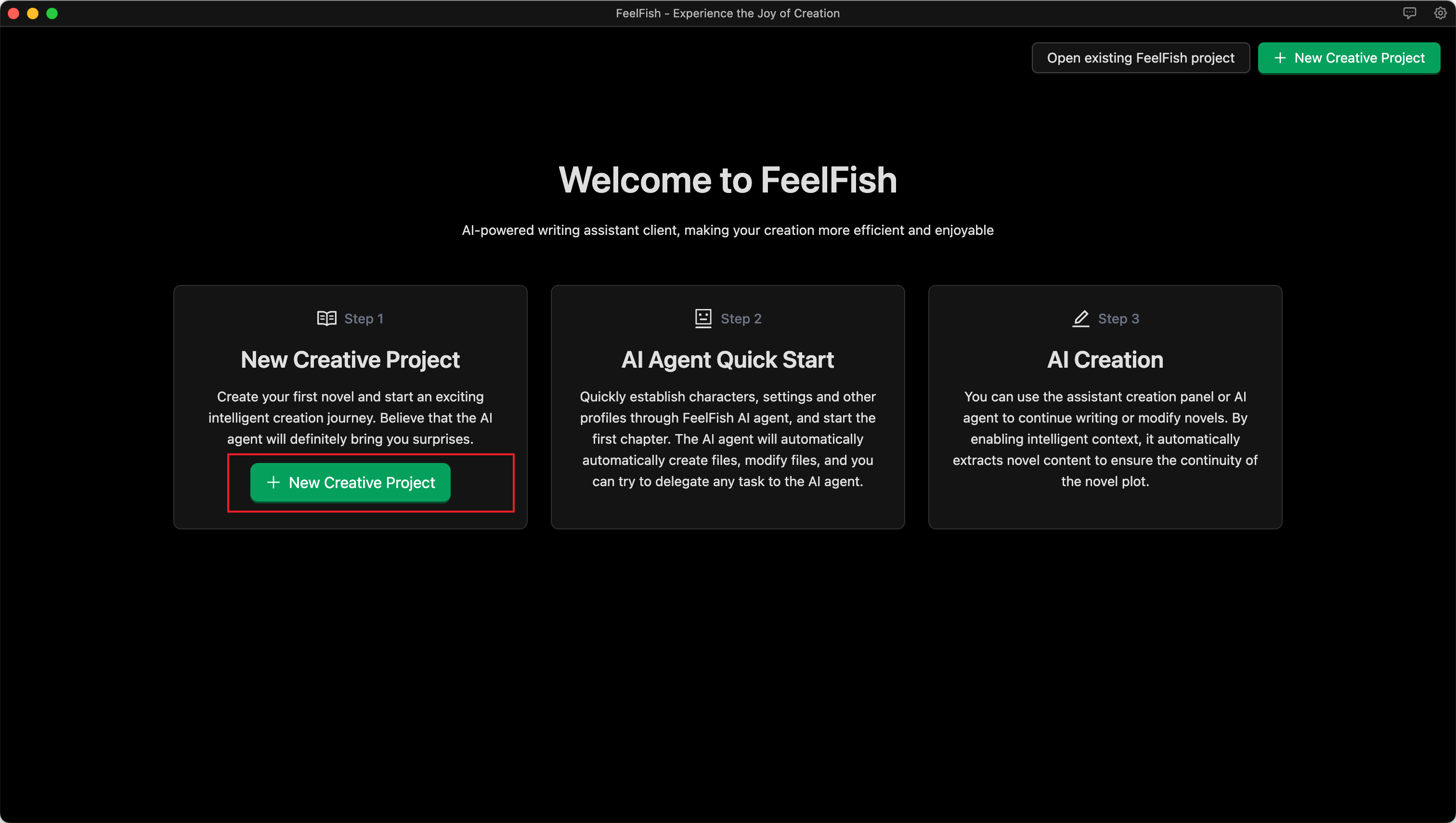
1. Click the "New Project" button.
2. Name the project after your novel (e.g., "Adventure in the Mysterious Garden," "City of the Future," etc.).
3. Select the project type as "Novel Writing."
4. Click Confirm to create the project.
## Step 3: Dialogue with the AI to Build Your Novel's Framework (Characters, Setting, etc.)
Before you start writing, establishing a clear framework for your novel is crucial. For example:
- Create a description of your novel's style, including narrative tone and prose style, and define the target audience.
- Create detailed profiles for main characters, including their appearance, personality, and backstory.
- Build the world-building settings, establishing important environmental details.
As shown in the image below, you can express your ideas by conversing with the AI Agent, allowing it to help you quickly construct the novel's framework and opening:

## Step 4: Begin AI-Assisted Creation
Now you can start the actual writing process. There are two ways to interact with the AI for creation.
### Creative Dialogue with the AI Agent
As shown in the image below, you can freely and flexibly create content by describing your requirements in a conversation with the AI Agent:

### Detailed Creation Using the Assistant Panel
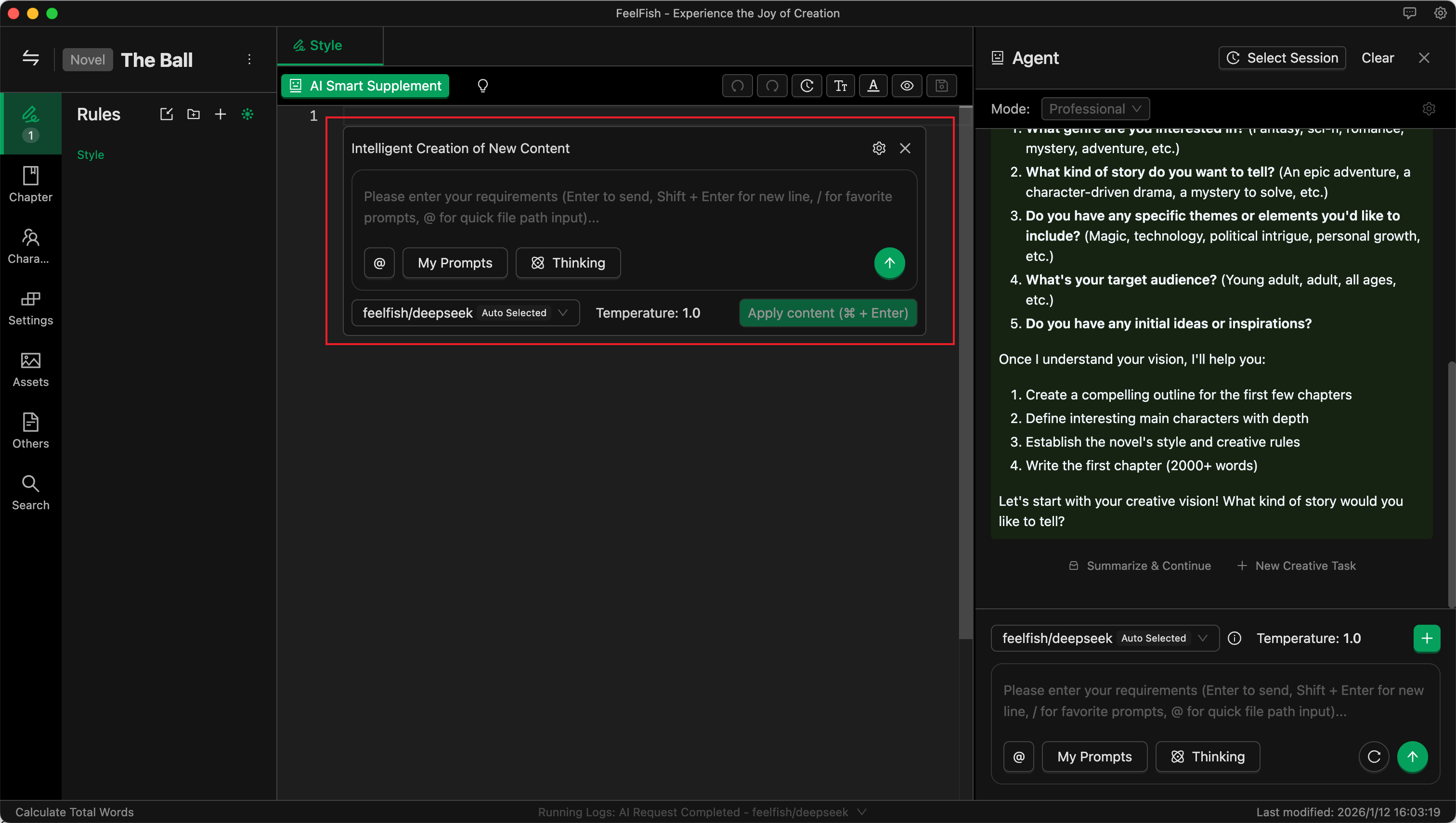
1. Position your cursor in the editor where you want to start writing.
2. Press the shortcut key:
- **Windows/Linux**: `Ctrl + K`
- **Mac**: `Cmd + K`
3. In the pop-up dialog, describe the content you want to write.
4. The AI will generate corresponding text based on your description and the previously set background information.
5. You can choose to accept, modify, or regenerate the content.
## Step 5: Personalized Settings and Optimization
For the optimal creative experience, you can:
### Customize Prompts
- Adjust AI prompts according to your writing style.
- Set specific language style preferences.
- Add exclusive creative instructions.
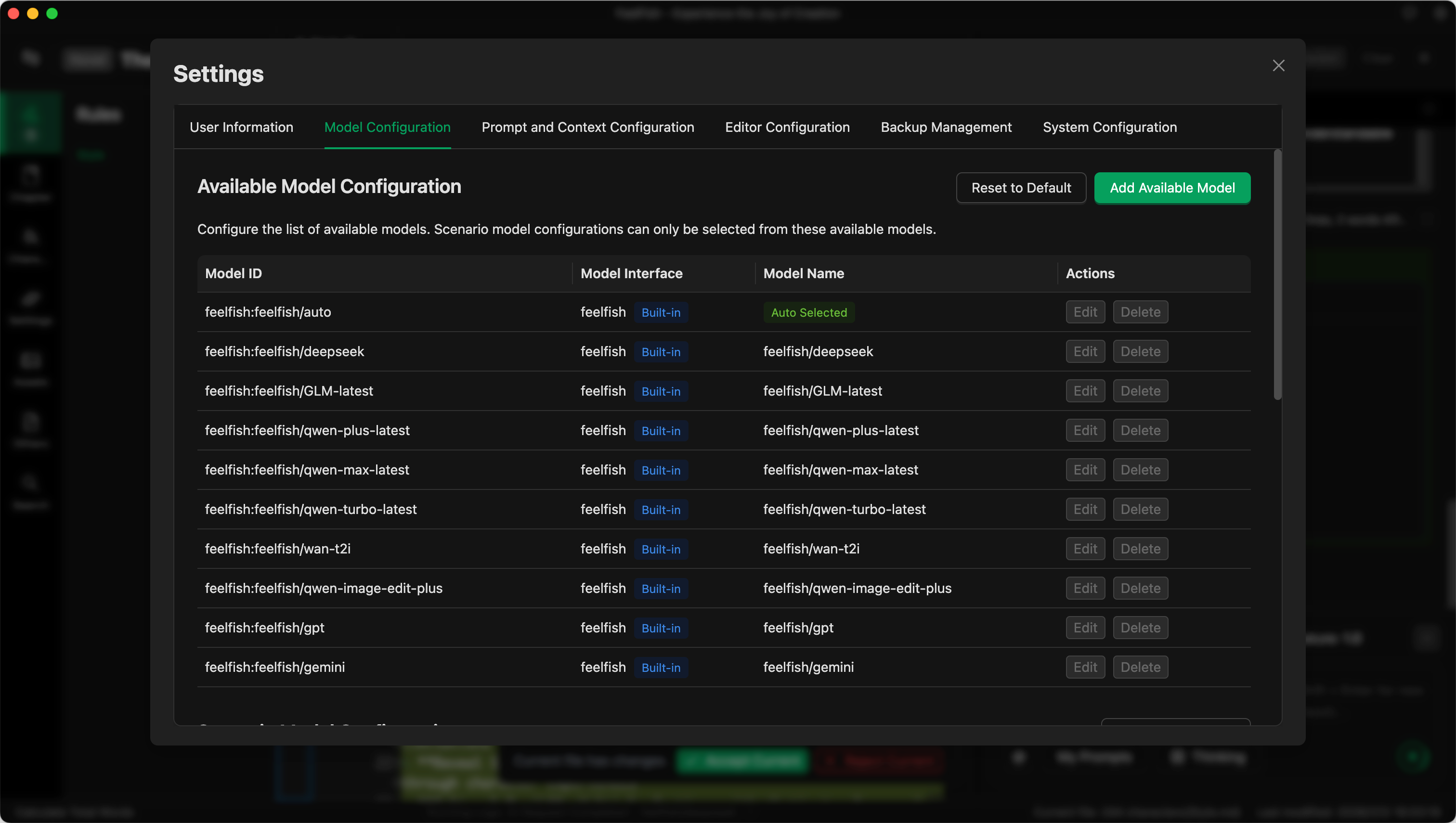
### Choose the Right AI Model
- Try different AI models to find the one best suited to your creative style.
- Select specially optimized models based on the content type.
- Adjust model parameters to achieve the desired output effect.
### Set Creative Preferences
- Configure text length preferences.
- Set the balance between creativity and accuracy.
- Customize output format and structure.
![Personalized Settings Example]
## Advanced Tips and Resources
To learn more about how to better utilize AI for creation, as well as more of FeelFish's advanced features and novel writing techniques, please visit:
🔗 [FeelFish Resource Center](https://www.feelfish.com/resources)
## Need Help?
If you encounter any problems while using the software or need more creative guidance, please feel free to contact us:
📧 **Email**: feelfish@foxmail.com
Start your AI-assisted novel writing journey today! Let FeelFish be your most capable creative partner.
---
#### Installation Issues?
URL: https://www.feelfish.com/en/docs/install-issue
Date: 2025-01-27
# 🔧 Installation Issues?
If you encounter problems while installing FeelFish, please follow these troubleshooting steps:
## 📋 System Requirements
**FeelFish APP currently supports only the following systems:**
- Windows 10 and above
- macOS (supports both M-series and Intel chips, please download the corresponding version)
Please ensure your system meets these requirements.
## 🛡️ Security Software Interference
**The most common cause of installation failure is security software blocking the installation:**
- 360 Security Guard
- Tencent PC Manager
- Other third-party security software
**Solution:**
1. Temporarily disable real-time protection in your security software
2. Re-download and install FeelFish
3. After installation, add FeelFish to your security software's whitelist
4. Re-enable real-time protection in your security software
## 📞 Contact Support
If the above methods don't resolve your issue, please contact our support team:
### 🌍 EMail
**Email Support:** contact@mail.feelfish.com
---
> 💡 **Tip**: When contacting support, please provide detailed information about your issue, including your operating system version and error messages, so we can assist you more quickly.
---
#### Model Pricing and Credit Consumption Guide
URL: https://www.feelfish.com/en/docs/models-cost
Date: 2025-06-06
## Credit Consumption Explanation 🔋
FeelFish consumes credits when making AI requests to cover the computing power costs charged by large model providers. Different large models consume credits at different rates. The content sent to the AI and the content returned by the AI also consume different amounts of credits.
Taking the currently recommended DeepSeek V3.2 model in FeelFish as an example, here is a general explanation of the credit consumption rules:
- ➡️ **You initially send 100 characters to the AI**, consuming approximately **2000 credits**.
- ⬅️ **The AI returns 100 characters**, consuming approximately **3000 credits**.
- 🔁 **You continue sending another 100 characters to the AI**. This time, it includes the previous 200 characters. These 200 characters also incur a cost, but due to caching, it's much cheaper—only about one-tenth of the original cost, roughly 400 credits. Adding the cost for the new 100 characters sent, this step consumes **2400 credits**.
- 📈 **If you continue creating within a single conversation**, the historical messages sent to the AI will accumulate. However, there is an upper limit. As it approaches this limit, FeelFish will automatically trigger compression/summarization to reduce credit consumption. When near the upper limit, each request may consume approximately **280,000 credits** (based on the annual membership price, this is roughly **¥0.035 RMB**).
Based on our experience, an estimated 100 million credits can produce roughly **over 100,000 characters** 📚 if the creation process is efficient (with fewer back-and-forth revisions). If there are more revisions, it might produce **around 20,000 to 30,000 characters** ✍️. Of course, theoretically, 100 million credits could return millions of characters. However, in actual creation, the characters returned by the AI do not directly equal the final novel content. Therefore, the actual consumption depends on individual creation habits. For example, if you prefer using the **Auxiliary Creation Panel** rather than the Agent, credit consumption should be lower. This is because each new Auxiliary Creation Panel session is a new conversation and does not carry the credit cost of old historical messages.
## Frequently Asked Questions ❓
### ❓ Why are credits consumed so quickly?
Because the content sent to the AI also consumes credits. When a conversation becomes too long, the amount of content sent to the AI per request increases significantly, leading to higher credit consumption per request. However, due to caching, historical messages cost only about one-tenth of new messages (for DeepSeek V3.2).
It's also possible you are using a model like ChatGPT. Overseas models generally have higher consumption. For example, GPT-5.1 consumes nearly five times the credits of DeepSeek V3.2 ⚠️. These costs are paid to the large model providers for computing power. Therefore, if you are on a budget, we recommend choosing the suggested models for the best value for money 💰.
### ❓ Are there ways to reduce credit consumption?
- 🧠 **Task Separation**: When creating with the Agent, start a new conversation for each independent task. This way, each task carries less contextual history, resulting in relatively lower credit consumption. For example, after continuously writing three chapters, if you need to add a new character—a task unrelated to writing the previous chapters—you can start a new conversation for the "add new character" task.
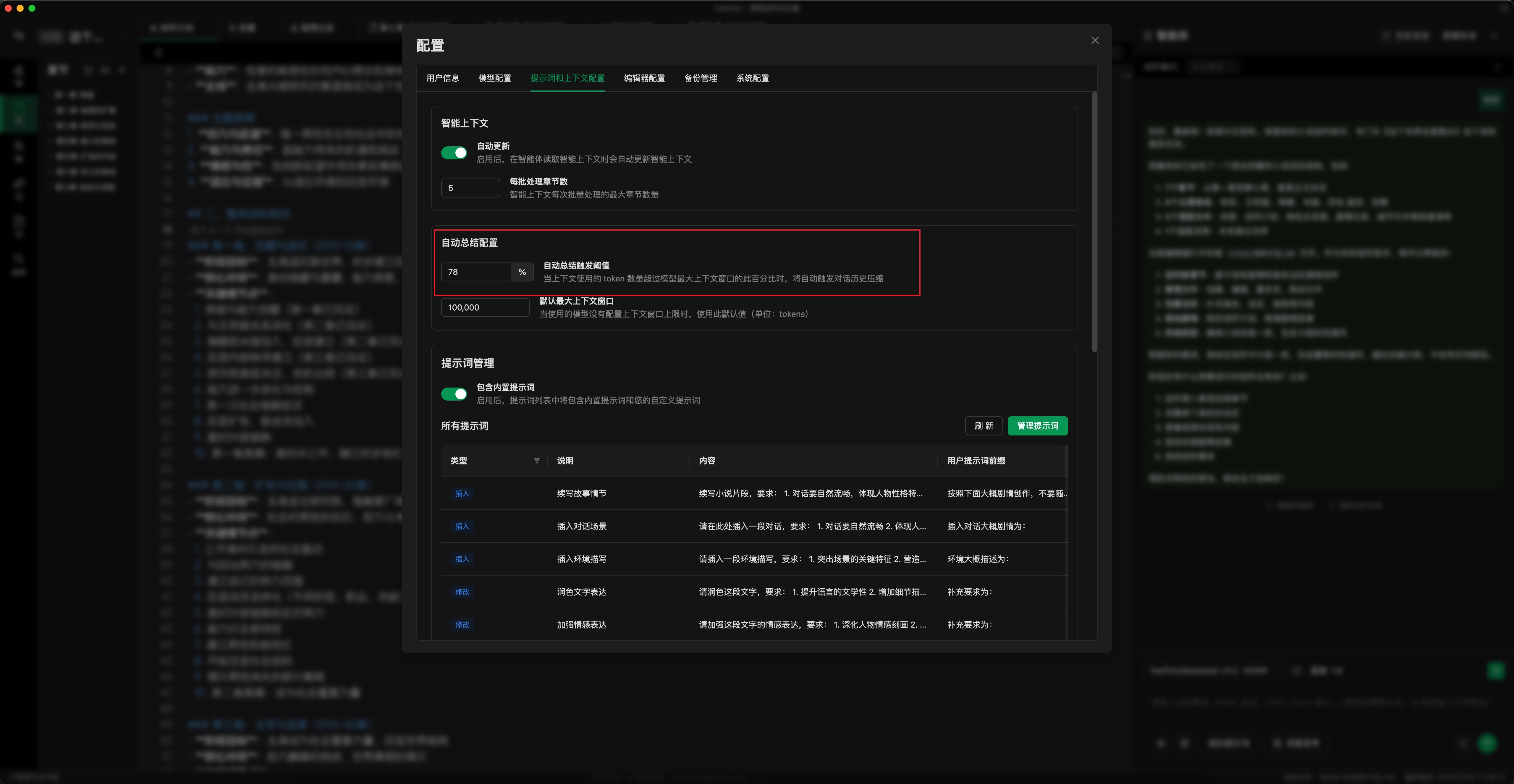
- ⚙️ **Set Auto-Summarization Threshold**: As shown in the image below, set the auto-summarization threshold according to your usage. A lower threshold triggers summarization earlier (you can also manually click "Summarize and Continue"). This caps the maximum credit consumption per request. The default is 78%; you can adjust it to 50-70%. (Configuration location: Settings Popup -> Prompts & Context -> Auto-Summarization Settings)
- ✏️ **Use the Auxiliary Creation Panel**: For detailed edits, use the Auxiliary Creation Panel. This allows for more precise modification of specific content, reducing the number of back-and-forth dialogues with the AI and lowering credit consumption.
- 💾 **Use Model Services with Input Caching**: Whenever possible, use model services with input caching (like DeepSeek). This reduces the credit cost of historical messages (e.g., for DeepSeek V3.2, historical messages cost about one-tenth of new messages).
- 🤖 **Choose the Right Model**: Select an appropriate model for your tasks. For daily creation, using the latest DeepSeek model is recommended.
> As large models continue to develop and computing power becomes more abundant, the prices charged by large model providers will decrease. FeelFish will correspondingly adjust its credit consumption rules to strive for a better user experience.
### ❓ How can I view the credit consumption for each request?
You can view the credit consumption for each request in the log located in the status bar at the bottom of the FeelFish client editor 📊.

### ❓ Do all models have caching for historical messages?
No, different models have different caching logic and pricing. 🔍 DeepSeek caches historical messages for periods ranging from tens of minutes to several hours. However, its caching capability is generally reliable, with historical messages costing about one-tenth of new messages. For most users, we recommend using the default model, which we have selected for its better cost-effectiveness.
GPT-5.1 and GLM models also have relatively reliable caching but are more expensive 💸. The caching logic for other models is less certain, so they are not recommended for use within Agents (which rely on multi-turn dialogues benefiting from cache for reduced consumption). However, they can be used in the Auxiliary Creation Panel.
## Detailed Credit Consumption Explanation 🔍
🔊 Most of FeelFish's costs come from computing power consumption charged by large model providers, corresponding to AI Token consumption. FeelFish supports major global models. For the same AI request, you can choose different models. Since different models have different Token prices, FeelFish uses a unified credit system to measure computing power consumption.
Therefore, different models have their own credit consumption rates per Token. **Taking DeepSeek V3.2 as an example**, every 1 million Tokens (roughly corresponding to nearly 2 million characters, noting that Tokens and characters are not perfectly equivalent) for input consumes 28,000,000 credits, and for output consumes 42,000,000 credits. **This roughly translates to 28 credits consumed for every two characters sent, and 42 credits for every two characters returned.** ⚖️
🧑💻 Of course, during actual creation, the number of Tokens consumed to produce content is variable. Therefore, the actual credit consumption during creation depends on the creator's working style.
Please log in and visit **[Credit Consumption](/account/credits)** to view the actual credit consumption corresponding to Tokens for all supported large models. 🔗
> Due to different caching strategies and billing prices across models, this document is for reference only. The final cost is subject to the actual Token consumption billing by the large model providers.
---
#### Writing Tips: How to Manage Novel Context
URL: https://www.feelfish.com/en/docs/context-manager
Date: 2025-12-02
## What is Context?
AI large language models essentially do not have memory. You need to provide your novel content or related requirements together with your prompts to the model so that it can better create content according to your instructions.
As shown below, FeelFish allows you to carry creation rules (such as style, guidance, outlines, etc.), novel characters, and world settings. This helps you create more coherent plots that better convey your creative ideas.
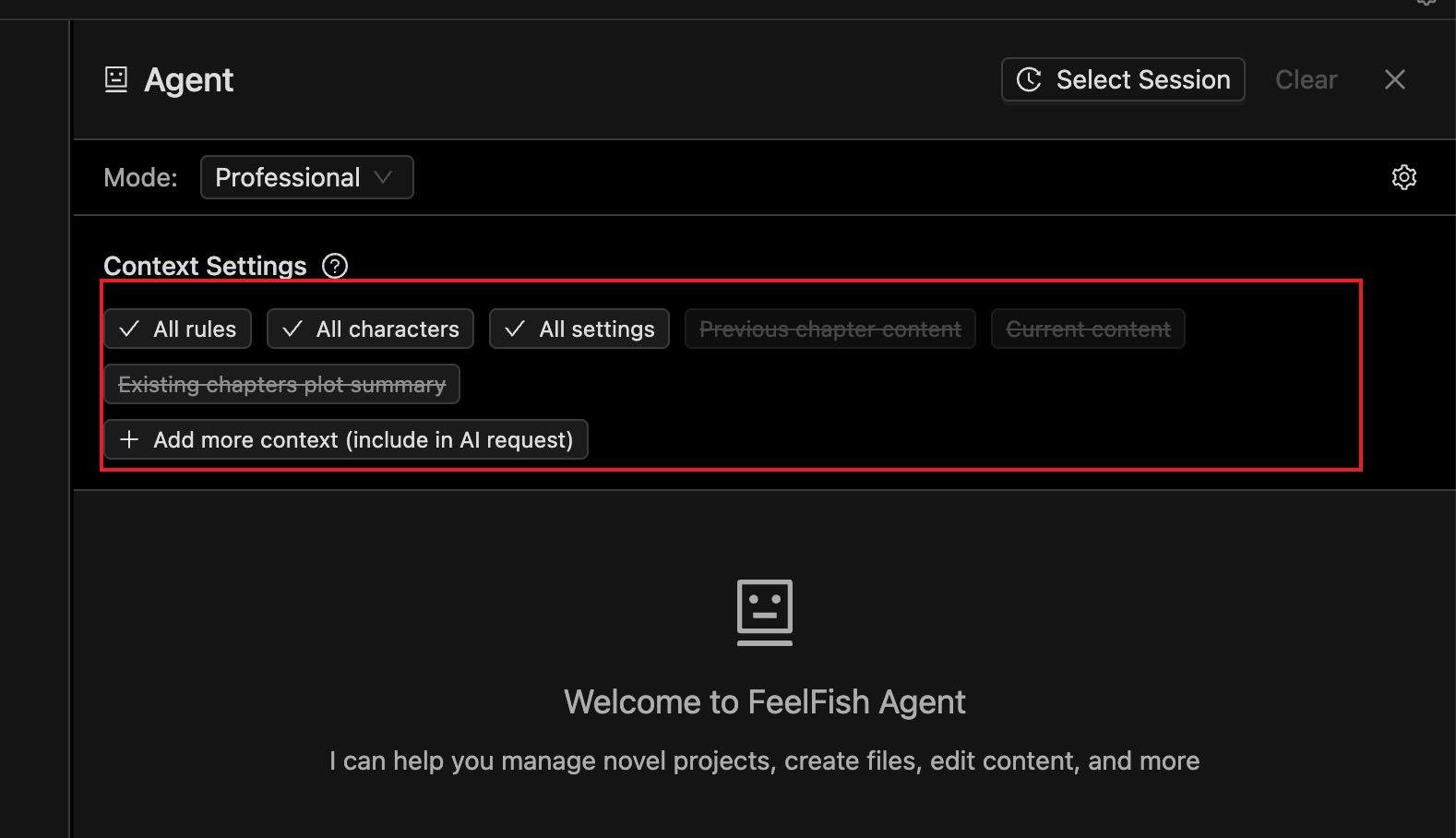
In agents, AI has powerful tool-calling capabilities. If AI needs to read file content, it can actively call tools to read it. Therefore, in agent conversations, it is not strictly necessary to add file content to the context in advance.
However, in the assistant writing panel (as shown below), AI will not actively read files, so you need to manually add the file content that should be included in the context.
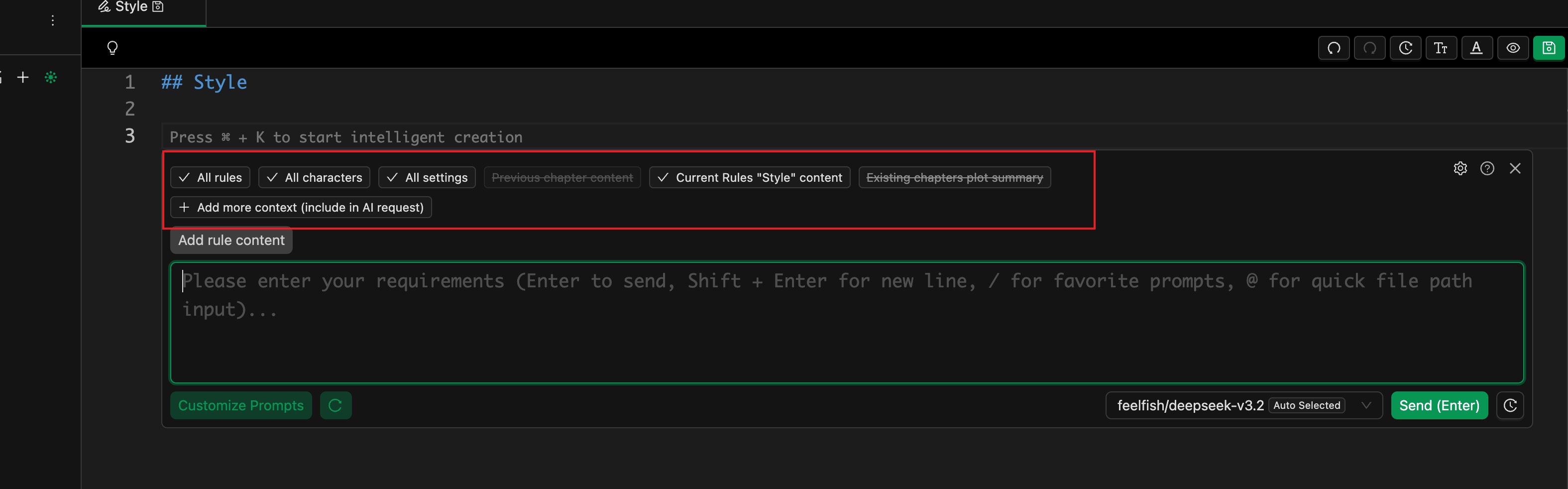
## Which Files Should I Add to the Context?
**In the early stages of creation, because there is relatively little content, you can add more complete information. You can include all rules, characters, settings, the current chapter, and the previous chapter.**
At this stage, there is not much content, so the AI will not reject your request due to an oversized context. Of course, if your task does not need that much information, you do not need to add it. As long as the necessary information is provided, keeping the context smaller can reduce distractions for the AI and help it complete the task more accurately.
For example, if you are only fixing grammar mistakes or typos in a paragraph, you do **not** need to add any files to the context.
**In the later stages of creation, character and setting files may become very numerous and long.** If you always add too many files by default, you may quickly exhaust the model's context window, and later conversations will easily hit context-size errors.
In this case, **we recommend only adding the essential guiding rules and character settings, and letting AI read other content on demand during creation.**
For example, when writing a new chapter, we recommend attaching the following by default:
- Writing style rules: help AI maintain a consistent style
- Writing plan or story outline: give AI a global view of the story
- List of foreshadowings and details: help AI reference important details, especially early foreshadowing
- Character relationship map: help AI understand the global network of characters
How can you generate these writing rules and guides? There are several options:
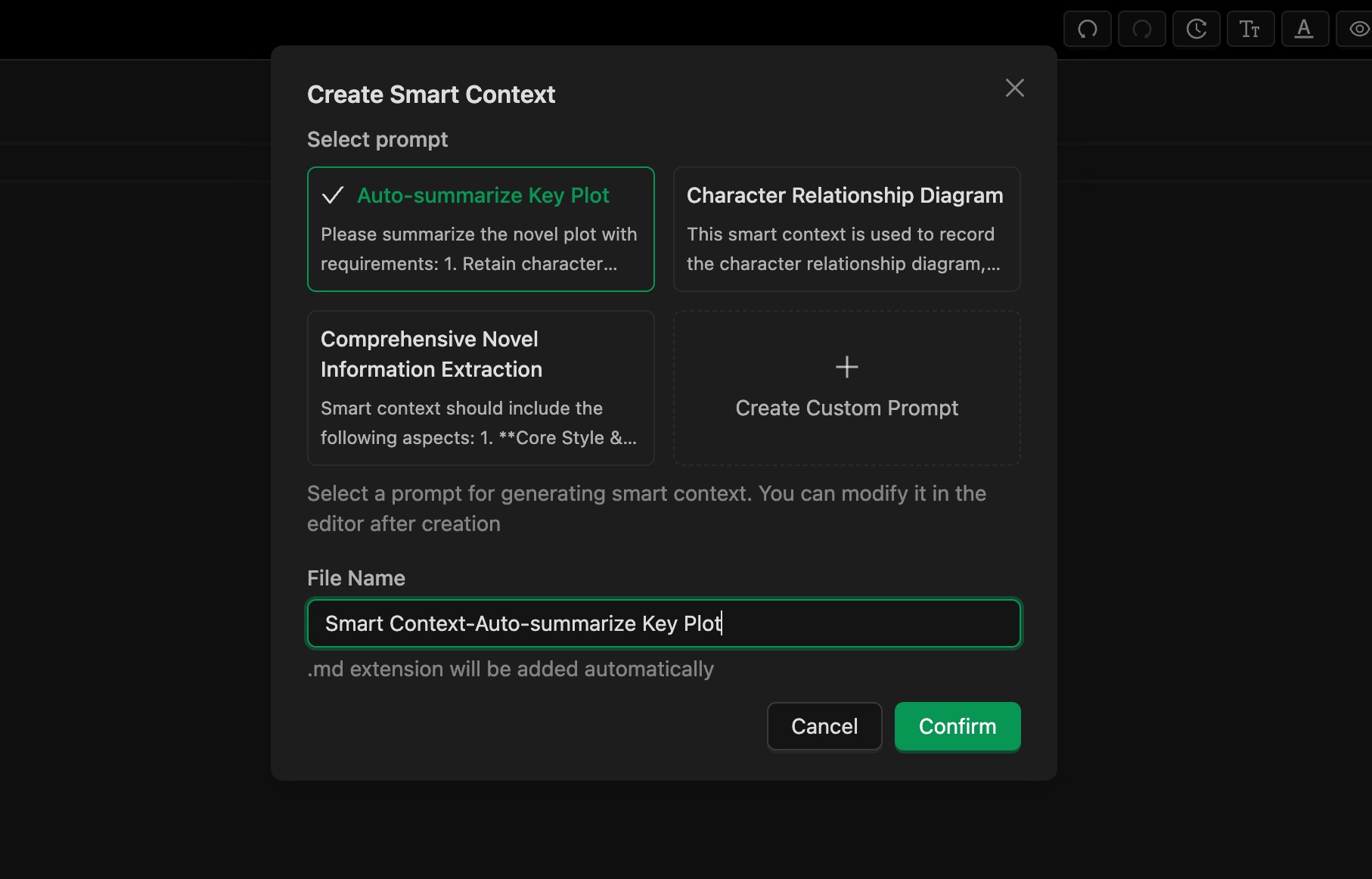
- **Use FeelFish's [Smart Context](/docs/smart-context) feature in Professional Assistant mode to extract information from existing content**, as shown in Figure 1. You can customize prompts to control how information is extracted.
- **In Planning mode, FeelFish automatically maintains related information.** Planning mode is still in public beta, and we will continue to improve it to help authors automate more of their workflow.
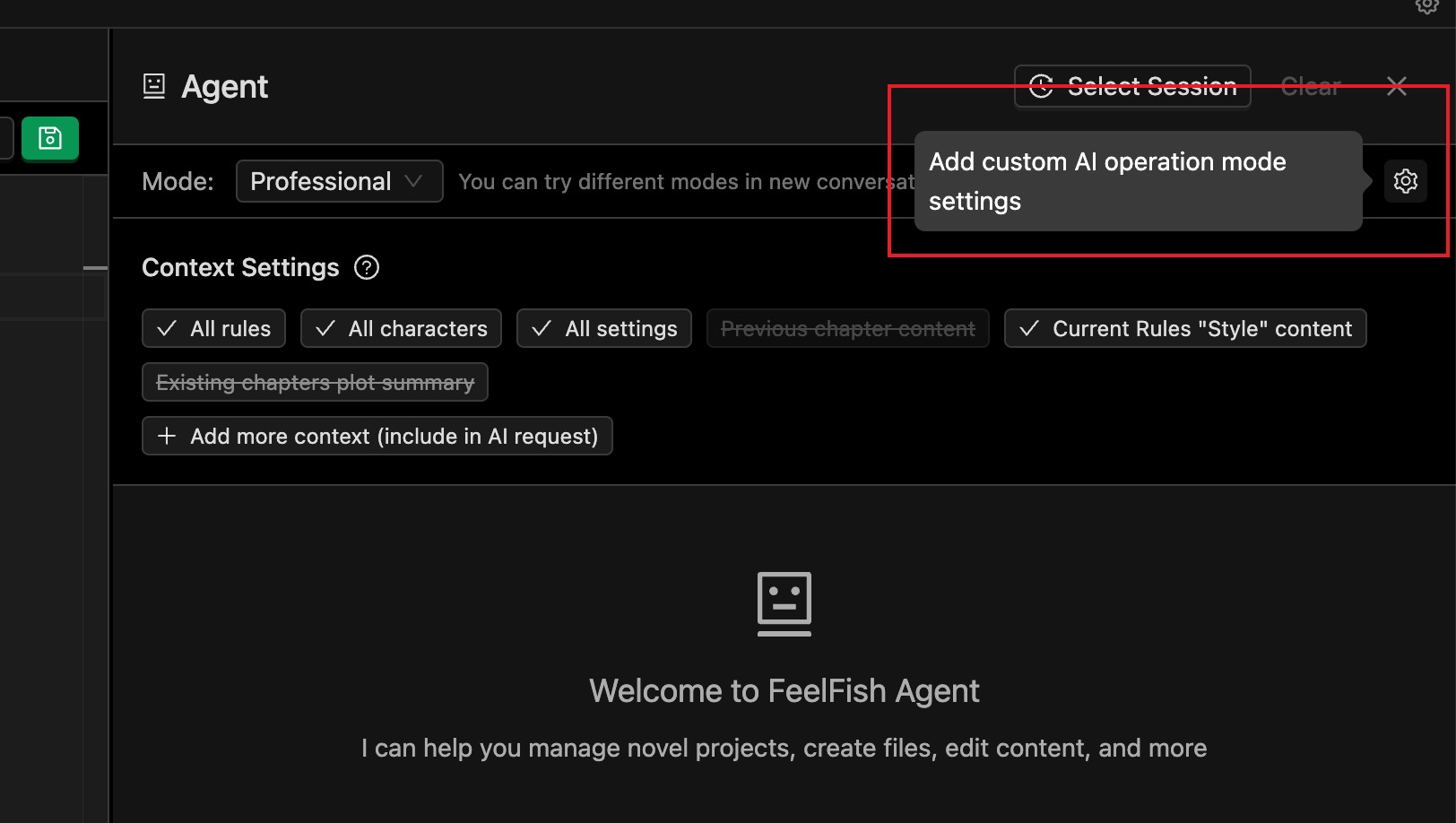
- **You can add a custom AI operating mode** (click the settings button to the right of the conversation mode selector) and set your own system prompt so the AI writes according to your requirements. For example, you can refer to Planning mode and **ask the AI to proactively update character information and character maps after each writing round.**
- You can also manually edit the writing rules and guidance, or guide the AI via prompts so that it can flexibly meet your creative needs.
## What If the Conversation Exceeds the Context Window?
As shown below, you may see an error like this in an agent conversation. This is because large models have a context window limit.
For example, for DeepSeek 3.2, the context window limit is 128K (128,000) tokens, which is roughly enough for a few hundred thousand characters of text.
This limit applies to **all** content in the current conversation. If the error is due to a very long-running conversation, we recommend starting a new conversation. We suggest treating each independent creative task (for example, each new chapter) as a separate conversation.
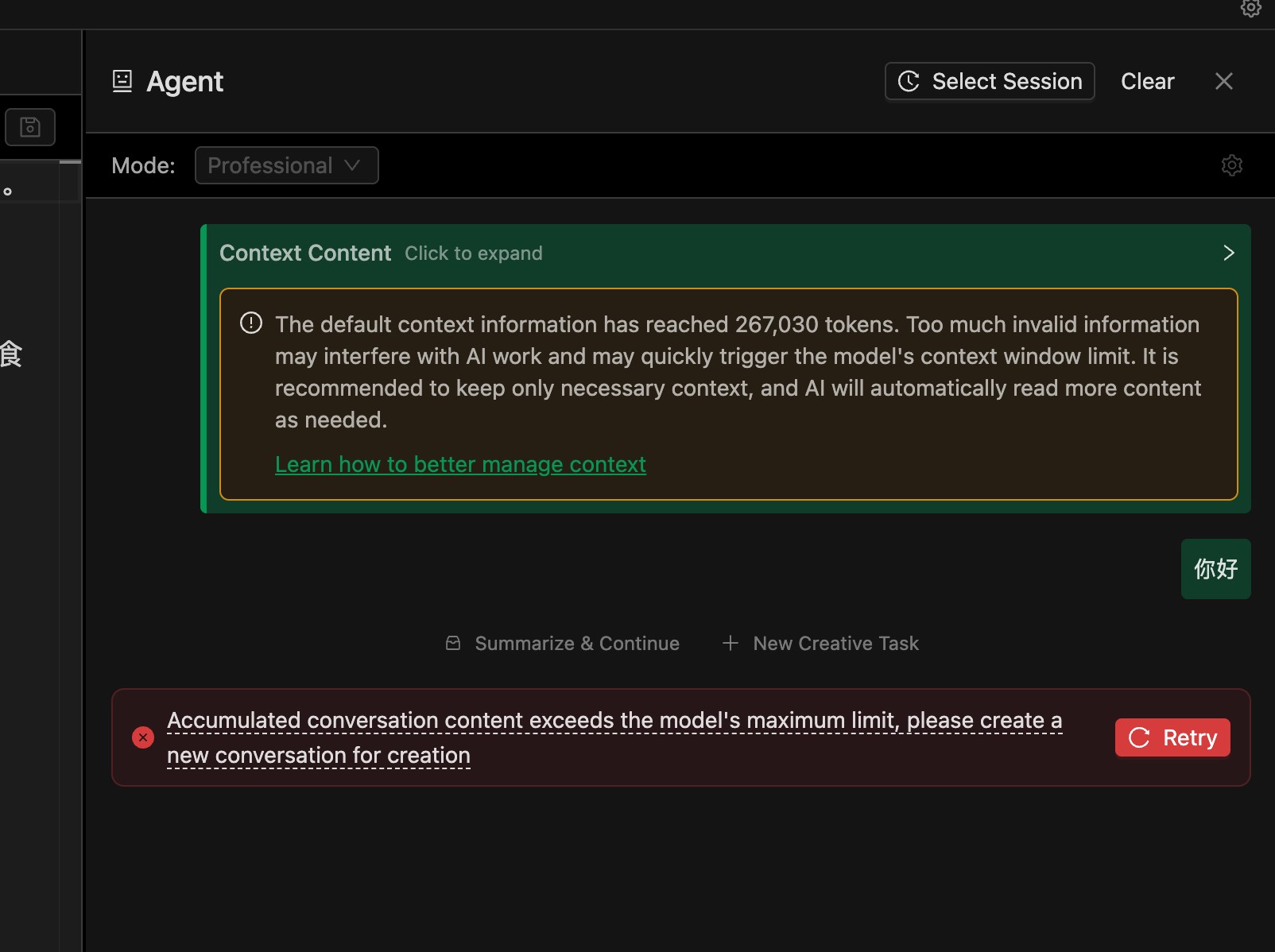
If the conversation is not very long, or you see this error on the very first message, it usually means the default attached files are too many or too large.
In that case, refer to the “Which Files Should I Add to the Context?” section above and reduce the default attached files. We recommend selecting only "All Rules".
You can also build “character relationship map”–style smart contexts to help AI understand the global information with only a small amount of context.
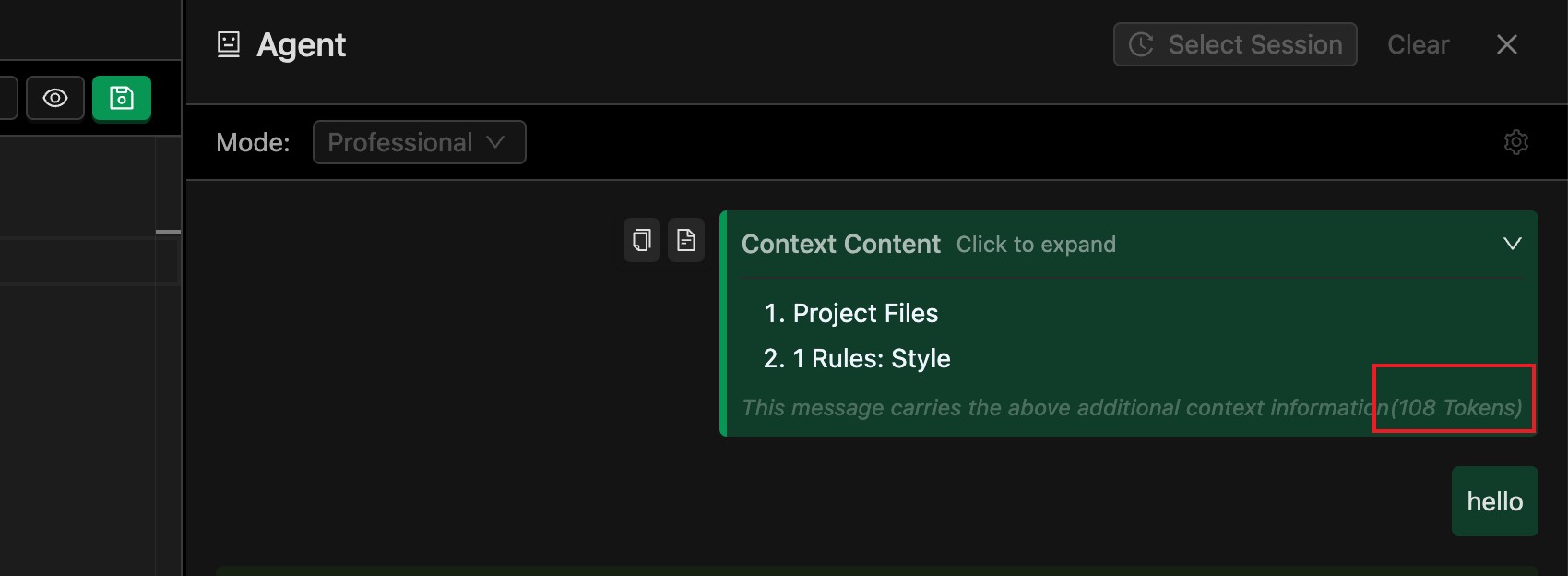
A small tip: you can expand the attached context details to see how much of the context window is consumed by the files included in this conversation:
---
#### Creative Technique: Intelligent Book Breakdown
URL: https://www.feelfish.com/en/docs/analytics
Date: 2025-12-16
# Creative Technique: Intelligent Book Breakdown
After FeelFish version 2.10.0, we support the intelligent book breakdown feature. You can upload the complete TXT content of a novel, and it will help you split chapters and extract key information based on chapter content for your reference and learning.
## Step 1: Create a Novel Based on the Intelligent Book Breakdown Template Project
Click the switch project button on the left side of the novel name, then click "New Creative Project", select "Intelligent Book Breakdown Template", enter the name of the book you want to break down, and create it.

## Step 2: Import Complete TXT Text
In the pop-up window, you can import the complete TXT text. Or when the chapter content is empty, you can also find the import button in the chapter content list.
After importing, it will identify the chapter numbers in the novel and split the entire TXT into independent chapters. This process may have matching errors, such as matching standalone numbers in the content as chapter numbers. You need to manually check and delete incorrect matches.
If there are matching issues, please provide feedback. We will check if it's a text format we haven't recognized.
## Step 3: Extract Novel Content Based on Intelligent Context Feature
The principle of intelligent book breakdown is actually implemented based on FeelFish's intelligent context feature. Essentially, it identifies novel chapters in batches and relies on AI to extract novel content.
You can create multiple intelligent contexts and extract different information according to your needs. Each intelligent context can have its own prompt, and FeelFish will extract novel information based on the corresponding intelligent context's prompt.
## About Credit Consumption
Credit consumption is the same as FeelFish's intelligent context feature, both calculated based on the number of AI request tokens. You can choose the model you want to use for book breakdown. If we calculate based on DeepSeek V3.2 (28 credits per input token), roughly two Chinese characters correspond to one token. One million characters correspond to 500K tokens. If only considering novel content input, it requires 14 million credits. Adding the final output and the intelligent context results from the previous batch each time, the total consumption should be around 20 million credits.
If you create multiple intelligent contexts, the repeatedly read novel content within a certain time period is cached and only requires one-tenth of the credits. So overall, creating three or four intelligent contexts, the credit consumption should be within 50 million (equivalent to one-sixth of a premium membership, actual consumption may vary). We recommend analyzing a few chapters first to see how effective it is, then adjust your prompts before running the full batch.
Additionally, you can use AI in intelligent agents to help analyze individual chapters based on existing chapter content.
In summary, FeelFish's intelligent book breakdown feature is very flexible and powerful. You can explore it well~
---
#### Writing Tips: Smart Context
URL: https://www.feelfish.com/en/docs/smart-context
Date: 2025-08-03
# 🧠 Smart Context
## 🤔 What is Smart Context?
**Smart Context is a powerful feature of FeelFish that automatically generates novel style, character information, and other content based on existing content, providing richer and more accurate context to large language models more intelligently. Making novel creation easier and more efficient!** ✨
When creating novels in FeelFish, we typically start by setting rules and characters, then create the novel based on these settings. The large language model will create better novels according to our settings.
However, as novel creation progresses, maintaining characters and rules becomes very troublesome. Smart Context can automatically generate novel style, character information, and other content based on existing content, making it more convenient to provide richer and more accurate context to large language models, helping us create novels with more coherent plots and consistent styles. 🎯
## ➕ How to Create New Smart Context?
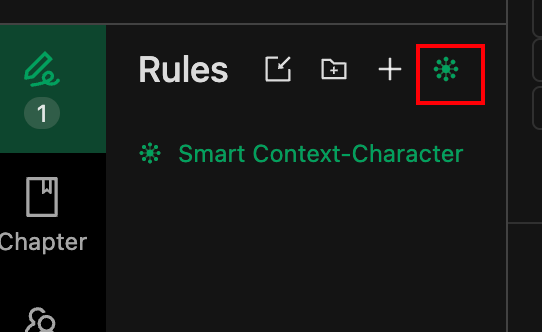
As shown in the figure below, in the rules list, we've added a button to create smart context:

### 📝 Creation Steps:
1. **Click the Create Button** - Find the "Create Smart Context" button in the rules list
2. **Enter a Name** - Enter a descriptive name for your smart context
3. **Confirm Creation** - Click confirm to create the smart context
> 💡 **Tip**: Smart Context cannot be edited. It is automatically generated by FeelFish to ensure content accuracy and consistency.
This way, FeelFish will include Smart Context during creation! 🚀
## ⚙️ How to Customize Smart Context Generation Rules?
After you become familiar with using Smart Context, you may have more advanced needs. For example, you might want a Smart Context that only helps generate character information without generating novel style.
In FeelFish, you can achieve this by customizing the prompts used for Smart Context generation. As shown in the figure below, when you open a Smart Context rule file, there will be a selection above it where you can choose the prompts used by Smart Context.

## 🎯 Usage Recommendations
1. **When to Enable Smart Context** – Enable smart context after you have already generated some content.
2. **Using Smart Context for Book Analysis and Breakdown** – You can import an entire work, create a new smart context, and analyze the book's content.
3. **Use Suitable Prompts** – Prompts are customizable. Using appropriate prompts can provide information that is easier for the AI to understand.
4. **Use Meaningful Names for Multiple Smart Contexts** – This helps the AI roughly understand the purpose of each smart context from the filename, for example, names like "Smart Context - Character Relationship Map".
## How Much Do Smart Context Credits Cost?
Currently, the default analysis is based on DeepSeek 3.2. Analyzing approximately one million words consumes about 20 million credits. If you have multiple smart contexts, caching helps reduce credit consumption due to reuse. Adding a new smart context typically consumes around 5 million credits. However, because cache validity is limited (ranging from a few hours to several days), adding new smart contexts later may still incur higher credit costs. Actual consumption is subject to the large model service's real-time usage.
Give it a try! To create better novels, smart context is your great assistant! 📚
---
#### Creative Techniques: Customizing AI Behavior
URL: https://www.feelfish.com/en/docs/custom-ai-mode
Date: 2026-02-10
## How to Make AI Better Suit My Creative Habits?
Different people have different creative habits, and for different types of content, we expect AI to assist in different ways. FeelFish provides two methods for you to customize the AI's operating mode, allowing you to more conveniently train the AI to better meet your creative needs.
1. Add a custom AI operating mode.
2. Create an `AGENT.md` file to supplement the system prompts for the agent.
Next, we will explain in detail the applicable scenarios and usage methods of these two approaches.
## Add a Custom AI Operating Mode
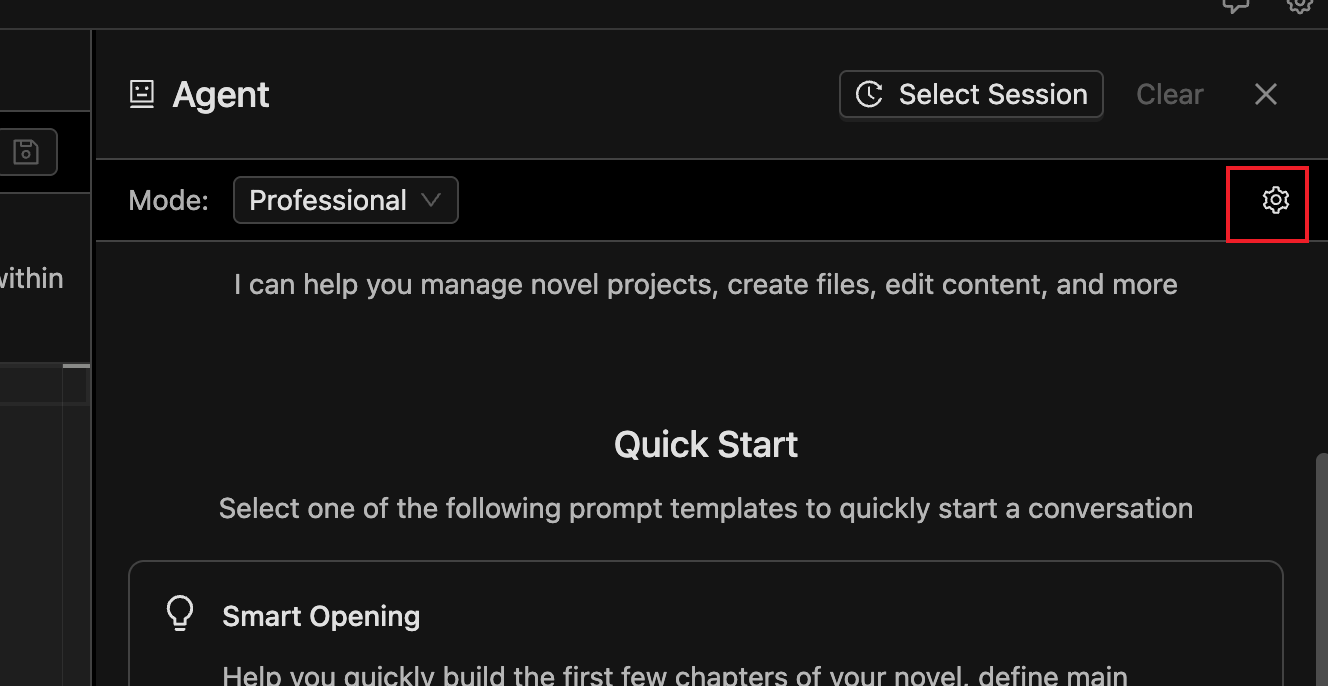
Above the agent dialog, there is a settings button. Clicking it allows you to add a custom AI operating mode:
It is recommended to describe your custom requirements concisely and clearly. Avoid using Markdown headings; instead, describe directly or write a list. For example:
```
Before writing the main text, always outline first. Only begin writing the main text after I confirm the outline meets the requirements.
```
Another example:
```
- Please address me as "Little Cutie."
- Please strictly adhere to the definitions in the "Style" document within the rules when creating.
```
The requirements added here will be included in the AI's system prompts with high priority. This includes, but is not limited to, setting the AI's writing style, work mode, communication attitude, etc.
## Create AGENT.md to Supplement Agent System Prompts
Under other sections, you can create an `AGENT.md` file.
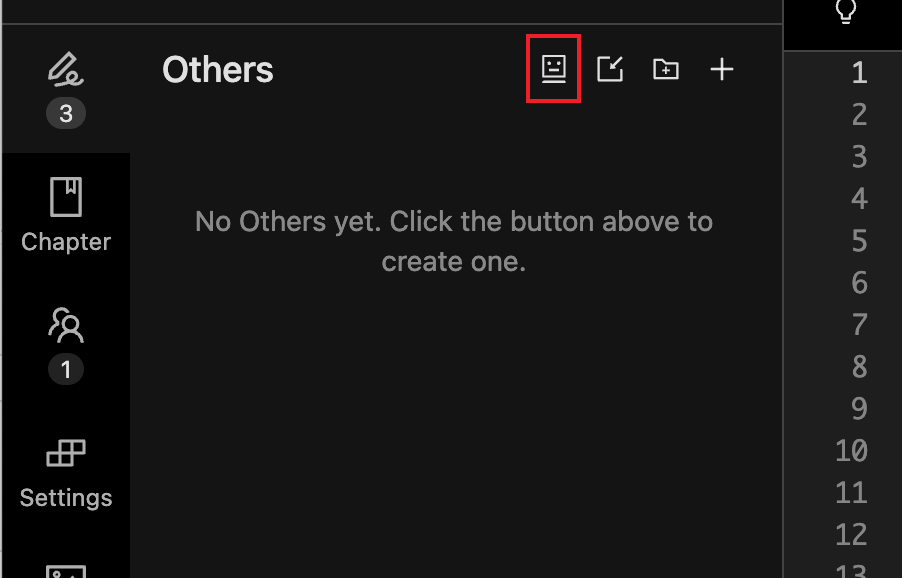
`AGENT.md` has a similar effect to custom AI operating modes but with relatively lower priority. It's more suitable for containing reference information rather than strict requirements. You can use Markdown syntax to write more comprehensive content.
For example:
```
## Guide to Reducing AI Tone
### Requirements
1. **Language Expression**: Use concise and refined sentences with appropriate embellishments. Avoid repetition, redundancy, and excessive decoration.
2. **Dialogue Handling**: Employ colloquial dialogue to shape well-rounded characters.
3. **Narrative Techniques**: Utilize diverse descriptive methods to avoid monotonous narration. Skillfully advance the plot through dialogue, action, and details.
4. **Emotional Portrayal**: Delicately and naturally depict emotional fluctuations. Avoid being overly direct or forcedly sentimental. Integrate elements that resonate.
5. **Conflict and Tension**: Enhance character immersion, dialogue conflict, and visual imagery. Establish effective contrasts.
### Examples
- Use fragmented phrases to increase urgency (e.g., "The phone rang. Three times. I didn't answer.")
- Use suspense and twists to engage readers (e.g., "The door opened. The person standing outside made me gasp.")
```
The above is just an example. In practice, to reduce AI tone, you can explore norms that better suit your creative requirements based on the models you use.
You can also configure the custom AI operating mode mentioned above for use. For example, you can configure in the AI operating mode: "When creating chapter content, please refer to the [Guide to Reducing AI Tone] for creation."
## Frequently Asked Questions
### What's the Difference Between FeelFish's Intelligent Planning Mode and Professional Assistant Mode?
FeelFish's Intelligent Planning Mode is based on the Professional Assistant Mode, incorporating some best practices and customizing certain AI operating modes. The added custom logic typically includes:
- Generating "Style," "Creation Plan," "Character Relationship Chart," "Plot Record," and "Details & Foreshadowing Checklist" during creation.
- Requiring the AI to advance the creation of each chapter using a task list format, and to create an outline before writing the main text.
If you want better control and customization of the AI, it is recommended to continuously optimize and define your preferred working mode based on the Professional Assistant Mode. If you prefer an easier experience, you can use the Intelligent Planning Mode. The Intelligent Planning Mode will be continuously modified based on official practices and may have some degree of uncertainty. If you're unsure which to choose, you can try the Professional Assistant Mode first and then explore based on it. **It is recommended to customize operating modes based on the Professional Assistant Mode.**
---
#### Creative Techniques: Knowledge Base, Cloud Storage, and Semantic Search
URL: https://www.feelfish.com/en/docs/knowledge-base
Date: 2026-02-09
After version 2.13.0, FeelFish has added support for cloud storage ☁️, knowledge base 📚, and semantic search 🔍. These features are currently available only to Premium and Professional members 💎.
## Using Cloud Storage to Sync Across Multiple Devices 🔄
By linking a cloud project, you can sync local files to the cloud and download cloud content to your local device.
As shown above, click "Link Cloud Project" to bind a local project to a cloud project 🔗.
Now, create a cloud project and link it on your first dev

Then, sync the content to the cloud ⬆️
After syncing, chapters, characters, rules, settings, as well as chat history and current messages, will all be synced to the cloud.
On a new device, link the previously created project and sync, or you can directly import from the cloud and then sync:
After syncing, you can view the sync status and enable auto-sync 🔄.
## Knowledge Base and Semantic Search 📚🔍
Projects synced to the cloud will automatically enable semantic search and can be added as a knowledge base to other projects.
What is semantic search? 🤔
With traditional search, you can only search for specific keywords within the content, but semantic search allows you to search based on questions, such as "How old is Lin Yi?"
As shown above, projects synced to the cloud undergo semantic analysis on the cloud, enabling search based on content. In addition to you being able to perform semantic searches, the AI agent 🤖 will also search for relevant content when needed.
**However, please note ⚠️ that after files are uploaded to the cloud, it may take anywhere from tens of seconds to a few minutes for content analysis to complete before searches can retrieve results. Also, only text content within 100KB (approximately 30,000 words) will be indexed, so try to avoid excessively long chapters.**
What about the knowledge base?
For example, if you have some self-organized content that you want to use as a reference for novel creation, you can create a new "Knowledge Base" project, import the relevant content, and upload it to the cloud. This way, when the AI agent is creating, it will search for related information based on actual needs or your commands, effectively extending an external information source to help improve the quality of your creation 📈.
After clicking "Add Knowledge Base," you can add your other cloud projects or public knowledge bases to your project. Your other novels can also be added as knowledge bases, which may be helpful when creating fan works 💡.
When adding a knowledge base, please provide a suitable description. The AI will use the description to understand the purpose of the knowledge base and decide autonomously whether to access it when needed 🧠.
After adding it, you can test it in the panel 🧪
As shown above, you can test using the trial knowledge base "Introduction to Earth" currently provided.
## Frequently Asked Questions ❓
### Do Cloud Sync and Knowledge Base Consume Credits? 💰
Semantic search extracts answers using AI after retrieving content. Currently, the inexpensive and fast `qwen-flash` model is used, which consumes only a small amount of credits. Compared to the AI agent's consumption, it is almost negligible.
Additionally, sync and knowledge base features are currently free and are exclusive benefits for Premium and Professional members.
### How Long Does It Take for Semantic Search to Take Effect After Modifying a File? ⏱️
Semantic search relies on the cloud for content semantic analysis, so it only takes effect after the modified content is synced to the cloud. Generally, it takes tens of seconds to a few minutes after syncing ✅.
If you have configured "Auto-upload saved files to the cloud," files will be uploaded and analyzed automatically when you save 💾.
### What Should I Do If Conflicts Occur During Sync? 🤯
We recommend syncing the latest version from the cloud before switching devices and syncing the latest content to the cloud after completing your work before switching devices again.
When multiple devices edit simultaneously, conflicts may occur. You can choose to overwrite the cloud with the local version or overwrite the local version with the cloud version. Although backups of local and cloud versions are available, please check your content carefully during conflicts, make necessary backups, and avoid losing file content 🚨.
---
#### Creative Tips: Managing Your Prompts
URL: https://www.feelfish.com/en/docs/prompts-manager
Date: 2025-10-01
# 📝 Managing Your Prompts
You can manage your own prompts in the [FeelFish Personal Center](/account/prompts).
## 🤔 Why Are Prompts Important?
**In the AI creation era, prompts are your resource accumulation!** ✨
Prompts are the bridge connecting you and AI. Good prompts can:
- 🎯 **Express needs precisely** - Let AI accurately understand your creative intentions
- 🚀 **Boost creation efficiency** - Reduce repeated debugging, quickly achieve ideal results
- 💎 **Accumulate creative experience** - Excellent prompts can be reused, becoming your creative assets
- 🎨 **Maintain consistent style** - Ensure unified work style through standardized prompts
FeelFish provides powerful prompt management features, allowing you to easily manage and use various types of prompts, making AI creation more efficient!
## 📋 Detailed Explanation of Prompt Types
FeelFish supports multiple types of prompt configurations, each with its specific use cases:
### ⭐ Favorite Prompts
**Use Case**: Most commonly used, can be used in any scenario
Favorite prompts are your personal collection of most commonly used prompts:
- 🏆 **Personal creative habits** - Save your commonly used creative styles
- 🎯 **Specific needs** - Dedicated prompts for specific types of content
- 💡 **Creative inspiration** - Record sudden creative ideas

### 🔧 Insert Prompts
**Use Case**: Used when invoking the auxiliary creation panel (Ctrl/Cmd+K) in chapter files
Insert prompts are mainly used to add content at specific positions, such as:
- 📖 **Continue story plots** - Continue advancing plot development
- 💬 **Insert dialogue scenes** - Add character dialogue
- 🌅 **Insert environmental descriptions** - Enrich scene descriptions
Characters, styles, and settings also have their own insert prompt configurations. Characters can configure character insert prompts, and so on.

### ✏️ Modify Prompts
**Use Case**: Used when selecting text and invoking the auxiliary panel
Modify prompts are used to optimize and improve existing content:
- ✨ **Polish text expression** - Enhance linguistic literary quality
- 💝 **Strengthen emotional expression** - Deepen character emotional portrayal
- ⚔️ **Intensify conflict** - Enhance dramatic effects
Characters, styles, and settings also have their own modify prompt configurations. Characters can configure character modify prompts, and so on.

### ➕ Supplement Prompts
**Use Case**: Can be used in any scenario, supplementing after user prompts
Supplement prompts are used to add additional constraints or requirements:
- 📏 **Word count limits** - Such as "keep within 100 words"
- 🎭 **Style requirements** - Such as "maintain humorous style"
- 📝 **Format requirements** - Such as "use dialogue format"

### 🧠 Smart Context Prompts
**Use Case**: Automatically generate novel context information
Smart context prompts are used for:
- 📊 **Comprehensive extraction of novel information** - Extract style, characters, worldview, etc.
- 📋 **Automatically summarize key plots** - Generate plot summaries

## 🔗 Detailed Explanation of User Prompt Prefix
When configuring prompts, you'll find that some prompts have "User Prompt Prefix" configuration (supplement prompts and favorite prompts don't have this configuration).
### 📝 What is User Prompt Prefix?
User prompt prefix is used to work with user-input prompts. It's added between the system prompt and the user's own input prompt.

## 🎯 Usage Recommendations
### 📚 Build Personal Prompt Library
1. **Collect excellent prompts** - Save useful prompts promptly when encountered
2. **Categorize and organize** - Classify by type and purpose
3. **Regular optimization** - Continuously improve based on usage effects
### 🔄 Flexible Combination Usage
1. **Basic prompts** - Choose appropriate basic prompts
2. **Supplement constraints** - Use supplement prompts to add additional requirements
3. **Personal favorites** - Combine favorite prompts to reflect personal style
### 📈 Continuous Improvement
1. **Record effects** - Record which prompts work well
2. **Analyze reasons** - Analyze characteristics of successful prompts
3. **Iterative optimization** - Continuously optimize and improve prompts
## 🚀 Getting Started
Start managing your prompts now! In FeelFish:
1. **Explore built-in prompts** - First familiarize yourself with various prompts provided by the system
2. **Create personal favorites** - Save your commonly used prompts
3. **Customize supplements** - Add supplement prompts according to needs
4. **Continuous optimization** - Continuously improve based on usage effects
Remember: **Good prompts are the key to AI creation success!** Investing time in prompt management will make your creative efficiency twice as effective! 🎉📚
---
#### Writing Tips: Agent
URL: https://www.feelfish.com/en/docs/agent
Date: 2025-08-15
# Agent: Your Novel Writing Assistant
FeelFish's Agent is a powerful AI writing partner specifically designed for novel writing. It not only understands your creative intentions but also proactively provides valuable suggestions and inspiration for your stories.
## How to Launch the Agent
There are two ways to activate the agent:
1. **Mouse Operation**: Click the agent button in the bottom right corner of the interface
2. **Keyboard Shortcut**: Use `Ctrl + O` (Windows/Linux) or `Cmd + O` (macOS)
## Agent Capabilities
### 🤖 Intelligent Context Understanding
The agent automatically carries relevant context information and can actively read the background content it needs. No matter how complex your questions are, it can accurately understand and provide targeted responses.
### ✨ Comprehensive Creative Support
The agent can assist you in various aspects of novel writing:
- **Character Development**: Help you design rich character images, personality traits, and background stories
- **Plot Development**: Assist in conceiving chapter content and advancing story plots
- **Inspiration Sparking**: Provide new creative directions when you encounter writer's block
- **Style Enhancement**: Optimize text expression and improve work quality
### 🎯 Don't Hesitate, Be Bold and Experimental
You can ask the agent any questions about novel writing. Its capabilities often exceed your imagination and will bring you unexpected surprises!
## 💡 Beginner's Tip: Use "Smart Opening"
If you're starting a brand new novel, we strongly recommend using the built-in **"Smart Opening"** prompt:
1. When the novel is still in a blank state
2. Launch the agent
3. Select the "Smart Opening" prompt
4. Let AI generate the opening of your first chapter
This feature is especially suitable for:
- Authors lacking opening inspiration
- Creators who want to try different opening styles
- Writers who want to quickly get into the creative flow
## 🚀 Join the Beta, Experience the Future
FeelFish Agent is currently in **active beta testing**! [Download now](/download) to experience it! As a continuously evolving AI assistant, it will keep learning and improving, providing increasingly powerful support for your creative journey.
Come experience this revolutionary writing tool and let AI become your most capable creative partner!
*If you have any usage questions or suggestions, feel free to contact us at any time (feelfish@foxmail.com). Let's open the new era of AI-assisted writing together!*
---
#### Custom Model
URL: https://www.feelfish.com/en/docs/custom-model
Date: 2025-11-18
FeelFish has built-in support for multiple models optimized for novel writing scenarios, with default recommendations for the most cost-effective models. DeepSeek, OpenAI, AiHubMix, and others provide AI model technology support. For most users, the built-in models are sufficient, but for some users who need to use custom models, FeelFish also provides related support.
Here are the specific steps:
## Step 1: Add Custom Model API
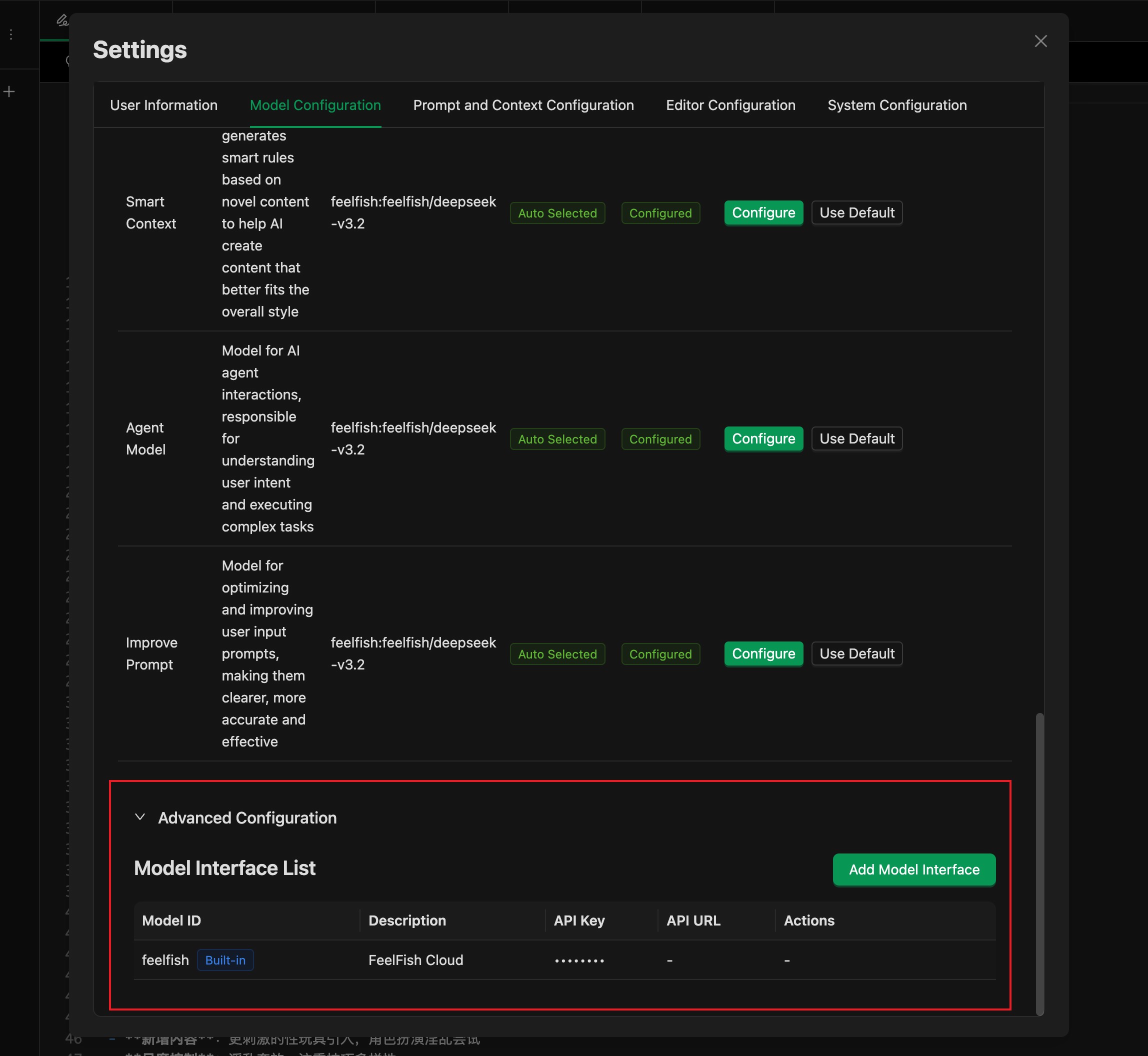
In the model settings window, expand the advanced settings at the bottom to see the "Model API List". By default, only FeelFish's built-in model APIs are available. You can click the "Add Model API" button to add a custom model API.
> If you want to add other models supported by FeelFish, you can skip this step and go to the second step.
## Step 2: Add Model to Available Model List
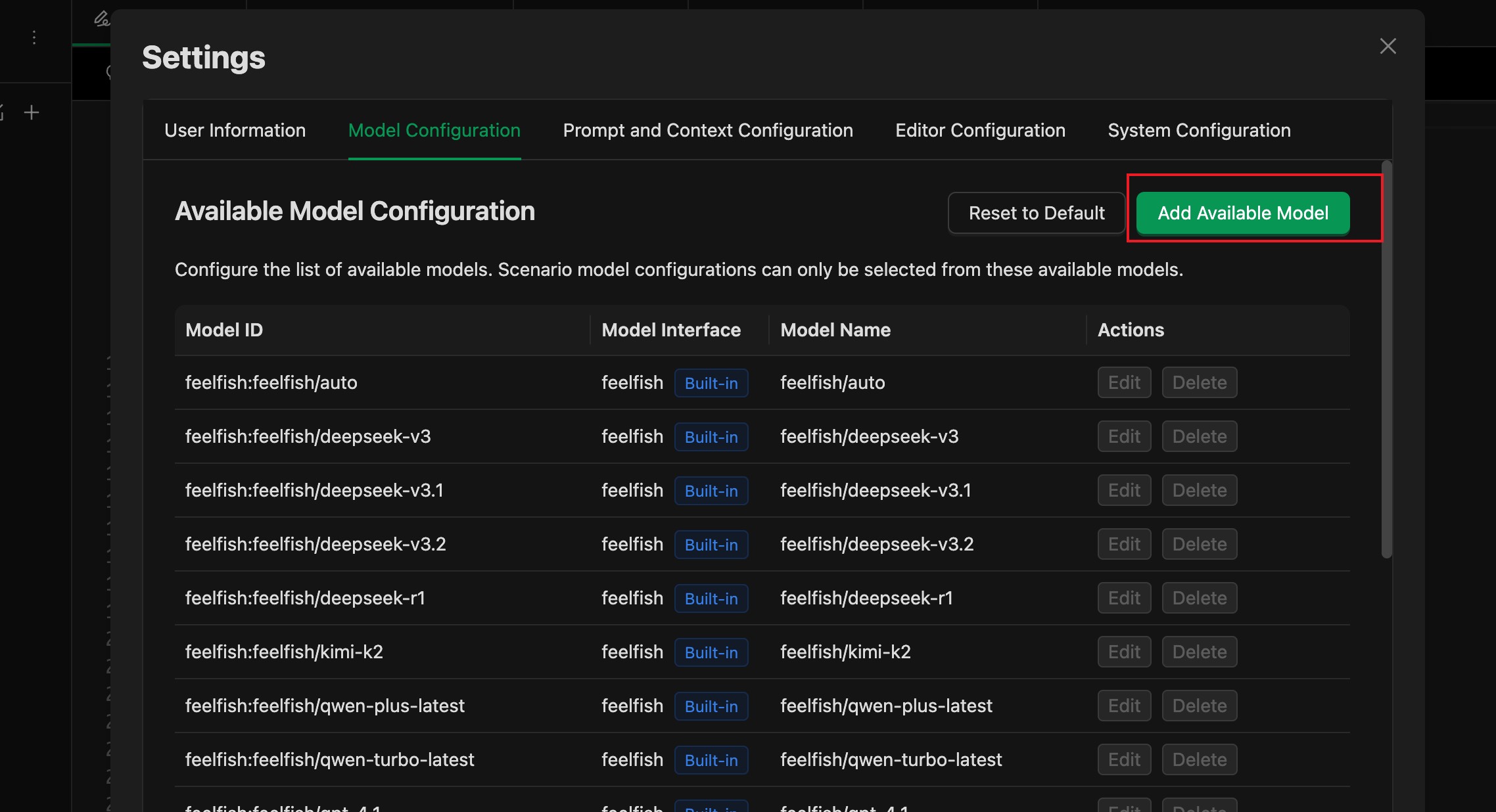
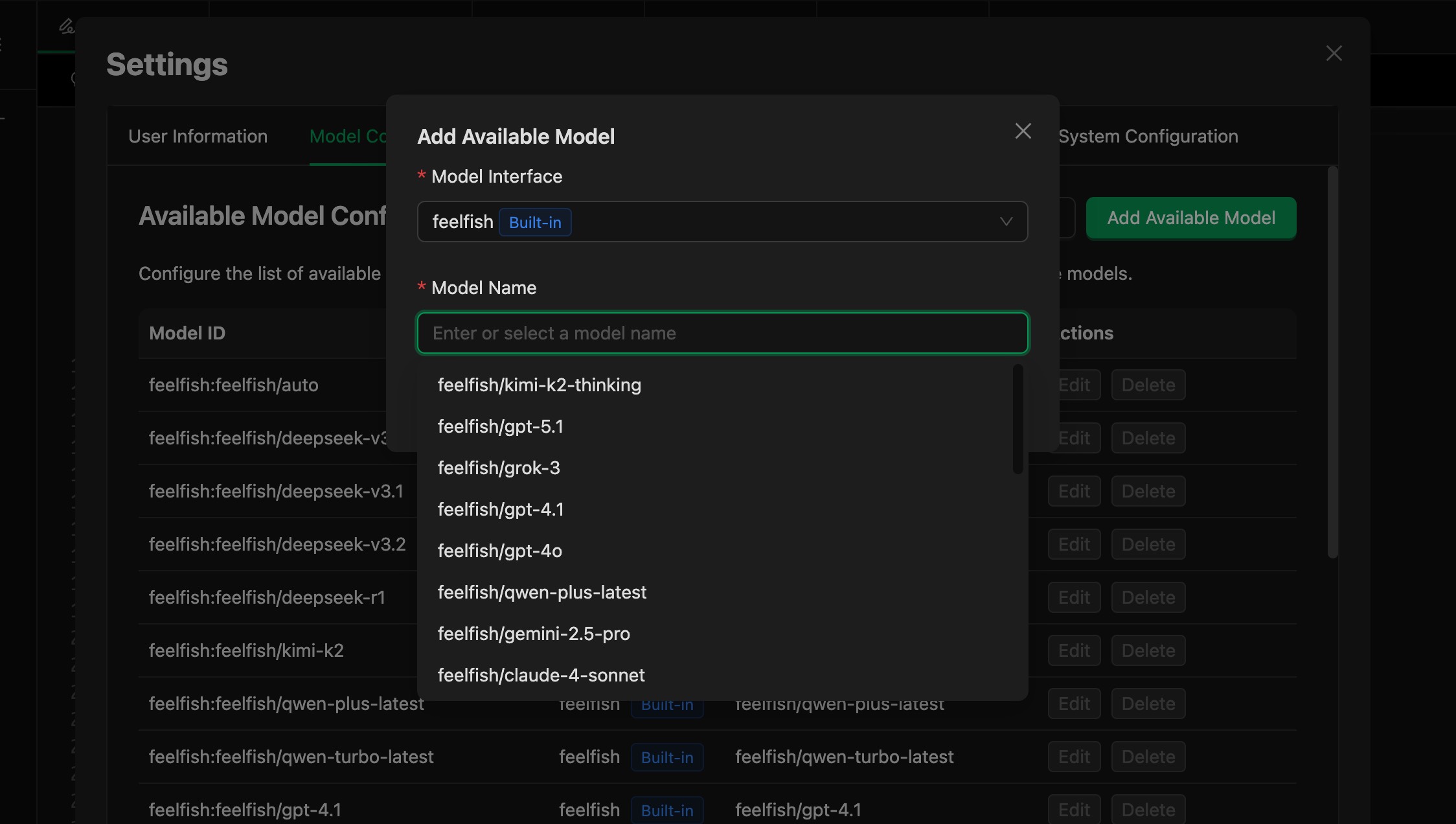
Then you can see and use your custom model in the model list.
---
#### Markdown Syntax Overview
URL: https://www.feelfish.com/en/docs/markdown
Date: 2026-05-06
# Markdown Syntax Quick Reference
> A quick reference guide to Markdown for fiction writers. Large language models both receive and return text, and Markdown is a minimalist plain text format with formatting specifications, now widely adopted by various LLMs. You can think of Markdown as an AI-native format. Getting familiar with Markdown syntax is very helpful for writing skills, learning AI-assisted writing, and more.
---
## Why Markdown?
Markdown is a lightweight markup language that lets you express formatting intentions within plain text. For fiction writers, the benefit is straightforward: **focus on writing, not typesetting.** You don't need to hunt through menus for buttons—just a few simple symbols to mark headings, emphasis, and section breaks. Once you're done writing, you can export to Word, PDF, e-books, and various other formats.
---
## 1. Headings
Headings begin with the `#` symbol. The more `#` marks, the deeper the heading level. In fiction writing, chapter titles and section headings are the most commonly used.
```markdown
# Chapter 1: Before the Dawn
## Section 1: Departure
### Scene One: Rainy Night
```
Effect:
> # Chapter 1: Before the Dawn
> ## Section 1: Departure
> ### Scene One: Rainy Night
**Writing tip:** Use `#` for chapter titles, `##` for section headings, and `###` for small markers like scene transitions or time jumps. Deeper levels are generally unnecessary.
---
## 2. Paragraphs and Line Breaks
In Markdown, **leaving a blank line between two blocks of text** creates a paragraph break. This is the same effect as pressing Enter twice in Word.
```markdown
He pushed the door open and stepped into the long-abandoned room. The air was thick with the stale smell of old wood.
Moonlight streamed through the shattered window, painting a pale, ghastly streak of light across the floorboards.
```
If you just want a **line break within a paragraph** (without creating paragraph spacing), use a single line break instead of a blank line (FeelFish supports this—a single line break will produce a new line without extra spacing).
```markdown
He pushed the door open and stepped into the long-abandoned room. The air was thick with the stale smell of old wood.
Moonlight streamed through the shattered window, painting a pale, ghastly streak of light across the floorboards.
```
---
## 3. Emphasis and Stress
This is one of the most frequently used formatting tools for fiction writers—ideal for marking a character's inner monologue, special terms, or tone that needs emphasis.
| Syntax | Effect | Common Uses |
|---|---|---|
| `*italic text*` | *italic text* | Inner monologue, letters, flashbacks |
| `**bold text**` | **bold text** | Strong emphasis, keywords |
| `***bold italic***` | ***bold italic*** | Extreme intensity or shouts |
| `~~strikethrough~~` | ~~strikethrough~~ | Text crossed out by a character, traces of revision |
**Writing example:**
```markdown
She stared at the letter, a single thought echoing in her mind: *This cannot be real.*
"You **must** leave before dawn." The old man's voice left no room for doubt.
```
---
## 4. Horizontal Rules (Scene Breaks)
Fiction often requires marking scene changes, time jumps, or perspective shifts. In Markdown, use three or more dashes, asterisks, or underscores to create a horizontal rule:
```markdown
She closed the door and never looked back.
---
Three years later. A sun-drenched afternoon, the corner café buzzing with voices.
```
All three work: `---`, `***`, `___`. They produce the same effect. It's recommended to stick with `---` for consistency.
---
## 5. Blockquotes
Blockquotes start with `>`. They're perfect for embedding letters, diary entries, news reports, inscriptions, and other inset texts within fiction.
```markdown
He opened the yellowed diary. On the first page, it read:
> March 14, 1987. Sunny.
>
> I made a decision today. If all goes well, by this time tomorrow,
> I will no longer be anywhere in this city.
His fingers trembled slightly.
```
For nested blockquotes, use `>>`:
```markdown
> She wrote in her letter:
>
>> If you're reading this, it means I've already gone.
>> Don't come looking for me.
```
---
## 6. Lists
Lists aren't common in fiction prose, but they're very practical for outlines, world-building notes, and character profiles.
**Unordered lists** (start with `-`, `*`, or `+`):
```markdown
- Main Characters
- Lin Yuanzhou: Male lead, retired soldier, taciturn
- Su Wan: Female lead, journalist, stubborn
- Supporting Characters
- Old Chen: Tavern owner
```
**Ordered lists** (start with a number followed by `.`):
```markdown
1. Act One: Daily Life and Foreshadowing
2. Act Two: Conflict Erupts
3. Act Three: Climax and Turning Point
4. Act Four: Resolution
```
---
## 7. Code and Monospace Font
Occasionally, you may need to represent on-screen text, SMS messages, terminal output, or other "non-natural language" content in fiction. Use backticks for this:
**Inline code**—wrap with a single backtick:
```markdown
A line of text flickered on the screen: `ACCESS DENIED`.
```
**Code blocks**—wrap the entire passage with three backticks:
````markdown
The phone screen lit up with a message:
```
Sender: Unknown Number
Are you sure you want to open that door?
```
````
---
## 8. Links and Images
Reference links and images may come in handy for writing notes.
**Links:**
```markdown
For historical research on this event, see [Wikipedia](https://en.wikipedia.org).
```
**Images:**
```markdown

```
The image syntax simply adds a `!` before a link. The text in square brackets serves as alternative description when the image can't be displayed.
---
## 9. Footnotes
Some Markdown editors support footnotes, which are useful for adding translator's notes, historical background, and similar annotations to fiction:
```markdown
That year, the entire city was talking about "Project Galaxy"[^1].
[^1]: "Project Galaxy" is a fictional space migration initiative, inspired by the 1960s moon race.
```
---
## 10. Special Formatting Techniques
### Centering Text
Standard Markdown doesn't support centering, but many editors and export tools support HTML tags:
```markdown
**Volume Two**
*The Gathering Storm*
```
### Formatting Dialogue
For dialogue in Chinese fiction, simply use quotation marks and separate each line into its own paragraph:
```markdown
"Where are you going?" She stood at the doorway and asked.
"Just out for a walk." He didn't look back.
"Now? It's raining outside."
He paused for a moment. "Perfect."
```
Each line of dialogue stands as its own paragraph—this is the cleanest approach.
### Author's Notes and Writing Memos
You can use HTML comments to leave notes for yourself that won't appear in the exported output:
```markdown
She walked into the café.
The owner looked up and recognized her.
```
---
## Quick Reference Cheat Sheet
| Function | Syntax | Example |
|---|---|---|
| Chapter Title | `# Title` | `# Chapter 1: Daybreak` |
| Section Heading | `## Title` | `## Section 3: Reunion` |
| Italic | `*text*` | *inner monologue* |
| Bold | `**text**` | **emphasis** |
| Horizontal Rule | `---` | Scene break |
| Blockquote | `> text` | Letters, diaries |
| Unordered List | `- item` | Character checklist |
| Ordered List | `1. item` | Outline |
| Inline Code | `` `text` `` | On-screen text |
| Link | `[text](url)` | Reference material |
| Image | `` | Scene sketch |
| Comment | `` | Writing memo |
---
*One final piece of advice: The essence of Markdown is "just enough to get by." When writing fiction, don't get carried away with typographic flourishes. Let the symbols serve the content, not the other way around. Open your editor and start writing—that's what really matters.*
---
#### FeelFish Novel Writing Skill Building Complete Guide
URL: https://www.feelfish.com/en/docs/build-skills-for-novel
Date: 2026-03-12
# FeelFish Novel Writing Skill Building Complete Guide
---
## Table of Contents
- [Introduction](#Introduction)
- [Chapter 1: Fundamentals](#Chapter-1-Fundamentals)
- [Chapter 2: Planning & Design](#Chapter-2-Planning-Design)
- [Chapter 3: Testing & Iteration](#Chapter-3-Testing-Iteration)
- [Chapter 4: Distribution & Sharing](#Chapter-4-Distribution-Sharing)
- [Chapter 5: Patterns & Troubleshooting](#Chapter-5-Patterns-Troubleshooting)
- [Chapter 6: Resources & References](#Chapter-6-Resources-References)
- [Appendix A: Quick Checklist](#Appendix-A-Quick-Checklist)
- [Appendix B: YAML Frontmatter Reference](#Appendix-B-YAML-Frontmatter-Reference)
- [Appendix C: Complete Skill Example](#Appendix-C-Complete-Skill-Example)
---
## Introduction
A **Skill** is a set of writing conventions and workflow instructions — packaged into a simple folder — that teaches FeelFish's agents how to handle specific creative tasks or writing workflows. Skills are one of the most powerful ways to customize AI for your creative needs. Instead of re-explaining your character settings, writing style, and narrative logic in every conversation, skills let you **teach the agent once and benefit consistently across every writing session**.
Skills become extremely powerful when you have repeatable creative workflows: generating chapter drafts based on worldbuilding, advancing plots at a consistent pace, creating dialogue that fits character personalities, or orchestrating multi-step pipelines like outline breakdown → chapter expansion → polishing to remove AI-like writing. They work seamlessly with FeelFish's built-in features (agent collaboration, knowledge base, smart context).
This guide covers everything you need to know to build effective **novel writing skills** — from planning and structure to testing and distribution. Whether you're building skills for yourself, a team, or a community, you'll find practical patterns and real-world writing scenario examples throughout.
### What You'll Learn
- Technical requirements and best practices for skill structure
- Common patterns for standalone skills and multi-agent collaborative workflows
- Effective practices we've observed across different novel genres
- How to test, iterate, and distribute your skills
### Who This Is For
- **Independent authors** who want FeelFish to consistently follow their writing style and process
- **Long-form novel writers** who need to maintain setting consistency throughout an entire book
- **Web fiction studios** looking to standardize AI-assisted writing approaches across a team or platform
### Two Paths Through This Guide
**Building a standalone creative skill?** Focus on the "Fundamentals" and "Planning & Design" chapters — skills work independently without requiring multi-agent setups.
**Building a multi-agent collaborative solution?** The multi-agent orchestration patterns in the "Patterns" chapter are for you. Both paths share the same technical requirements; pick out what's relevant to your workflow.
**Expected time investment:** By the end, you'll be able to build a fully functional novel writing skill. Plan on approximately **15–30 minutes** to build and test your first one.
Let's get started.
---
## Chapter 1: Fundamentals
### What Is a Skill?
In FeelFish, a skill is a folder stored at `.feelfish/skills//` in your project, containing:
| File/Directory | Required | Purpose |
|---|---|---|
| `SKILL.md` | **Required** | Main Markdown instruction file with YAML frontmatter |
| `references/` | Optional | On-demand reference documents, e.g. style guides, character card templates |
| `assets/` | Optional | Supporting materials like writing templates, character relationship charts |
| `scripts/` | Optional | Executable helper scripts (advanced use) |
### Core Design Principles
#### Progressive Disclosure
FeelFish skills use a three-level information loading mechanism:
- **Level 1 (YAML frontmatter):** Always injected into the agent's context. Provide just enough information for the agent to know **when** to use the skill, without stuffing everything into context.
- **Level 2 (SKILL.md body):** Loaded when the agent determines the skill is relevant to the current task. Contains complete writing instructions and creative guidance.
- **Level 3 (linked files):** Supplementary files bundled within the skill directory that the agent can selectively read on demand — for example, detailed character setting documents or chapter pacing references.
This progressive disclosure minimizes token consumption while preserving specialized creative settings, making long-form writing more cost-efficient.
#### Composability
FeelFish supports activating multiple skills simultaneously. Your skill should work well alongside others — for example, an "outline skill" and a "character skill" can both be active at once, jointly guiding a chapter-writing agent's behavior.
#### Portability
Skills are stored as standard file formats under the project directory. They can be easily exported, shared, or imported into other FeelFish projects without reconfiguration.
### The Relationship Between Skills, Agents, and Solutions
Understanding how these three relate is essential for building efficient creative workflows:
| Concept | Analogy | Description |
|---|---|---|
| **Solution** | Writing room | Determines which agents are used in the current project, who leads, who assists |
| **Agent** | Writer in the room | An AI role that executes specific tasks with its own responsibilities and style |
| **Skill** | Writer's handbook | A writing specification and process document that can be reused by multiple agents |
**Agents without skills:**
- Writing style requirements must be re-explained in every conversation
- Character personalities and worldbuilding details often contradict across chapters
- Dialogue and scene description styles drift randomly, lacking consistency
- Authors frequently need to correct and rewrite
**Agents equipped with skills:**
- Preset writing conventions activate automatically when needed
- Writing style, character personalities, and worldbuilding settings stay consistent throughout the book
- Best creative practices are embedded in every interaction
- Significantly reduces learning overhead and back-and-forth revisions
> 💡 **Kitchen analogy:** The agent is the head chef — equipped with cooking tools and skills. The skill is the recipe — telling the chef how to prepare this dish, what ingredients to use, and how long to cook it. Neither works without the other.
---
## Chapter 2: Planning & Design
### Start With Your Creative Scenarios
Before writing any skill files, identify **2–3 specific creative scenarios** your skill should support.
Example of a well-defined creative scenario:
```yaml
Scenario: Xianxia novel chapter expansion
Trigger: User says "help me expand this plot" or "write this chapter based on the outline"
Steps:
1. Read worldbuilding settings and character cards from the project knowledge base
2. Analyze the plot direction and foreshadowing from the previous chapter
3. Develop this chapter's content using a "setup-development-turn-resolution" rhythm
4. Control word count, perspective, and the proportion of character psychology writing
Result: A chapter draft with consistent style, internally consistent settings, and smooth pacing
```
Ask yourself:
- What requirements will readers/editors have for this chapter?
- What multi-step workflows does this creative task require?
- What reference materials are needed (character cards, worldbuilding, outlines)?
- What writing techniques or genre conventions should be embedded?
---
### Common Skill Use Case Categories
Based on real-world usage observations, novel writing skills generally fall into three categories:
#### Category 1: Content Generation Standards
**Purpose:** Help agents generate novel content with consistent style and stable quality — including chapter body text, character dialogue, scene descriptions, battle sequences, etc.
**Real example: Xianxia chapter expansion skill**
> "Expand chapter body text following Eastern xianxia genre conventions. Use when users upload an outline fragment and request 'expand this section,' 'write this chapter,' or 'continue writing.'"
**Key techniques:**
- Embedded genre-specific writing conventions (e.g., power-leveling progression, hot-blooded action pacing)
- Character personality and voice consistency constraints
- Word count control and paragraph pacing guidance
- No external tools needed — uses FeelFish's built-in knowledge base reading
#### Category 2: Creative Workflow Automation
**Purpose:** For multi-step creative workflows that benefit from a consistent methodology, such as a complete writing pipeline from worldbuilding → outline → chapter → polishing.
**Real example: Outline breakdown and chapter planning skill**
> "Break down a master outline into chapter-level sub-outlines and plan the core conflict and pacing for each chapter. Use when users say 'help me break down the outline,' 'plan the chapters for this arc,' or 'I need detailed sub-outlines.'"
**Key techniques:**
- Step-by-step workflow with validation gates (outline → conflict points → foreshadowing → chapter boundaries)
- Common story structure templates (three-act structure, hero's journey, setup-development-turn-resolution)
- Built-in review mechanisms (check whether foreshadowing across chapters corresponds)
- Iterative refinement loops (adjust pacing based on author feedback)
#### Category 3: Style & Polishing
**Purpose:** Polish AI-generated content to remove AI-like writing artifacts, strengthen style, and correct character voice — while preserving the original author's style.
**Real example: AI de-styling polish skill**
> "Polish AI-generated novel content to eliminate overly uniform sentence structures, hollow psychological descriptions, and redundant adjective stacking. Use when users say 'help me polish this,' 'remove the AI feel,' or 'make this section more natural.'"
**Key techniques:**
- Embedded samples of the author's own language style (can be placed in the `references/` directory)
- Explicit list of AI writing clichés to avoid (e.g., "a warm feeling surged in his heart" type sentences)
- Character dialogue voice consistency verification
- Identification and replacement patterns for common AI writing artifacts
---
### Defining Success Criteria
How do you know your skill is working? Here are useful evaluation dimensions:
**Quantitative metrics:**
- **Skill trigger rate:** In 10–20 relevant creative requests, the skill auto-activates more than 90% of the time
- **Setting consistency:** Across 5 consecutive chapters, no contradictions in the same character's personality descriptions, catchphrases, or ability system
- **Manual revision volume:** Compared to without the skill, human edits needed per thousand words decrease by more than 50%
**Qualitative metrics:**
- Authors don't need to re-state writing requirements at the start of each chapter
- The agent doesn't spontaneously break established worldbuilding rules or character settings
- Writing style and narrative perspective remain stable across multiple conversations
---
### Technical Requirements
#### File Structure
```
.feelfish/skills/
└── your-skill-name/
├── SKILL.md # Required — main skill file
├── references/ # Optional — reference documents
│ ├── style-guide.md # Example: writing style guide
│ ├── character-cards/ # Example: character card directory
│ └── world-settings.md # Example: worldbuilding settings
└── assets/ # Optional — template materials
└── chapter-template.md # Example: chapter template
```
#### Key Rules
**SKILL.md naming:**
- Must exactly match `SKILL.md` (case-sensitive)
- No variants accepted (`SKILL.MD`, `skill.md`, etc.)
**Skill folder naming:**
- ✅ Use kebab-case: `outline-helper`
- ❌ No spaces: `Outline Helper`
- ❌ No underscores: `outline_helper`
- ❌ No capital letters: `OutlineHelper`
**No README.md:**
- Do not include a `README.md` in the skill folder
- All documentation should go in `SKILL.md` or `references/`
---
### YAML Frontmatter: The Most Important Part
The YAML frontmatter is what the agent uses to decide whether to load your skill. This is the core of whether the skill gets triggered correctly — write it carefully.
**Minimum required format:**
```yaml
---
name: your-skill-name
description: What this skill does. Use when the user requests [specific trigger phrases].
---
```
**Field requirements:**
**name (required):**
- Kebab-case only
- No spaces or capital letters
- Must match the folder name
**description (required):**
- Must include both: **what the skill does** + **when to use it (trigger conditions)**
- Fewer than 1024 characters
- No XML tags (`<` or `>`)
- Include specific trigger phrases users might actually say (the closer to real writing requests, the better)
**skills (optional, for associating with an agent's frontmatter):**
- List the skill names to associate with that agent
**metadata (optional):**
```yaml
metadata:
author: Your pen name or team name
version: 1.0.0
genre: Xianxia/Urban/Romance # Applicable novel genres
tags: [outline, chapter expansion, worldbuilding]
```
---
### Writing Effective Skills
#### The Description Field
The description field is the sole basis for the agent to decide whether to use your skill for the current task. Too vague and the skill won't trigger; too broad and it'll trigger when it shouldn't.
**Structure:**
```
[What this skill does] + [When to use it] + [Main capabilities]
```
**✅ Good description examples:**
```yaml
# Good — specific with trigger phrases
description: >
Expand chapter body text following Eastern xianxia genre conventions,
maintaining consistent character personalities and internally consistent worldbuilding.
Use when users say "help me expand," "write this chapter," "write the body from the outline," or "continue."
# Good — for workflow automation skills
description: >
Break down a novel's master outline into chapter-level detailed sub-outlines,
planning the core conflict, pacing, and foreshadowing for each chapter.
Use when users say "break down the outline," "help me plan the chapters," or "how should I write this arc."
# Good — for polishing skills
description: >
Polish AI-generated novel text to remove AI artifacts, eliminate cliché sentence patterns,
and strengthen character voice and author style.
Use when users say "polish this," "remove the AI feel," "make this more natural," or "rewrite this section."
```
**❌ Poor description examples:**
```yaml
# Too vague
description: Helps write novels.
# Missing trigger phrases
description: Creates high-quality xianxia novel chapter content.
# Too technical, no user language
description: Implements hierarchical recursive decomposition of narrative structure with character behavior constraints.
```
---
#### Writing the Main Instructions
After the frontmatter, write the actual writing instructions in Markdown.
**Recommended structure (using a chapter expansion skill as an example):**
```markdown
---
name: chapter-writer
description: >
Expand chapter body text following Eastern xianxia genre conventions,
maintaining consistent character personalities and internally consistent worldbuilding.
Use when users say "help me expand," "write this chapter," "write body from outline," or "continue."
---
# Chapter Expansion Skill
## Read Before Expanding
Before starting, confirm the following via the knowledge base:
- Main character personality tags and catchphrases
- This chapter's position in the master outline (its narrative function bridging before and after)
- Current worldbuilding rules (cultivation system, geographic settings, etc.)
## Expansion Steps
### Step 1: Confirm Chapter Positioning
- What is the core conflict of this chapter?
- Which story thread does this chapter need to advance?
- What foreshadowing does this chapter plant or resolve?
### Step 2: Build the Scene Framework
1. Opening (approx. 10%): Quickly establish time/location/character state
2. Escalating conflict (approx. 40%): Gradually intensify the core tension
3. Climax (approx. 30%): Conflict eruption or key turning point
4. Resolution (approx. 20%): Emotional settling, setup for the next chapter
### Step 3: Execute Expansion
- Target word count: 3,000–5,000 words per chapter (adjustable per user request)
- Perspective: Third-person limited (protagonist's POV), unless user specifies otherwise
- Psychology proportion: No more than 20% of total word count
## Style Guidelines
- **Dialogue:** Reflects each character's identity and personality; avoid everyone sounding the same
- **Action writing:** Verbs first, minimize adverb stacking
- **Banned cliché phrases:**
- "A warm feeling surged in his heart"
- "Without realizing it, time had passed"
- "At this moment, he finally understood…" type reflective endings
## Quality Checklist
After completing the expansion, self-review:
- [ ] Are character personalities consistent with their settings?
- [ ] Are there any worldbuilding contradictions?
- [ ] Does the chapter ending have sufficient suspense or a hook?
- [ ] Are there any obvious AI cliché phrases?
## Reference Materials
For detailed character cards and worldbuilding, read:
`references/character-cards/` and `references/world-settings.md`
```
---
#### Instruction Best Practices
**Be specific and actionable:**
```markdown
✅ Good example:
When expanding a character's inner thoughts, follow these principles:
- Internal monologue: no more than 3 consecutive sentences
- Use indirect psychological description (imply emotions through behavior and expression)
- Avoid directly stating "he felt sad/angry/happy"
❌ Poor example:
Pay attention to describing characters' inner worlds.
```
**Include error handling:**
```markdown
## Common Issue Handling
### Insufficient outline information
If the user's outline is too brief (fewer than 50 words), first confirm:
- Main characters appearing in this chapter
- The narrative tasks this chapter needs to complete
- Any foreshadowing that needs special attention
### Setting conflicts
If a worldbuilding contradiction is discovered during expansion (e.g., a character appears
but the outline shows they have already left), notify the user rather than modifying the settings yourself.
```
**Clearly reference bundled resources:**
```markdown
Before writing battle scenes, read `references/combat-rules.md` for:
- Power level descriptions corresponding to cultivation ranks
- Attack methods and visual manifestations for different techniques
- Pacing recommendations for combat scene writing
```
---
## Chapter 3: Testing & Iteration
Depending on your needs, skills can be tested at different levels of rigor:
- **Manual testing in FeelFish:** Submit creative requests directly and observe agent behavior. Fast iteration, no additional setup.
- **Multi-scenario coverage testing:** Prepare multiple different types of test requests to verify skill performance across different writing scenarios.
- **Cross-chapter continuity testing:** Complete 3–5 chapters consecutively and check setting consistency and stylistic stability.
> 💡 **Pro tip: Iterate on one difficult scenario first.** Find a typical task prone to problems (like a climax scene with complex multi-character dialogue), refine until satisfied, then expand to broader scenario coverage.
---
### Recommended Testing Approaches
#### 1. Trigger Testing
**Goal:** Ensure the skill is loaded by the agent at the right times.
**Test case design:**
```
Requests that should trigger:
✅ "Help me expand this outline section into body text"
✅ "Write this chapter based on the sub-outline below"
✅ "Continue from the last chapter, write the chase scene"
✅ "This plot section is too short, help me flesh it out"
Requests that should NOT trigger:
❌ "Help me fix the grammar in this paragraph" (should trigger polishing skill)
❌ "Analyze the themes of this novel" (analysis, not expansion)
❌ "Recommend some xianxia novels for me" (lookup, unrelated to writing)
```
**Debugging method:** Ask the agent directly: "When would you use the [skill name] skill?" The agent will respond based on the description field, letting you judge whether the description is accurate.
---
#### 2. Functional Testing
**Goal:** Verify the skill produces expected creative output.
```
Test: Expand a conflict scene with dual-character dialogue
Preconditions:
- Character A: Arrogant, terse sect elder
- Character B: Stubborn, outspoken protagonist
- Scene: A makes B's entrance test difficult; B angrily fights back
Expected results:
- A's dialogue is brief with a condescending tone
- B's dialogue is direct with emotional fluctuation
- The two characters have clearly distinct speaking styles
- No "a surge of hot blood in his heart" type cliché ending
- Chapter ends with a suspense hook (e.g., B activates an unexpected hidden talent)
```
---
#### 3. Setting Consistency Testing
**Goal:** Verify the skill maintains worldbuilding and character setting coherence across multiple chapters.
**Baseline comparison:**
```
Without skill:
- Chapter 3: Protagonist uses "Sword Flight" technique to fly
- Chapter 7: Protagonist hikes over mountains on foot (forgotten the flying ability)
- Every chapter ends with "he took a deep breath"
With skill:
- Protagonist's abilities remain consistent with established settings
- Different characters' speaking styles are stably distinguished
- The author's style tags (e.g., "concise action-focused") are evident in every chapter
```
---
### Iterating Based on Feedback
Skills are living documents. Plan to update them continuously based on these signals:
**Under-triggering signals:**
- Skill is never auto-loaded (must manually specify requirements in conversation)
- Agent frequently forgets key writing conventions
- Need to repeatedly remind agent of character personalities or voices
**Fix:** Add more natural-language trigger phrases to the `description`; move key conventions to the very top of the SKILL.md body.
**Over-triggering signals:**
- Skill loads during unrelated conversations (e.g., a simple question triggers the full expansion workflow)
- Agent launches the entire expansion process when the user only wants to fix a typo
**Fix:** Add negative trigger notes to the `description` that clearly distinguish applicable from non-applicable scenarios.
```yaml
description: >
Expand chapter body content. Use when users request "expand," "write this chapter."
[NOT applicable for]: grammar/typo fixes only, brief polish (3 sentences or fewer),
questions or lookup-type requests.
```
**Execution quality issues:**
- Style conventions are followed, but chapter structure is still disorganized
- Character dialogue matches the voice, but plot progression is too slow
**Fix:** Add structured self-review checklists to SKILL.md; replace vague style descriptions with quantifiable execution standards (e.g., "in dialogue scenes, each line of dialogue stays under 30 characters, paired with 1–2 sentences of action description").
---
## Chapter 4: Distribution & Sharing
Skills make your creative workflows reusable, shareable, and standardized. A FeelFish creative solution equipped with skills delivers faster value than pure prompt adjustments alone, and serves as an effective vehicle for knowledge transfer within web fiction studios and creative communities.
---
### Current Distribution Model
**How individual users get and install skills:**
1. Download the skill folder (or ZIP archive)
2. Click "Import from Local" in FeelFish's "Skills" tab
3. Select the skill folder (must contain SKILL.md)
4. Associate the skill with the appropriate agent in the "Agent" editing interface
**Team/studio skill sharing:**
- Commit the skill folder to a shared team Git repository
- Team members pull and install via "Import from Local"
- When updating skills, notify members to re-import the latest version
**Marketplace distribution:**
- Publish via "Share to Marketplace" in the FeelFish resource marketplace
- Other users can download and apply with one click, no manual import needed
---
### An Open Creative Standard
FeelFish's skills follow an open Skill standard design, compatible with mainstream AI writing protocols. This means your carefully crafted writing skills don't belong to just one tool — the writing conventions and workflow knowledge you accumulate in FeelFish can be migrated and reused in the future.
Authors can note applicable platforms or genres in the `metadata` field of their skills for other users' reference.
---
### Recommended Publishing Approach
Publish to the FeelFish resource marketplace. Once you've created a skill in FeelFish, you can publish it to the marketplace for convenient reuse across other projects.
### Positioning Your Skill
How you describe your skill determines whether other authors understand its value and actually try using it.
**Focus on creative outcomes, not technical features:**
```markdown
✅ Good example:
"With this skill, your xianxia chapter expansions will automatically follow
the cultivation rank system, character voice conventions, and action-pacing rhythm —
no need to repeat the settings each time. The AI remembers everything for you."
❌ Poor example:
"This skill contains YAML frontmatter and Markdown instructions,
implementing writing constraints through agent context injection."
```
**Highlight the value of the "skill + agent" combination:**
```markdown
"FeelFish's agents give AI the ability to write.
Our skills teach it your way of writing.
Combined, they enable a truly personalized AI creative workflow."
```
---
## Chapter 5: Patterns & Troubleshooting
The following patterns are drawn from observations in real novel writing scenarios. They represent common approaches validated across different genres and writing stages — not rigid templates.
### Choosing Your Approach: Problem-First vs. Tool-First
Think of it like working with an editor. You might come with a specific problem — "the climax scene in this chapter feels flat, help me fix it" — and the editor devises a revision strategy based on the problem. Or you proactively tell the editor you want to practice "psychological description in battle scenes," and they apply that direction wherever it's needed.
Skills work the same way:
- **Problem-first:** "The pacing in this chapter is too fast; the characters' emotions haven't been developed" → Your skill guides the agent to handle pacing and emotional layering in the right order. The author describes the problem; the skill provides the solution.
- **Tool-first:** "I've already configured character cards and worldbuilding" → Your skill teaches the agent how to fully leverage these settings to write the most fitting content. The author provides the materials; the skill provides the expertise.
---
### Pattern 1: Linear Creative Workflow Orchestration
**Use case:** When you need to complete multi-step creative tasks in a fixed order, e.g., a complete writing chain of "outline → sub-outline → body text → polish."
**Example structure:**
```markdown
# Complete Chapter Writing Workflow
## Step 1: Confirm the Outline
- Read this chapter's position in the master outline
- Confirm: core conflict, characters appearing, narrative tasks to complete
## Step 2: Expand the Sub-outline
- Break the chapter's tasks into 5–8 scene nodes
- Each node includes: location, characters involved, narrative function
## Step 3: Expand the Body Text
- Expand each scene from the sub-outline
- Word count control: 400–800 words per scene
## Step 4: Quality Review
- Check character voice consistency
- Check that foreshadowing has proper setup and payoff
- Check that the chapter's closing hook is effective
```
**Key techniques:**
- Explicit step ordering to prevent the agent from skipping steps
- Dependencies between steps (each step relies on the previous step's output)
- Validation checklists for each phase
- Failure fallback instructions (e.g., "if outline information is insufficient, first confirm with user")
---
### Pattern 2: Multi-Agent Collaborative Writing
**Use case:** When creative tasks span multiple specialized roles — e.g., a "planning agent" handles the outline, a "writing agent" handles body text, a "polishing agent" handles AI-artifact removal.
**Example: Multi-agent workflow from zero to finished chapter**
```markdown
# Phase 1: Planning Agent (Outline & Structure)
1. Analyze the chapter requirements provided by the user
2. Generate the chapter sub-outline (list of scene nodes)
3. Mark key narrative functions (setup/payoff/character arc progression)
# Phase 2: Writing Agent (Body Text Expansion)
1. Receive the sub-outline output from the planning agent
2. Expand each scene following style conventions
3. Output the draft with a self-review note
# Phase 3: Polishing Agent (Style Optimization)
1. Receive the draft from the writing agent
2. Perform AI-artifact removal polish
3. Verify character voice and author style tags
4. Output the final version
```
**Key techniques:**
- Clear phase boundaries (each agent focuses on one role)
- Data handoff specifications between agents (input/output format agreements)
- Validation before proceeding to the next phase (e.g., "if draft is under 2,000 words, return to phase 2 to supplement")
---
### Pattern 3: Iterative Refinement Writing
**Use case:** Output quality improves through multiple rounds of feedback — suitable for authors with extremely high stylistic standards or scenes requiring repeated polishing.
**Example: Iterative writing of a key battle scene**
```markdown
# Round 1: Framework Draft
1. Generate the basic framework of the battle scene (cause, process, result)
2. Save as draft
# Quality Assessment
Check for:
- Is the battle pacing tense enough (sufficient verb density)?
- Is the power balance between the two sides reasonable?
- Is the protagonist's sense of crisis sufficiently conveyed?
# Round 2: Targeted Expansion
1. Supplement the weak points identified in the assessment
2. Strengthen the sense of speed in action descriptions
3. Add psychological depth when the protagonist faces a desperate situation
# Round 3: Polish and Finish
1. Remove redundant adverbs and adjective stacking
2. Check battle logic consistency
3. Confirm the visual impact of the climax node
```
**Key techniques:**
- Clear quality assessment criteria
- Targeted (not wholesale) revisions each round
- Knowing when to stop (avoid over-polishing until the original spark is lost)
---
### Pattern 4: Genre-Aware Content Generation
**Use case:** Automatically switch to the corresponding writing conventions based on novel genre — xianxia, urban, romance, and mystery each have different pacing and descriptive preferences.
**Example: Genre-adaptive writing**
```markdown
# Genre Detection and Convention Switching
## Decision Process
1. Confirm the current novel genre (from project knowledge base or user clarification)
2. Load the corresponding genre writing conventions:
- Xianxia: power-leveling satisfaction, battle pacing, cultivation system descriptions
- Urban: realistic texture, human relationships, workplace/business logic
- Romance: emotional pacing, character interaction details, psychological description weight
- Mystery: information control, clue planting, narrative tension
## Genre Convention Execution
- Apply the chapter pacing template for the corresponding genre
- Adjust the ratio of psychological to action description
- Match the expected moments for the corresponding genre's readership
```
**Key techniques:**
- Clear genre identification criteria
- Differentiated writing conventions for each genre
- Fallback option (universal conventions when genre is unclear)
---
### Pattern 5: Embedded Domain Knowledge
**Use case:** When your skill needs to provide specialized knowledge beyond general writing ability — e.g., a specific historical background, professional workplace logic, or regional cultural details.
**Example: Ancient court etiquette constraints**
```markdown
# Ancient Court Scene Writing Guidelines
## Character Honorifics
- Emperor: "Your Majesty," "the Emperor" (used by subjects); addressed by title by the Empress Dowager; refers to himself as "We" (朕)
- Empress: "Your Highness," "the Empress"
- Noble Consort: "Your Highness" (address); "this consort" (self-reference)
## Ceremonial Behavior Guidelines
- Audience scenes must include: entering the hall, performing obeisance (kneeling or bowing depending on rank), rising
- Imperial consorts may not sit in the Emperor's presence without being invited to
- Eunuchs must refer to themselves as "this servant"; ladies-in-waiting as "this maidservant"
## Common Errors to Avoid
- Avoid: a consort addressing the Emperor by his given name
- Avoid: subjects arguing loudly in the imperial presence (should use "remonstrating at risk of death" phrasing)
- Avoid: modern vocabulary mixed into dialogue
```
**Key techniques:**
- Domain expertise presented as actionable, specific guidelines
- Constraints come before content generation (conventions take priority)
- Detailed checklist of common errors
---
### Troubleshooting
#### Skill Cannot Be Imported
**Error: "Cannot find SKILL.md"**
Cause: File is not named exactly `SKILL.md`
Solution:
- Rename to `SKILL.md` (case-sensitive)
- Confirm the file is directly in the skill folder's root directory
**Error: "Invalid frontmatter"**
Cause: YAML formatting issue
```yaml
# Wrong — missing delimiters
name: my-skill
description: Expand chapter
# Wrong — unclosed quote
description: "Expand chapter content
# Correct
---
name: my-skill
description: Expand chapter content. Use when user says "help me write this chapter."
---
```
**Error: "Invalid skill name"**
Cause: Name contains spaces or capital letters
```yaml
# Wrong
name: Chapter Expansion Skill
name: ChapterWriter
# Correct
name: chapter-writer
```
---
#### Skill Doesn't Trigger
**Symptom:** Skill is never auto-loaded; agent doesn't know this skill exists
**Fix:** Modify your `description` field.
Quick checklist:
- [ ] Does it include trigger phrases users would actually say in natural language? ("help me expand" is more effective than "execute chapter expansion task")
- [ ] Is it too generic? ("helps with writing" is ineffective)
- [ ] Has the skill been associated with the corresponding agent?
Debugging method: Ask the agent directly: "When would you use the [skill name] skill?" Use the response to judge whether the description needs adjustment.
---
#### Skill Triggers Too Frequently
**Symptom:** Agent launches the full expansion workflow when the user only wants to fix a typo
**Solution:**
1. Add negative trigger notes:
```yaml
description: >
Expand chapter body content. Use when users request "expand" or "write this chapter."
[NOT applicable]: grammar/typo fixes only, brief polish (3 sentences or fewer),
questions or lookup-type requests.
```
2. Be more specific about trigger scenarios
3. Clearly delineate the boundaries between different skills (e.g., polishing skill and expansion skill don't overlap)
---
#### Instructions Aren't Being Followed
**Symptom:** Skill is loaded, but agent doesn't follow writing conventions (e.g., still uses banned phrases)
**Common causes:**
1. **Conventions described too vaguely**
```markdown
❌ Vague instruction:
Avoid AI-sounding sentences.
✅ Clear instruction:
[BANNED phrases — do not use]:
- "A warm feeling surged in his heart…"
- "At this moment, he finally understood…"
- "Without realizing it, time had passed"
- "He took a deep breath" (as a paragraph ending)
- "A flash of [emotion] crossed his eyes" (emotional externalization cliché)
- Any paragraph ending with a "reflective summary"
```
2. **Key conventions buried deep in the document**
Solution: Move the most important constraints to the very top of the SKILL.md body. Use headings like `## ⚠️ Important` or `## Core Guidelines` to highlight them.
3. **SKILL.md content too long**
Solution: Move detailed reference materials to the `references/` directory and provide links. Keep SKILL.md's core instructions concise (recommended: under 2,000 words).
---
#### Large Context Issues
**Symptom:** In long-form writing, the skill's constraining effect gradually weakens
**Causes:**
- The skill content itself is too large, consuming too much of the context window
- Too many skills activated simultaneously, interfering with each other
- All reference documents loaded at once instead of progressively
**Solutions:**
1. Optimize SKILL.md file size — move detailed character cards, worldbuilding, etc. to `references/` and read them only when needed
2. Reasonably control the number of simultaneously active skills — for long novels, switch between different skill combinations by writing phase (drafting phase vs. polishing phase)
3. Leverage the progressive disclosure design — keep only core conventions in the SKILL.md body; access details on-demand via tools
---
## Chapter 6: Resources & References
### Official Documentation
**FeelFish Resources:**
- [Custom Solutions, Agents, and Skills Documentation](https://www.feelfish.com/zh/docs/custom-agent-solution)
- [Agent Usage Guide](https://www.feelfish.com/zh/docs/agent)
- [Knowledge Base & Semantic Search](https://www.feelfish.com/zh/docs/knowledge-base)
- [Smart Context Management](https://www.feelfish.com/zh/docs/smart-context)
- [Prompt Management](https://www.feelfish.com/zh/docs/prompts-manager)
- [Creative Writing Courses](https://www.feelfish.com/zh/docs/course)
### Example Skills
**Recommended starting points:**
- Browse solutions and skills shared by others in the resource marketplace; find templates that fit your genre
- Download, import locally, and adjust to your specific project
- Use the "Smart Context" feature to analyze the structure of high-quality existing novels and convert them into skill conventions
### Tools & Utilities
**FeelFish built-in capabilities:**
- **Knowledge Base:** Stores long-term settings like character cards, worldbuilding, and timelines for skills to access at any time
- **Smart Context:** Can automatically summarize based on existing content
- **Resource Marketplace:** Browse, download, and share solutions, agents, and skills
**Getting support:**
- Join the FeelFish community to exchange skill usage tips with other authors
- Search existing skills in the marketplace to avoid reinventing the wheel
- Contribute your skills via "Share to Marketplace" to help more creators
---
## Appendix A: Quick Checklist
Use this checklist to validate your work before and after skill creation.
### Before You Start
- [ ] Have identified 2–3 specific creative scenarios
- [ ] Have confirmed what reference materials are needed (character cards, worldbuilding, style samples)
- [ ] Have planned the folder structure
### During Development
- [ ] Folder name uses kebab-case (lowercase letters + numbers + hyphens)
- [ ] `SKILL.md` file exists (spelling and capitalization exactly correct)
- [ ] YAML frontmatter includes `---` delimiters
- [ ] `name` field: kebab-case, no spaces, no capital letters
- [ ] `description` includes both **functional description** and **when to trigger**
- [ ] No XML tags (`<` `>`)
- [ ] Writing conventions are specific and actionable (not just vague style requirements)
- [ ] Includes common error handling guidance
- [ ] Reference material links are clear, placed in `references/` directory
### Before Uploading/Importing
- [ ] Trigger test: send 5 relevant creative requests and confirm skill loads
- [ ] Non-trigger test: send 3 unrelated requests and confirm skill is not mistakenly triggered
- [ ] Functional test: complete one full creative task and review output quality
- [ ] Consistency test: two consecutive chapters confirm consistent character voice and worldbuilding
### After Importing
- [ ] Test effectiveness in real creative conversations
- [ ] Monitor for under-triggering/over-triggering signals
- [ ] Collect feedback on issues from actual writing sessions
- [ ] Iterate on description and instructions based on feedback
- [ ] Update version number in `metadata`
---
## Appendix B: YAML Frontmatter Reference
### Required Fields
```yaml
---
name: skill-name-in-kebab-case
description: What this skill does, and when to use it when the user says [specific trigger phrases].
---
```
### All Optional Fields
```yaml
---
name: chapter-writer
description: >
Expand chapter body text following Eastern xianxia conventions,
maintaining consistent character personalities and worldbuilding.
Use when users say "help me expand," "write this chapter," or "continue."
metadata:
author: Your pen name
version: 1.0.0
genre: Xianxia
tags: [chapter expansion, Eastern xianxia, character consistency]
documentation: https://github.com/yourname/feelfish-skills
---
```
### Security Notes
**Allowed:**
- Any standard YAML types (strings, numbers, booleans, lists, objects)
- Custom metadata fields
- Longer descriptions (up to 1024 characters; use `>` for multi-line format)
**Not allowed:**
- XML angle brackets (`<` `>`) — security restriction
- Skill names prefixed with "Claude" or "Anthropic" (reserved)
---
## Appendix C: Complete Skill Example
The following is a complete, ready-to-use skill example demonstrating the core patterns discussed in this guide:
```markdown
---
name: xianxia-chapter-writer
description: >
Expand chapter body text following Eastern xianxia genre conventions,
maintaining a self-consistent cultivation system, consistent character voices,
and smooth action-pacing. Use when users say "help me expand," "write this chapter,"
"write the body from the outline," "continue," or "write this section in more detail."
NOT applicable for: typo/grammar fixes, brief polish, purely lookup-type questions.
metadata:
author: FeelFish Example
version: 1.0.0
genre: Eastern Xianxia
tags: [chapter expansion, xianxia, cultivation system]
---
# Eastern Xianxia Chapter Expansion Skill
## ⚠️ Read Before Expanding
Before starting, confirm via the knowledge base:
- Main characters' personality tags and catchphrases
- Current cultivation system (rank breakdown, external manifestations of techniques)
- This chapter's narrative function in the master outline
If no relevant settings exist in the knowledge base, briefly confirm with the user before beginning.
## Expansion Guidelines
### Structure & Pacing
| Section | Proportion | Function |
|---------|-----------|----------|
| Opening | 10% | Quickly establish time/location/character state |
| Escalating conflict | 40% | Gradually intensify core tension |
| Climax | 30% | Conflict eruption or key turning point |
| Resolution | 20% | Emotional settling, setup for next chapter's hook |
### Writing Standards
**Target word count:** 3,000–5,000 words per chapter (adjustable per user request)
**Perspective:** Third-person limited (protagonist's POV), unless user specifies otherwise
**Psychology proportion:** No more than 20% of total word count
**Dialogue guidelines:**
- Different characters must have clearly distinguishable speaking styles
- No more than 4 consecutive lines of dialogue without action/expression beats
- Prohibited: all characters sounding identical
### Banned Phrase List
The following AI cliché phrases are explicitly prohibited:
- "A warm feeling surged in his heart…"
- "At this moment, he finally understood…"
- "Without realizing it, time had passed"
- "He took a deep breath" (as a paragraph ending)
- "A flash of [emotion] crossed his eyes" (emotional externalization cliché)
- Any paragraph ending with a reflective summary
## Quality Checklist
After completing the expansion, review item by item:
- [ ] Are character personalities consistent with knowledge base settings?
- [ ] Do cultivation rank and combat power descriptions match the system rules?
- [ ] Are there any worldbuilding contradictions?
- [ ] Does the chapter ending include a suspense hook?
- [ ] Are there any banned phrases?
## Reference Materials
For detailed settings, read:
- `references/character-cards/` — character card directory
- `references/world-settings.md` — worldbuilding and cultivation system
- `references/combat-rules.md` — battle scene writing guidelines
## Common Issue Handling
### Outline too brief
If the user's outline is under 50 words, first confirm:
1. Main characters appearing in this chapter
2. Narrative tasks this chapter needs to complete
3. Any foreshadowing that needs to be planted or resolved
### Setting contradiction discovered
If a conflict with existing settings is found, **do not modify the settings yourself**.
Instead, notify the user: "I noticed [specific contradiction] — how would you like to handle it?"
```
The examples above are available from the FeelFish resource marketplace, where you can also find complete skill templates for various genres in the community skill sharing area, including:
- **Urban workplace:** Business logic constraint skills
- **Ancient romance:** Court etiquette and honorific convention skills
- **Mystery/thriller:** Clue planting and information control skills
- **General polish:** AI-artifact removal and style reinforcement skills
Clone or download these skills, modify them for your specific project, and use them as a starting point for your own personalized creative workflow.
---
*This guide was compiled by the FeelFish creative community, based on the skill system of FeelFish 3.0.0+. For questions, visit the [FeelFish official documentation](https://www.feelfish.com/zh/docs) or join the creative community.*
---
#### 🚀 Share Resources to Earn Points
URL: https://www.feelfish.com/en/docs/get-points
Date: 2026-03-06
## What Are Resource Market Points
In the **Resource Market** of FeelFish 3.0, you can publish resources such as prompts, skills, agents, and solutions for other users to utilize. When other users **favorite** your resource, you will receive **point rewards**. Points can be accumulated and, once a certain amount is reached, can be **withdrawn** and exchanged for a 30-day LiteLLM Key, which can be used to access AI models within FeelFish.
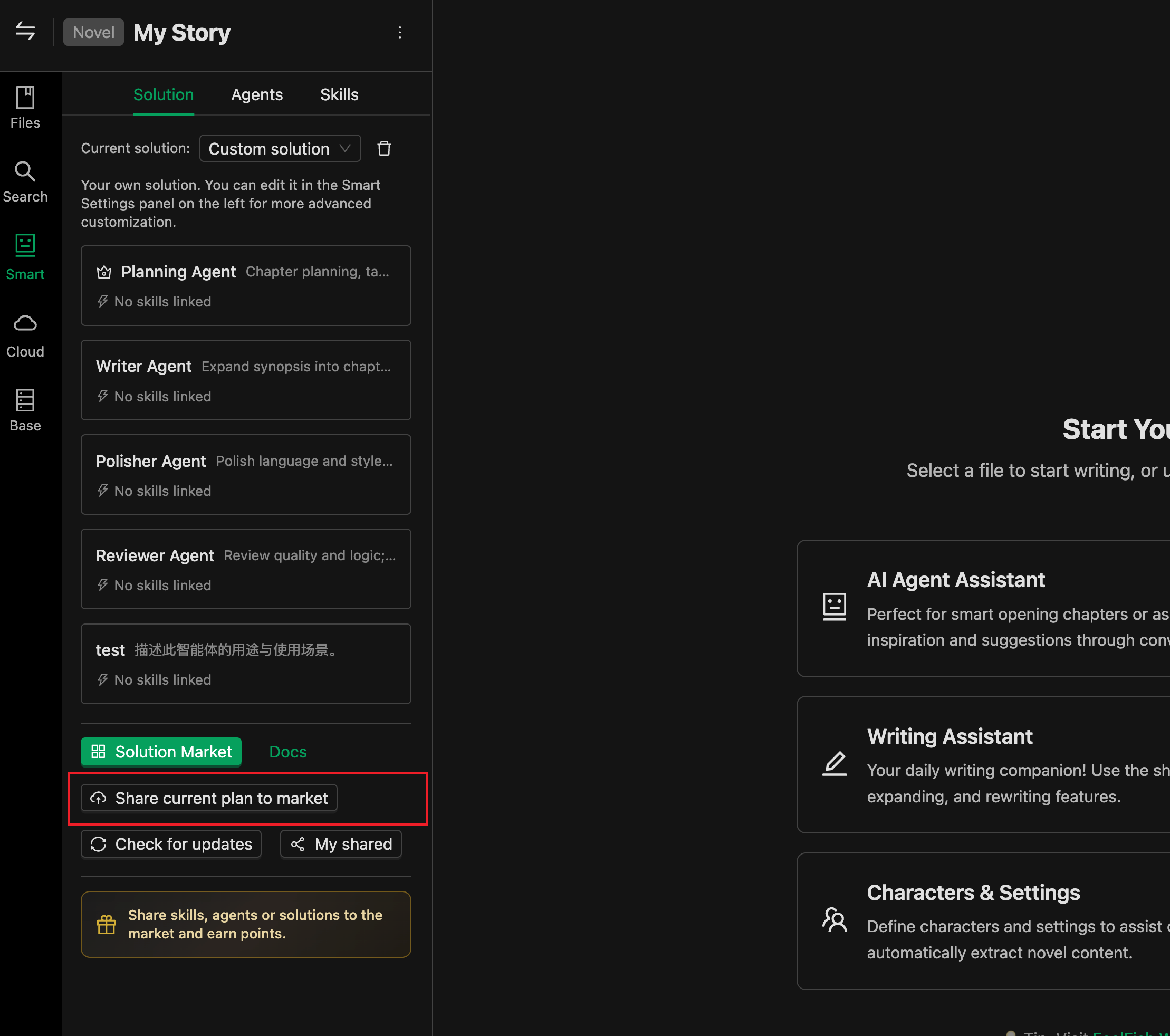
---
## How to Earn Points
Points are only earned through **being favorited** and are **awarded to the resource author** (i.e., the resource creator).
### Favorite Reward Standards
| Resource Type | Points Earned by Author Per Favorite | Points Earned Per Addition |
| :--- | :--- | :--- |
| **Prompt** | **100,000** points | - |
| **Skill / Agent / Solution** | **1,000,000** points | **100,000** points |
- Each user can favorite a specific resource only once, so each favorite corresponds to one point issuance.
- **Favoriting your own resource does not earn points**. Points are only counted when other users favorite your resource.
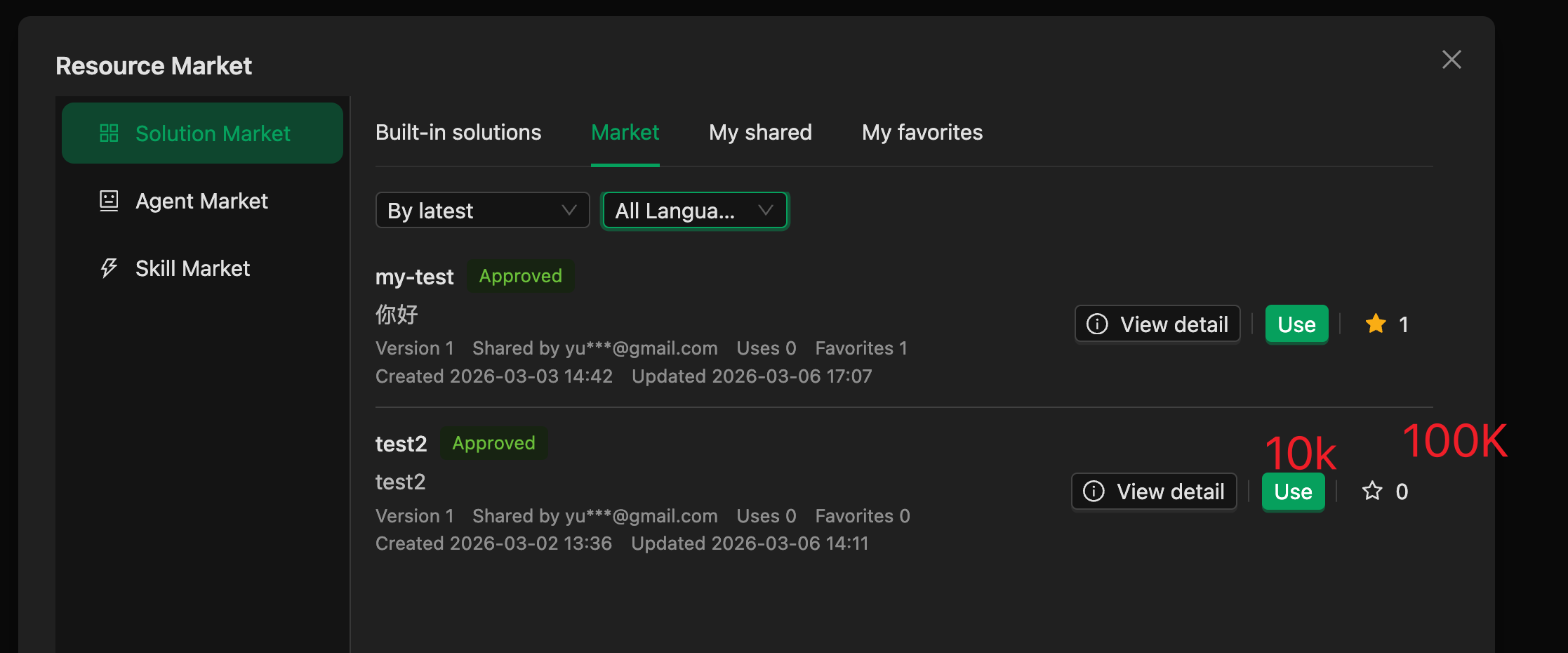
### Which Resources Can Generate Points
- Resources must be **public** (isPublic) and **approved** (status = approved).
- Deleted or unapproved resources will not appear in the market and cannot generate favorites or points.
---
## Point Accumulation and Limits
- Points are accumulated in the system in units of "ten thousand" (e.g., 10 represents 100,000 points, 100 represents 1,000,000 points).
- A single resource has a **maximum cumulative reward points limit**. Once this limit is reached, further favorites of that resource will no longer generate points, although other rules remain unchanged.
---
## How to Withdraw and Redeem
### Withdrawal Conditions
- You can initiate a withdrawal when the total **unwithdrawn points** from all your **non-deleted** resources is **≥ 100 million** (i.e., 10,000万).
### Redemption Details!
- Upon withdrawal, **100 million points** are deducted from your unwithdrawn points balance.
- The system will issue you a **LiteLLM Key** (same type as the membership key) with a **validity period of 30 days**. This key will be written into your account attributes and can be used within FeelFish to call AI models.
### Viewing Unwithdrawn Points
You can view your current points in the software as shown below:
---
The points program is primarily designed to encourage everyone to share their creative experiences. Please do not abuse it. If malicious content is uploaded or points are fraudulently obtained, we reserve the right to take legal action and claim compensation. Additionally, to prevent malicious farming, points have a time limit, so please withdraw and use them promptly.
If you wish to gain more rewards through sharing your experiences, please feel free to contact us. We can explore more formal collaborations, such as contributor fees.
---
#### Creation Tips: Custom Solutions, Agents, and Skills
URL: https://www.feelfish.com/en/docs/custom-agent-solution
Date: 2026-03-06
# ✨ Creation Tips: Custom Solutions, Agents, and Skills
> 📢 This feature is supported after FeelFish 3.0.0. FeelFish 3.0 is based on the industry's cutting-edge best practices of MCP, multi-agents, and Skills, providing more powerful customization features. You can use it to define your creative workflow and boost your creation efficiently~ Let's go~ 🚀 May your ideas flow endlessly and your earnings multiply~
In FeelFish, you can customize your AI writing process through **Solutions**. A Solution is composed of **Agents** and **Skills**. You can leverage them to build the AI creative workflow that best suits your project. This article explains what they are, how to configure them, and how to use "Custom Solutions" to meet more advanced creative needs.
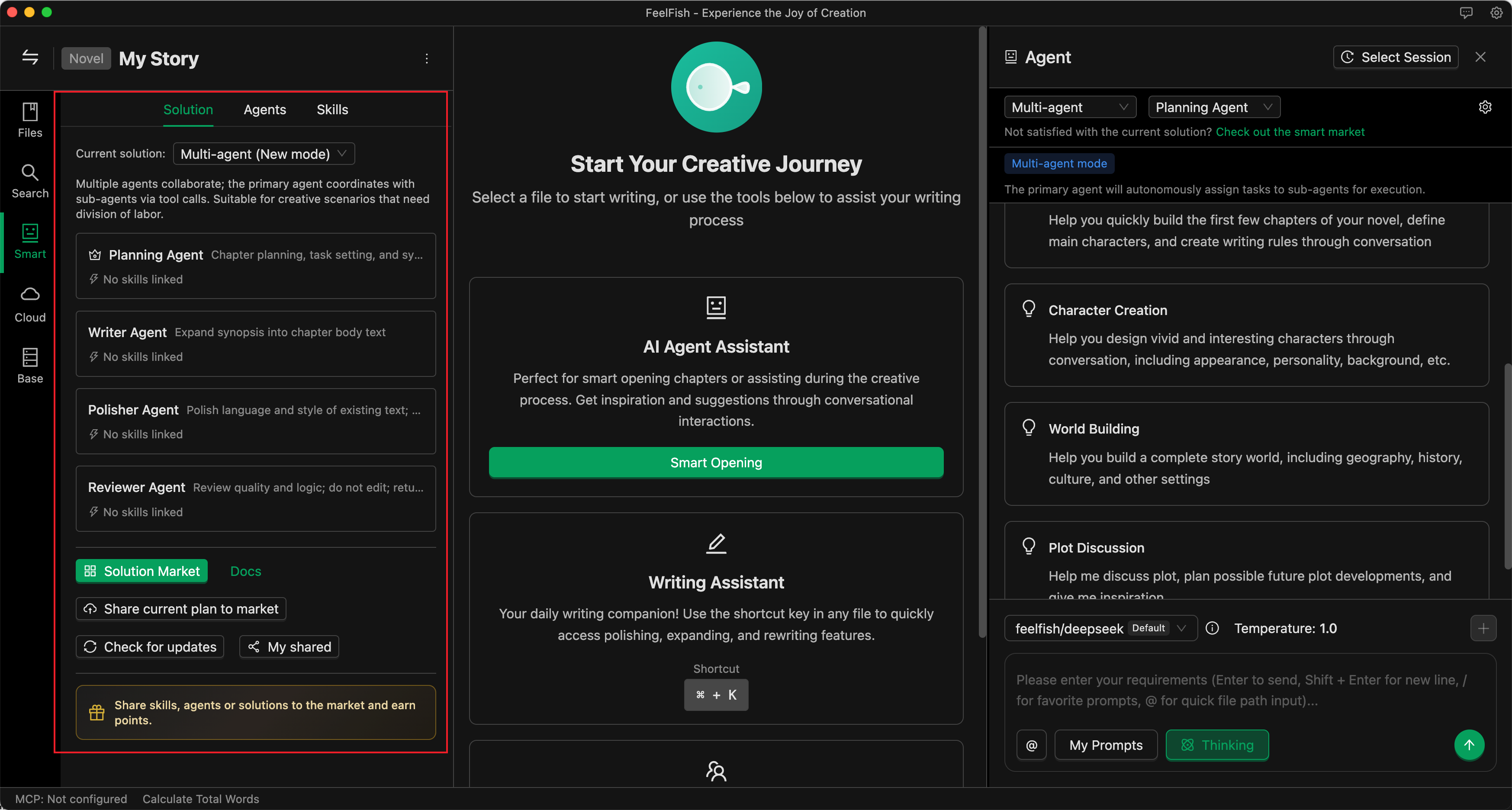
🖼️ *Solution Configuration Interface*
---
## 💡 I. Core Concepts
### 📋 Solution
A **Solution** determines "which agents are used in the current conversation, who is the main agent, and who are the assistants."
Switching solutions = switching an entire set of agent combinations, without needing to adjust settings one by one.
- **Built-in Solutions**: Come with the software, such as "Professional Assistant," "Multi-Agent," "Intelligent Planning," "Game Adventure," etc., ready to use out of the box.
- **Custom Solutions**: Automatically formed when you select/sort agents and set a main agent in the "Solutions" section of the left panel. The configuration is saved in the project's `.feelfish` directory and only applies to the current project.
- **Market Solutions**: Download solutions shared by others from the resource marketplace and apply the agent combination with one click.
The "Select Solution" dropdown at the top of the conversation area will list: current built-in solutions, custom solutions, and downloaded market solutions.
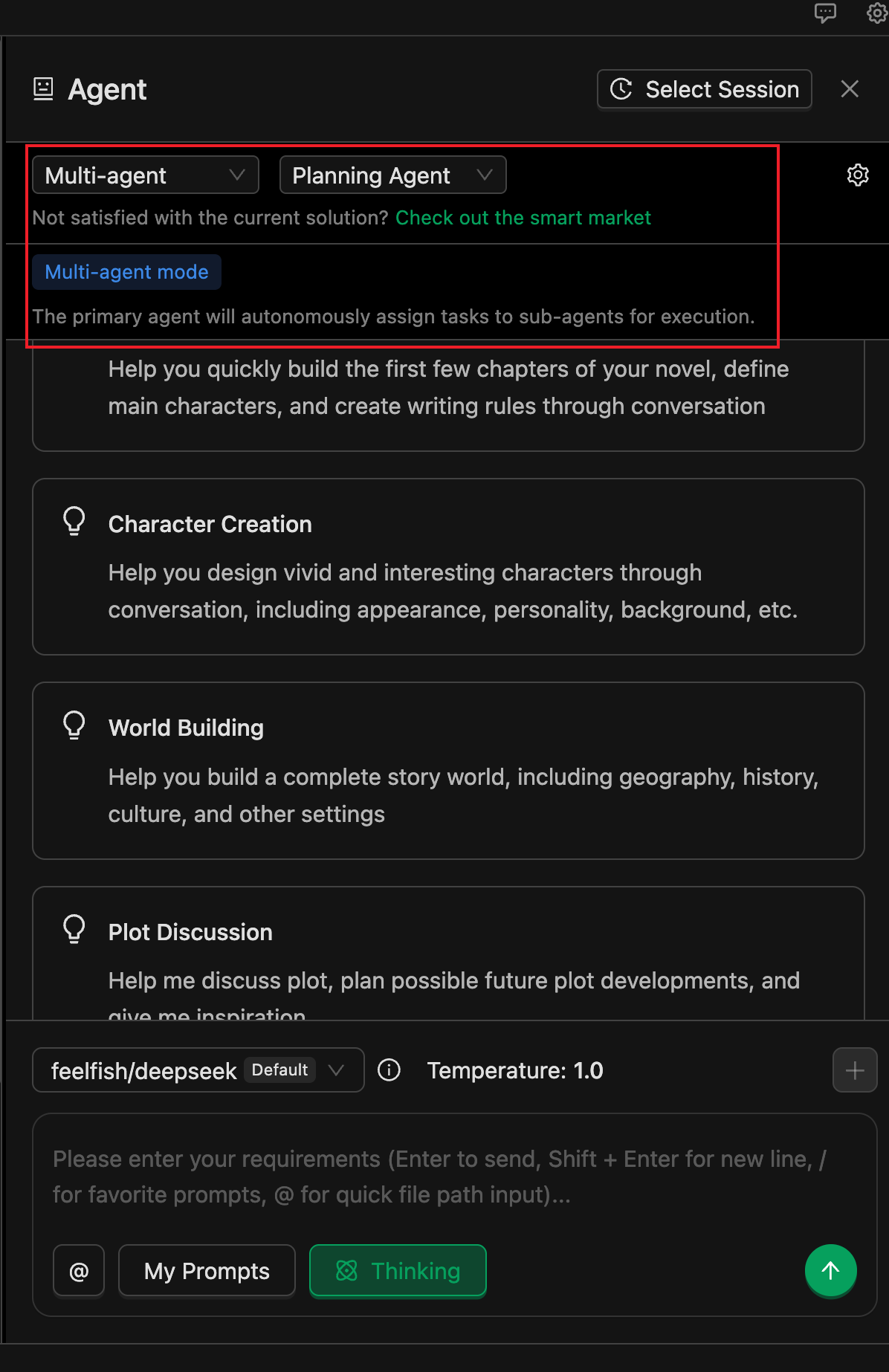
🖼️ *Solution Selection Dropdown*
### 🤖 Agent
An **Agent** is an AI role that performs specific tasks. Each agent has its own instructions (system prompt), available tools, and associated skills.
- **Main Agent**: The one responsible for replying and coordinating tasks by default in a conversation. In a multi-agent solution, the main agent can call **sub-agents** via tools to complete specialized tasks (e.g., an agent dedicated to writing a certain type of content).
- **Built-in Agents**: Such as Professional Assistant, Planning, Creation, Polishing, Review, etc. These cannot be deleted, but you can configure "Skill Override" and models for them individually.
- **Custom Agents**: Created in the "Agents" tab on the left. Write their instructions and behavior guidelines in Markdown, configure tool permissions, and associate skills. The file is saved in `.feelfish/agents/.md`.
The "Enabled Agents" list in a solution, together with the "Main Agent," determines the actual set of agents available in the current conversation.
### 📚 Skill
A **Skill** is a "documentation" that can be reused by multiple agents. It usually describes a certain type of writing specification, style, or process (e.g., "Outline Creation Guidelines," "Character Description Techniques").
At runtime, agents can see the names and descriptions of skills configured in the current project and can read the skill content via tools as needed (the main file is `.feelfish/skills//SKILL.md`), allowing them to follow your settings more consistently.
- A skill consists of a directory under the project with a main file **SKILL.md** located at `.feelfish/skills//SKILL.md`.
- **Skill Name** = directory name, must satisfy: lowercase letters, numbers, hyphens, and match the directory name (e.g., `outline-helper`).
- SKILL.md must include **YAML frontmatter**:
- `name`: Must match the directory name.
- `description`: A brief description (max ~1024 characters) for the agent to decide whether to use this skill for a task.
- Below the frontmatter is the **skill content** (Markdown), where you write specific guidelines, examples, or steps. The agent reads the file content via tools to follow these instructions.
The skill directory can also contain other markdown files or subdirectories as supplementary materials; the main entry is always SKILL.md.
### Creating and Editing Skills
1. In the **"Skills"** tab of the intelligent panel, click "New Skill," enter a skill name (e.g., `outline-helper`), and confirm. This automatically creates `.feelfish/skills//SKILL.md`.
2. Click "Edit" in the list or open SKILL.md, fill in the frontmatter's `name` and `description`, and write the skill content below.
3. You can also "Import from Local" to import a skill from an existing file/folder/ZIP (must contain SKILL.md).
### Associating Skills with Agents
- **Custom Agents**: In their `.md` file, add `skills: ["skill-name1", "skill-name2"]` in the frontmatter, or select them in the "Associate Skills" section of the agent's edit interface.
- **Built-in Agents**: Find the corresponding built-in agent in the "Agents" list and use "Skill Override" to specify the skill list for the current project. If not overridden, the built-in agent uses its default configuration.
At runtime, the system injects the names and descriptions of skills configured in the current project into the agent's context. The agent then uses tools like `read_file_content` to read the full content of `.feelfish/skills//SKILL.md` as needed.
---
## 🛠️ II. Custom Solution: From Zero to Usable
### When to Use a Custom Solution
- When built-in solutions don't fit your work type or workflow well enough (e.g., you want to fix a combination of "Planning + a specific custom agent").
- When you want to lock a set of agents you've assembled (including custom + built-in) and set a main agent.
- When you want configurations to only apply to the current project, without affecting others.
### How to Form a "Custom Solution"
1. Open your project and go to the **Intelligent** configuration panel on the left (entry point for intelligent settings).
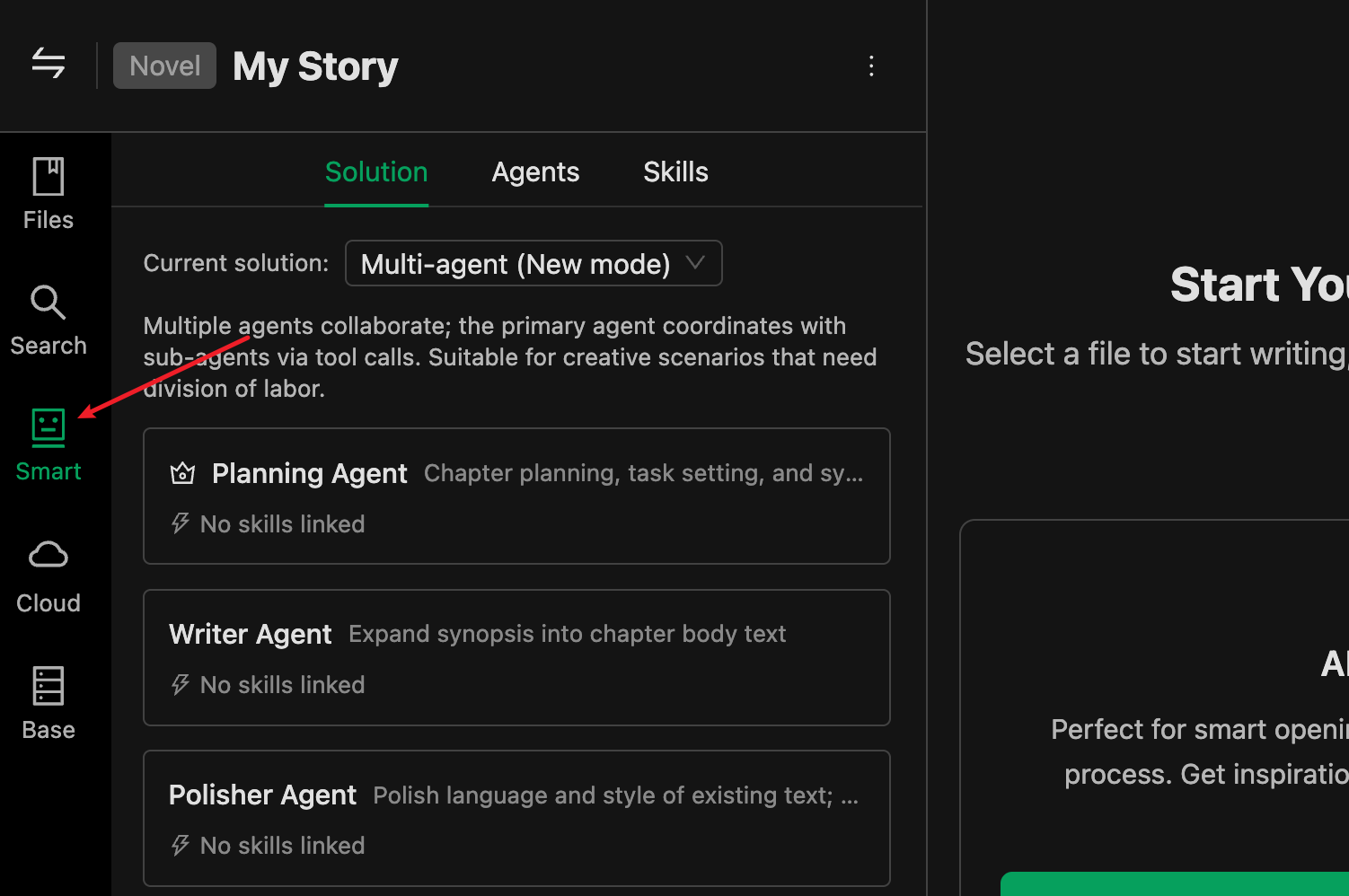
🖼️ *Intelligent Panel Entry*
2. Switch to the **"Agents"** tab to add agents, or select agents shared by other users from the marketplace.
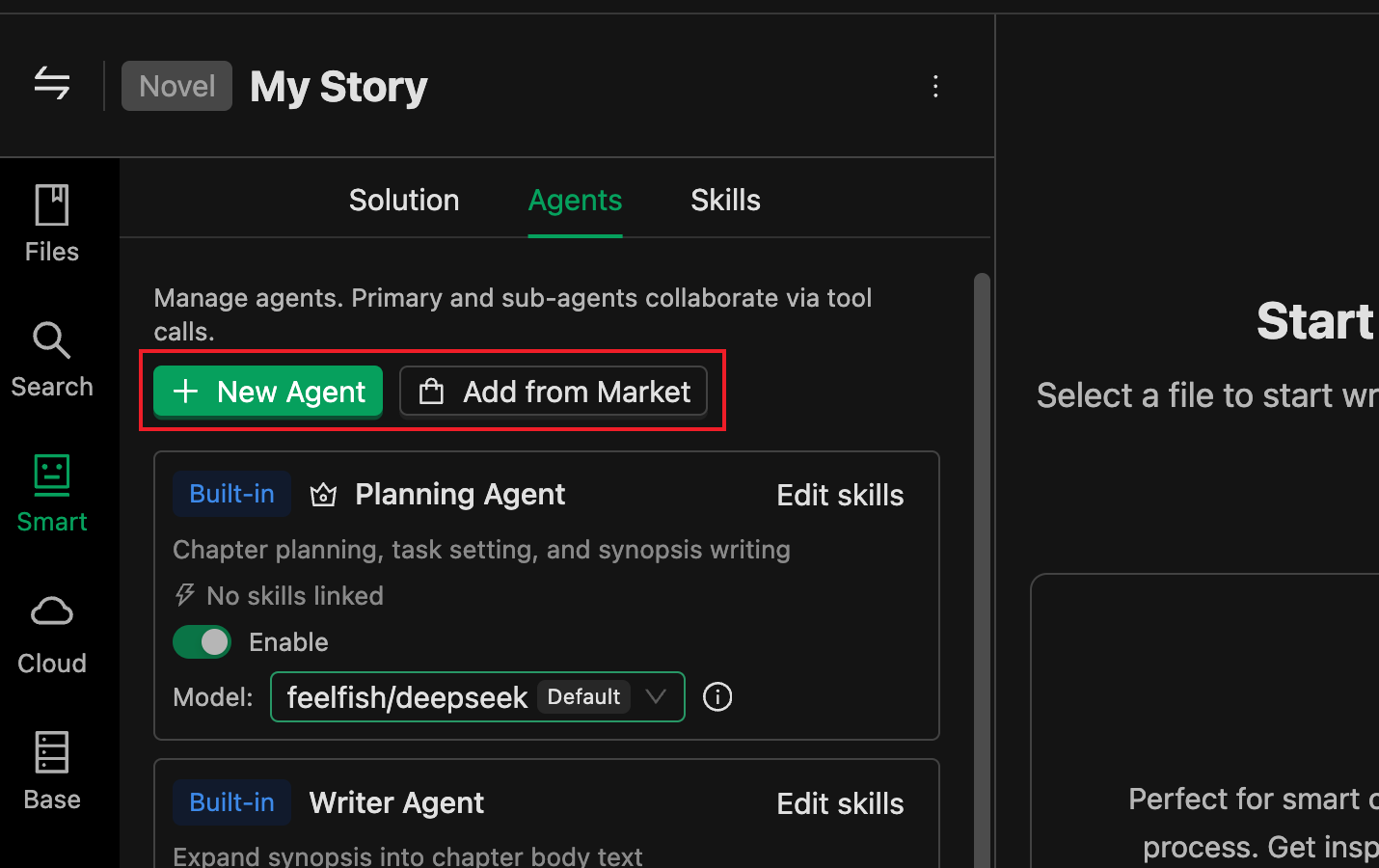
🖼️ *Adding Agents*
You can enable multiple agents and set one as the main agent. The main agent coordinates the work of other agents. The agent's description is crucial; the main agent decides whether to delegate tasks to sub-agents based on its own settings and the descriptions of sub-agents.
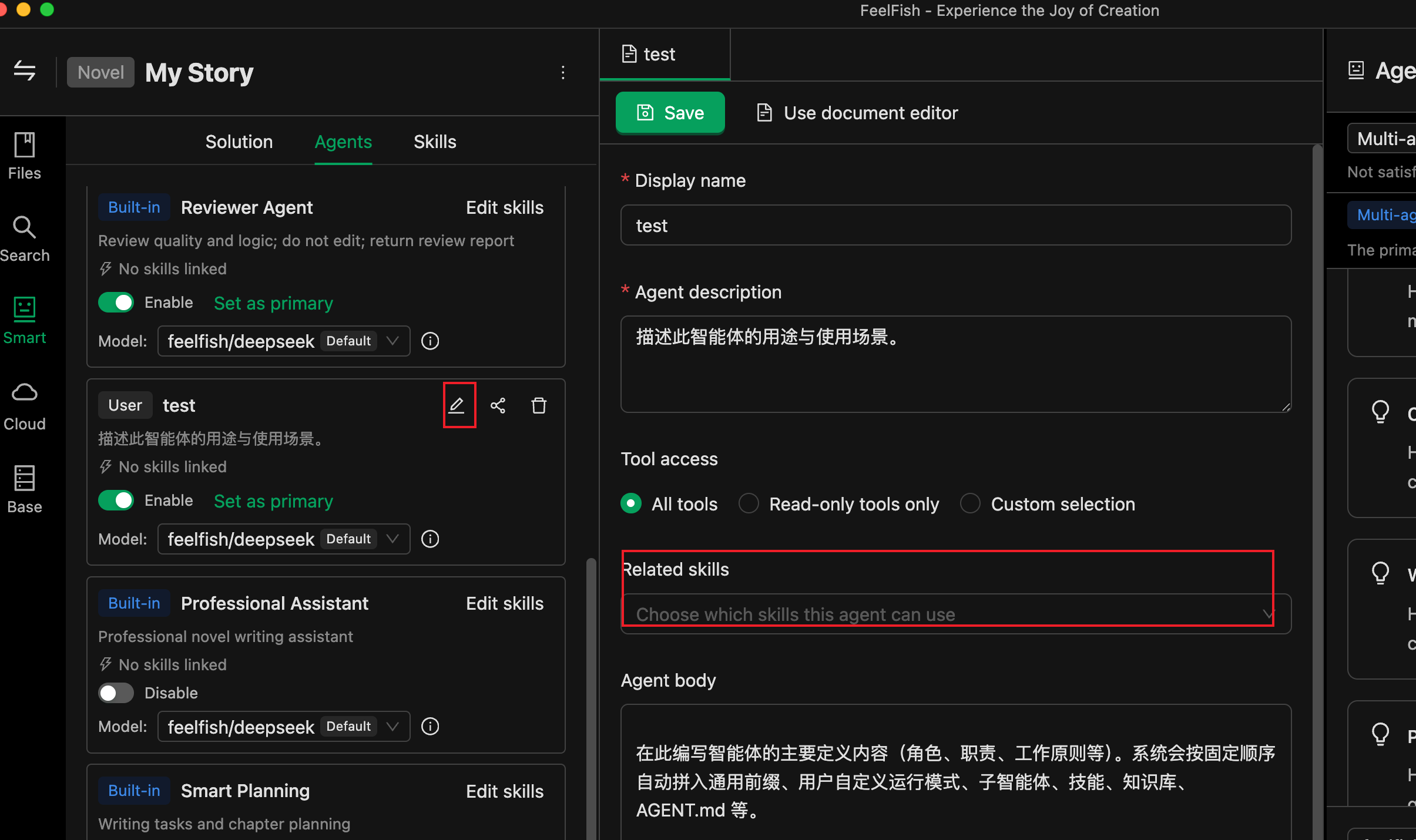
🖼️ *Setting the Main Agent*
Once you modify any logic in the "Agents" tab, a new solution is automatically formed and becomes your **"Custom Solution"**. In the "Select Solution" dropdown at the top of the conversation area, you'll see the "Custom Solution" option; selecting it uses the combination you just configured.
In other words: **You don't need to separately "create a solution"**; as soon as you select "who to use + who is the main" in the Agents panel, a custom solution is automatically created.
3. Add appropriate "Skills" to your agents
Skills act like instruction manuals. For example, if you have a "Polishing Agent" and want to teach it how to remove AI-generated tone, you can organize your experience into a document, create a skill, and put the relevant content into that skill.
Then associate the skill with the agent. This way, your agent possesses that skill and will read and modify content based on the skill when needed.
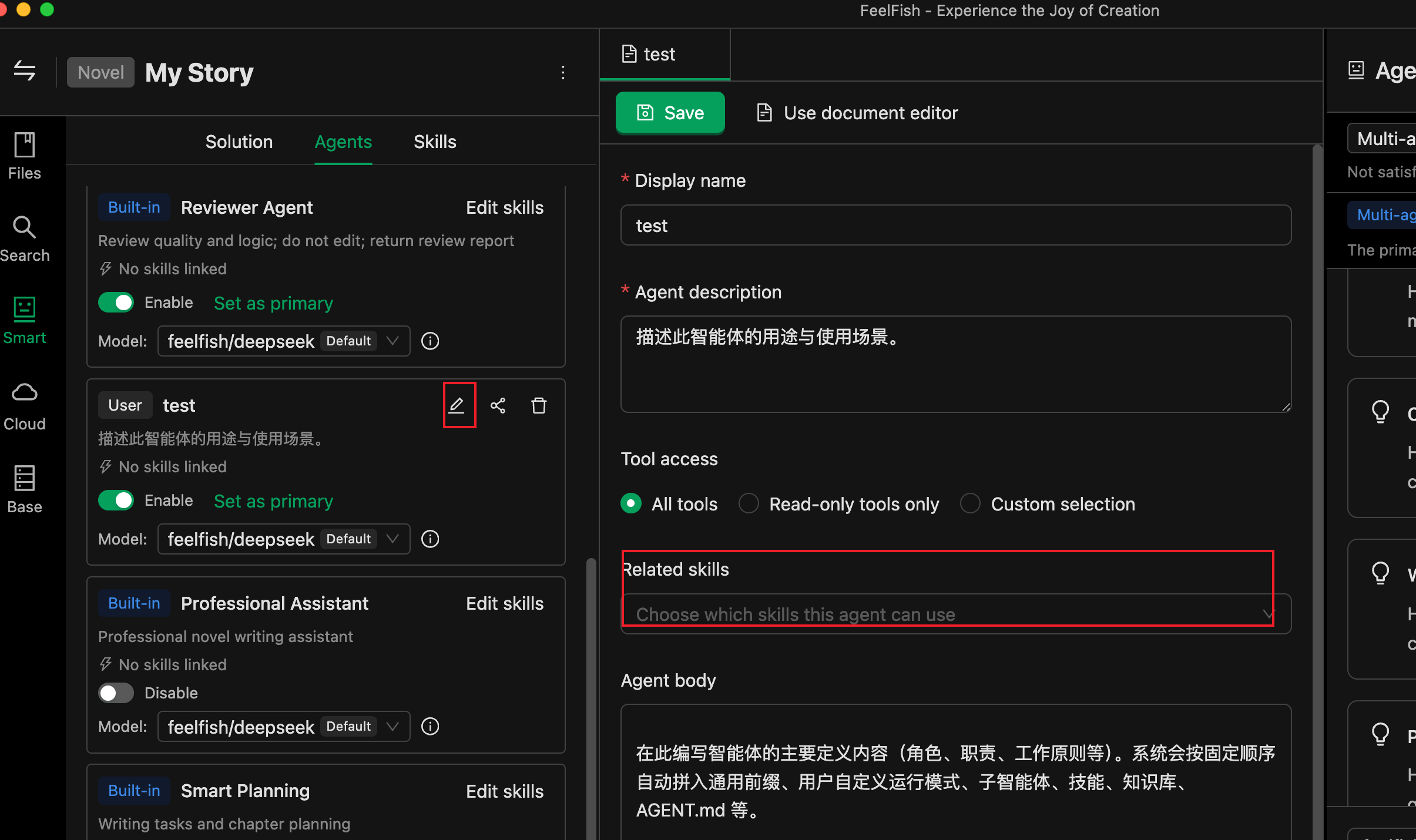
🖼️ *Associating Skills*
As shown above, you can edit your agent and associate skills.
---
## 🤖 III. Agents: Built-in vs. Custom
### Built-in Agents
- Cannot be deleted or removed from the project definition. You can **enable/disable** them in the current project and designate a **Main Agent**.
- You can configure for built-in agents:
- **Skill Override**: Only applies to the current project, overriding the agent's "default skills" with the skill list you specify.
- **Model**: In "Agent Model Configuration" or when selecting the agent in the conversation area, you can specify which model it uses.
### Custom Agents
1. **Create**: In the "Agents" tab, click "New Agent," enter an ID (e.g., `my-helper`, lowercase, numbers, hyphens). After confirmation, a file is generated at `.feelfish/agents/.md`.
2. **Edit**: Open the `.md` file and structure it as follows:
- The file starts with **YAML frontmatter** (enclosed by `---`), containing:
- `name`: Display name (can be in Chinese).
- `description`: Brief description for the system and users to understand the agent's responsibilities.
- `tools`: Optional; can be `all` / `readonly` or an array of tool names.
- `skills`: Optional; list of associated skill names (corresponding to skill names under `.feelfish/skills/`).
- Below the frontmatter is the **agent instruction content** (Markdown). Clearly describe the agent's behavior, style, prohibitions, etc. The AI will incorporate this content into its system prompt.
3. **Enable and Set as Main Agent**: In the "Agents" list, check the box to enable, and optionally click "Set as Main Agent." If the current solution is a custom solution, it will update `.feelfish/solution/feelfish-custom.json`.
Custom agents can also be associated with skills and have models configured. In multi-agent collaboration, the main agent can use tools to delegate subtasks to other enabled agents (sub-agents) for execution.
---
## 📝 IV. Skills: Creation and Association
### What is a Skill?
- A skill = a directory under the project + a main file **SKILL.md** at `.feelfish/skills//SKILL.md`.
- **Skill Name** = directory name, must satisfy: lowercase letters, numbers, hyphens, and match the directory name (e.g., `outline-helper`).
- SKILL.md must include **YAML frontmatter**:
- `name`: Must match the directory name.
- `description`: A brief description (max ~1024 characters) for the agent to decide whether to use this skill for a task.
- Below the frontmatter is the **skill content** (Markdown), where you write specific guidelines, examples, or steps. The agent reads the file content via tools to follow these instructions.
The skill directory can also contain other markdown files or subdirectories as supplementary materials; the main entry is always SKILL.md.
### Creating and Editing Skills
1. In the **"Skills"** tab of the intelligent panel, click "New Skill," enter a skill name (e.g., `outline-helper`), and confirm. This automatically creates `.feelfish/skills//SKILL.md`.
2. Click "Edit" in the list or open SKILL.md, fill in the frontmatter's `name` and `description`, and write the skill content below.
3. You can also "Import from Local" to import a skill from an existing file/folder/ZIP (must contain SKILL.md).
### Associating Skills with Agents
- **Custom Agents**: In their `.md` file, add `skills: ["skill-name1", "skill-name2"]` in the frontmatter, or select them in the "Associate Skills" section of the agent's edit interface.
- **Built-in Agents**: Find the corresponding built-in agent in the "Agents" list and use "Skill Override" to specify the skill list for the current project. If not overridden, the built-in agent uses its default configuration.
At runtime, the system injects the names and descriptions of skills configured in the current project into the agent's context. The agent then uses tools like `read_file_content` to read the full content of `.feelfish/skills//SKILL.md` as needed.
---
## 🚀 V. Recommended Workflow
1. **Start with a Broad Direction**: In the "Select Solution" dropdown in the conversation area, choose a built-in solution (e.g., "Multi-Agent" or "Professional Assistant") and run through a creative process once.
2. **Add Skills as Needed**: In the "Skills" tab, create 1–2 skills, write the specifications (e.g., outline format, character card format), and then associate these skills with the main agent (or relevant sub-agents) in the "Agents" tab.
3. **Refine the Solution**: If built-in solutions are insufficient, go to the "Agents" tab to enable/disable, sort, and set a main agent, forming a "Custom Solution." If necessary, create new custom agents dedicated to specific tasks (e.g., "only write outlines," "only polish dialogue").
4. **Supplement from the Marketplace**: Browse solutions, agents, and skills shared by others in the "Solutions" or resource marketplace. Apply them with one click or pull them locally for further tweaking.
5. **Share and Reuse**: If your solution/agent/skill is useful to others, you can publish it to the marketplace via "Share to Marketplace," or reuse it within your team through export/import.
---
### News
#### Fanqie Novel Removes Nearly 9,500 Posts and Bans 271 Accounts in September: Tightening on Both Copyright and Quality Ends
URL: https://www.feelfish.com/en/resources/news/2026-10-10
Date: 2026-10-10
Tags: AI Writing, Platform Rules, Self-Publishing
# Fanqie Novel Removes Nearly 9,500 Posts and Bans 271 Accounts in September: Tightening on Both Copyright and Quality Ends
On October 9th, Fanqie Novel posted the "September 2026 Fanqie Platform Account Violation Penalties" in the author section. The announcement was brief and straightforward with the numbers: 4,861 web novels and 204 accounts were taken down and banned for copyright violations; 4,638 short stories and 67 accounts were also removed and banned for the same reason. Additionally, a batch of web novel and short story author accounts were banned for security violations, all disclosed at the same time. In total, nearly 9,500 works disappeared from Fanqie in September due to copyright issues, and 271 author accounts were banned.
## 1. What Two Types of Issues Were Addressed in the September Announcement
The announcement categorized the violations into two main areas. The first is copyright violations, which resulted in the "removal of works + account bans"; this affected both web novels and short stories in September. The second is security violations, which led to the banning of author accounts. The platform made it clear that penalties would vary based on the severity and frequency of the violations, up to permanent bans.
What stands out this time is the scale. Copyright violations are no longer isolated incidents but have reached a scale of nearly 10,000 works per month. As AI has drastically reduced the cost of patching, rewriting, and using templates, the platform must also reduce its cleanup costs—hence, the shift from "individual takedowns" to bulk removals and bulk bans.
## 2. Looking at the August Report Together Provides Clearer Direction
Going back one month, on September 9th, Fanqie released the "Fanqie Novel Low-Quality Governance Announcement (August)," which provided the following figures: since August, 163,000 low-quality books were rejected, and 61,000 low-quality and rule-violating books were dealt with. The rules were clearly stated—issues included AI-generated poor quality, formatting chaos, structural abnormalities, and empty, watered-down content.
The typical cases in the announcement were divided into three categories: mechanically written, hollow prose; severe AI-generated poor quality; and overly ornate, rigidly structured, and poorly written text. The former were taken down, while a significant portion of the latter two categories were blocked during the contract review stage, meaning they never even had the chance to be published and earn royalties.
When looking at both announcements together, it's clear that the platform is tightening its grip on two fronts: "plagiarism" and "low quality." Moreover, the point of intervention has shifted from post-report takedowns to the contract review stage.
## 3. The Platform Has Also Clarified What It Encourages
In the latter part of the low-quality governance announcement, Fanqie listed five content standards it encourages, each worth reading in detail:
- **Engaging Story Content**: The core setting should be compelling at first glance; the story should quickly dive into the main plot; the protagonist and key supporting characters should have clear motivations and drive the plot forward from their first appearance; the story should be complete and not leave loose ends.
- **Unique and Innovative Ideas**: Any novelty in the world-building, character design, special abilities, plot, or narrative style is worth encouraging.
- **Deep and Meaningful Themes**: The work should go beyond simple moral judgments and delve deeply into real-life experiences and value choices through the characters' journeys and central conflicts.
- **Smooth and Fluent Writing**: The writing should be coherent and fluid with few grammatical errors; descriptions should be vivid and avoid long-winded, empty dialogue.
- **Good Potential for Development**: The structure should be complete, the main plot clear, and the pacing steady, maintaining quality throughout a long-form serialization.
These five points actually form a reverse checklist. Each item addresses common issues in AI-generated content: meandering beginnings, unclear character designs, disjointed plots, beautiful sentences that lack substance, and a drop in quality midway through a series.

## 4. What This Means for Writers
From the launch of the completed work contract model by Fanqie Novel on September 8th, which raised the bar for signing contracts, to the low-quality content governance in August, and the mass penalties in September, these documents all point to the same trend: the platform is not short of manuscripts but is in need of stories that can attract readers and be adapted into IPs. As the scarcity shifts, so do the rules.
When it comes to the actual writing process, the key distinction is not whether AI is used, but where in the process it is applied:
- Using AI to expand 10,000 words into 30,000, applying templates in bulk, and stitching together content from various sources—these three actions are explicitly prohibited by the announcements, leading to content removal, account bans, and rejection of contracts.
- Using AI to check for consistency in worldbuilding, monitor character arcs and timelines, and suggest multiple directions for a stuck chapter—these actions do not produce "fluff" and instead address the specific weaknesses that the platform aims to improve.
This is especially true for long-form works. The announcements encourage story completeness, clear main plots, stable pacing, and consistent quality, which are precisely the areas where long-form writing often falters. Using tools to ensure these aspects remain solid is more in line with the current platform guidelines than using them to speed up the writing process.
## Information Sources
- [Fanqie Novel Platform Account Violation Penalties Announcement (September 2026)](https://fanqienovel.com/writer/zone/article/7694622836761051198) (2026-10-09)
- [Fanqie Novel Low-Quality Content Governance Announcement (August)](https://fanqienovel.com/writer/zone/article/7683426997170618392) (2026-09-09)
- [Fanqie Novel Completion Contract Model Launch Notice](https://fanqienovel.com/writer/zone/article/7682324588209913881) (2026-09-08)
## About FeelFish
If you've read this far, you're likely either writing a novel or preparing to start one. You might want to try out our tool, FeelFish:
- **Consistent Long-Form Writing**: Automatically incorporates the entire book's worldbuilding, character relationships, and previous plot points into the context, so you don't have to manually paste background information every time.
- **Multi-Agent Collaboration**: Different agents handle planning, writing, and reviewing. When you get stuck, they provide several directions to choose from, and someone will watch out for issues like inconsistent character development.
- **Model Flexibility**: Supports integration with commonly used models, and you can also use your own API Key.
Want to give it a try? [Download FeelFish for Free](https://www.feelfish.com/en/download)
---
#### Fanqie Novel Launches Three Short Story Incentive Programs in October: 5 Million RMB Prize Pool, Short Stories Becoming the Gateway to Short Dramas and Animated Comic Series
URL: https://www.feelfish.com/en/resources/news/2026-10-03
Date: 2026-10-03
Tags: AI Writing, Platform Rules, Short Story
# Fanqie Novel Launches Three Short Story Incentive Programs in October: 5 Million RMB Prize Pool, Short Stories Becoming the Gateway to Short Dramas and animated comic series
On September 29, Fanqie Novel posted three short story incentive announcements in the author section, all accepting submissions starting from 0:00 on October 1: the fourth phase of the "Thousand Characters, Ten Thousand Gold" program increased the prize pool to over 5 million yuan, the third phase of the "IP Echo Plan" was launched, and the first phase of the "IP Golden Creation Plan" focused on manga and drama adaptations. The genre lists for the three documents were highly overlapping, with rewards stacking and submission windows largely overlapping as well—this time, the platform clearly laid out the directions they wanted to promote.
## 1. What Each Line Covers
**Thousand Characters, Ten Thousand Gold Phase 4**: The prize pool is over 5 million yuan, with the submission period from October 1 to November 30, 2026, based on the completion date of the contract. The top hit incentive for a single work is up to 60,000 yuan, and the reward pool has been expanded from the original TOP200 to include works from TOP201 to TOP600, tripling the number of works that can receive rewards. Two new incentives have been added: multiple work incentives, where a single author can receive an additional 25% of new media channel revenue, and category incentives, which provide an extra bonus for the top 10 works in 7 categories. The official announcement explicitly states that there is "no need to apply actively," and the rewards will be automatically distributed after the content is fully published according to the calculation period.
**IP Echo Plan Phase 3**: The announcement states that it aims to "continuously supply IPs for live-action short dramas and create the next big hit." The genres focus on 10 directions, including female growth, generational romance, and creative concepts. Selected works will be prioritized for adaptation evaluation under the Red Fruit Short Drama "Thousand Titles Plan."
**IP Golden Creation Plan**: This plan is the most straightforward, focusing on manga and drama adaptations and medium to short-length works. It covers 11 categories, including male/female brain teasers, fantasy and martial arts, palace and household conflicts, and generational stories. Participating works must be over 20,000 words, and the submission period ends on October 31.
## 2. How the Money is Calculated: Base Pay + Revenue Sharing + Three Layers of Bonuses
Breaking down the numbers in the details:
- **Base Pay**: Super short stories 80–500+ yuan per thousand characters, medium to short stories 100–700+ yuan per thousand characters, with higher rates negotiable for top authors;
- **Revenue Sharing**: The official text states that "short story revenue sharing continues at 10:0, with 10 going to the author," meaning the author receives almost all the royalties;
- **Hit Incentive**: Up to 60,000 yuan per work, with works from TOP201 to TOP600 also included in the pool;
- **Multiple Work Incentive** (new): A single author can receive an additional 25% of new media channel revenue;
- **Category Incentive** (new): An additional bonus for the top 10 works in 7 categories.
Qidian provided an example of how the incentives can stack: for a historical romance web novel over 20,000 words that qualifies for both the Resonance Plan's word count and quality incentives, as well as the Thousand Gold per Thousand Words' potential category and hit incentives, the additional bonus would be "30% of total revenue across all channels + 2000 + 1000 + 60000", totaling more than 63,000 RMB.
There's also an easily overlooked definition of word count categories: ultra-short stories are 8,000 to 24,900 words, and short to medium-length stories are 25,000 to 80,000 words. The category is determined by the initial submission word count. This directly influences how long you should write your story.
## 3. The Real Signal is the Exit, Not the Bonus
While 5 million RMB sounds like a lot, it's not a huge amount when spread across all authors on the platform. The more valuable information in these three announcements is that short stories are being treated as IP seeds, with clear exit strategies outlined.
The Resonance Plan points to Red Fruit Short Drama's "Thousand Works Plan" for adaptation evaluation, the Golden Creation Plan explicitly mentions the direction of manga drama adaptations, and the Thousand Gold per Thousand Words plan states in its benefits, "Your story is not just about earning manuscript fees—there's a chance it could become the next hit short drama or manga drama."
This path has already been validated by leading platforms. According to the 2026 mid-year performance report of China Literature Group, the revenue from short dramas and AI manga dramas in the first half of the year was 430 million RMB, a year-on-year increase of 230%; using AI technology, they adapted thousands of web novels into AI manga dramas, with 46 works achieving over 100 million views and 367 works exceeding 10 million views (Securities Times, 2026-08-11). The raw material pool for adaptations requires a large number of short to medium-length stories, which is why Qidian is willing to provide a guaranteed minimum for stories around 20,000 words.
## 4. There's Also a Reverse Clause in the Details
Incentive announcements typically only talk about rewards, but this time, all three documents include a similar clause. The Resonance Plan's activity introduction states, "Break away from homogenized formulas, abandon superficial satisfaction, and seek powerful, deep, and sincere expressions," and "Do not pursue exaggerated satisfaction, but rather write about the real growth of characters."
The violation clauses are very detailed: maliciously padding word count, abnormal traffic diversion, data manipulation, profit sharing fraud, plagiarism, repeated chapters, and copyright issues. The platform reserves the right to cancel rewards or reclaim any already distributed. The Golden Creation Plan adds another clause: if a work is intentionally mislabeled to a non-related category to obtain incentives three or more times during the event period, the participant will be disqualified and all rewards will be canceled. Clearly stating what does not count while providing financial incentives is a common change in the 2026 platform manuscript fee rules.
## 5. For Short Story Writers, This is a Guide to the Types of Stories
When you align the genre lists from the three announcements, you get a clear picture of the preferred themes: palace intrigue, historical romance, sweet and fluffy modern romance, urban daily life, marriage and family, women's growth, and more. Most of these 11 categories are exactly what short dramas and web series are currently using. Conversely, the more a manuscript relies on templates for mass production, the harder it will be to secure funding under the review criteria that emphasize "substance over superficial excitement."
The rules for short stories differ from those for long-form works: a complete story should be between 20,000 to 80,000 words, and the competition is not about daily word count but rather about whether the structure holds together and the emotions resonate. Using tools to ensure consistency in worldbuilding, timeline verification, and character development can make a short story compelling within 20,000 words. On the other hand, using AI to inflate a 10,000-word story into 30,000 words would likely result in disqualification according to the detailed guidelines.

## Information Sources
- [Qianzhi Wanjin 2026 Fourth Phase Launch](https://fanqienovel.com/writer/zone/article/7690522089802973246) (2026-09-29)
- [IP Echo Plan Third Phase](https://fanqienovel.com/writer/zone/article/7690521379786997822) (2026-09-29)
- [IP Golden Creation Plan - Mid and Short IP Incentive Activity](https://fanqienovel.com/writer/zone/article/7690402951050838078) (2026-09-29)
- [Securities Times: YUEWEN Group's IP Copyright Revenue Increased by 41.9% in the First Half of the Year, Short Web Series Revenue Increased by 230% to 430 Million RMB](https://www.stcn.com/article/detail/4070010.html) (2026-08-11)
## About FeelFish
If you write novels too — especially with AI in the loop — try the tool we build ourselves, FeelFish:
- **Long arcs that hold together**: your story bible, character relationships and prior chapters are pulled into context automatically.
- **Multiple agents, clear roles**: planning, drafting and reviewing are handled by different agents, so when you get stuck you get options to choose from.
- **Bring your own model**: use a supported model, or plug in your own API key.
[Download FeelFish for free](https://www.feelfish.com/en/download)
---
#### Amazon KDP Caps New Titles at 2 per Week: AI Mass Publishing Is Being Throttled
URL: https://www.feelfish.com/en/resources/news/2026-09-26
Date: 2026-09-26
Tags: AI Writing, Platform Rules, Self-Publishing
# Amazon KDP Caps New Titles at 2 per Week: AI Mass Publishing Is Being Throttled
Starting September 21, Amazon's self-publishing platform, KDP (Kindle Direct Publishing), reduced the limit on the number of new books that can be created in a week from 10 to 2 per format. This change is particularly significant for authors who are accustomed to releasing entire series at once and for teams that rely on bulk publishing low-content books (such as journals and workbooks) and multiple language versions.
## 1. The Official Announcement is Brief but Sets Clear Boundaries
The notice posted by KDP in their official community is short, stating: **"We are updating the title creation limits on KDP to help maintain a positive publishing experience for all authors. Starting Monday, September 21, 2026, you can create up to 2 titles per format per week."**
The accompanying FAQ clarifies several key points:
- **Limits are per format, not per account total**: 2 titles each for eBooks (Kindle), paperbacks, and hardcovers, totaling up to 6 new titles per week across all formats;
- **Weekly reset occurs at 00:00 UTC on Sundays**, with the official statement being "Your weekly limit resets every Sunday at 12:00 AM UTC," and unused quotas do not carry over;
- **Only new title creation is restricted**: Existing books, revisions, cover changes, and price adjustments are not affected;
- **No distinction between languages and markets**: In KDP, each language version is considered a separate title, so the Chinese, English, and Japanese versions of the same work will each count toward the limit.
There's another subtle signal that's easy to miss: The KDP help page previously included a line after the limit, stating, "If you expect to frequently create a large number of titles, please contact us to request an exception" — **this sentence has been removed from the new help page**. We verified the English version of the "Create a Book" help page on September 26, and the section now only states: "we limit the number of titles you can create at the same time to 2 per book format each week." This means that this time, it's not just a reduction in the limit with a backdoor; they have completely closed the loophole.
## 2. This Isn't the First Time; the 2023 Announcement Specifically Mentioned Generative AI
KDP's production limits have been around for a while. In September 2023, the platform introduced its first restrictions (at the time, it was 3 books per day), and the announcement was quite straightforward: **"we are actively monitoring the rapid evolution of generative AI and the impact it is having on reading, writing, and publishing,"** followed by, "in order to help protect against abuse, we are lowering the volume limits we have in place on new title creations." This means that these limits were implemented from the start to address "abuse."
In the same month, KDP also introduced AI content disclosure: any text, images, or translations generated by AI must be indicated when publishing or republishing a book. The limit was adjusted once in 2025 (to "10 titles per book format per week"), and now it has been reduced directly from 10 to 2.
It's worth noting the change in tone: **the 2026 announcement made no mention of AI**, simply stating that the move was "to help maintain a positive publishing experience for all authors." Industry media interpreted this as a response to the influx of AI-generated content. The Alliance of Independent Authors (ALLi) compared this to Kobo's earlier public stance, where Kobo stated it had rejected about 45% of submitted titles and explicitly chose to prioritize "authors over readers" in its approach to AI. While this is industry interpretation and not an official statement from Amazon, the direction is clear: **platforms are shifting from "cleaning up after the fact" to "limiting the flow at the entry point."**
## 3. Meanwhile in China: Fanqie Novel Rejected 163,000 Low-Quality Books in August
Turning our attention back to China, the timeline is almost synchronized. Fanqie Novel's "Low-Quality Governance Announcement (August)" provided some figures: in August, based on rules such as "AI-generated, poorly formatted, structurally flawed, and empty content," **163,000 low-quality books were rejected, and 61,000 low-quality and rule-violating books were dealt with**. The same month's account violation penalties showed that 5,800 web novels were taken down and 90 accounts were banned due to copyright violations, while 4,084 short stories were removed and 61 accounts were banned.
While overseas platforms are limiting the inflow, domestic platforms are cleaning up at both the signing and publishing stages. The methods differ, but the goal is the same: **content produced in large quantities is being systematically squeezed out of distribution channels.**
## 4. How Serious Writers Can Respond
- **Plan Ahead**: Series, box sets, and reissues should be scheduled in weekly batches, with pre-orders becoming a standard practice rather than an optional one.
- **Re-evaluate Multilingual Release Schedules**: A work published in five languages could previously be released all at once, but now, with a limit of two new titles per week, it would take at least three weeks.
- **Don't Treat Quotas as Goals**: Two books per format is a cap, not a target. Filling the quota with low-quality content is exactly what the platforms want to eliminate.
- **Use AI for Quality Improvement**: Fanqie Novel's list of issues did not include "using AI." Instead, it focused on "mechanical writing, excessive wordiness, rigid sentence structures, structural flaws, and lengthy, ineffective descriptions." These are areas where tools can help—consistency checks, worldbuilding and timeline management, and terminology uniformity across languages—rather than expanding one chapter into three.
## The Window is Narrowing, but It's Also Becoming Clearer
Over the past two years, AI has lowered the barrier to "publishing a book" to almost zero, but at the cost of readers and platforms having to sift through a lot of noise to find quality content. Now, with KDP limiting uploads to 2 per format per week, the strategy of flooding the market with quantity is coming to an end. The remaining space will belong to those who can write a book from the first page to the last.
For those using writing tools, this change is actually good news: competition is being refocused on the content itself—whoever can tell a complete story, develop well-rounded characters, and produce readable multilingual versions will have the best chance in the next round. The value of these tools is shifting from "helping you write faster" to "helping you write more consistently."

## Information Sources
- [KDP Official Announcement: Update on KDP Title Creation Limits](https://www.kdpcommunity.com/s/article/KDP-Title-Creation-Limits-Update?language=en_US) (Effective from September 21, 2026)
- [KDP Help Page: Create a Book - Title creation limit](https://kdp.amazon.com/en_US/help/topic/G202172740) (Checked on September 26, 2026)
- [KDP's First Limitation Announcement in 2023: Update on KDP Title Creation Limits](https://www.kdpcommunity.com/s/article/Update-on-KDP-Title-Creation-Limits?language=en_US)
- [The Guardian: Amazon restricts authors from self-publishing more than three books a day after AI concerns](https://www.theguardian.com/books/2023/sep/20/amazon-restricts-authors-from-self-publishing-more-than-three-books-a-day-after-ai-concerns)
- [ALLi: News Summary: Amazon Cuts KDP Weekly Upload Limit to Two Titles Per Format](https://selfpublishingadvice.org/amazon-cuts-kdp-weekly-upload-limit/)
- [Publishers Lunch: KDP Limits Authors To Two New Titles A Week](https://lunch.publishersmarketplace.com/2026/09/kdp-limits-authors-to-two-new-titles-a-week/)
- [Fanqie Novel Low-Quality Content Governance Announcement (August)](https://fanqienovel.com/writer/zone/article/7683426997170618392)
- [Fanqie Novel Platform Account Violation Penalties (August 2026)](https://fanqienovel.com/writer/zone/article/7683127919647916094)
---
#### What AI Tool Should I Use to Write Novels in 2026?
URL: https://www.feelfish.com/en/resources/news/2025-12-23
Date: 2025-12-23
Tags: 2026, Novel, Agent
# What AI Tool Should I Use to Write Novels in 2026?

In 2026, AI writing tools are no longer novelties, but with so many options on the market, many writers are still confused: **What AI tool should I use to write novels?**
There's no standard answer to this question, as different creators have different needs. Some need to write long-form web novels, while others only want to write short stories; some prioritize efficiency, while others value quality more; some are professional authors, while others are just hobbyists.
This article will help you find the most suitable AI writing tool based on your actual needs.
## First, Ask Yourself: What Are Your Creative Needs?
Before choosing a tool, clarify your creative needs:
### 1. What type of novels do you mainly write?
- **Long novels (over 100,000 words)**: Require strong context management capabilities to avoid contradictions
- **Medium-length novels (30,000-100,000 words)**: Need a balance between functionality and ease of use
- **Short stories (under 30,000 words)**: Lower requirements for context management, more emphasis on creative efficiency
### 2. How often do you create?
- **Daily updaters**: Need efficient tools for rapid content generation
- **Weekly/monthly updaters**: Can accept slightly slower but higher-quality tools
- **Occasional creators**: Value ease of use more, don't need complex features
### 3. What are your professional requirements for tools?
- **Professional authors**: Need complete project management, character settings, world-building management, and other functions
- **Hobbyists**: Basic functions are sufficient, value ease of use more
### 4. What's your budget and preference?
- **Willing to pay for professional tools**: Can choose more powerful professional tools
- **Limited budget**: Can choose cost-effective tools
- **Prefer online tools**: Can choose web-based tools
- **Prefer client software**: Can choose PC client software
## Tool Recommendations for Different Needs
### Scenario 1: Professional Long Novel Creation
**Need characteristics**:
- Need to create long novels over 100,000 words
- Need to manage complex character relationships and world-building settings
- Need to ensure consistency throughout, avoiding plot holes
- Need professional project management functions
**Recommended tool: FeelFish**

**Why choose FeelFish?**
1. **Intelligent Context Function**: This is FeelFish's core advantage. The system automatically tracks and updates key information in your novel, including character settings, foreshadowing, suspense, world-building settings, etc. No matter how long your novel is, the AI can always "remember" important settings and plot points, ensuring consistency and coherence in your creation.

2. **Complete Project Management**: FeelFish provides complete project management functions including chapter management, character settings, world-building settings, creative rules, etc., allowing professional creators to systematically manage their works.
3. **Dialogue as Creation**: Collaborate with AI through natural dialogue, like chatting with an experienced writing partner. The AI can understand your creative intentions, not just simply generate text.
4. **Intelligent Planning Mode**: The AI helps you plan creative tasks, breaking down complex creative processes into executable tasks, making creation more planned and organized.
5. **Professional Client**: As PC client software, FeelFish supports offline use, local data storage, secure and reliable, with excellent performance.
**Suitable for**:
- Web novel authors (daily/weekly updates)
- Traditional long novel writers
- Authors who need to create series works
**Official website**: [https://www.feelfish.com/](https://www.feelfish.com/)
---
### Scenario 2: Medium and Short Novel Creation
**Need characteristics**:
- Mainly create medium-length novels of 30,000-100,000 words
- Occasionally write short stories
- Have certain requirements for context management, but don't need it too complex
- Value creative efficiency and ease of use more
**Recommended tool: FeelFish + ChatGPT/DeepSeek combination**
**Why this combination?**
1. **FeelFish for project management**: Even for medium and short novels, FeelFish's project management functions can help you better organize content, especially when you need to create series works.
2. **ChatGPT/DeepSeek for rapid creation**: For medium and short novels, context management pressure is lower, so you can use ChatGPT or DeepSeek for rapid content generation and polishing.
**Usage suggestions**:
- Use FeelFish to manage project structure, character settings, world-building, etc.
- Use ChatGPT/DeepSeek for specific chapter creation and text optimization
- Regularly sync content to FeelFish for unified management
**Suitable for**:
- Medium and short novel authors
- Writers who occasionally create short stories
- Creators who want to balance functionality and ease of use
---
### Scenario 3: Occasional Creation, Pursuing Simplicity
**Need characteristics**:
- Not a professional author, just occasionally write stories
- Don't need complex project management functions
- Value tool ease of use and quick start more
- Hope to use for free or at low cost
**Recommended tools: ChatGPT / DeepSeek / Doubao**
**ChatGPT advantages**:
- Strong versatility, comprehensive functions
- Strong language ability, high generation quality
- Rich ecosystem, many use cases
**DeepSeek advantages**:
- Strong Chinese understanding ability
- High cost-effectiveness
- Fast response speed
**Doubao advantages**:
- Multimodal capabilities (supports images, audio, etc.)
- Rich creative templates
- Mobile support
**Usage suggestions**:
- Directly use these tools' dialogue functions for creation
- Can manually record character settings and important plot points
- For short works, these tools are sufficient
**Suitable for**:
- Writing enthusiasts
- Occasional creators
- Creators with limited budgets
---
### Scenario 4: Need Multimodal Creation Support
**Need characteristics**:
- Not only need text creation, but also images, audio, and other multimedia content
- Diverse creative content forms (novels, comic scripts, video scripts, etc.)
- Need rich creative templates and materials
**Recommended tool: Doubao**
**Doubao advantages**:
- Powerful multimodal capabilities, supports text, images, audio, and other content generation
- Provides rich creative templates
- Has an active creator community
- Mobile support, create anytime, anywhere
**Suitable for**:
- Creators who need to create multimedia content
- Creators who want to combine text, images, and other elements
- Users who need mobile creation
---
## Tool Comparison Table
To help you choose more intuitively, here's a comparison table:
| Tool | Suitable Scenarios | Core Advantages | Disadvantages | Rating |
|------|-------------------|-----------------|---------------|--------|
| **FeelFish** | Long novels, professional creation | Intelligent context, complete project management, dialogue as creation | Requires client download | ⭐⭐⭐⭐⭐ |
| **ChatGPT** | General creation, text optimization | Strong language ability, high versatility | Lacks professional project management functions | ⭐⭐⭐⭐ |
| **DeepSeek** | Chinese creation, cost-effectiveness | Strong Chinese understanding, high cost-effectiveness | Lacks professional project management functions | ⭐⭐⭐⭐ |
| **Doubao** | Multimodal creation, mobile creation | Multimodal capabilities, mobile support | General professionalism for novel creation | ⭐⭐⭐ |
| **ERNIE Bot** | Ancient-style slow-burn novels | Strong style imitation ability | Too slow-paced, not suitable for fast-paced novels | ⭐⭐⭐ |
## My Recommendation: Best Choice for 2026
Based on 2026's technological development and actual usage experience, my recommendation is:
### First Choice: FeelFish (Professional Long Novel Creation)
If you mainly create long novels, or hope to have professional creative tool support, **FeelFish is the best choice for 2026**.
**Reasons**:
1. **Technologically advanced**: The intelligent context function is one of the most advanced technologies in 2026's AI writing tools, perfectly solving the "amnesia" problem in long novel creation
2. **Complete functionality**: From project management to content creation, FeelFish provides a complete solution
3. **Continuous updates**: The FeelFish team continuously iterates, constantly launching new features (such as intelligent planning mode, game adventure mode, etc.)
4. **Professional and reliable**: Designed specifically for novel creation, deeply understands creative needs

### Alternative: ChatGPT / DeepSeek (Medium and Short Novel Creation)
If you mainly create medium and short novels, or have a limited budget, **ChatGPT or DeepSeek are also good choices**.
**Reasons**:
1. **Mature and stable**: These tools have been developed for many years, with stable and reliable functions
2. **High cost-effectiveness**: Especially DeepSeek, which provides very high cost-effectiveness
3. **Strong versatility**: Not only suitable for novel creation, but also for other text creation scenarios
### Combined Use: FeelFish + ChatGPT/DeepSeek
**Best practice**: Use FeelFish to manage projects, use ChatGPT/DeepSeek for rapid creation and polishing.
This combination can fully leverage the advantages of each tool:
- FeelFish handles project management, context management, overall planning
- ChatGPT/DeepSeek handles specific content generation, text optimization

## Selection Advice Summary
### If you are this type of creator:
**Professional long novel author** → Choose **FeelFish**
- Need strong context management capabilities
- Need complete project management functions
- Pursue professionalism and reliability
**Medium and short novel author** → Choose **FeelFish + ChatGPT/DeepSeek combination**
- Use FeelFish to manage projects
- Use ChatGPT/DeepSeek for rapid creation
**Occasional creator hobbyist** → Choose **ChatGPT / DeepSeek / Doubao**
- Don't need complex functions
- Value ease of use and cost-effectiveness more
**Multimodal creator** → Choose **Doubao**
- Need image, audio, and other multimodal support
- Need mobile creation

## New Trends in 2026
In 2026, the development trends of AI writing tools are:
1. **Specialization**: Development from general tools to professional tools, with deep optimization for specific scenarios
2. **Intelligence**: Advanced functions like context management and intelligent planning become standard
3. **Integration**: Project management, content creation, collaboration, and other functions integrated into one platform
4. **Localization**: Professional client tools are increasingly popular, with better data security and performance
FeelFish is a typical representative of these trends. It's not just a text generation tool, but a complete creative workstation.

## Conclusion
When choosing an AI writing tool, the most important thing is to **match your actual needs**. There's no best tool, only the tool that's most suitable for you.
If you mainly create long novels and hope to have professional tool support, **FeelFish is the best choice for 2026**. Its intelligent context function, complete project management capabilities, and conversational creation experience can all help you complete your creation more efficiently.
If you mainly create medium and short novels, or just occasionally create, **general tools like ChatGPT and DeepSeek** can also meet your needs.
No matter which tool you choose, the most important thing is to **start creating**. Let AI become your creative assistant, release your creative potential, and write your wonderful stories!

**Try FeelFish now**: [https://www.feelfish.com/](https://www.feelfish.com/)
---
*This article is based on the latest AI writing tool developments in 2026, aiming to help creators find the most suitable tool for themselves. For more information, please visit the official websites of each tool.*
---
### Additional Documentation
#### Getting Started
URL: https://www.feelfish.com/en/docs/getting-started
Date: 2025-06-06
# FeelFish Novel Writing Getting Started Guide
This guide will provide detailed instructions on how to use FeelFish AI writing software to create your novel from scratch. By following these steps, you'll be able to fully leverage the power of AI to create engaging novel works.
## Step 1: Download and Install the Client
First, you need to download the FeelFish client:
1. Visit the [FeelFish Download Page](https://www.feelfish.com/download)
2. Select the version suitable for your operating system to download
3. Run the installer and follow the instructions to complete the installation
4. Launch the application and complete account registration or login
## Step 2: Create a Novel Project
After installation is complete, start creating your first novel project:
1. Click the "New Project" button
2. Name your project with your novel title (e.g., "Adventure in the Mysterious Garden", "City of the Future", etc.)
3. Select project type as "Novel Writing"
4. Click confirm to create the project

## Step 3: Set Up Basic Novel Information
Before starting to write, establishing a clear novel framework is very important:
### Create Novel Style Description
- Define the overall style of your novel (such as: mystery, sci-fi, romance, fantasy, etc.)
- Describe the narrative tone and writing style
- Set the target audience
As shown below, you can switch to the rules panel on the left to add your novel style or outline.
After adding the file, when you summon the writing assistant (Ctrl/CMD + K), you can select the corresponding rule file so that these rules are always applied during creation.

### Set Up Character Profiles
- Create detailed profiles for main characters
- Include character appearance, personality, and backstory
- Define relationships between characters
As shown below, you can add characters and settings in the “Characters & Settings” panel.
After adding them, when you summon the writing assistant (Ctrl/CMD + K), you can select which characters and settings to include.
You can choose “All Characters” or “All Settings” to add everything to the context, or manually select only a few important ones.

### Build World Setting
- Describe the time and place where the story takes place
- Establish the rules and background of the world
- Set important environmental details
**Tip**: All of this content can be created with the help of FeelFish's [Agent](/docs/agent). Just input your basic ideas, and AI can help you complete the content!

## Step 4: Start AI-Assisted Writing
Now you can begin the actual writing:
1. Position yourself in the editor where you want to start writing
2. Press the shortcut keys:
- **Windows/Linux**: `Ctrl + K`
- **Mac**: `Cmd + K`
3. In the popup dialog, describe what you want to write
4. AI will generate corresponding text based on your description and previously set background information
5. You can choose to accept, modify, or regenerate the content

## Step 5: Personalization Settings and Optimization
To get the best writing experience, you can:
### Customize Prompts
- Adjust AI prompts according to your writing style
- Set specific language style preferences
- Add exclusive writing instructions
### Choose the Right AI Model
- Try different AI models to find the one that best suits your writing style
- Choose models specially optimized for content type
- Adjust model parameters to get ideal output results
### Set Writing Preferences
- Configure text length preferences
- Set the balance between creativity and accuracy
- Customize output format and structure

## Advanced Tips and Resources
### Efficient Writing Suggestions
- Create detailed outlines first, then write chapter by chapter
- Use AI to overcome writer's block and creative drought
- Save and backup your work regularly
- Use version control to manage different creative directions
### Continuous Learning
To learn more about how to better use AI for writing, as well as more advanced features of FeelFish and novel writing techniques, please visit:
🔗 [Learn How to Use AI for Writing](https://www.feelfish.com/how-use-ai-writing)
## Need Help?
If you encounter any problems during use, or need more writing guidance, please feel free to contact us:
📧 **Email**: contact@mail.feelfish.com
Start your AI-assisted novel writing journey! Let FeelFish become your most capable creative partner.
---
#### Installation Issues?
URL: https://www.feelfish.com/en/docs/install-issue
Date: 2025-01-27
# 🔧 Installation Issues?
If you encounter problems while installing FeelFish, please follow these troubleshooting steps:
## 📋 System Requirements
**FeelFish APP currently supports only the following systems:**
- Windows 10 and above
- macOS (supports both M-series and Intel chips, please download the corresponding version)
Please ensure your system meets these requirements.
## 🛡️ Security Software Interference
**The most common cause of installation failure is security software blocking the installation:**
- 360 Security Guard
- Tencent PC Manager
- Windows Defender
- Other third-party security software
**Solution:**
1. Temporarily disable real-time protection in your security software
2. Re-download and install FeelFish
3. After installation, add FeelFish to your security software's whitelist
4. Re-enable real-time protection in your security software
## 📞 Contact Support
If the above methods don't resolve your issue, please contact our support team:
### 🇨🇳 Chinese Users
**WeChat Support:** Scan the QR code below to add our WeChat support
 ### 🌍 Other Language Users
**Email Support:** contact@mail.feelfish.com
---
> 💡 **Tip**: When contacting support, please provide detailed information about your issue, including your operating system version and error messages, so we can assist you more quickly.
---
#### Model Pricing and Credit Consumption Guide
URL: https://www.feelfish.com/en/docs/models-cost
Date: 2025-06-06
## Credit Consumption Explanation
🔊 Most of FeelFish's costs come from the computing power consumption of large model providers, which corresponds to AI Token consumption. FeelFish supports mainstream models worldwide, and the same AI request can choose different models. Since different models have different Token prices, FeelFish uses unified credits to measure computing power consumption.
Therefore, different models have their own credit consumption prices for Tokens. **Taking DeepSeek V3.2 as an example**, every million Tokens (roughly corresponding to 100,000 words or more) input requires 28,000,000 credits consumption, and output requires 42,000,000 credits consumption. **It's roughly equivalent to consuming 28 credits for sending one character and 42 credits for returning one character.**
🧑💻 Of course, when actually creating content, the Tokens consumed for creating content are uncertain, so the actual credit consumption during creation depends on the creator's creative approach. To avoid wasting credits, we recommend:
- Use the auxiliary creation panel for daily continuation and modification, which can output a large amount of content with minimal context.
- When creating in intelligent agents, start a new conversation for each independent task, so each task carries less historical message context and consumes relatively fewer credits.
- Try to use model services with input caching (such as DeepSeek), so that the credit consumption of historical messages will be less (for example, for DeepSeek V3.2, the credit consumption brought by historical messages is one-tenth of that of new messages)
- Choose appropriate models for creation, and recommend using DeepSeek's latest models for daily creation.
## Model Credit Consumption Comparison
The following table shows the credit consumption comparison of different models, all based on the official interface pricing of large model providers. Actual consumption is based on the number of input and output Tokens for each request to the large model. The table below only shows some model pricing and does not include the discounted prices provided by FeelFish cloud services.
**For specific credit consumption corresponding to actual Tokens of all large models, please log in and visit [Credit Consumption](/account/credits) to view.**
| Model Name | Credits per token (input/output) | Price Rating |
| ---------------- | --------------------------------- | ------------------- |
| DeepSeek-R1 | 55/219 | ⭐⭐⭐ (Moderate) |
| DeepSeek-V3.2 | 28/42 ❤️ Recommended | ⭐⭐ (Economical) |
| DeepSeek-V3.1 | 56/168 | ⭐⭐ (Economical) |
| DeepSeek-V3 | 27/110 | ⭐⭐ (Economical) |
| Kimi-K2 | 48/192 | ⭐⭐ (Economical) |
| gpt-4.1 | 200/800 | ⭐⭐⭐⭐ (Expensive) |
| gpt-4o | 250/1000 | ⭐⭐⭐⭐ (Expensive) |
| qwen-plus | 11/28 | ⭐ (Very Economical) |
| qwen-turbo | 4/7 | ⭐ (Very Economical) |
| gemini-2.5-pro | 125/1000 | ⭐⭐⭐⭐ (Expensive) |
| grok-3 | 300/1500 | ⭐⭐⭐⭐ (Expensive) |
- ⭐: Very Economical
- ⭐⭐: Economical
- ⭐⭐⭐: Moderate
- ⭐⭐⭐⭐: Expensive
- ⭐⭐⭐⭐⭐: Very Expensive
## About Historical Message Credit Consumption
When you create content in intelligent agents, each request sends all historical messages of the current conversation to the model. These messages also count as model Tokens and generate credit consumption. So when you continue creating in the same conversation, the credit consumption of historical messages will increase more and more.
Of course, because large model providers cache historical messages, the credit consumption of historical messages will be relatively less. For example, **for DeepSeek V3.2, the credit consumption brought by historical messages is one-tenth of that of new messages**. So the consumption of historical messages is not that large, but if you continue creating in the same conversation, the credit consumption of historical messages will increase more and more. So we recommend that after experiencing dozens of rounds of conversation, after completing an independent creative task, start a new conversation to continue creating. For example, you can create each chapter or a few chapters in a continuous plot in one conversation. When a plot is completed, start a new conversation to continue creating. You can ask the intelligent agent to help update the creative style, characters and setting information before starting a new conversation, and create a new intelligent context so that the plot and style consistency can be maintained in the new conversation.
You need to note that different models have different prices, and some model services do not have historical message caching services. You need to visit [/account/credits](/account/credits) to view the specific credit consumption of models.
## How to View Credit Consumption for Each Request
You can view the credit consumption of each request in the log in the status bar below the FeelFish client editor, supported after version 2.5.2 (the displayed credit consumption does not consider historical message caching, so the displayed credits will be higher than the actual consumption, which will be fixed in version 2.7.3 and later. For actual consumption, please refer to the actual changes in account credits).
---
#### Writing Tips: How to Manage Novel Context
URL: https://www.feelfish.com/en/docs/context-manager
Date: 2025-12-02
## What is Context?
AI large language models essentially do not have memory. You need to provide your novel content or related requirements together with your prompts to the model so that it can better create content according to your instructions.
As shown below, FeelFish allows you to carry creation rules (such as style, guidance, outlines, etc.), novel characters, and world settings. This helps you create more coherent plots that better convey your creative ideas.

In agents, AI has powerful tool-calling capabilities. If AI needs to read file content, it can actively call tools to read it. Therefore, in agent conversations, it is not strictly necessary to add file content to the context in advance.
However, in the assistant writing panel (as shown below), AI will not actively read files, so you need to manually add the file content that should be included in the context.

## Which Files Should I Add to the Context?
**In the early stages of creation, because there is relatively little content, you can add more complete information. You can include all rules, characters, settings, the current chapter, and the previous chapter.**
At this stage, there is not much content, so the AI will not reject your request due to an oversized context. Of course, if your task does not need that much information, you do not need to add it. As long as the necessary information is provided, keeping the context smaller can reduce distractions for the AI and help it complete the task more accurately.
For example, if you are only fixing grammar mistakes or typos in a paragraph, you do **not** need to add any files to the context.
**In the later stages of creation, character and setting files may become very numerous and long.** If you always add too many files by default, you may quickly exhaust the model's context window, and later conversations will easily hit context-size errors.
In this case, **we recommend only adding the essential guiding rules and character settings, and letting AI read other content on demand during creation.**
For example, when writing a new chapter, we recommend attaching the following by default:
- Writing style rules: help AI maintain a consistent style
- Writing plan or story outline: give AI a global view of the story
- List of foreshadowings and details: help AI reference important details, especially early foreshadowing
- Character relationship map: help AI understand the global network of characters
How can you generate these writing rules and guides? There are several options:
- **Use FeelFish's [Smart Context](/docs/smart-context) feature in Professional Assistant mode to extract information from existing content**, as shown in Figure 1. You can customize prompts to control how information is extracted.
- **In Planning mode, FeelFish automatically maintains related information.** Planning mode is still in public beta, and we will continue to improve it to help authors automate more of their workflow.
- **You can add a custom AI operating mode** (click the settings button to the right of the conversation mode selector) and set your own system prompt so the AI writes according to your requirements. For example, you can refer to Planning mode and **ask the AI to proactively update character information and character maps after each writing round.**
- You can also manually edit the writing rules and guidance, or guide the AI via prompts so that it can flexibly meet your creative needs.


## What If the Conversation Exceeds the Context Window?
As shown below, you may see an error like this in an agent conversation. This is because large models have a context window limit.
For example, for DeepSeek 3.2, the context window limit is 128K (128,000) tokens, which is roughly enough for a few hundred thousand characters of text.
This limit applies to **all** content in the current conversation. If the error is due to a very long-running conversation, we recommend starting a new conversation. We suggest treating each independent creative task (for example, each new chapter) as a separate conversation.

If the conversation is not very long, or you see this error on the very first message, it usually means the default attached files are too many or too large.
In that case, refer to the “Which Files Should I Add to the Context?” section above and reduce the default attached files. We recommend selecting only "All Rules".
You can also build “character relationship map”–style smart contexts to help AI understand the global information with only a small amount of context.
A small tip: you can expand the attached context details to see how much of the context window is consumed by the files included in this conversation:

---
#### Writing Tips: Smart Context
URL: https://www.feelfish.com/en/docs/smart-context
Date: 2025-08-03
# 🧠 Smart Context
## 🤔 What is Smart Context?
**Smart Context is a powerful feature of FeelFish that automatically generates novel style, character information, and other content based on existing content, providing richer and more accurate context to large language models more intelligently. Making novel creation easier and more efficient!** ✨
When creating novels in FeelFish, we typically start by setting rules and characters, then create the novel based on these settings. The large language model will create better novels according to our settings.
However, as novel creation progresses, maintaining characters and rules becomes very troublesome. Smart Context can automatically generate novel style, character information, and other content based on existing content, making it more convenient to provide richer and more accurate context to large language models, helping us create novels with more coherent plots and consistent styles. 🎯
## ➕ How to Create New Smart Context?
As shown in the figure below, in the rules list, we've added a button to create smart context:

### 📝 Creation Steps:
1. **Click the Create Button** - Find the "Create Smart Context" button in the rules list
2. **Enter a Name** - Enter a descriptive name for your smart context
3. **Confirm Creation** - Click confirm to create the smart context
> 💡 **Tip**: Smart Context cannot be edited. It is automatically generated by FeelFish to ensure content accuracy and consistency.
Smart Context is also used as a rule in FeelFish, so you can use it like other rules by selecting and checking the corresponding Smart Context rule when creating novels.

This way, FeelFish will include Smart Context during creation! 🚀
## ⚙️ How to Customize Smart Context Generation Rules?
After you become familiar with using Smart Context, you may have more advanced needs. For example, you might want a Smart Context that only helps generate character information without generating novel style.
In FeelFish, you can achieve this by customizing the prompts used for Smart Context generation. As shown in the figure below, when you open a Smart Context rule file, there will be a selection above it where you can choose the prompts used by Smart Context.

## 🎯 Usage Recommendations
1. **When to Enable Smart Context** - Enable Smart Context after you have some content
2. **What Model Does Smart Context Use** - Smart Context uses the Qwen-Plus-Latest model by default, which offers great value for money, but don't regenerate too frequently. FeelFish will automatically update incrementally
Give it a try! Smart Context is your good helper for creating better novels! 🎉📚
---
#### Writing Tips: Agent
URL: https://www.feelfish.com/en/docs/agent
Date: 2025-08-15
# Agent: Your Novel Writing Assistant
FeelFish's Agent is a powerful AI writing partner specifically designed for novel writing. It not only understands your creative intentions but also proactively provides valuable suggestions and inspiration for your stories.
## How to Launch the Agent
There are two ways to activate the agent:
1. **Mouse Operation**: Click the agent button in the bottom right corner of the interface
2. **Keyboard Shortcut**: Use `Ctrl + O` (Windows/Linux) or `Cmd + O` (macOS)
## Agent Capabilities
### 🤖 Intelligent Context Understanding
The agent automatically carries relevant context information and can actively read the background content it needs. No matter how complex your questions are, it can accurately understand and provide targeted responses.
### ✨ Comprehensive Creative Support
The agent can assist you in various aspects of novel writing:
- **Character Development**: Help you design rich character images, personality traits, and background stories
- **Plot Development**: Assist in conceiving chapter content and advancing story plots
- **Inspiration Sparking**: Provide new creative directions when you encounter writer's block
- **Style Enhancement**: Optimize text expression and improve work quality
### 🎯 Don't Hesitate, Be Bold and Experimental
You can ask the agent any questions about novel writing. Its capabilities often exceed your imagination and will bring you unexpected surprises!
## 💡 Beginner's Tip: Use "Smart Opening"
If you're starting a brand new novel, we strongly recommend using the built-in **"Smart Opening"** prompt:
1. When the novel is still in a blank state
2. Launch the agent
3. Select the "Smart Opening" prompt
4. Let AI generate the opening of your first chapter
This feature is especially suitable for:
- Authors lacking opening inspiration
- Creators who want to try different opening styles
- Writers who want to quickly get into the creative flow
## 🚀 Join the Beta, Experience the Future
FeelFish Agent is currently in **active beta testing**! [Download now](/download) to experience it! As a continuously evolving AI assistant, it will keep learning and improving, providing increasingly powerful support for your creative journey.
Come experience this revolutionary writing tool and let AI become your most capable creative partner!
*If you have any usage questions or suggestions, feel free to contact us at any time (contact@mail.feelfish.com). Let's open the new era of AI-assisted writing together!*
---
#### Creative Tips: Managing Your Prompts
URL: https://www.feelfish.com/en/docs/prompts-manager
Date: 2025-10-01
# 📝 Managing Your Prompts
You can manage your own prompts in the FeelFish desktop app.
## 🤔 Why Are Prompts Important?
**In the AI creation era, prompts are your resource accumulation!** ✨
Prompts are the bridge connecting you and AI. Good prompts can:
- 🎯 **Express needs precisely** - Let AI accurately understand your creative intentions
- 🚀 **Boost creation efficiency** - Reduce repeated debugging, quickly achieve ideal results
- 💎 **Accumulate creative experience** - Excellent prompts can be reused, becoming your creative assets
- 🎨 **Maintain consistent style** - Ensure unified work style through standardized prompts
FeelFish provides powerful prompt management features, allowing you to easily manage and use various types of prompts, making AI creation more efficient!
## 📋 Detailed Explanation of Prompt Types
FeelFish supports multiple types of prompt configurations, each with its specific use cases:
### ⭐ Favorite Prompts
**Use Case**: Most commonly used, can be used in any scenario
Favorite prompts are your personal collection of most commonly used prompts:
- 🏆 **Personal creative habits** - Save your commonly used creative styles
- 🎯 **Specific needs** - Dedicated prompts for specific types of content
- 💡 **Creative inspiration** - Record sudden creative ideas

### 🔧 Insert Prompts
**Use Case**: Used when invoking the auxiliary creation panel (Ctrl/Cmd+K) in chapter files
Insert prompts are mainly used to add content at specific positions, such as:
- 📖 **Continue story plots** - Continue advancing plot development
- 💬 **Insert dialogue scenes** - Add character dialogue
- 🌅 **Insert environmental descriptions** - Enrich scene descriptions
Characters, styles, and settings also have their own insert prompt configurations. Characters can configure character insert prompts, and so on.

### ✏️ Modify Prompts
**Use Case**: Used when selecting text and invoking the auxiliary panel
Modify prompts are used to optimize and improve existing content:
- ✨ **Polish text expression** - Enhance linguistic literary quality
- 💝 **Strengthen emotional expression** - Deepen character emotional portrayal
- ⚔️ **Intensify conflict** - Enhance dramatic effects
Characters, styles, and settings also have their own modify prompt configurations. Characters can configure character modify prompts, and so on.

### ➕ Supplement Prompts
**Use Case**: Can be used in any scenario, supplementing after user prompts
Supplement prompts are used to add additional constraints or requirements:
- 📏 **Word count limits** - Such as "keep within 100 words"
- 🎭 **Style requirements** - Such as "maintain humorous style"
- 📝 **Format requirements** - Such as "use dialogue format"

### 🧠 Smart Context Prompts
**Use Case**: Automatically generate novel context information
Smart context prompts are used for:
- 📊 **Comprehensive extraction of novel information** - Extract style, characters, worldview, etc.
- 📋 **Automatically summarize key plots** - Generate plot summaries

## 🔗 Detailed Explanation of User Prompt Prefix
When configuring prompts, you'll find that some prompts have "User Prompt Prefix" configuration (supplement prompts and favorite prompts don't have this configuration).
### 📝 What is User Prompt Prefix?
User prompt prefix is used to work with user-input prompts. It's added between the system prompt and the user's own input prompt.

## 🎯 Usage Recommendations
### 📚 Build Personal Prompt Library
1. **Collect excellent prompts** - Save useful prompts promptly when encountered
2. **Categorize and organize** - Classify by type and purpose
3. **Regular optimization** - Continuously improve based on usage effects
### 🔄 Flexible Combination Usage
1. **Basic prompts** - Choose appropriate basic prompts
2. **Supplement constraints** - Use supplement prompts to add additional requirements
3. **Personal favorites** - Combine favorite prompts to reflect personal style
### 📈 Continuous Improvement
1. **Record effects** - Record which prompts work well
2. **Analyze reasons** - Analyze characteristics of successful prompts
3. **Iterative optimization** - Continuously optimize and improve prompts
## 🚀 Getting Started
Start managing your prompts now! In FeelFish:
1. **Explore built-in prompts** - First familiarize yourself with various prompts provided by the system
2. **Create personal favorites** - Save your commonly used prompts
3. **Customize supplements** - Add supplement prompts according to needs
4. **Continuous optimization** - Continuously improve based on usage effects
Remember: **Good prompts are the key to AI creation success!** Investing time in prompt management will make your creative efficiency twice as effective! 🎉📚
---
#### Custom Model
URL: https://www.feelfish.com/en/docs/custom-model
Date: 2025-11-18
FeelFish has built-in support for multiple models optimized for novel writing scenarios, with default recommendations for the most cost-effective models. DeepSeek, OpenAI, AiHubMix, and others provide AI model technology support. For most users, the built-in models are sufficient, but for some users who need to use custom models, FeelFish also provides related support.
Here are the specific steps:
## Step 1: Add Custom Model API
In the model settings window, expand the advanced settings at the bottom to see the "Model API List". By default, only FeelFish's built-in model APIs are available. You can click the "Add Model API" button to add a custom model API.
> If you want to add other models supported by FeelFish, you can skip this step and go to the second step.

## Step 2: Add Model to Available Model List


Then you can see and use your custom model in the model list.
---
## Blog Posts
### FeelFish Now Supports HarmonyOS PC
URL: https://www.feelfish.com/en/blog/2026-08-11
Date: 2026-09-24
As the HarmonyOS continues to evolve and more users are adopting HarmonyOS PCs, FeelFish has now added support for HarmonyOS PC to meet the needs of our users and to support the development of the HarmonyOS.
You can access [https://appgallery.huawei.com/app/detail?id=com.feelfish.desktop](https://appgallery.huawei.com/app/detail?id=com.feelfish.desktop) on your HarmonyOS PC to get the relevant content.
As shown in the image below, the future versions of HarmonyOS PC will be feature-synchronized with Windows and MAC.
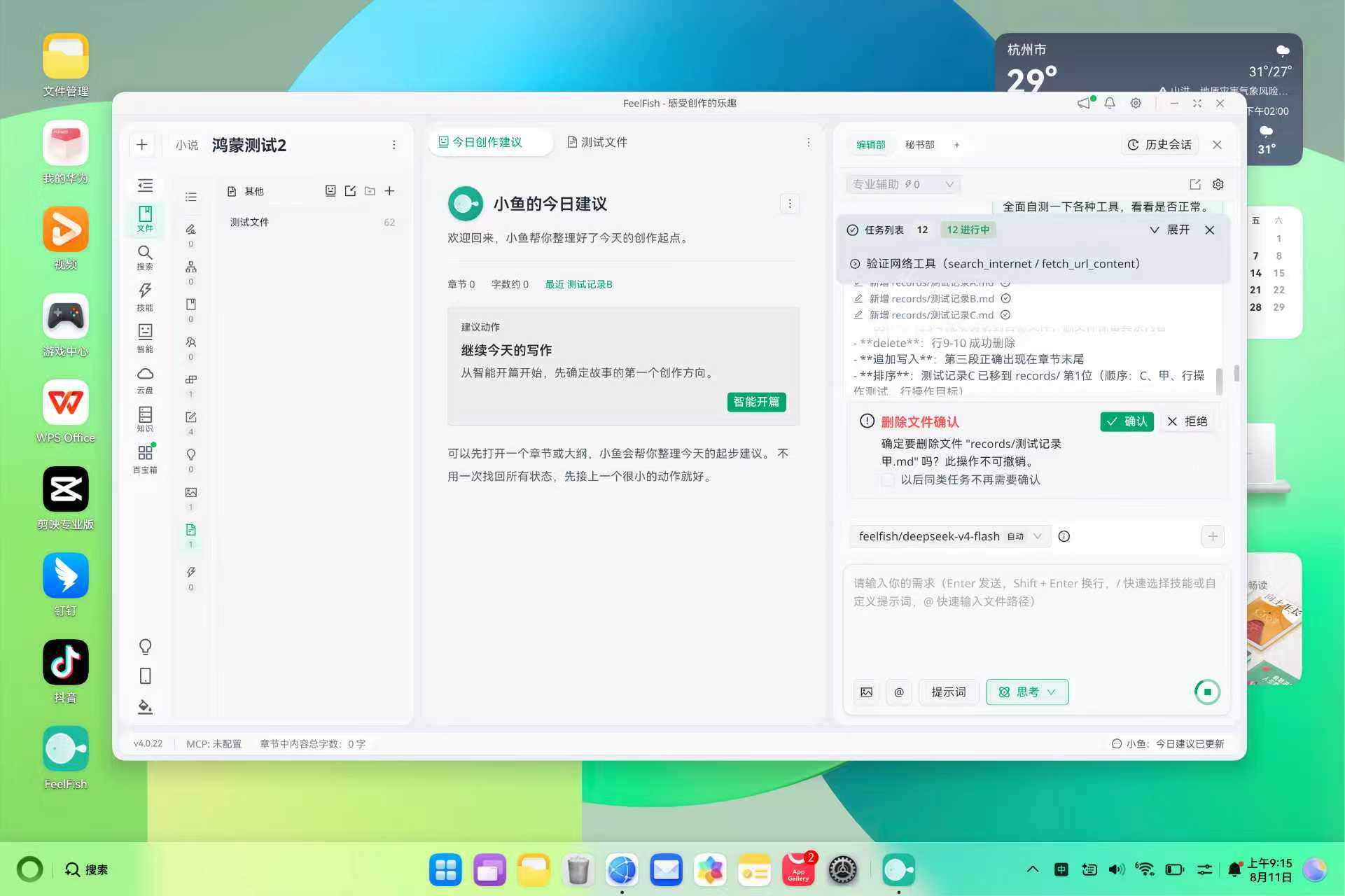
Please note that the mobile and tablet versions of FeelFish on HarmonyOS are designed as supplementary tools and do not have full functionality. Only the HarmonyOS PC or 2-in-1 tablet+PC systems support the complete client features of FeelFish.
---
### FeelFish 4.0 Major Release 🐟 – Building a Professional-Grade Novel Writing Workbench
URL: https://www.feelfish.com/en/blog/2026-08-05
Date: 2026-08-05
# FeelFish 4.0 Major Release 🐟 – Building a Professional-Grade Novel Writing Workbench
It has been over a year since the release of FeelFish, and throughout this journey, we have remained true to our original mission: to serve professional novel writers, help you create higher-quality content, and make the writing process more efficient and enjoyable. ✨
That is why our product roadmap has never been about offering cookie-cutter templates or enabling writers to mass-produce "quick-fix" novels mindlessly. We firmly believe that AI can make creation better—and we equally believe that great content cannot be achieved without true human-AI collaboration. It requires writers to infuse their own inspiration and thinking, working hand in hand with AI to polish a masterpiece. 🤝
Of course, we also strive to make it easier for newcomers to produce high-quality work, but never through fully automated methods that churn out "digital slop." Our target audience has always been professional creators. Even if some power users build automated workflows based on FeelFish, those are customized solutions tailored to their personal creative processes—and this is precisely the capability we envisioned when we introduced "Custom Solutions" in version 3.0. 🎯
After the 3.0 release, Custom Solutions received widespread acclaim, and many excellent creative solutions emerged from the community. However, as a tool serving professional creators, we still have room for improvement. For instance, large-screen adaptation was not ideal, leaving screen space underutilized; and agents were not yet supported on mobile devices, preventing creators from working anytime, anywhere. That is exactly why we embarked on version 4.0. In this update, we have made extensive technical upgrades to better implement numerous features, truly establishing FeelFish as a professional novel writing workbench. 🚀
Now, let's take a look at what's new in 4.0~👇
## 4.0 New Features Overview
### 📱 Mobile Remote Control Support
You can now use your computer as an AI brain and remotely control it from your mobile device to assist with your writing anytime, anywhere. The primary writing workbench remains on the computer, but when you step away temporarily, you can seamlessly pick up where you left off on your phone—checking current progress and the latest file content, as well as sending new instructions to have the agent optimize your content.
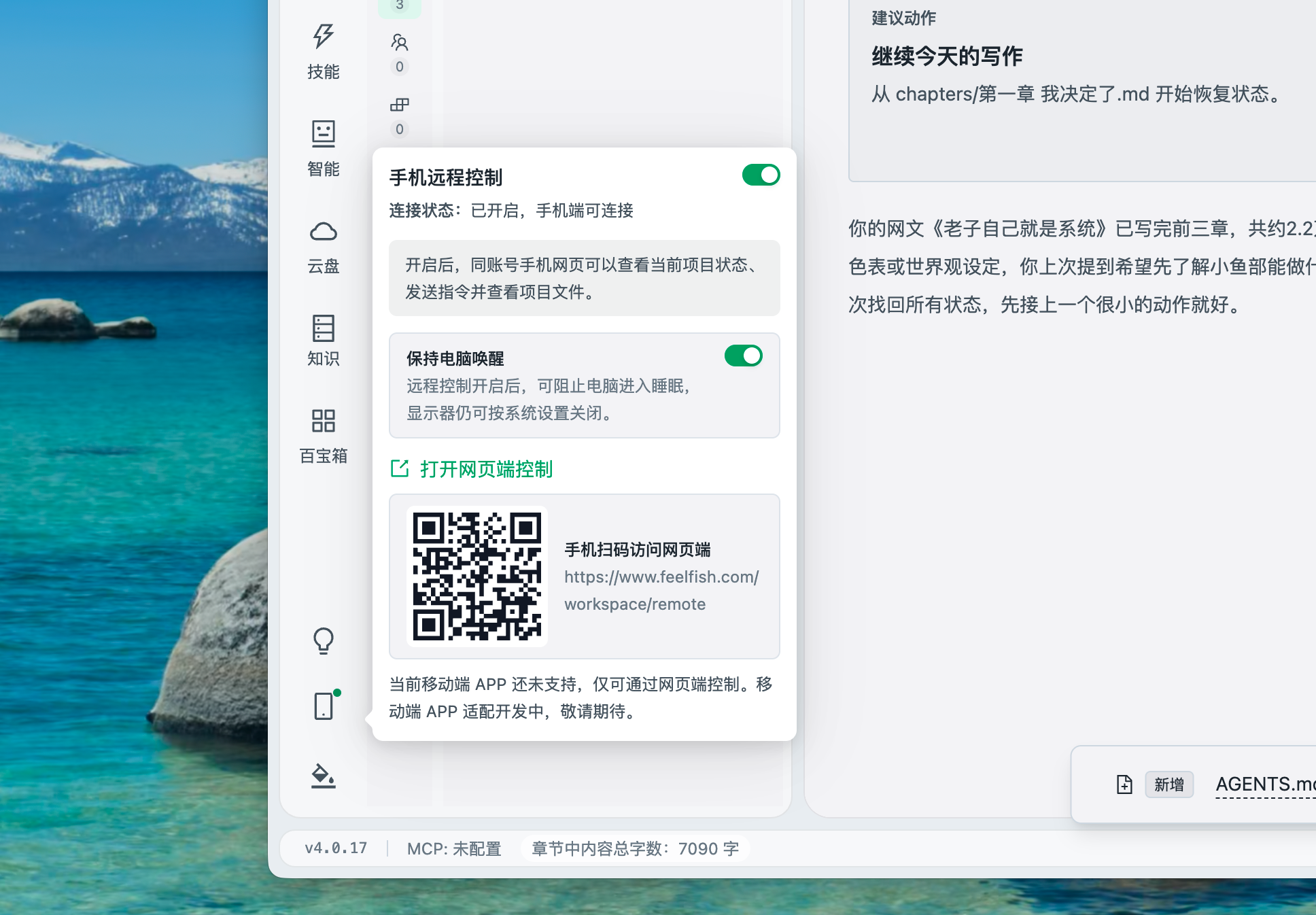
> Click the bottom-left corner of the software to enable mobile control. Currently, mobile control is web-based, but a dedicated mobile client is coming soon—stay tuned!
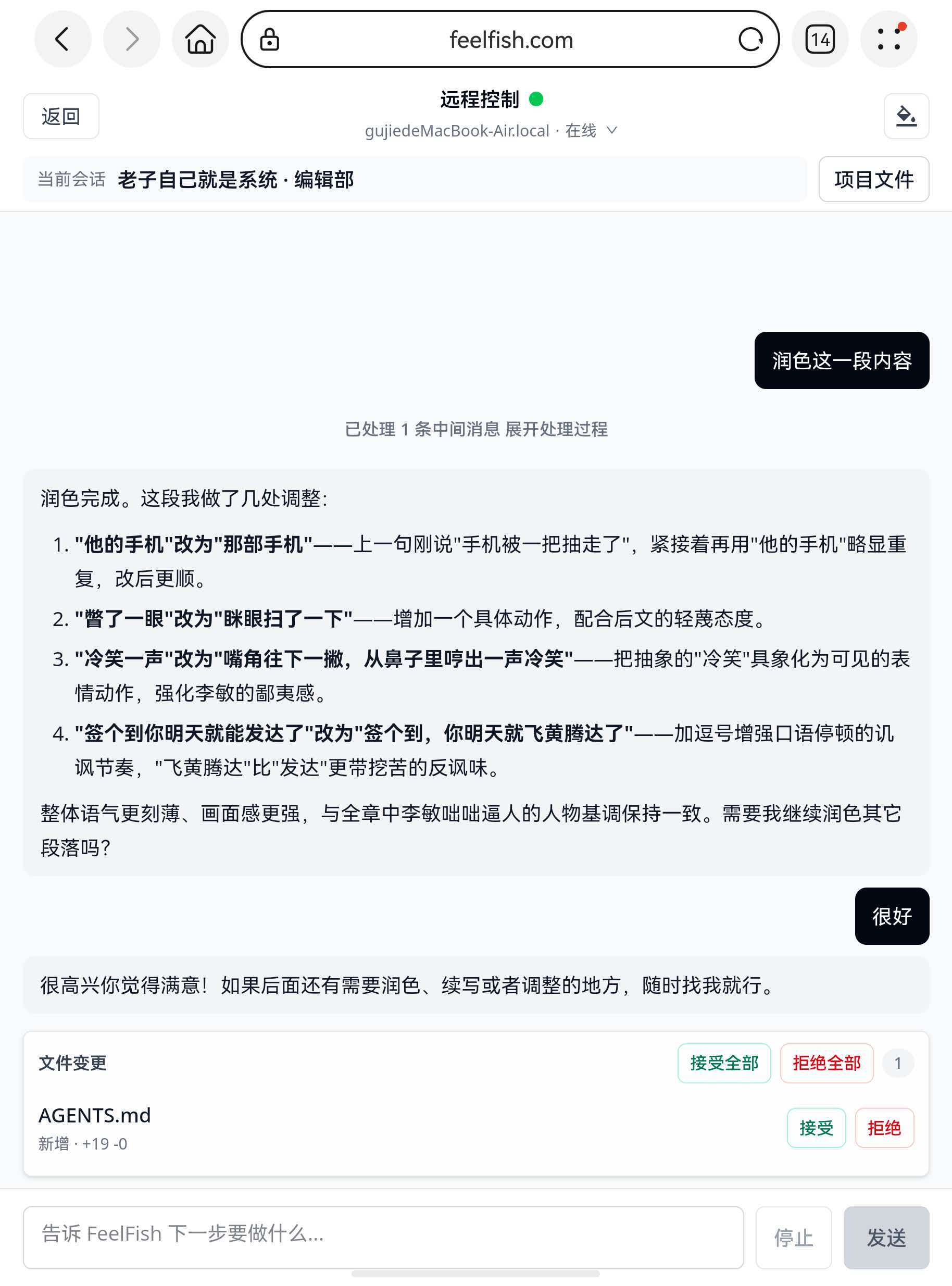
### 🧩 Multi-Department Collaboration Support
Previously, only single-agent conversations were supported. Now, you can add multiple departments and run several agent conversations simultaneously! For example, while working with the built-in "Editorial Department" on your writing, you can also use a custom "Quality Assurance Department" to review earlier chapters, or create a new department to gather materials for future chapters. Each department can customize its own smart solution, allowing you to build a dedicated professional team tailored to your needs. 👥
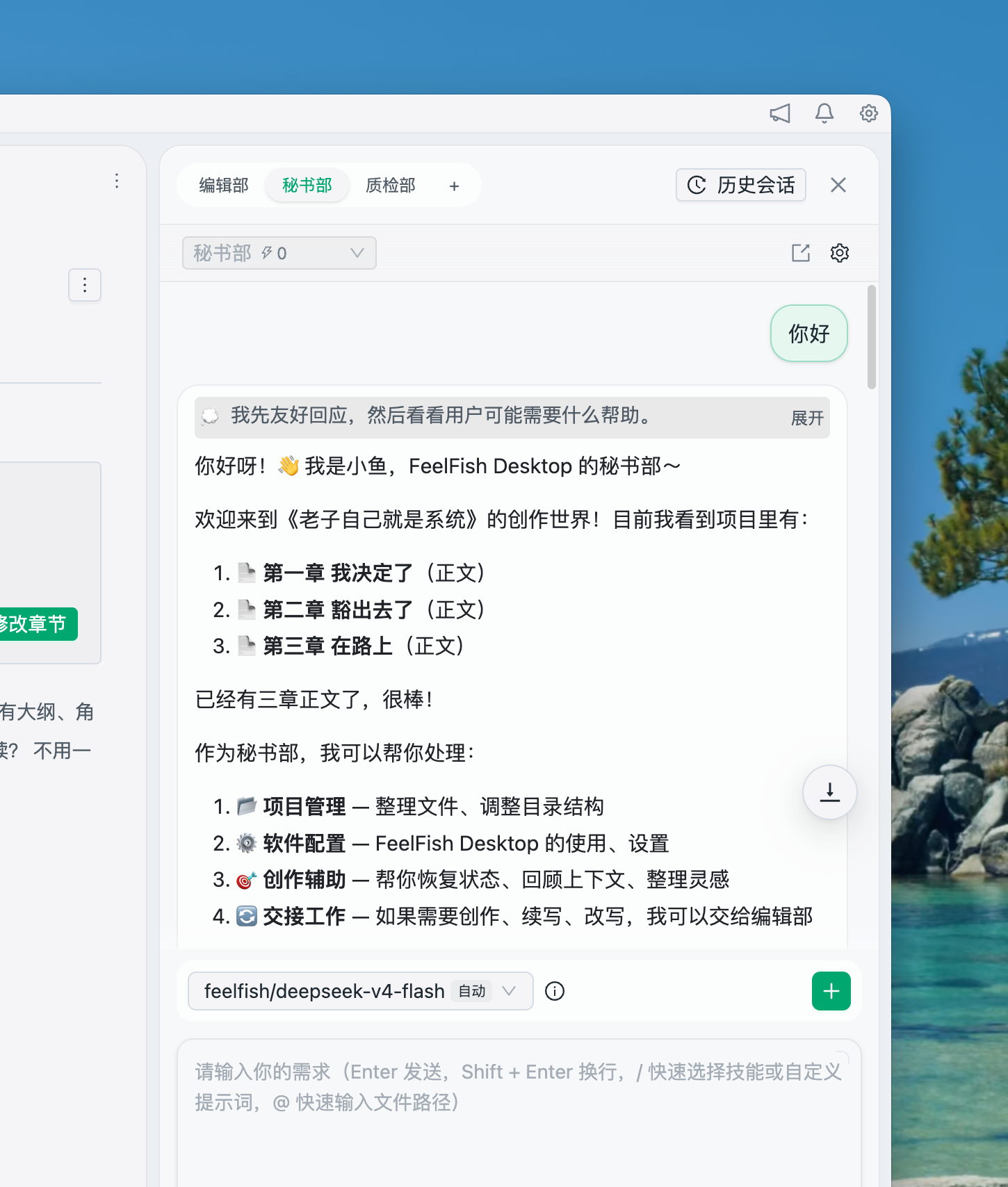
We have also included a "Secretary Department"—it does not directly participate in writing, but it knows the software inside out. You can ask it any question, and it will even provide daily creative suggestions for you~📋
For large-screen users, you can now open the chat dialog in a separate window to make better use of screen space and boost your workflow efficiency.
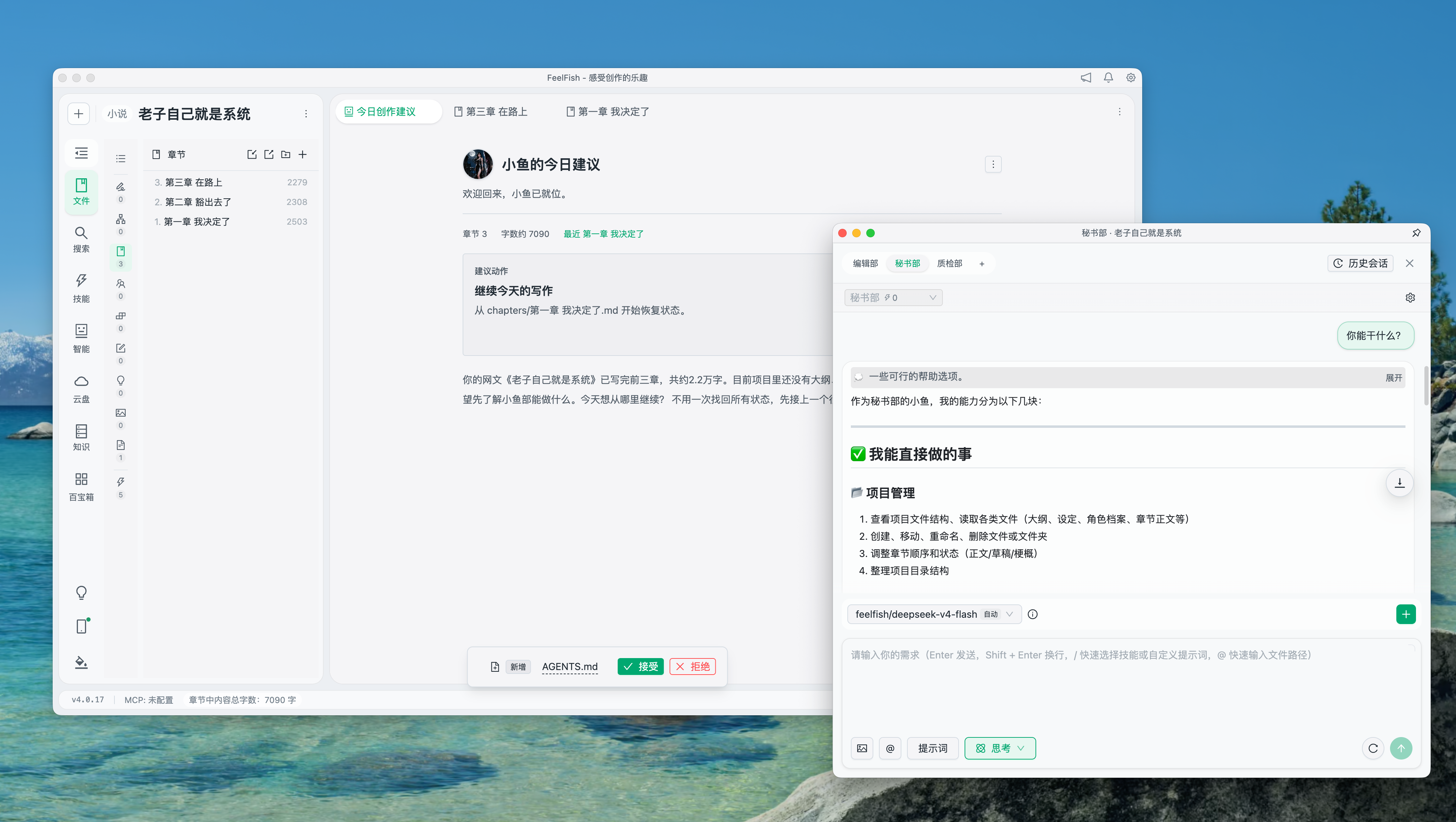
### ✍️ Annotation and Citation
Great content cannot rely on AI alone—it thrives on human-AI collaboration. For instance, you can manually revise content and then ask AI to polish it further, or have AI generate a draft and then provide feedback for it to refine.
In 4.0, simply select any text to easily annotate or cite it in your agent conversations, allowing you to communicate your needs more precisely and make AI a truly capable assistant. 🎯
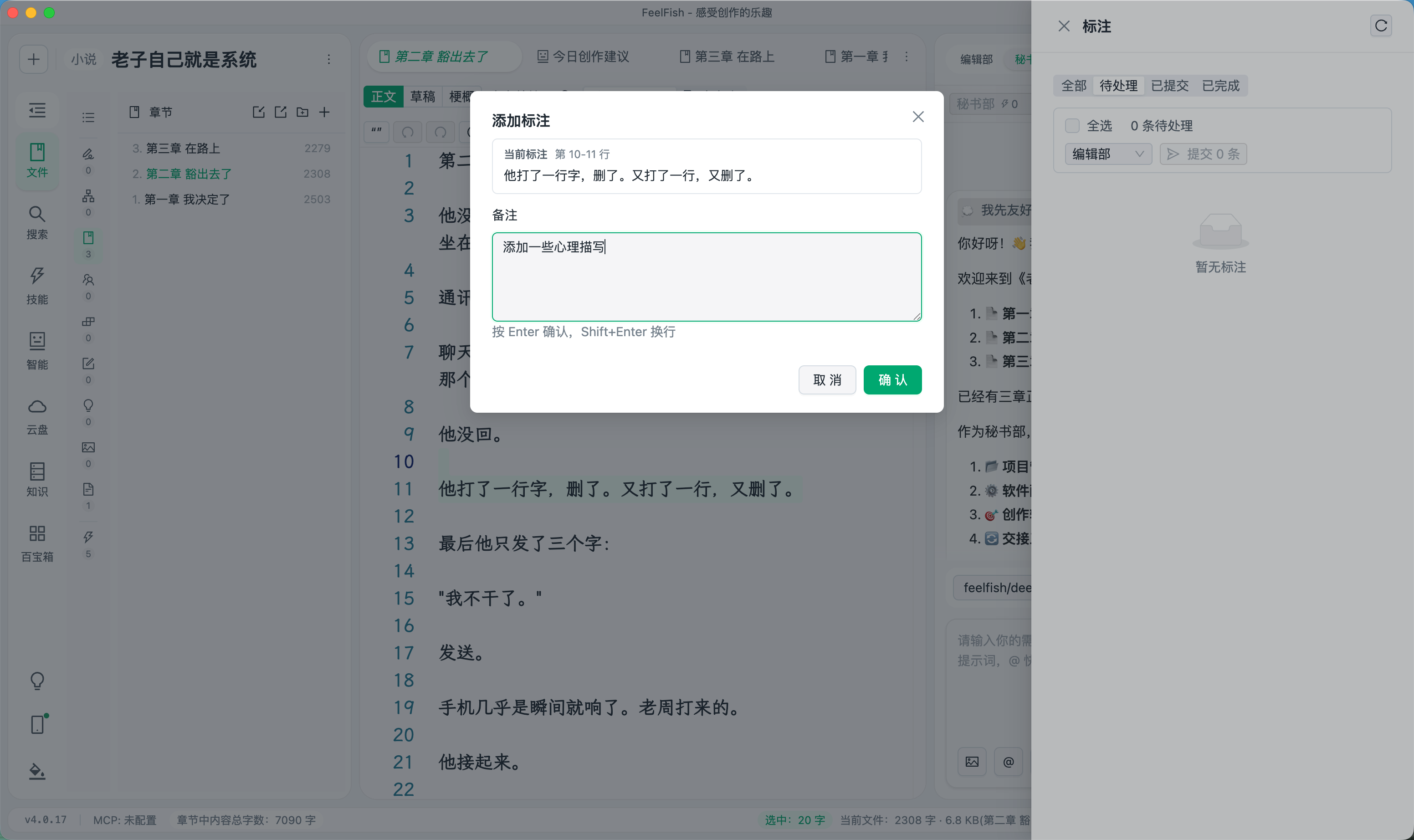
### 🔒 Enhanced Content Security Protection
Content security is a creator's bottom line, and losing your drafts can be devastating. That is why we have comprehensively upgraded our cloud storage and recovery features.
- For Advanced and Professional members, enabling cloud storage now triggers **automatic sync**—no manual action required as in 3.0. Content is synced to the cloud in real time, with all versions from the past 30 days preserved. We highly recommend turning this on ☁️
- For local changes on your computer, every modification is fully recorded. With the "Project Time Machine" feature, you can revert your content to any point in time, supporting both full-project recovery and single-file recovery. ⏳
- We have also integrated these capabilities into the Secretary Department—should any anomaly occur, you can ask the Secretary to help you quickly retrieve historical content and write with peace of mind~
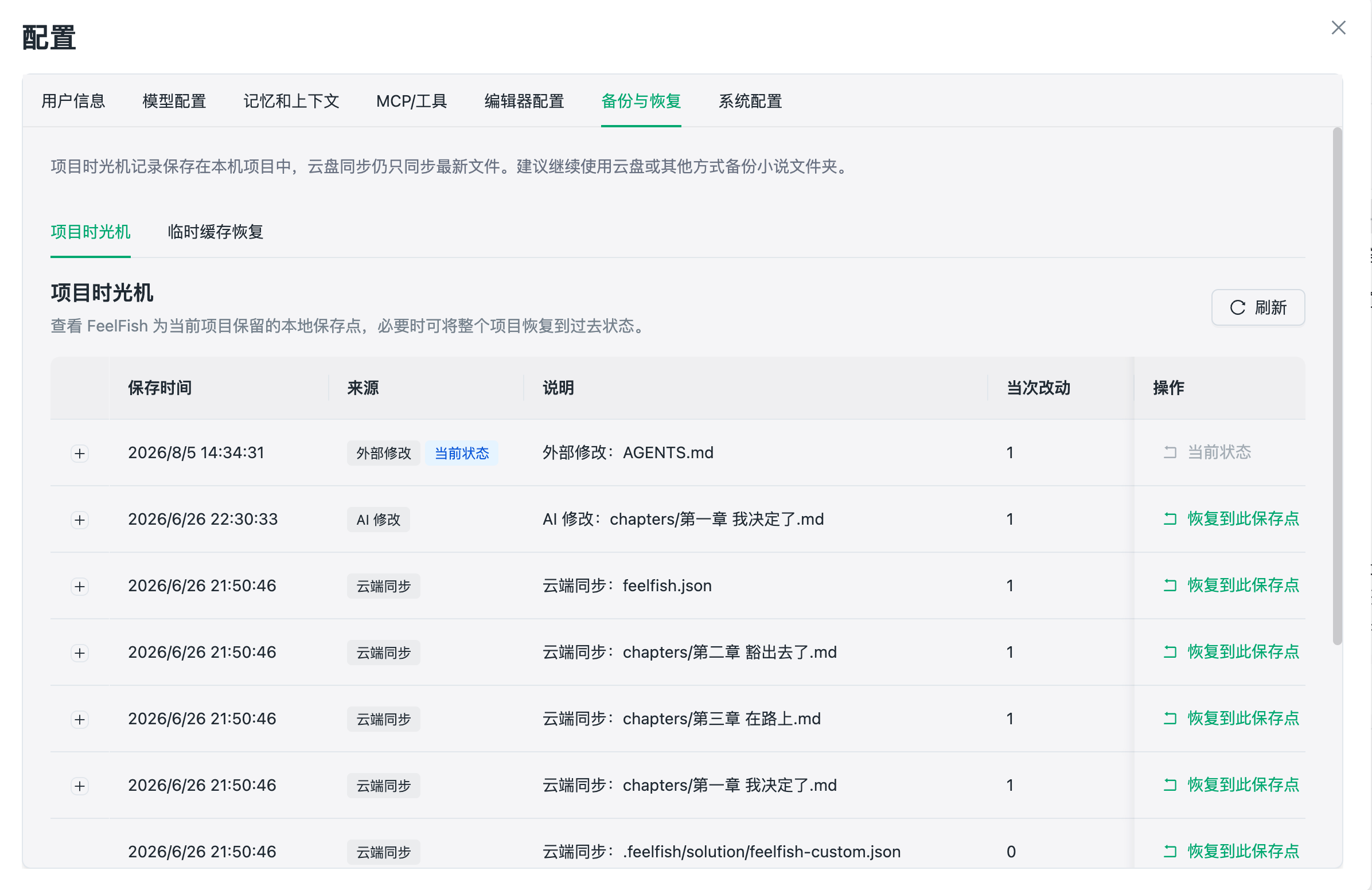
### 🎨 More Personalized Customization
In addition to professionalism, we also care about creators' personalization needs. Since you spend long hours staring at a screen, the overall visual theme can significantly affect your creative flow. 4.0 introduces two new built-in themes and supports flexible custom themes. You can ask the Secretary Department to create a custom theme for you, and even generate images via AI to set as background images~🖼️
There are many more details waiting for you to explore: customizable shortcuts, reverse file sorting, project list cover display, content read-aloud, full-text Q&A, smart context support for specified directories, and more—each designed to make your writing process smoother and more enjoyable. 🔧
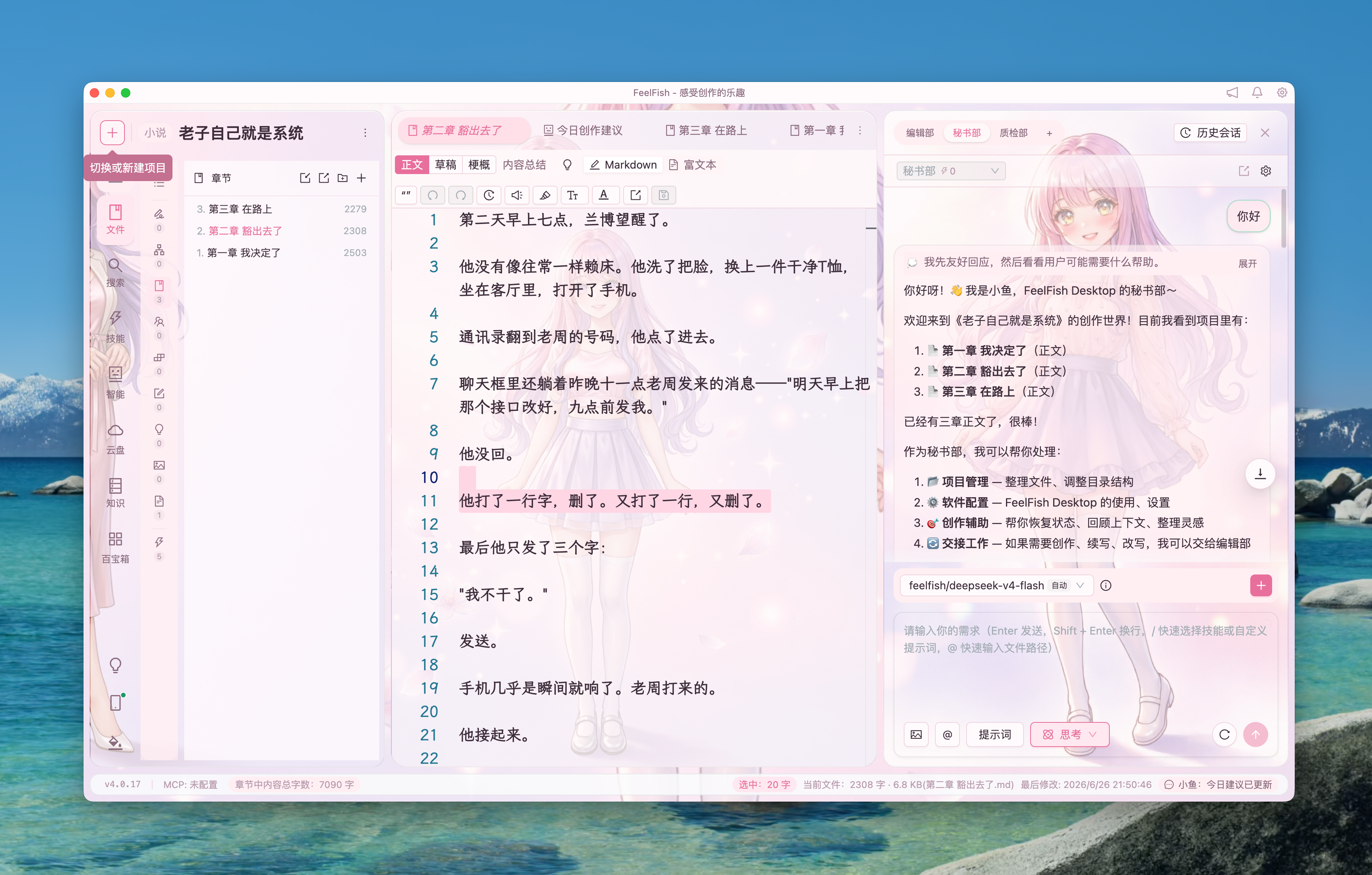
## 🔭 Future Outlook
Of course, 4.0 is just a new beginning. Going forward, we will continue to refine every detail, enhance the writing experience and intelligence level, and help every creator write their own outstanding works more efficiently and joyfully. 💪
If you have any suggestions or feedback, please don't hesitate to reach out—your voice matters to us more than anything. ❤️
---
### A First Principles Approach to Web Novel Writing
URL: https://www.feelfish.com/en/blog/2026-06-07
Date: 2026-09-24
In the age of AI, what's truly valuable is not skill, but cognition. The same applies to web novels. AI can help you improve your skills, but cognition is something that needs to be deeply ingrained in you. Only then can you effectively utilize AI to create great works. Below, we share a reflection on the essence of web novels, derived from discussions with the most advanced models and based on first principles, for your reference.
The essence of writing web novels is not simply about "writing well" in a general sense, but rather:
**Continuously generating psychological rewards that readers are willing to pay attention to.**
When a reader opens your novel, they are essentially trading their time for an experience: excitement, immersion, emotional release, companionship, fantasy fulfillment, intellectual satisfaction, relationship projection, and anticipation of fate. Your traffic and completion rates ultimately depend on one thing: **whether each chapter makes the reader feel that "continuing to read is more worthwhile than stopping."**
**First Principle: Web Novels Are Attention Products**
Web novels do not follow the award-winning logic of traditional literature; they are continuous consumption products. The key metrics are not about "how beautiful the language is," but rather:
1. Whether the reader immediately knows who the protagonist is, what they want, and what obstacles they face.
2. Whether the reader develops anticipation: what will happen next?
3. Whether the reader receives emotional rewards: excitement, heartache, sweetness, thrill, fear, anger, sympathy, or catharsis.
4. Whether the reader forms a habit: wanting to come back every day.
5. Whether the reader believes the author will deliver on their promises.
Therefore, the most important ability in writing web novels is not just literary skill, but **managing expectations, delaying gratification, and delivering emotions.**
**Essential Techniques of Novels**
First, the protagonist must have a strong desire.
A weak protagonist is the easiest way to lose readers. It's not about the protagonist being extroverted or powerful, but about having a clear internal drive: to survive, to win, to seek revenge, to prove themselves, to protect someone, to escape fate, or to gain love.
Readers don't follow the "setting"; they follow the "desire."
For example:
- "He was transported to a cultivation world" is just a setting.
- "He has only three months to live and must steal the Longevity Scripture before the sect competition" is a story.
Second, conflicts should be specific, and pressure should be continuous.
Without pressure, there is no motivation to read. Conflicts in web novels should not be abstract like "fate is hard," but specific and immediate:
- He will be forced to break off his engagement tomorrow.
- He will be unable to pay rent in three days.
- His opponent already knows his secret.
- His master is about to die.
- The female lead misunderstands him.
- If he fails the system task, he will be erased.
- His family plans to sell him for resources.
The more specific the pressure, the easier it is for readers to get involved.
Third, each chapter should have a "hook."
A hook is not just a mechanical cliffhanger, but something that creates a sense of incompleteness. Common hooks include:
- Information hook: revealing only half the truth.
- Crisis hook: the trouble has just escalated.
- Emotional hook: the reader is feeling angry, excited, sympathetic, or anticipatory.
- Relationship hook: a change in the relationship between two characters.
- Choice hook: the protagonist must make a decision.
- Reversal hook: the reader's assumptions are overturned.
Chapter endings should not just be "he fell asleep" or "they went back." Try to end at the point where the reader most wants to continue.
Fourth, the real pleasure comes from "release after suppression."
The true formula for excitement is:
**Being suppressed → Being misunderstood → Being pushed to the brink → The protagonist retaliates in a way the reader approves → The antagonist pays the price → The protagonist's status changes.**
If the protagonist overpowers everyone from the start, the excitement quickly fades. Excitement needs to build up. The more frustrated the reader feels, the more satisfying the retaliation. However, frustration should not last too long, or the reader will abandon the story. Web novels need to maintain a rhythm: **small suppressions frequently released, large suppressions periodically released.**
Fifth, characters should have "memorable tags."
Readers remember characters not because of their complexity, but because of their distinctiveness.
For example:
- Seemingly weak, actually crazy.
- Harsh in words but protective of loved ones.
- Gentle father figure, extremely ruthless when crossed.
- Greedy heroine, willing to sacrifice herself in critical moments.
- Cold-faced politician, only losing control around the heroine.
- The protagonist is very cautious, but always ends up as the big winner.
Complexity can be added later, but the first impression must be striking.
Sixth, settings should serve emotions, not show off.
Many authors get lost in world-building, levels, systems, history, and maps. But what readers care about most is: how do these things relate to the protagonist? Can they create conflict? Can they bring excitement?
Good settings are not about being "vast," but about "generating stories."
For example, "there are nine stages in cultivation" is ordinary; but if "each stage requires losing an important memory," the story immediately gains stakes, choices, and emotions.
**How to Enhance Cognition**
You need to shift from "what I want to express" to "why the reader should read."
This is not about pleasing the reader, but understanding the transactional structure of creation. Web novel authors sell not just words, but experiences. You need to understand users like a product manager, direct emotions like a director, understand desires like a psychologist, and respect feedback like a businessman.
Here are three cognitive habits to develop:
1. **Analyze bestsellers, not for the plot, but for why readers can't stop reading.**
For each chapter, ask: what expectation does this chapter create? What emotion does it resolve? What question does it leave unanswered?
2. **Translate abstract evaluations into behavioral metrics.**
"Not interesting" usually means: slow start, weak goal, vague conflict, unfulfilled emotions, characters without tags, chapters without hooks.
3. **Rewrite the outline from the reader's perspective.**
Don't just write "where the protagonist goes and what they do." Write: what the reader expects, worries about, finds exciting, and why they turn to the next chapter.
Finally, an important criterion:
**Readers continue reading not because you wrote a lot, but because they still have an unmet expectation.**
A master of web novels is essentially a master of managing expectations. What you need to practice is not just piling on plot points, but continuously creating a psychological pull that makes readers think, "I still want to know more," "I still want to see them win," "I still want to see them together," and "I still want to uncover the truth."
We recommend using FeelFish to help you make the most of AI, refine your skills, and write great novels, creating outstanding works that are uniquely yours~
---
### DeepSeek V4 Novel Writing Capability Review (II)
URL: https://www.feelfish.com/en/blog/2026-05-02
Date: 2026-09-24
Following up on the previous article [DeepSeek V4 Novel Writing Capability Review (Part 1)](https://www.feelfish.com/zh/blog/2026-04-24), this article will further explore DeepSeek V4's ability to write novels.
First, we need to look at DeepSeek's ability to follow skills. Skills are a crucial aspect of FeelFish Agents, and large models need to be able to use and adhere to these skills effectively to meet our creative needs.
We started a new novel project and tried adding an opening skill:
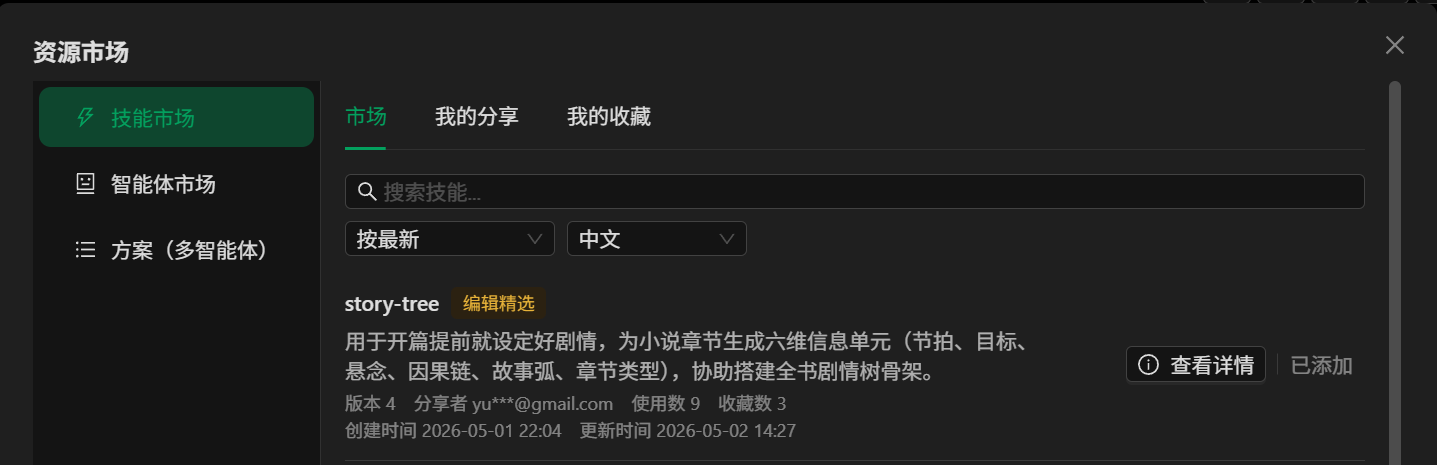
After adding the skill, we asked the Agent to start the novel, using the DeepSeek V4 Flash thinking mode for testing:
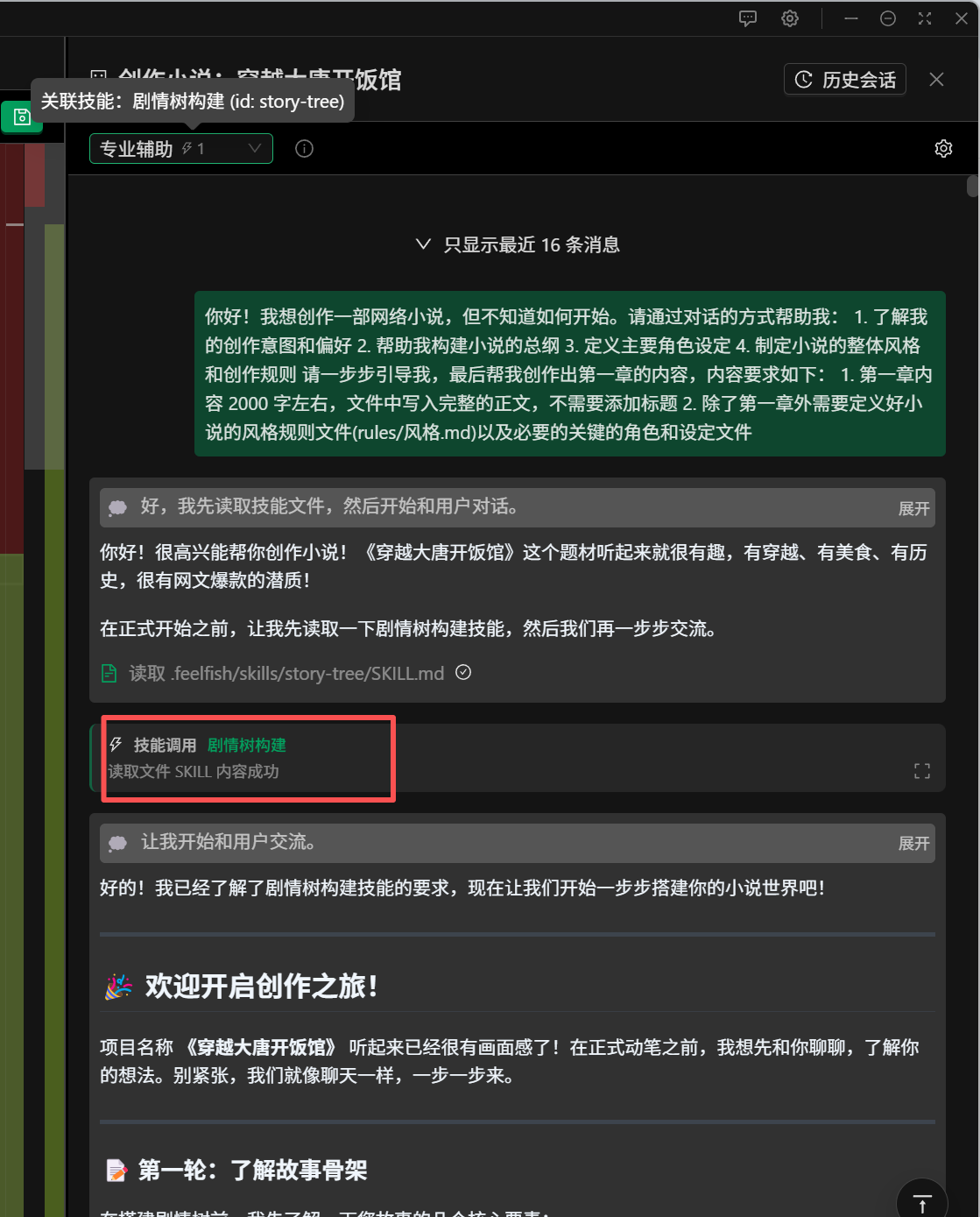
The skill was successfully invoked, and the thought process is as follows:
```
Thought Process
Collapse
The user wants to create a web novel, with the project name "Opening a Restaurant in Tang Dynasty" and the pen name "Foolish Guide." This is a new project with no existing files.
I need to guide the user step by step:
1. Understand the user's creative intentions and preferences - through dialogue
2. Help build the overall outline of the novel
3. Define the main character settings
4. Establish the overall style and creation rules of the novel
5. Finally, create the content for the first chapter
However, the user has already provided a project name, "Opening a Restaurant in Tang Dynasty," which suggests a theme of time travel to the Tang Dynasty and running a restaurant. This should be a light-hearted, food-themed novel.
But the user said, "Please help me through dialogue," so I should first engage in conversation with the user to understand their ideas rather than making all the decisions for them.
Wait, let me re-examine this. The user said, "Guide me step by step," so I can start by asking questions to understand the user's preferences and then build based on their responses.
Since the user hasn't provided more information, I can start by asking some questions to understand their preferences.
Considering the project name "Opening a Restaurant in Tang Dynasty" and the pen name are already determined, the user might already have some ideas.
Let me check if there are any skill files that need to be read.
The system prompt says: When the conversation gets too long, the user may start a new conversation or summarize the current one. To use a specific skill, read the skill file.
It mentions the "Plot Tree Construction" skill, stating, "This skill must be used during the initial construction of the novel, the opening, and when building each chapter."
So, I should first read this skill file.
However, I want to first converse with the user to understand their thoughts and then proceed step by step.
Let me see what's currently in the project and then start the conversation with the user.
Actually, the user's message is already included in , so I need to respond directly to the user.
Let me first read the skill file to understand the content of the Plot Tree Construction skill.
Okay, I'll read the skill file first and then start the conversation with the user.
```
It seems the Agent considered all the aspects we set. Let's now look at the results of following the skill. I won't show the intermediate steps, but the final result shows that the skill requirements were generally followed well, though some details were missed. Overall, it's acceptable but still has room for improvement.
For example, the format for creating the synopsis was correct:
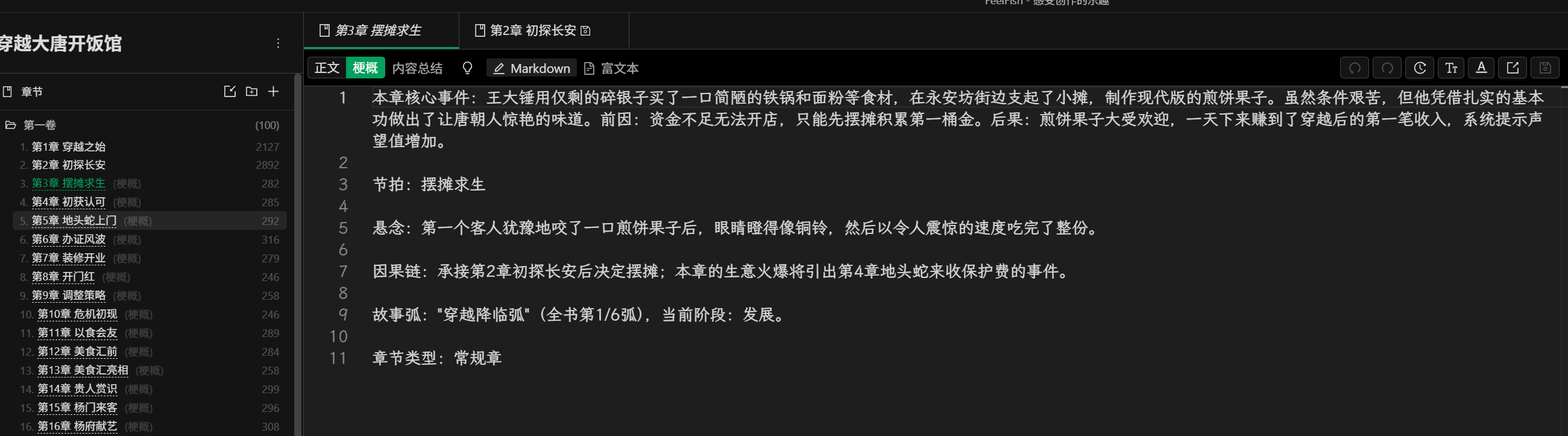
However, the last few suggestions in the skill were overlooked:
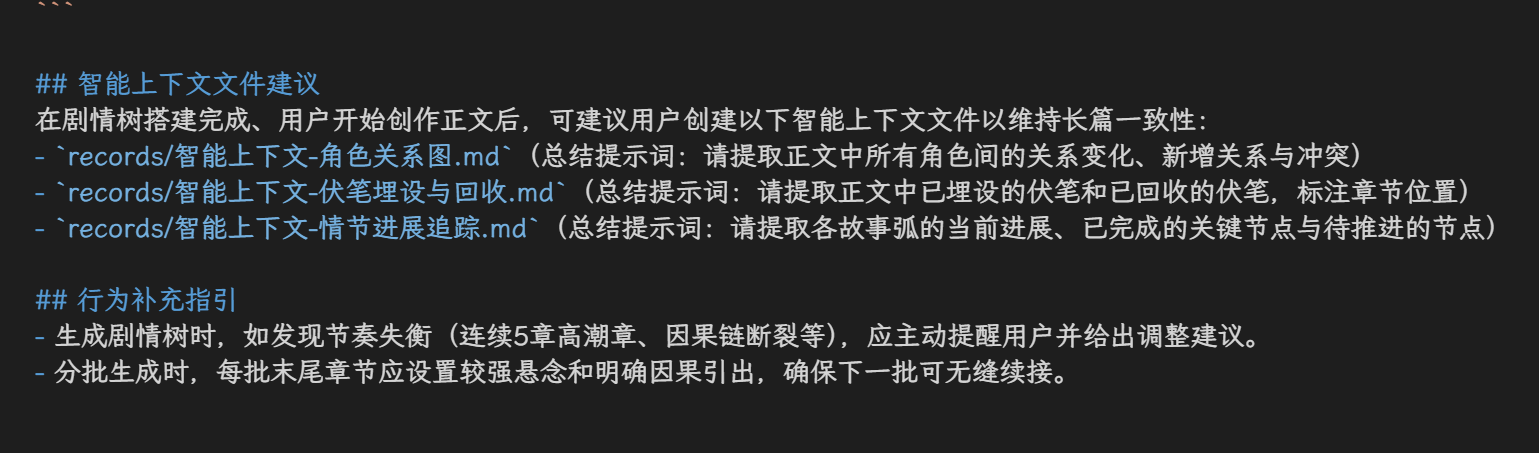
In total, we had the Agent build a 100-chapter outline based on the Plot Tree Construction skill. The overall plan was for five volumes, but within these 100 chapters, it included content that was supposed to be spread across the five volumes, deviating from the initial plan. However, if we look at just these 100 chapters, the design is logical and meets expectations.
In summary, DeepSeek-V4-Flash scores 80 points for word count control and skill adherence, with 20 points lost on some details. For memory, it scores 70 points, passing but with significant room for improvement. In terms of content creation, without any skills, it might only score 60 points, especially in handling chapter endings, which are somewhat abrupt, and the suspense and hooks are not well designed, requiring skill guidance.
It is recommended that if you use DeepSeek V4, try the Pro version with thinking mode, which should perform better. The Flash version still requires skill or prompt guidance and cannot be fully relied upon. However, based on recent community feedback, V4 Pro does not show a significant improvement in writing capabilities. It's not realistic to expect AI to generate excellent content entirely on its own in the short term. Nonetheless, with appropriate skills and prompts, AI can efficiently complete related tasks. We will continue to evaluate and provide more useful skills to guide DeepSeek V4 in creating better content.
---
### Recruit Partners, Enjoy Cash Sharing
URL: https://www.feelfish.com/en/blog/2026-04-27
Date: 2026-09-24
If you have some experience in novel writing, if you are willing to share your knowledge with more authors who share the same passion, and if you want to monetize your expertise, then become our partner! ✨
By sharing your knowledge, you not only help others but also grow and gain rewards. Help more creators use AI 🤖 effectively to create great stories 📖, and you will also benefit from this process.
AI-assisted writing is a new field 🚀, but the art of storytelling is not. To make AI a better tool for creating compelling stories, traditional writing techniques and literary aesthetics remain crucial 🎨. With the aid of new tools, these skills become even more important and powerful, enabling us to create even better works with AI. This helps more people express their stories!
However, how to integrate traditional writing techniques with new AI tools 🔗 is a new challenge that requires exploration by more professionals. We hope to attract friends who have already accumulated experience in the creative field, join us as partners 🤝, and share the benefits brought by the development of AI 📈.
## 🎁 Partner Benefits
- Free FeelFish Professional Annual Membership 💳
- **Earn 5 yuan for each invited registered user**, with no upper limit 💰
- Receive payment for the content and courses you create (the specific amount depends on the type of commission) 📝
- Official support in connecting with more creators, promoting courses, and sharing the benefits of knowledge monetization 📢
- Potential future opportunities to join our team~
## 🔥 Partner Requirements
- Published at least 300,000 words of web novels, and earned at least 10,000 yuan from your novels within the last year 📊
- Passionate about novel writing ❤️ and have ideas on how AI can improve the writing process 💡
- Familiar with FeelFish, AI skills, and the concept and basic techniques of Agents 🤖
## 🛠️ What Partners Need to Do
- You have the freedom to publish your novel writing courses in any format 🎓. Users who register through your unique link will bring you a share of the revenue 🔗
- Collaborate with us to create courses and skills, and we will pay you in the form of royalties 💎. We will also promote and disseminate your work officially 📣
## ✅ How to Become a Partner
- If you meet the requirements, please contact us via WeChat at feelfish-ai 💬. We will discuss the details with you 🤝.
---
### DeepSeek V4 with Million-Context Capacity, Fit Your Entire Novel In!
URL: https://www.feelfish.com/en/blog/2026-04-26
Date: 2026-09-24
> Upgrade to FeelFish 3.3.1 to experience the full-text Q&A feature with a million-token context!
The highly anticipated DeepSeek V4 has been released, supporting 1M tokens of context, allowing you to input over a million characters without any issues!
More importantly, DeepSeek's new retrieval technology ensures that even with such a large context, it can accurately identify and recall key information, unlike some models that claim to support a million tokens but struggle to deliver effective results.
But what does DeepSeek V4's true million-token context mean for novel writing?
The answer is **even more powerful full-text Q&A**.
While FeelFish previously supported [semantic search](https://www.feelfish.com/blog/2026-02-09) using vector retrieval technology, the RAG retrieval method based on vector retrieval typically involved first matching parts of the content and then summarizing the answer from the matched content.
With **million-token context, it truly allows the AI to process the entire text, enabling it to retrieve information from all the content without missing a single word.**
To help the agents make better use of this capability and to help everyone save credits, FeelFish has introduced a new full-text Q&A feature:
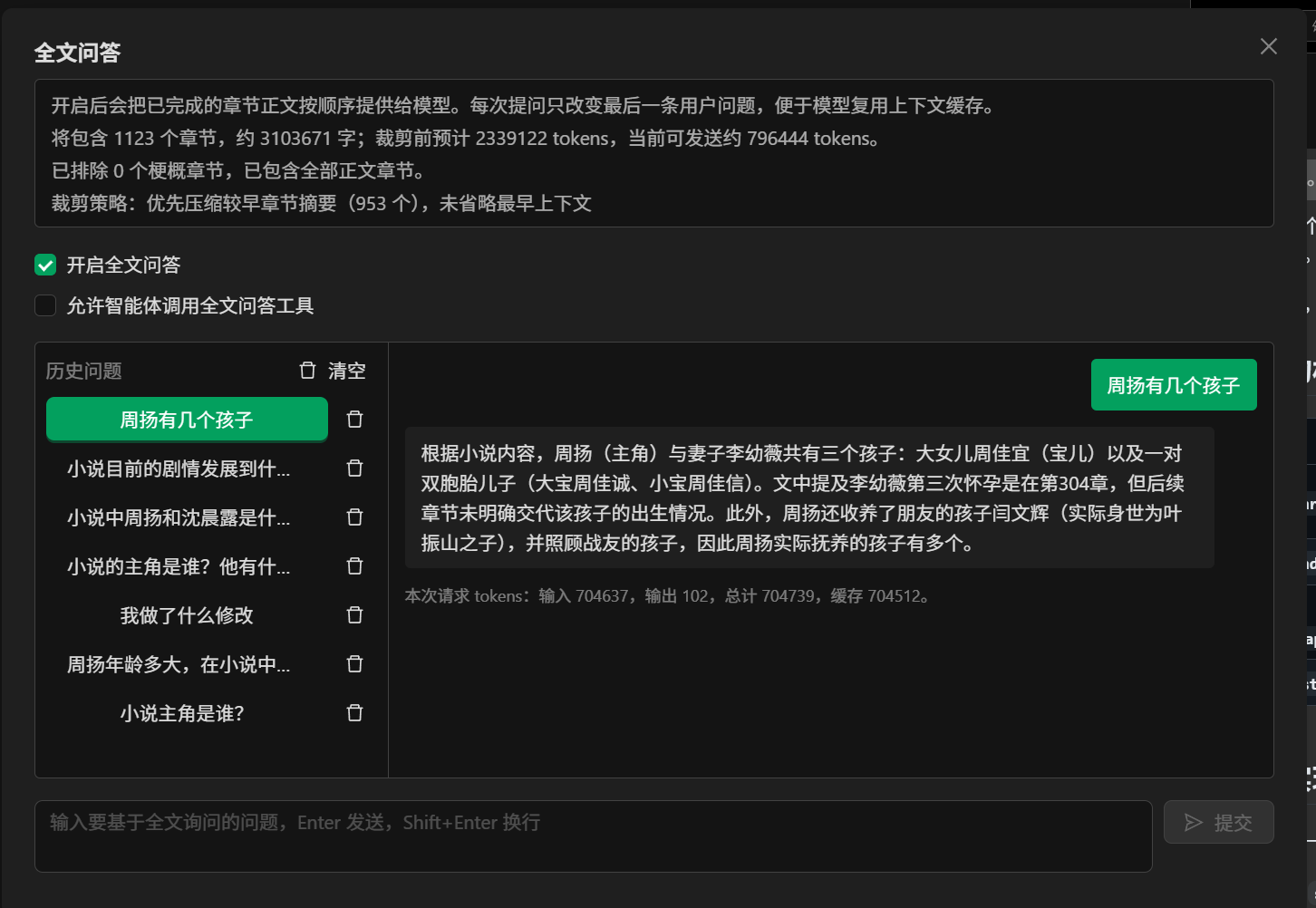
We have found that for novels up to a million words, we can provide excellent full-text Q&A. Even for novels that exceed a million words and reach up to three million words, we can still provide good answers after reasonable trimming.
Importantly, we leverage DeepSeek's powerful caching capabilities to minimize credit consumption. **Even for a million-word Q&A, with cache optimization, a single Q&A session will consume less than 200,000 credits.** For novels around 200,000 to 300,000 words, the consumption is even lower. Even if there are additions or modifications to the content, we strive to ensure the reliability of the cache and minimize credit consumption as much as possible.
This capability has a significant use case: it can be invoked in an Agent for book analysis or to help the Agent better access global information about the novel during the creative process. Just check the option "Allow Agent to call full-text Q&A tool":
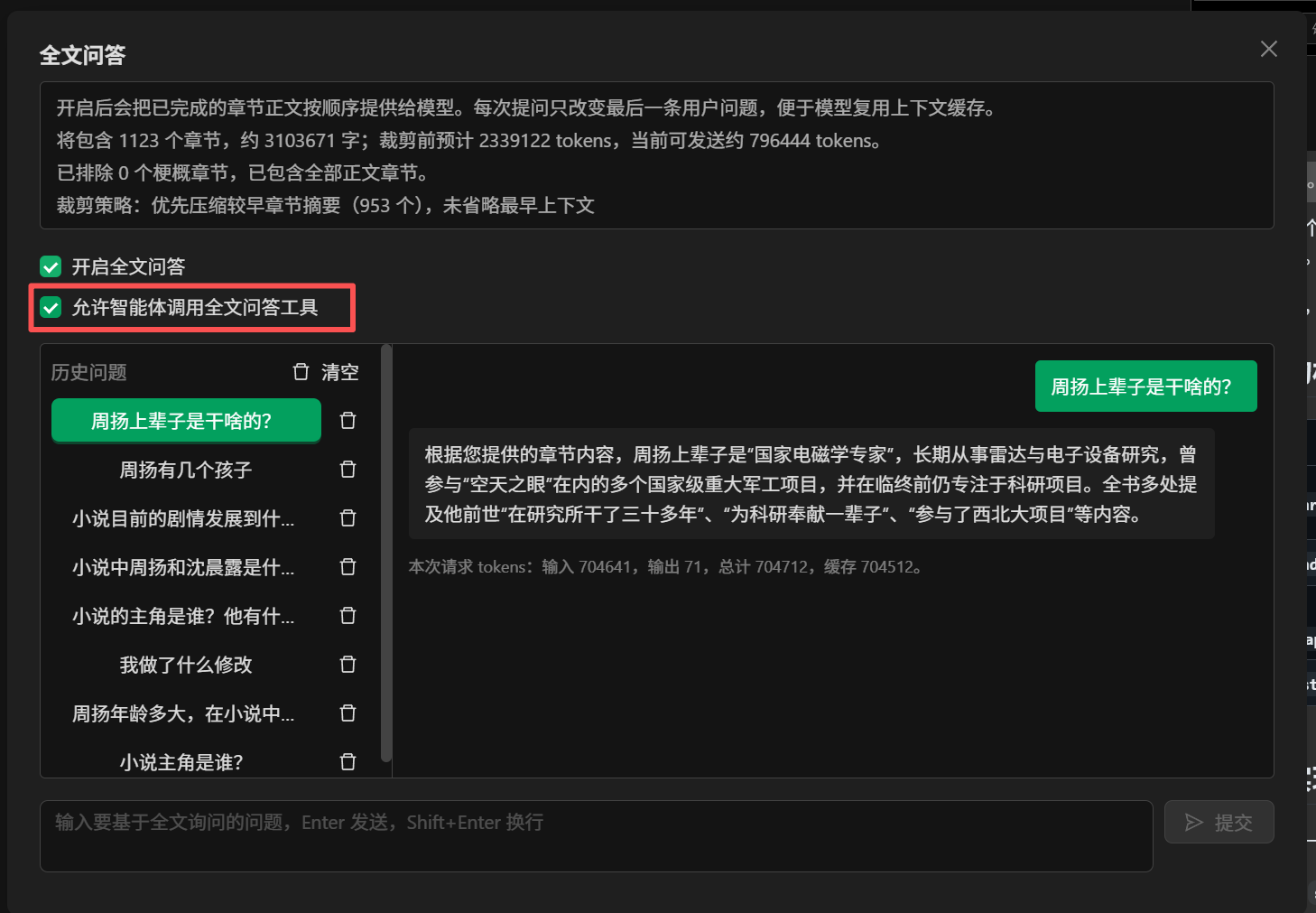
Here is an example:
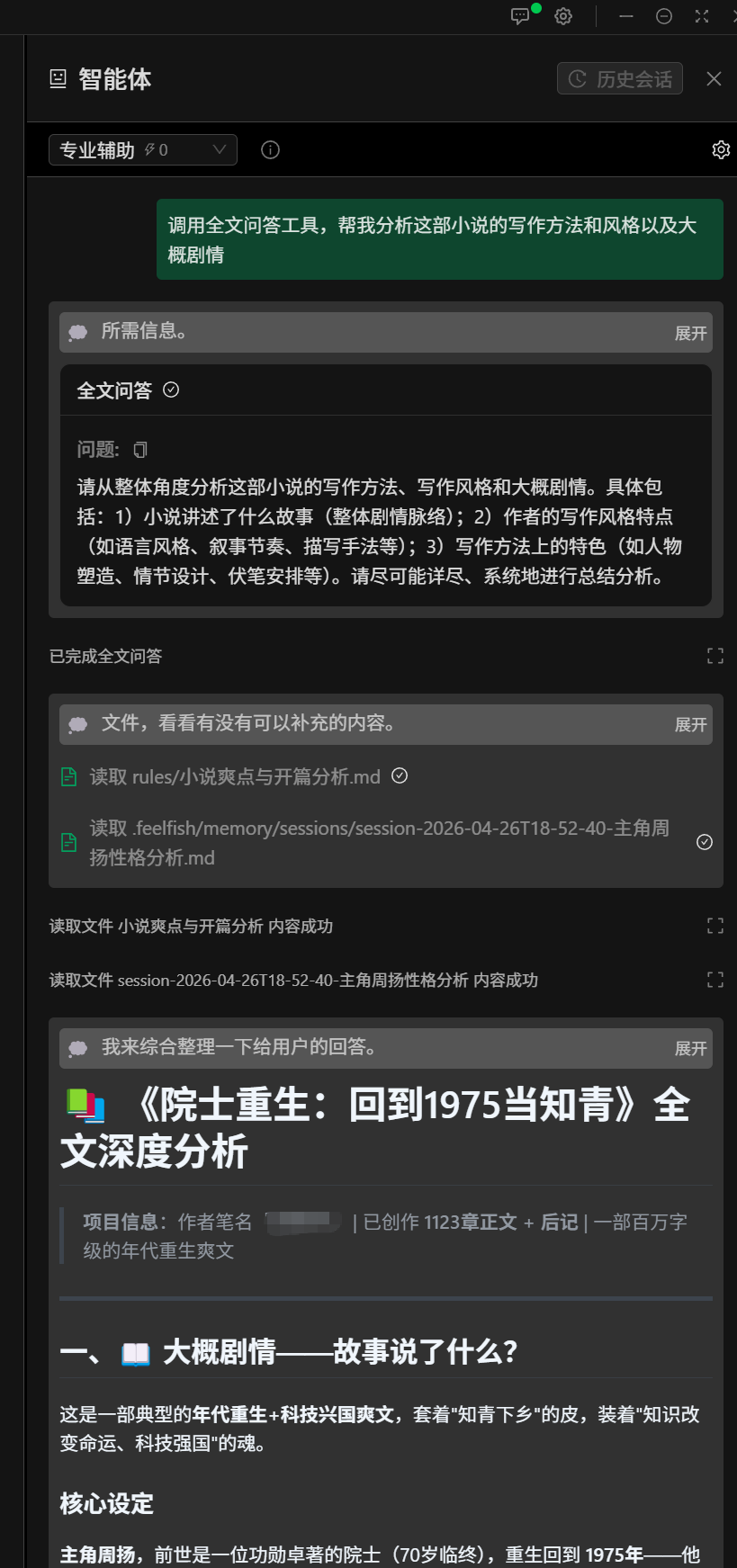
Come and give it a try! However, please note the credit consumption, especially for the first question without a cache, which will consume more credits. We recommend using DeepSeek-V4-Flash, which has stronger caching capabilities and is more cost-effective.
You can find the entry in the Toolbox:
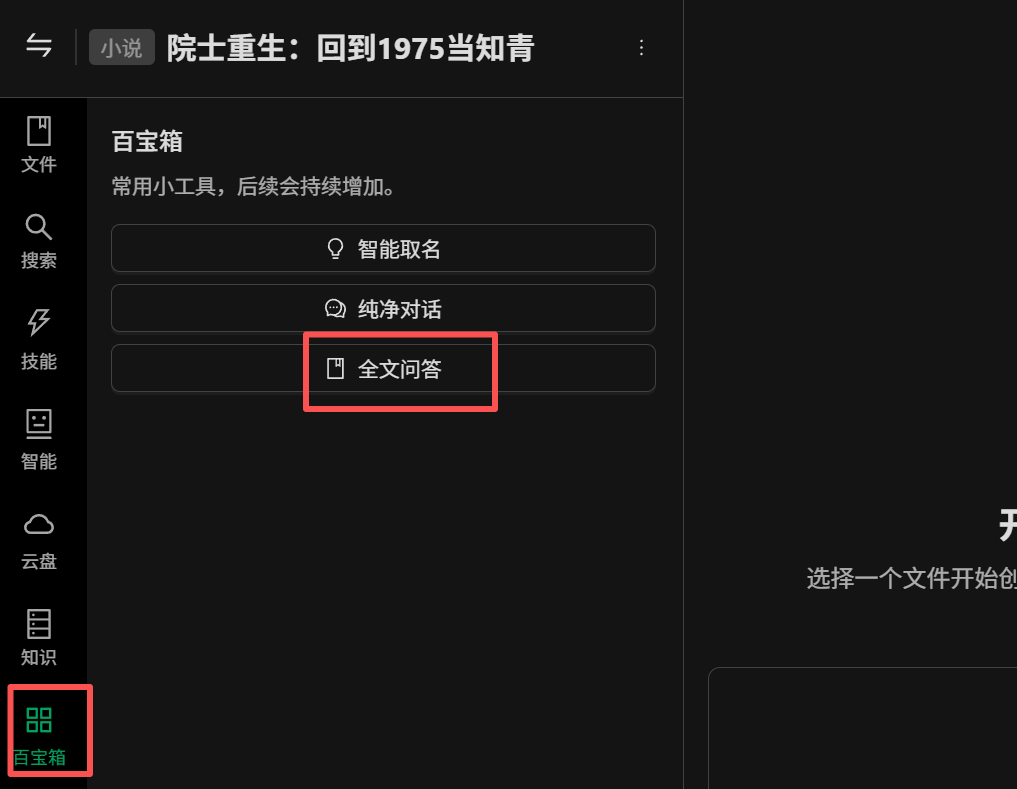
---
### DeepSeek V4 Novel Writing Capability Evaluation (Part One)
URL: https://www.feelfish.com/en/blog/2026-04-24
Date: 2026-09-24
DeepSeek officially released the V4 version on April 24, 2026. For more details, see the [official DeepSeek announcement](https://mp.weixin.qq.com/s/8bxXqS2R8Fx5-1TLDBiEDg).
It supports two model versions, Flash and Pro, both of which support 1M context. According to the official description:
- **Significantly Enhanced Agent Capabilities**: Compared to previous models, the Agent capabilities of DeepSeek-V4-Pro have been significantly improved. In Agentic Coding evaluations, V4-Pro has reached the best level among current open-source models and has also performed excellently in other Agent-related assessments. Currently, DeepSeek-V4 is being used by internal employees for Agentic Coding, with user feedback indicating a better experience than Sonnet 4.5 and delivery quality close to Opus 4.6 in non-thought mode, though it still lags behind Opus 4.6 in thought mode.
- **Rich World Knowledge**: In world knowledge evaluations, DeepSeek-V4-Pro significantly outperforms other open-source models, coming in just slightly behind the top closed-source model, Gemini-Pro-3.1.
- **World-Class Reasoning Performance**: In evaluations of mathematics, STEM, and competitive coding, DeepSeek-V4-Pro has surpassed all publicly evaluated open-source models, achieving results on par with the world's top closed-source models.
Compared to DeepSeek-V4-Pro, DeepSeek-V4-Flash has slightly less extensive world knowledge but demonstrates comparable reasoning abilities. Due to its smaller model parameters and activations, V4-Flash can provide faster and more cost-effective API services.
In Agent evaluations, DeepSeek-V4-Flash performs comparably to DeepSeek-V4-Pro in simple tasks but shows a gap in more complex tasks.
So, how does it perform in novel writing? Let's evaluate it using [FeelFish](https://www.feelfish.com/zh).
First, we will use the professional assistance mode with the DeepSeek-V4-Flash model, enabling the thinking mode without any additional skills, to start writing a novel titled "Opening a Restaurant in Tang Dynasty."
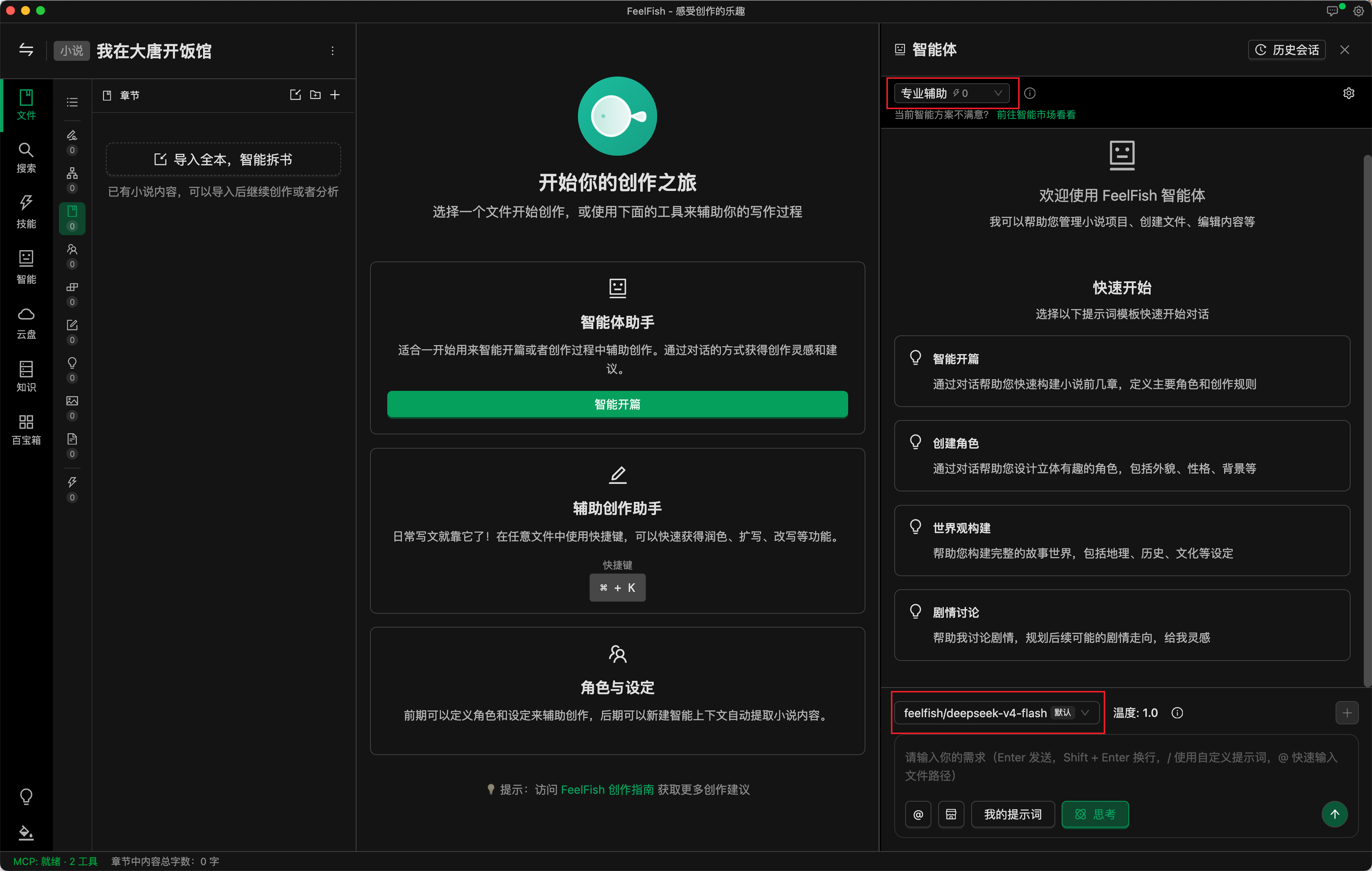
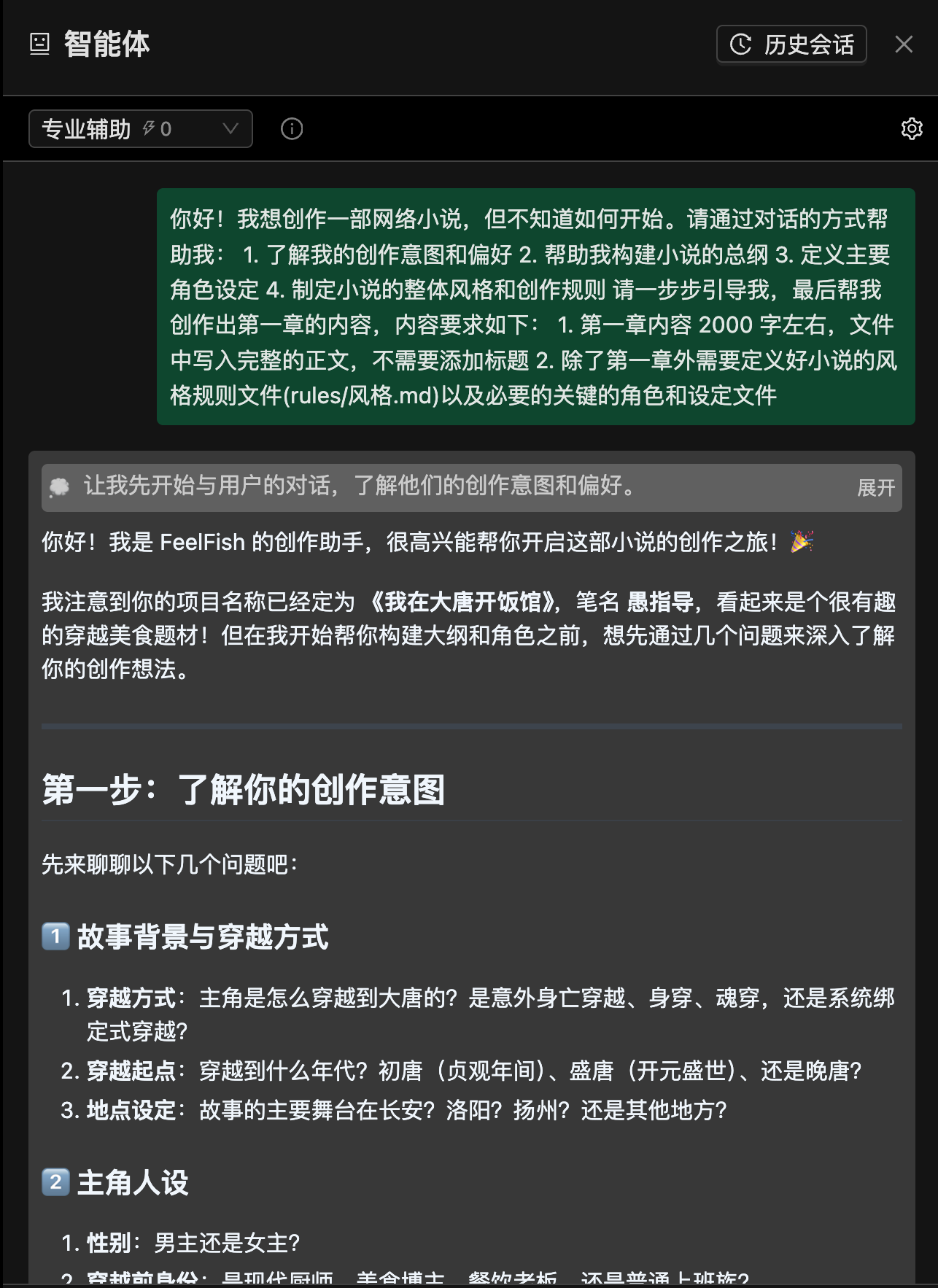
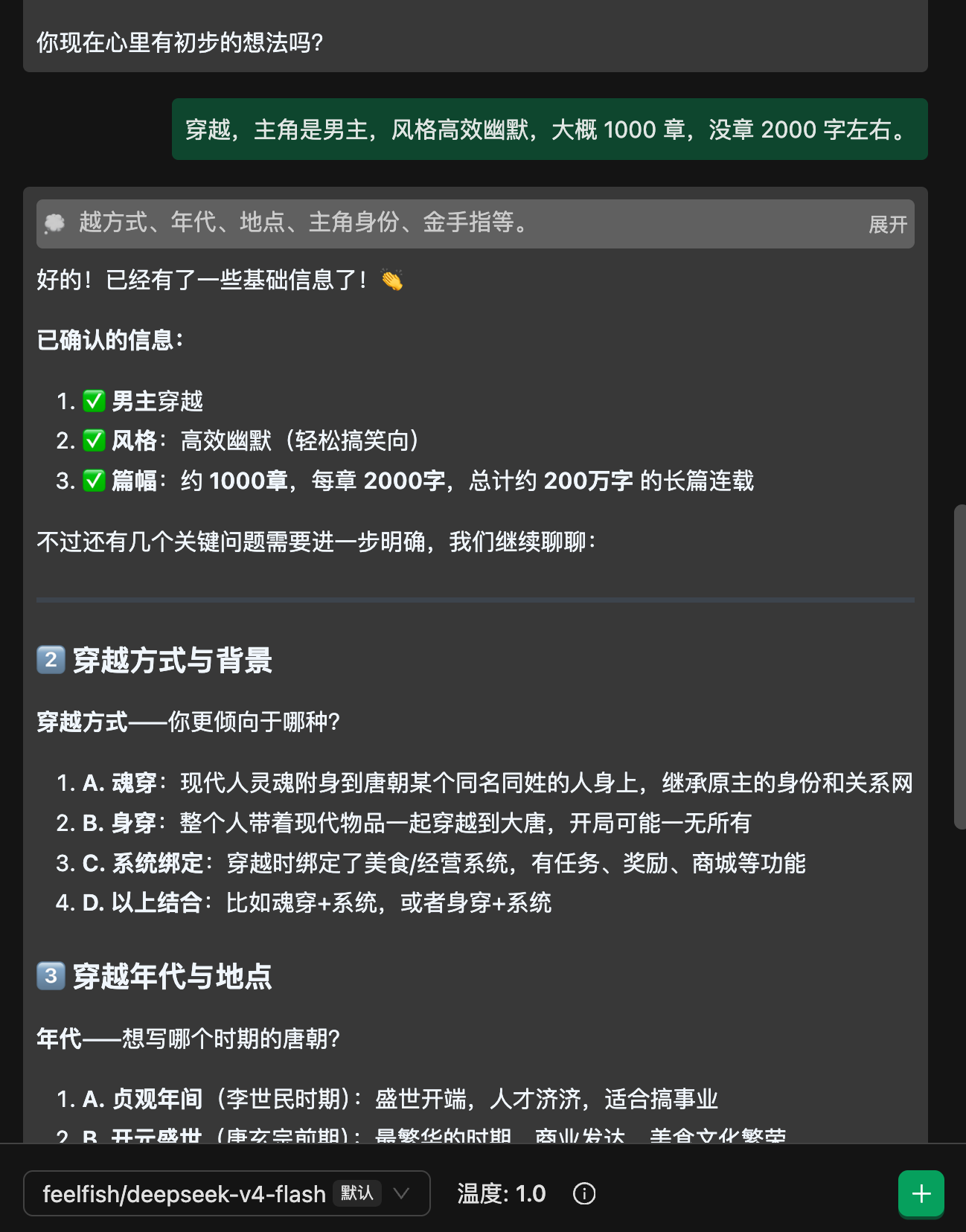
Initially, we can see that the instructions are followed quite well. After a few rounds of dialogue, compared to previous versions, it seems to be more proactive in asking the user for input rather than operating on its own.
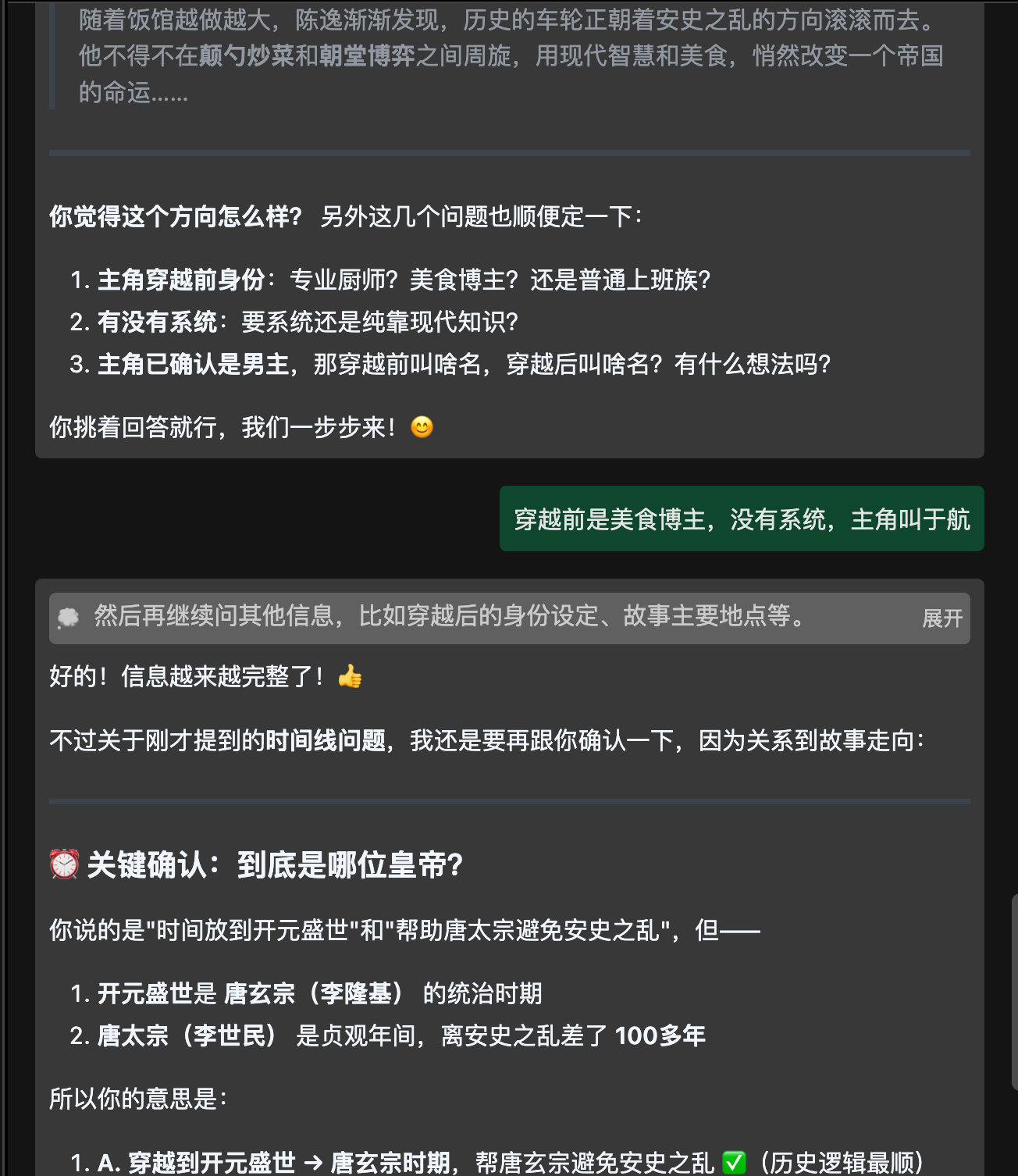
It can also accurately identify errors:
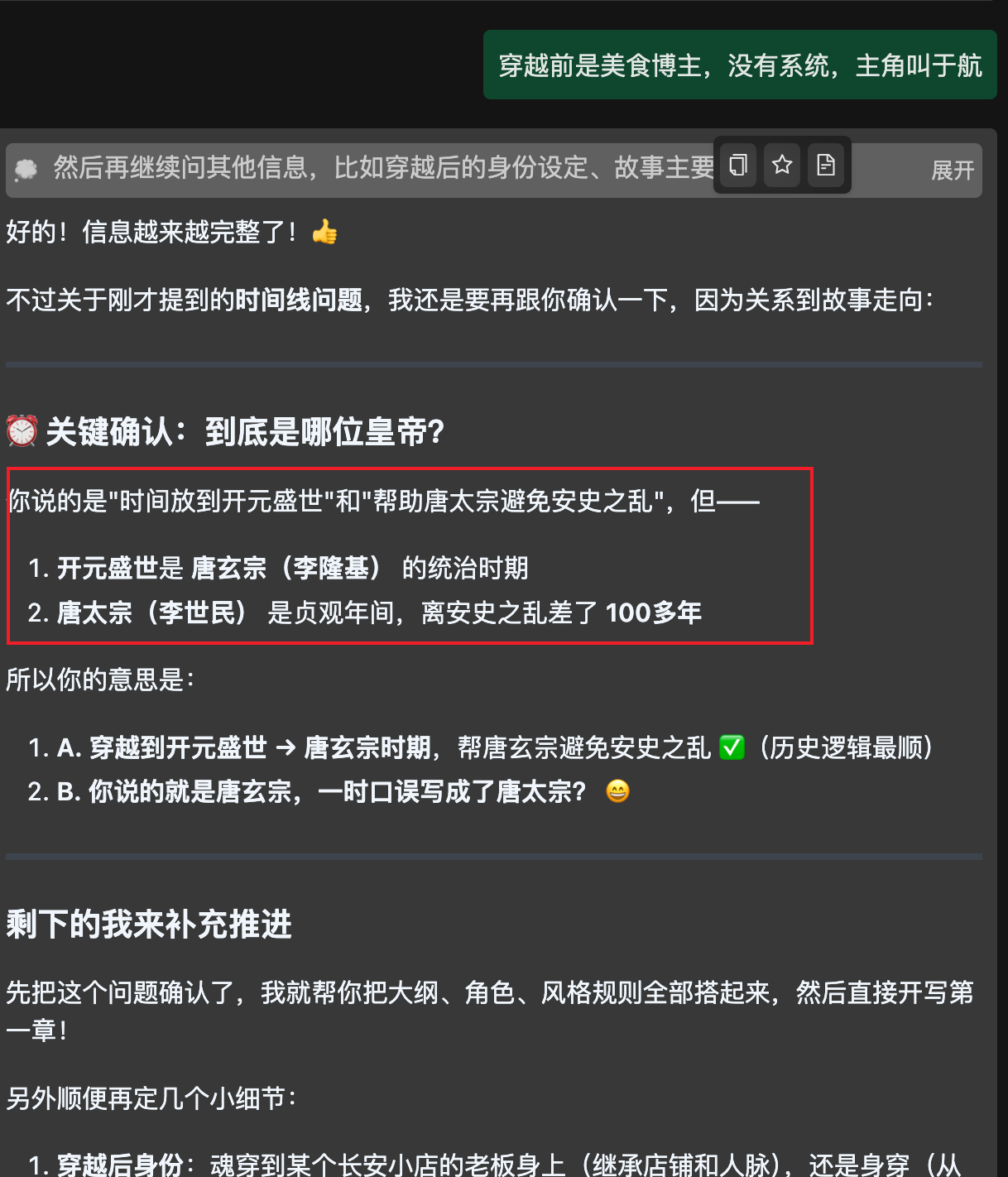
The initial style generated is quite good, and the content mentioned in the dialogue is included:
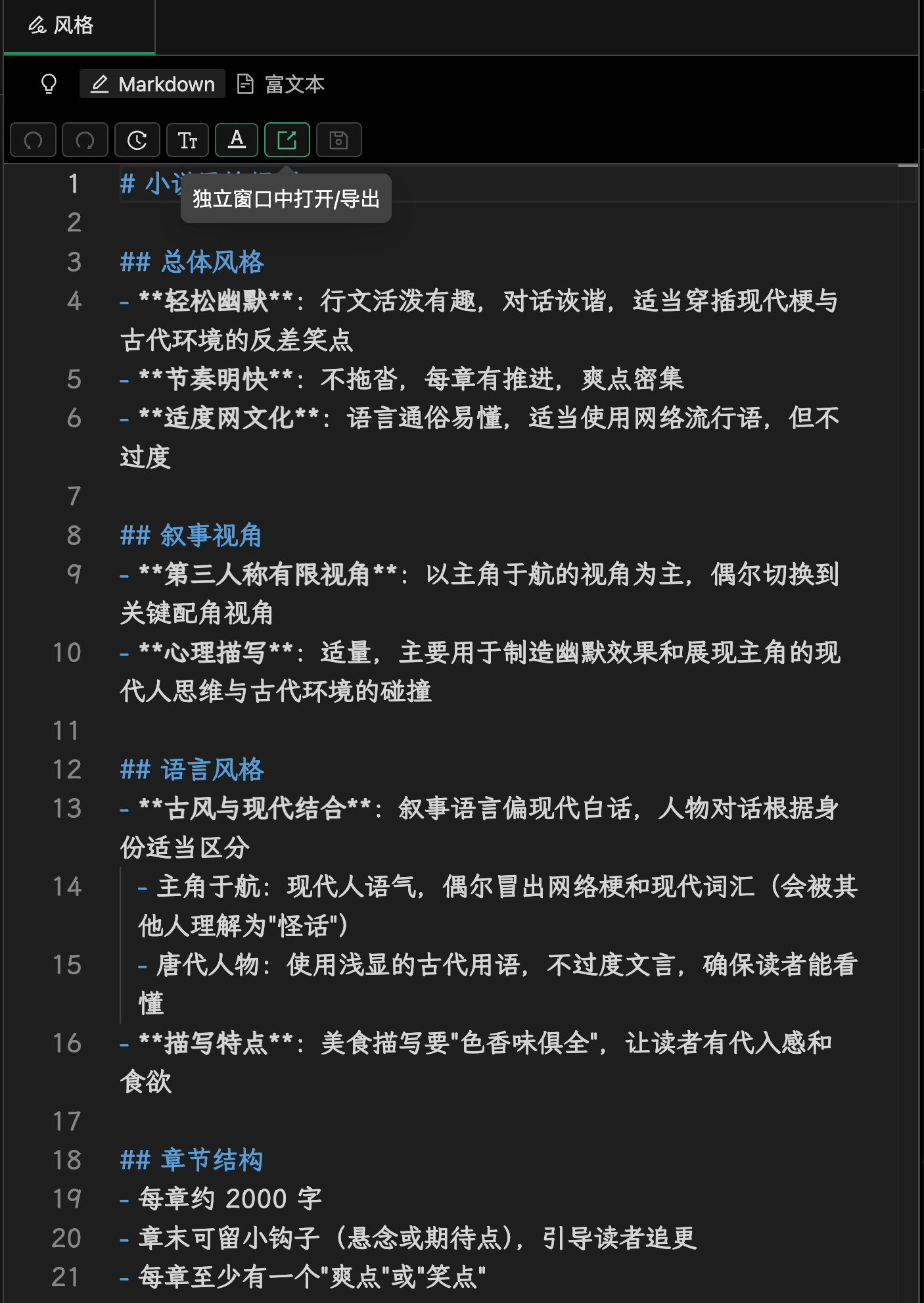
Finally, the first chapter is completed, with a word count of 2800 words, which is an improvement over V3.2! V3.2 typically produces chapters of 3000 to 4000 words. Let's take a look at the content:
```
Yu Hang's last memory was in an abandoned ancient temple deep in the Qinling Mountains.
He was holding his phone, passionately explaining to the camera, with an old, moss-covered well behind him. The live chat was filled with messages like "Little Chef Yu, be careful" and "This place looks so eerie." Just as he was about to say, "The more such places, the better the ingredients," he slipped and fell backward.
And then, there was nothing.
When he woke up again, Yu Hang found himself lying in a dense forest, with sunlight filtering through the leaves and birds chirping around him. The air was incredibly fresh.
"Did my fans save me?"
He sat up and dusted off the dirt from his clothes. His phone was still in his hand, but the screen was shattered and unresponsive. His backpack was still there, containing a few packs of instant noodles, a thermos, a multi-tool knife, and half a pack of compressed biscuits.
"Well, this will make for some exciting video footage."
Yu Hang stood up, brushed the mud off his pants, and started walking down the mountain. After about half an hour, he saw the first living person—a farmer in coarse clothing, leading an ox along the ridge.
"Sir!" Yu Hang greeted him warmly, "Could you tell me how to get to the nearest village?"
The old farmer looked up, his eyes filled with shock and confusion. It was no wonder; a young man in a white T-shirt and jeans, covered in dirt, appearing on the field path would leave anyone bewildered.
"Who... who are you?" The old farmer took two steps back, sizing Yu Hang up and down.
Yu Hang was taken aback. The old man was speaking Mandarin, but with an odd accent, like something from an ancient drama on TV. The good news was that he could understand it.
"I'm... a traveler who got lost," Yu Hang smiled. "Sir, is there a town nearby?"
"Follow this road east for twenty li, and you'll reach Chang'an."
Chang... An?
Yu Hang's brain froze for three seconds.
"Sir, may I ask, which dynasty is this?"
"Dynasty?" The old farmer looked at him as if he were an idiot. "It's the nineteenth year of the Kaiyuan era. How could you not know this?"
The nineteenth year of the Kaiyuan era. Emperor Xuanzong. Yang Guifei. Li Bai. And—An Lushan Rebellion.
Yu Hang felt like his whole world had turned upside down.
He spent an entire day digesting this fact: he had time-traveled. Not for a show, not a dream, but truly from 2025 to the prosperous Kaiyuan era of 731 AD in the Tang Dynasty.
The good news was: he had traveled to the most prosperous period of the Tang Dynasty, to the capital city of Chang'an, where opportunities were abundant.
The bad news was: all he had was a broken-screen phone, half a pack of compressed biscuits, a packet of instant noodles, a thermos, and a small knife. Things that were worthless in the modern world were even less valuable here, not even enough to buy a steamed bun.
"Alright, since I'm here, I might as well make the best of it." Standing before the grand gates of Chang'an, Yu Hang took a deep breath. "In the江湖,哪能不挨刀。挨了刀也要笑着继续飘。"
Chang'an was even more magnificent than he had imagined. The towering city walls stretched endlessly, and a long queue formed at the gate, with camel-riding merchants, peddlers carrying baskets, and rich young men on tall horses, creating a bustling scene.
There was no entrance fee, but one needed to show a travel permit (identity document). As Yu Hang was worrying about how to get in, a merchant caravan ahead started arguing with the guards, drawing their attention. He seized the opportunity and slipped into the city, head down.
Once inside, the strong atmosphere of the marketplace hit him. Shops lined both sides of the street, selling cloth, jewelry, and flatbreads, with vendors shouting their wares. The ground was made of compacted earth, trodden firm by countless feet. Passersby wore a variety of clothing, from silk robes of wealthy merchants to coarse cotton shirts of commoners, and even turbans of foreign traders.
Yu Hang felt like he had stepped onto the set of *The Longest Day in Chang'an*.
But he had no time to admire the sights. His stomach growled, reminding him of a very real problem—he was hungry.
After rummaging through his pockets, he found only a set of modern keys and a few hundred-yuan bills. He squatted by the roadside, watching the passing crowd, his mind racing.
What could a food blogger do in ancient times?
The answer was obvious.
He observed the street food stalls. Flatbreads, steamed buns, and porridge were the main offerings, with cooking methods limited to roasting, steaming, and boiling. The aromas were simple, mostly just salt and soy sauce.
"Stir-frying hasn't become popular yet..." Yu Hang licked his lips.
Iron pot smelting technology in the Tang Dynasty was not advanced enough, and while stir-frying had appeared, it was far from widespread. Most people still used clay pots or bronze cauldrons for cooking.
And he, a modern food blogger proficient in Sichuan, Shandong, Cantonese, and Huaiyang cuisines, had a complete system of stir-frying techniques and seasoning concepts in his head. If he could put them to use, it would be a culinary revolution for the Tang Dynasty.
The problem was, he didn't even have a pot.
After wandering the streets for a while, Yu Hang finally found a discarded, rusty iron pot at a scrap collector's. The pot had a small hole in the bottom and was covered in rust. He used some stones to hammer it, then patched the hole with mud and broken tiles.
He asked the old man for a few bamboo skewers, a small jar of salt, and a small jar of oil. The old man, seeing his plight, agreed to give him these in exchange for helping him unload a cart of firewood. Without a word, Yu Hang helped the old man, working until his back ached, but he finally got what he needed.
"The beginning is always the hardest." Yu Hang encouraged himself.
He found a corner near the Western Market, built a makeshift stove with stones, and gathered some dry wood to start a fire. He placed the patched pot on the stove and poured in a little oil—oil was precious, and plant oils were not as cheap in the Tang Dynasty as they were in modern times.
It was midday, and the street was bustling with people. A little girl in tattered clothes, her face dirty, walked past him, clutching a copper coin. She hesitated in front of a flatbread stall but eventually couldn't bring herself to buy anything.
Yu Hang felt a pang of sympathy. He remembered the feeling of craving street food as a child but not being able to afford it.
"Little girl, come here," he called out, waving to her.
The little girl looked at him warily and took a step back.
"Don't be afraid, I'm not a bad person," Yu Hang smiled. "I'll give you something to eat, for free."
He took out the packet of instant noodles from his backpack—the only thing he had that could be considered "food." He tore open the package, broke the noodle cake into pieces, and poured out the seasoning powder, which contained salt, MSG, and spices, a veritable elixir for Tang Dynasty palates.
The pot heated up, and he added the oil, filling the air with a fragrant aroma. He quickly stirred the broken noodles, and the starches caramelized, releasing a rich, wheaty scent. He sprinkled in the seasoning powder, and the air was filled with a mouth-watering fragrance.
Passersby stopped to look, curious.
"What is that smell?" "It smells so good..." "I've never smelled anything like this before!"
Yu Hang picked up a small clump of the stir-fried noodles with a bamboo skewer and offered it to the little girl. She hesitated for a moment, then took it and put it in her mouth—
Her eyes widened instantly.
It was a flavor she had never experienced. The intense savory taste exploded on her tongue, and the complex aroma of the spices rushed to her head. The fried noodles were crispy on the outside and soft on the inside, each bite a new and delightful experience.
"S-S-So delicious!" The little girl's voice trembled with excitement.
The onlookers around him began to stir with excitement. A middle-aged man in a long robe approached and asked, "Young man, what are you selling? And how much is it?"
Yu Hang grinned, continuing to stir-fry the noodles in the pot.
"Special homemade stir-fried noodles, three coins per serving."
Three coins, the price of a flatbread, was not expensive.
"I'll have one!" "Me too!" "I was here first!"
In no time, a long line formed in front of Yu Hang's battered pot. He only had three packs of instant noodles in his backpack; he had given one to the little girl as a treat, and the remaining two were quickly sold out.
In the end, he made ten servings of stir-fried noodles, each for three coins—totaling thirty coins.
Yu Hang clutched the small string of copper coins, his hands trembling. Not from excitement, but because—this was such a meager amount. Thirty coins in Chang'an City would only be enough for a few simple meals, and not even enough to rent a decent place to stay.
But, this was the first money he had earned since arriving in the Tang Dynasty.
Thirty coins.
Yu Hang counted the copper coins one by one, tucking them into his pocket, and a bright smile spread across his face.
"Alright, a good start."
He looked up at the grayish-blue sky of Chang'an, taking a deep breath. In the distance, an endless sea of rooftops stretched out, with banners on the taverns flapping in the wind, and the sound of camel bells from foreign traders echoing from around the corner. The entire city was like a massive, boiling furnace.
Yu Hang, a food blogger from 1,300 years in the future, was determined to make a splash in this world.
"Boss, are you coming back tomorrow?" a diner called out as he caught up.
Yu Hang turned, grinning:
"Of course. I'll bring something even more impressive tomorrow."
He had already made up his mind—tomorrow, he would make a real egg-fried rice. That would be his first step in conquering the taste buds of Chang'an.
The overall logic is smooth, and the key prop, "a few packs of instant noodles," is well-referenced throughout the first chapter. However, the ending still has the same old issue of becoming overly sentimental, indicating that skill tuning is still needed.
I also tried changing the protagonist's name to "Shen Yi," and the tool worked without any issues, updating all the relevant files:
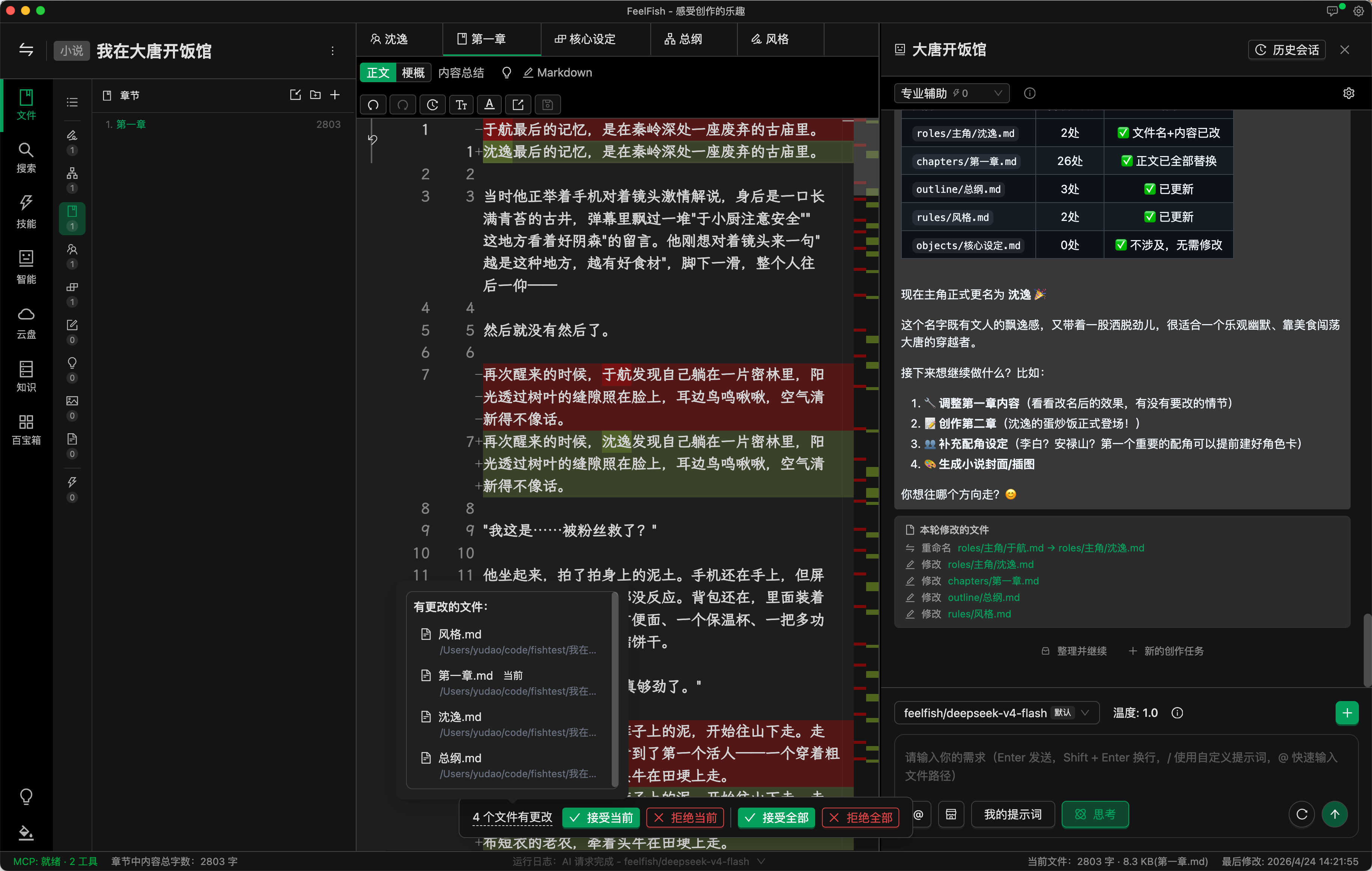
From the initial look, DeepSeek V4-Flash is no worse than DeepSeek V3.2. Tool invocation, communication, and logical capabilities seem to be on par. Given that it's nearly half the price of DeepSeek V3.2, it's definitely worth it!
We will continue to evaluate the performance of DeepSeek V4 Flash and Pro in terms of skill invocation and maintaining long-form plot consistency. Stay tuned for our upcoming articles.
---
### Novel Writing Enters the Multi-Agent Era — Introducing FeelFish 3.0
URL: https://www.feelfish.com/en/blog/2026-03-10
Date: 2026-03-10
# Novel Writing Enters the Multi-Agent Era — Introducing FeelFish 3.0
> **Official Announcement · 2026 · FeelFish Team**
---
While other AI tools are still helping you tweak a single line of dialogue through a simple chat interface, FeelFish has been asking a much bigger question: **What would writing look like if every stage of the creative process had its own dedicated AI expert?**
Today, we have the answer.
FeelFish 3.0 is built on the industry's most advanced **MCP, multi-agent collaboration, and reusable Skill architecture**. This is more than a feature update — it's a shift in the creative paradigm, bringing agent-powered collaborative writing out of the realm of concept and onto every writer's desktop.
---
## Meet the New Trinity: Solutions, Agents, and Skills
Everything in FeelFish 3.0 is built around three core concepts. Understand them, and you hold the key to crafting your own personalized writing workflow.
### 📋 Solution
A **Solution** determines which agents are active in a conversation, who leads, and who assists. Switching solutions means swapping out an entire agent configuration in one click — no need to adjust settings one by one.
- **Built-in Solutions**: "Professional Assist," "Multi-Agent," "Smart Planning," "Adventure Mode," and more — ready to use out of the box;
- **Custom Solutions**: Automatically generated when you configure your agent setup in the panel; saved to your project's `.feelfish` directory and scoped to that project only;
- **Marketplace Solutions**: Download solutions shared by other writers and apply them instantly.
### 🤖 Agent
An **Agent** is an AI role that handles a specific type of task, complete with its own system prompt, available tools, and linked skills.
- **Primary Agent**: Coordinates the overall workflow; intelligently decides whether to delegate a subtask to a more specialized sub-agent based on its own role definition and the descriptions of other agents;
- **Built-in Agents**: Professional Assist, Planner, Writer, Editor, Reviewer, and more — cannot be deleted, but can be enabled/disabled per project and configured with skill overrides;
- **Custom Agents**: Define behavior and constraints in Markdown; saved as `.feelfish/agents/.md` and associable with any skill.
### 📚 Skill
A **Skill** is a reusable "instruction document" that can be shared across multiple agents. It captures writing standards, stylistic rules, or creative processes — and agents read it on demand at runtime, so your hard-won expertise actually shapes the output.
- Skills use `SKILL.md` as their main file, stored under `.feelfish/skills//`;
- Each skill has a `name` (identifier) and `description` (brief summary) that agents use to decide whether to invoke it for a given task;
- Skills can be imported from local files, shared to the marketplace, and reused across your team in one click.
---
## No More Going It Alone
The core problem with traditional AI writing tools: one model is expected to simultaneously serve as outliner, style consultant, line editor, and logic reviewer — and ends up doing all of them at 60%.
FeelFish 3.0's multi-agent system lets you assemble a professional team:
- **Planner Agent** handles worldbuilding and chapter outlines;
- **Writer Agent** focuses on generating prose;
- **Editor Agent** polishes the language and strips out the AI aftertaste;
- **Reviewer Agent** catches logic gaps and inconsistencies.
Four specialists, each in their lane, collaborating to bring your manuscript to life. The primary agent acts like a seasoned editor-in-chief — knowing when to hand work off to the right person rather than doing everything itself.
---
## Turn Your Creative Experience Into Reusable Wisdom
Every experienced writer has a personal playbook. Until now, that playbook only lived in your head. With FeelFish 3.0, it can become a **Skill** — callable by any of your agents at any time.
| Skill Example | Linked Agent | Result |
|---|---|---|
| Outline structure guide | Planner Agent | Every outline follows your preferred format |
| De-AI-ification editing guide | Editor Agent | Prose feels more like your own voice |
| Character description handbook | Writer Agent | Characters are consistent, vivid, and believable |
| World-setting reference doc | All agents | No contradictions across the entire manuscript |
Creating a skill is straightforward: open the Skills tab, create a new skill, write your guidelines in Markdown, then link it to the relevant agent under "Associated Skills." You can also import existing documents from your local files or browse skills shared by other writers on the marketplace.
---
## Five Steps to Your Custom Writing Pipeline
1. **Start with a built-in solution and run through it once** — begin with "Multi-Agent" or "Professional Assist" to get a feel for agent collaboration before customizing anything.
2. **Create 1–2 core skills** — capture the writing rules you care about most: your outline format, character sheet template, stylistic no-gos. Write them once, use them forever.
3. **Link skills to the right agents** — make sure each specialist reads the right instruction doc, so you never have to re-teach the AI from scratch.
4. **Create custom agents as needed** — if the built-in roles aren't enough, define your own: a "dedicated outliner," an "editor who only touches dialogue." Write their behavior guidelines clearly in Markdown.
5. **Share to the marketplace, or draw inspiration from it** — browse solutions, agents, and skills shared by the community; apply them with one click, or publish your own to help other writers.
> 💡 **Tip**: There's no need to "create a solution" manually. Just configure your agents in the panel — choose who's in and who's primary — and your custom solution is formed automatically.
---
## The Foundation: MCP Makes Agents Actually Do Things
FeelFish 3.0 is built on best practices from **MCP (Model Context Protocol)**. Agents don't just reply in a chat window — they can read files, invoke tools, retrieve content from your knowledge base, and execute creative tasks directly within your real project directory.
Every configuration — skill files, agent definitions, solution setups — is stored as plain-text Markdown inside the `.feelfish` project directory. Version-controllable, portable, and shareable with your team. Your writing workflow truly belongs to you.
---
## Get Started Now
FeelFish 3.0 is available today. All multi-agent and skill features are accessible in version 3.0.0 and above.
👉 [Read the full documentation](https://www.feelfish.com/docs/custom-agent-solution) and start your multi-agent writing journey.
**Write more. Write better. Let the agents do the heavy lifting. 🚀**
---
### FeelFish 2.13 is here with tons of new features! Come and try it out!
URL: https://www.feelfish.com/en/blog/2026-02-15
Date: 2026-02-15
## New Paper Theme Released! Writing That's Gentler on the Eyes!
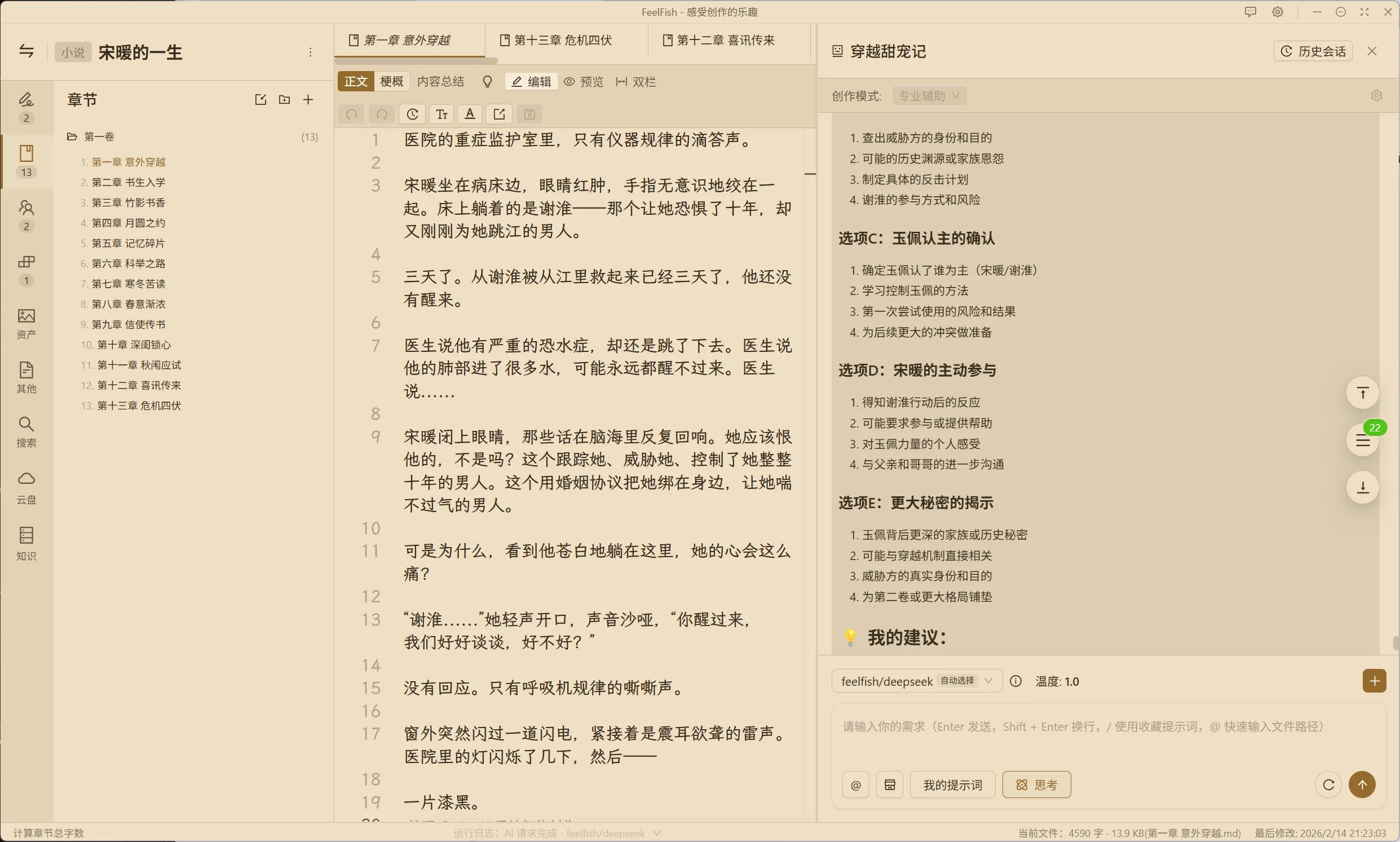
Additionally, we've added the LXGW WenKai font, and now support customizing the file list and the font size for agent messages. Give it a try! ~
## Files Now Support Preview, Dual-Column Mode, and Opening in a New Window for Easier Reading
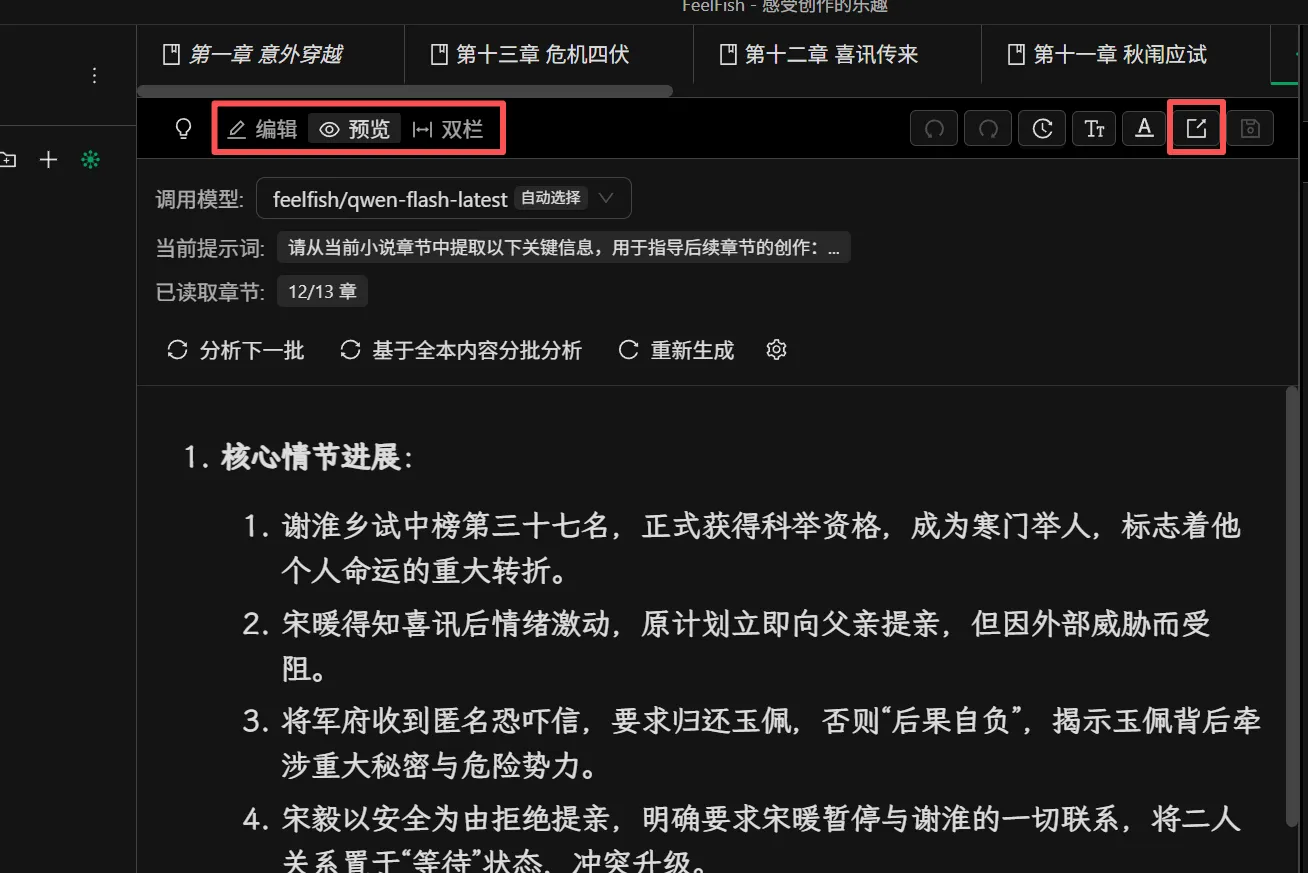
Opening in an independent window also allows you to pin it to the front, making it even more convenient when you need to reference a file.
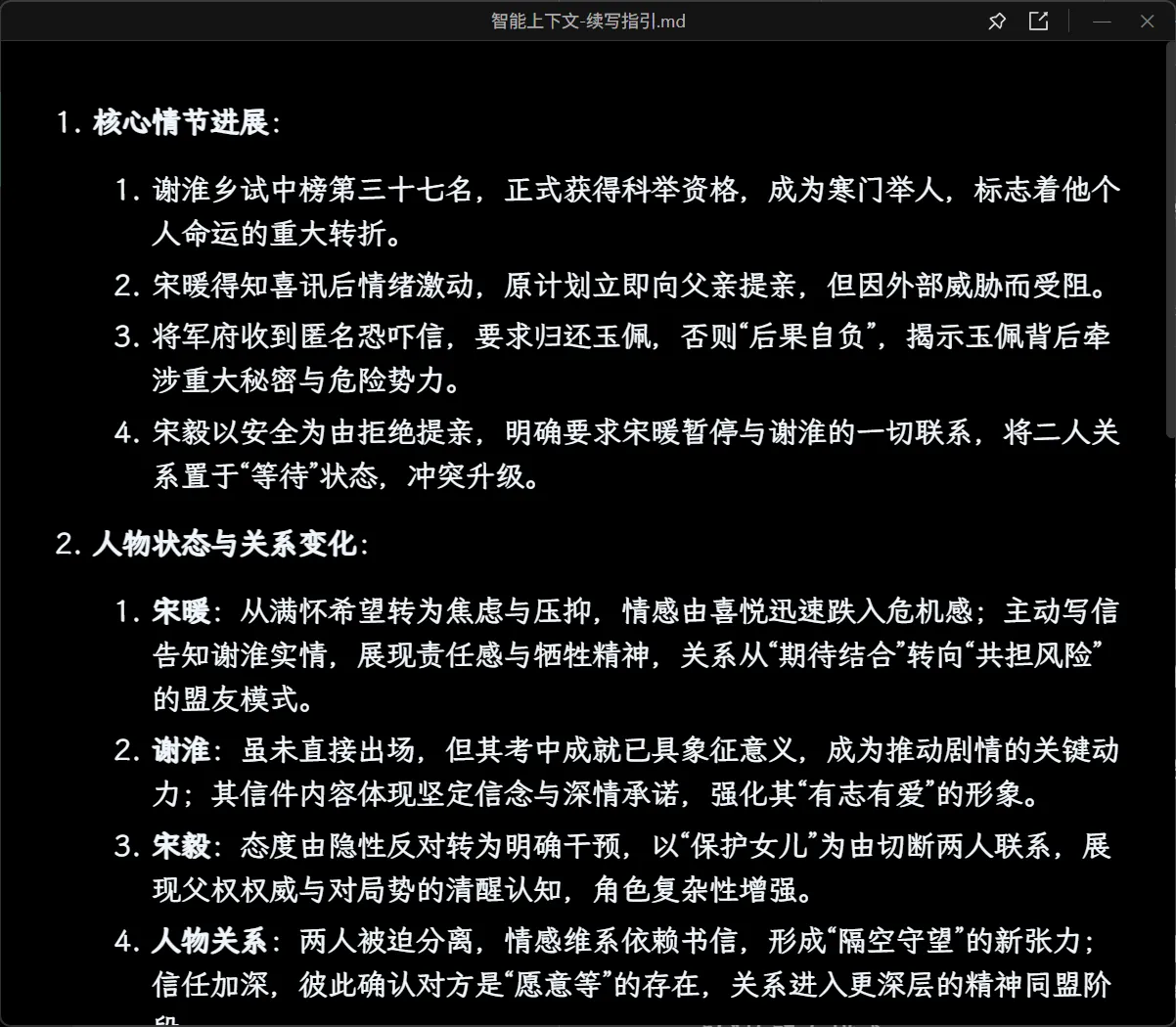
You can also display file content in a floating window:
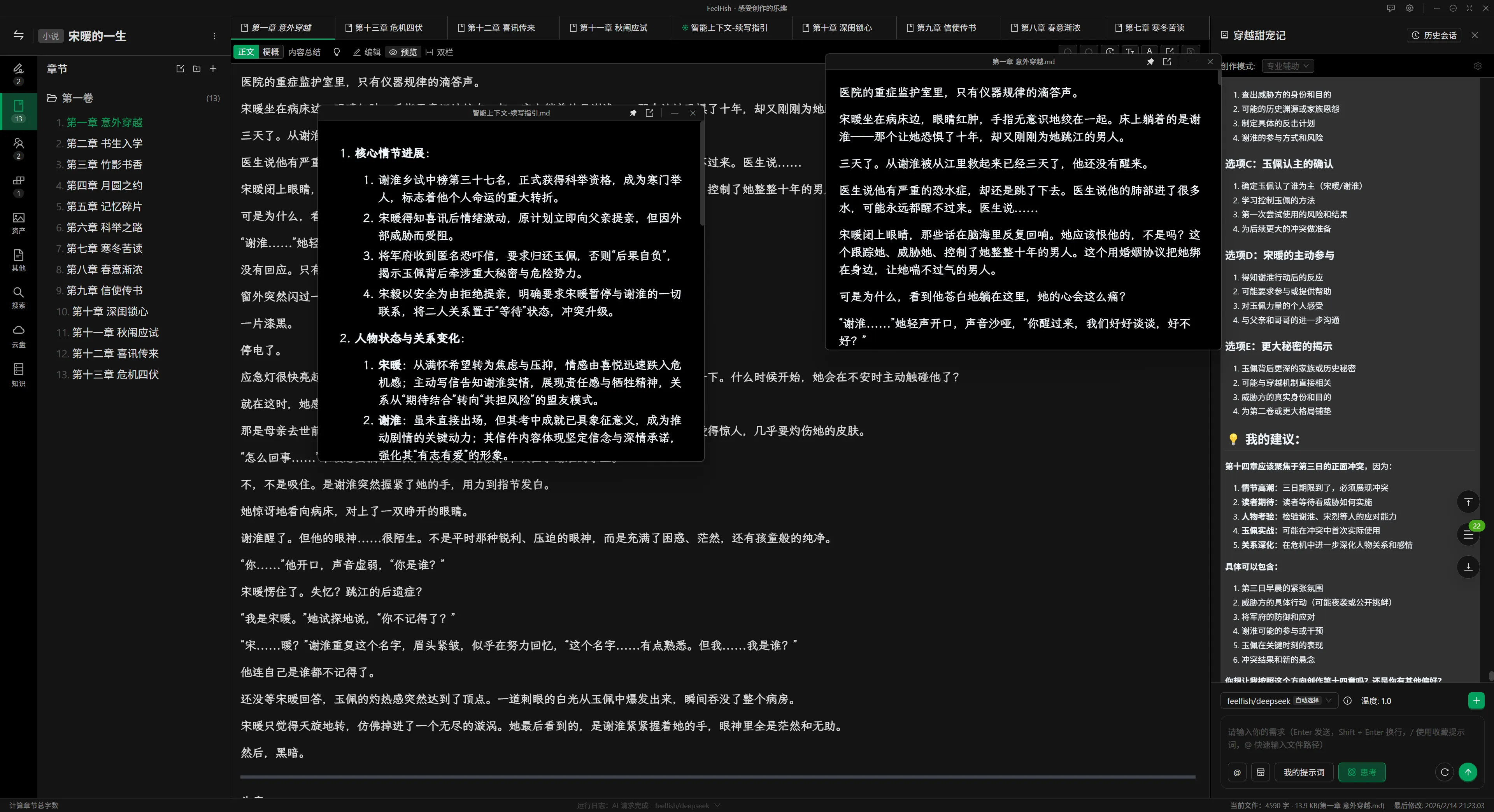
## Smart Context Capabilities Significantly Enhanced! Save More Credits!
Is AI struggling with long-form writing? Can't remember previous content? Too much information? FeelFish has a Smart Context feature that automatically summarizes existing content. However, users have been troubled by issues: the Smart Context generation was too slow and consumed too many credits.
In the new version, we've introduced a new model and optimized the caching logic based on automatic updates. The user experience has reached a whole new level, with credit consumption reduced by five times and speed doubled!
Moreover, we've empowered agents with the ability to automatically create Smart Contexts. Now you can leverage the Smart Context capability to better assist AI creation. For example, you can tell the AI, "Please help me create a new Smart Context to record the protagonist's current timeline." By using multiple Smart Contexts, the AI can obtain key information more clearly and effectively during the creative process, providing better support for your writing! ~
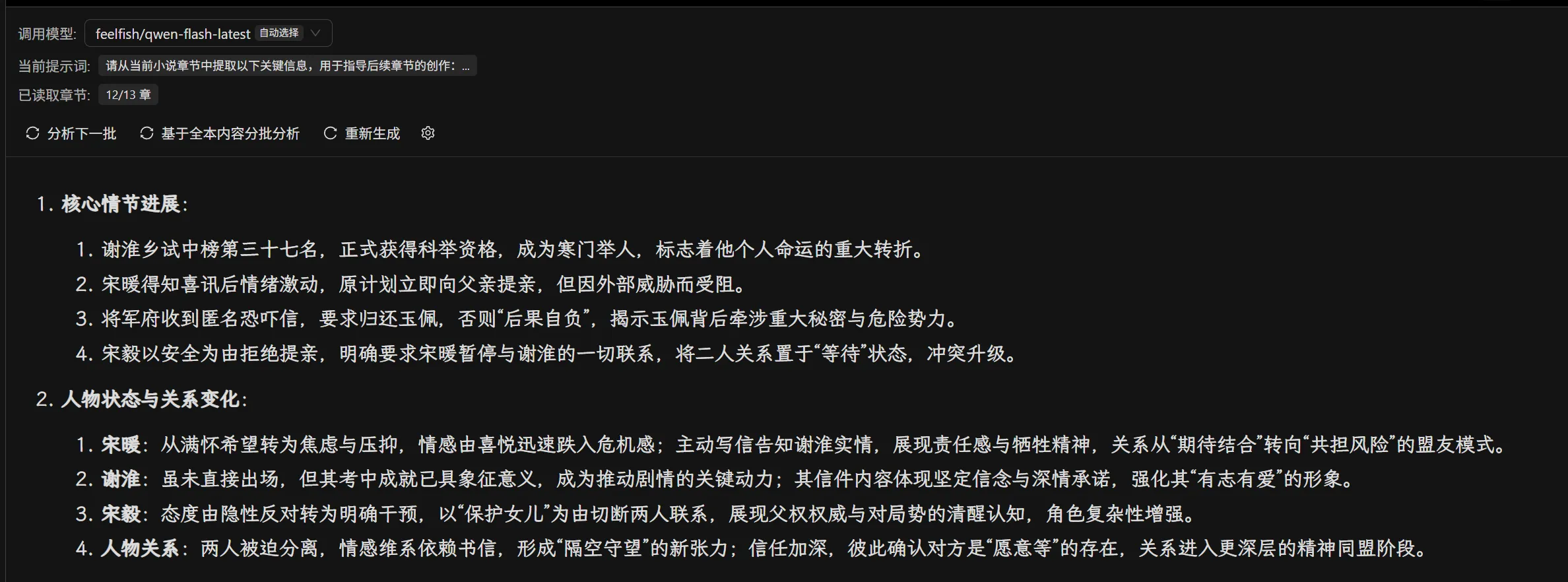
## Cloud Sync Feature Launched! Supports Semantic Search! And Custom Knowledge Bases!
FeelFish version 2.13.0+ unlocks three core features for Premium and Professional members: Cloud Sync, Exclusive Knowledge Base, and Intelligent Semantic Search! 💡
From managing your creations seamlessly across multiple devices, to efficiently integrating knowledge and materials, and finally to precise content retrieval – we use technology to build a more efficient and intelligent creative system for creators. Let the inspiration for AI creation be boundless, and boost your creative efficiency comprehensively! 🚀
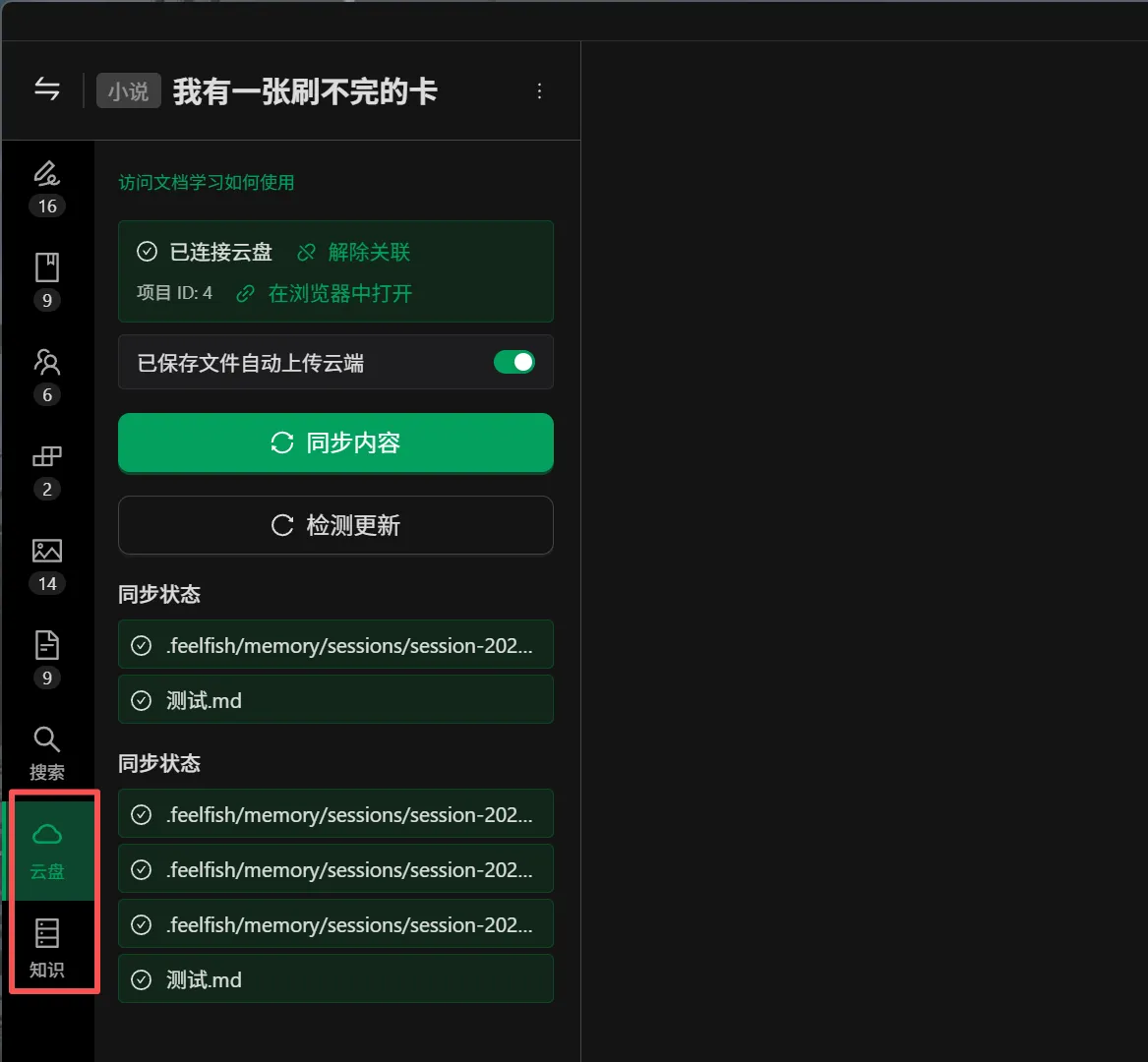
What can these features do? Simply put:
- Cloud backup ensures your content is never lost and supports synchronization across multiple devices.
- Upload existing chapters to the cloud for intelligent parsing, allowing you to ask questions based on that content. For example, you can ask, "How old is the protagonist, Lin Chen?"
- Create new knowledge base items and link them to your novel to assist AI in creation. For instance, you can create a "Tang Dynasty History" knowledge base to help you better write a time-travel novel set in the Tang Dynasty. In the future, we will also collaborate with copyright holders to provide more high-quality public knowledge bases. Stay tuned! ~
## Give It a Try Now!
In addition to the features above, we've also optimized the auxiliary creation panel, improved the word count statistics logic, and fixed several issues. Update and experience it now by triggering the update via the settings pop-up window~
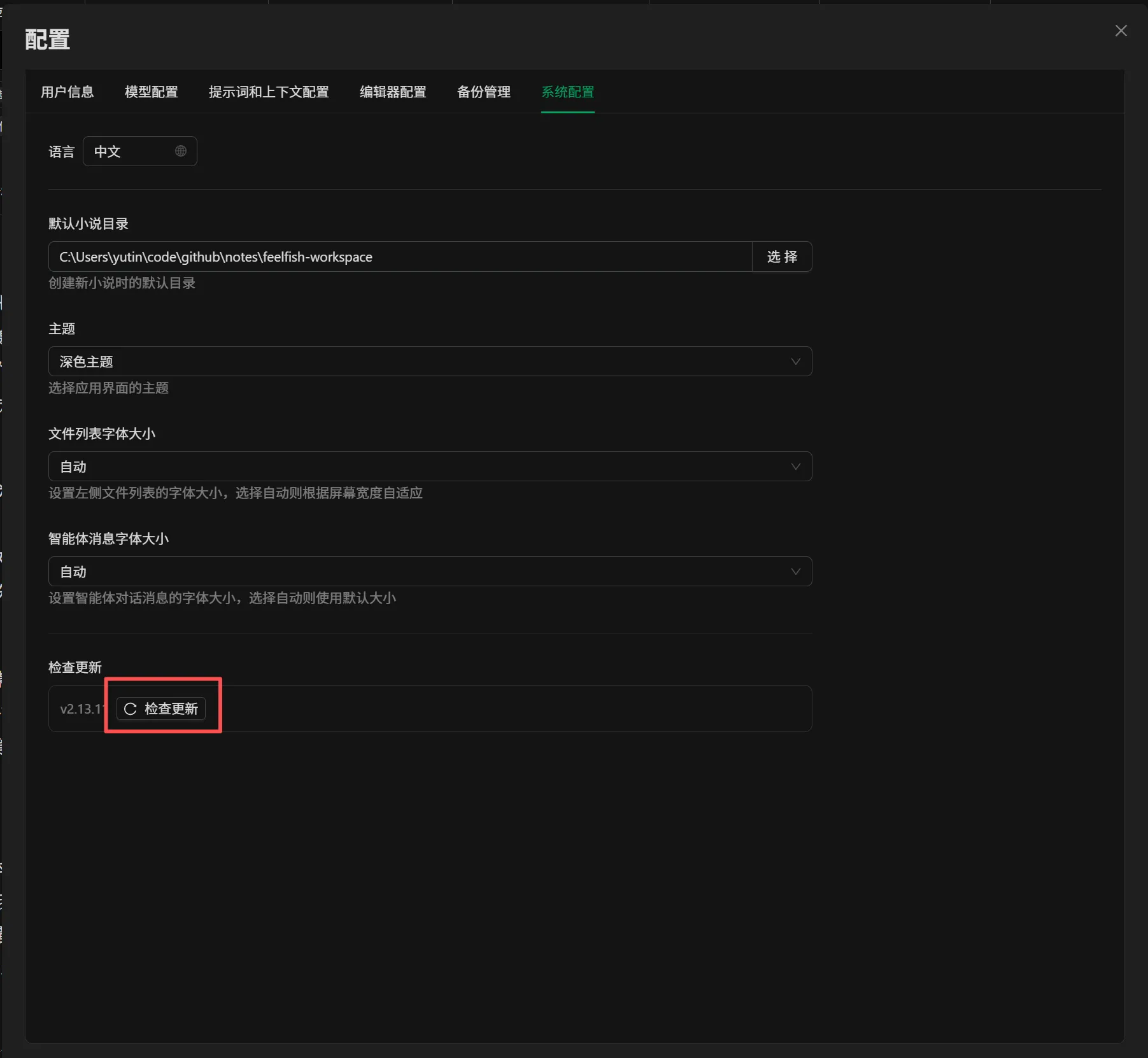
---
### FeelFish 2.13.0 Major Update: Cloud Drive + Knowledge Base + Semantic Search, Redefining the New Experience of AI Creation
URL: https://www.feelfish.com/en/blog/2026-02-09
Date: 2026-02-09
Dear Creators, the wait is over! ✨
FeelFish version 2.13.0 is officially here, unlocking three core features—**Cloud Sync, Exclusive Knowledge Base, and Intelligent Semantic Search**—exclusively for Premium and Professional members! 💡
From multi-device sync management of your creative content, to efficient integration of knowledge materials, and precise content retrieval, we use technology to build a more efficient and intelligent creation system for creators, allowing AI-powered inspiration to flow freely and elevating creative productivity to new heights! 🚀
---
### **Cloud Sync: Seamless Multi-Device Connectivity, Never Lose Your Creative Flow**
Have you ever lost draft work due to switching devices? Struggled with transferring chapters, character profiles, settings, and other files across devices? The new cloud sync feature makes managing and syncing your creative content simple.
By linking cloud projects, you can easily achieve two-way sync between local and cloud content: chapters, character settings, style rules, historical creative messages, and more created locally can be uploaded to the cloud with one click; on a new device, simply link to the original cloud project to quickly download or sync all content, allowing you to pick up right where you left off anytime, anywhere.
We’ve also included an auto-sync feature. Once enabled, local file saves are automatically uploaded to the cloud without manual intervention, fundamentally preventing loss of creative work. Whether you’re brainstorming ideas on your home computer or refining details on a tablet, your creative content stays seamlessly connected, ensuring your creative rhythm is never interrupted by device changes. 💾
---
### **Semantic Search: Beyond Keywords, Accurately Retrieve Your Creative Content**
Traditional search only matches keywords. When faced with a sea of creative documents, finding specific character details or plot settings often requires flipping through files, which is time-consuming and laborious.
FeelFish’s new semantic search feature breaks through the limitations of keyword-based retrieval, enabling intelligent search based on semantic understanding of content. You can simply ask questions in natural language, such as “How old is Lin Yi?” or “What are Zhao Si’s skills and specialties?” The system will perform deep semantic analysis on your cloud-based creative content, quickly and accurately matching relevant information, extracting key answers directly, and citing the source files, helping you find exactly what you need at a glance. 🔍
The AI agent will also utilize semantic search capabilities during the creation process, autonomously retrieving related content to ensure consistency in character settings and plot development, avoiding contradictions.
> ⚠️ **Note**: After a file is uploaded to the cloud, the system typically completes semantic analysis within seconds to a few minutes. Once analyzed, the content becomes searchable. Files under 100KB (approximately 30,000 words) can be indexed, and the status bar will provide real-time feedback on file size. We recommend splitting larger chapter documents accordingly.
---
### **Exclusive Knowledge Base: Integrate Creative Materials, Adding Depth to AI Creations**
Creative inspiration often stems from accumulated knowledge, but scattered reference materials and organized key points are often hard for AI to utilize effectively. The FeelFish Knowledge Base feature builds a dedicated creative material library for you, giving AI creations structure and substance. 📚
You can create exclusive knowledge base projects, importing and uploading organized historical materials, culinary knowledge, character reference profiles, fan-creation resources, and more to the cloud. You can also link existing cloud-based creative projects as knowledge bases. During creation, simply add a knowledge base to your current project, and the AI agent will autonomously retrieve information from it as needed, deeply integrating your exclusive materials with your creative content. This ensures AI-generated content aligns more closely with your needs, offering greater professionalism and uniqueness.
When adding a knowledge base, providing a concise and clear description helps the AI better understand its purpose and retrieve information more precisely. You can also add multiple knowledge bases—whether referencing historical materials for period-themed works or tapping into original settings for fan fiction—allowing you to call upon creative materials with a single click, making integration and usage highly efficient.
---
### **Details on Feature Usage**
- **Point Consumption**: Semantic search answer extraction is powered by the lightweight and efficient qwen-flash model, consuming only minimal points—negligible compared to AI agent creation. Cloud Sync and Knowledge Base features are currently free benefits for Premium and Professional members.
- **Semantic Search Activation**: After modifying a file, sync it to the cloud. The system will complete analysis within seconds to a few minutes, after which search results will update automatically. With auto-upload enabled, saving triggers immediate sync—no manual steps required.
- **Sync Conflict Handling**: Simultaneous editing across multiple devices may cause sync conflicts. We recommend syncing to the latest cloud version before switching devices. If conflicts occur, you can choose to overwrite the cloud with local content or overwrite local with cloud content. The system will retain backup versions, but we still recommend manually backing up important content.
- **Knowledge Base Retrieval Limits**: Only files under 100KB can be indexed by the knowledge base. We suggest splitting large material files into smaller ones for easier management.
---
### **In Closing**
From standalone AI creation to comprehensive management of the entire creative workflow, FeelFish has always prioritized creators’ needs. The three major features in version 2.13.0 aim to address pain points in content management, material integration, and information retrieval, ensuring AI creation is not only inspired but also efficiently managed and professionally supported.
Moving forward, we will continue refining these features, enhancing the Cloud Sync experience, expanding Knowledge Base use cases, and improving the accuracy of Semantic Search—all to build a smarter, more convenient AI creation platform for every creator.
**Update to FeelFish 2.13.0 now to unlock the three new features and make your creative process more efficient and your inspiration boundless! 🌟**
If you encounter any issues or have suggestions while using the features, feel free to share your feedback with us—we’ll respond as quickly as possible.
FeelFish—Experience the Joy of Creation ✨
---
### FeelFish 2.12.0 Released, Supports Generating Covers Based on Novel Content
URL: https://www.feelfish.com/en/blog/2026-01-12
Date: 2026-09-24
Have you ever encountered this issue where you've finished writing your novel, but when you go to publish it on Qidian, they require a cover image? Whether you use Dobe or Qwen to generate the cover, the results are often unsatisfying.
To address this not-so-small problem, FeelFish version 2.12.0 now supports generating images. With a simple command, you can have FeelFish automatically create a cover based on the content of your novel.
As shown in the image below, we've added a new prompt in the FeelFish prompt marketplace:
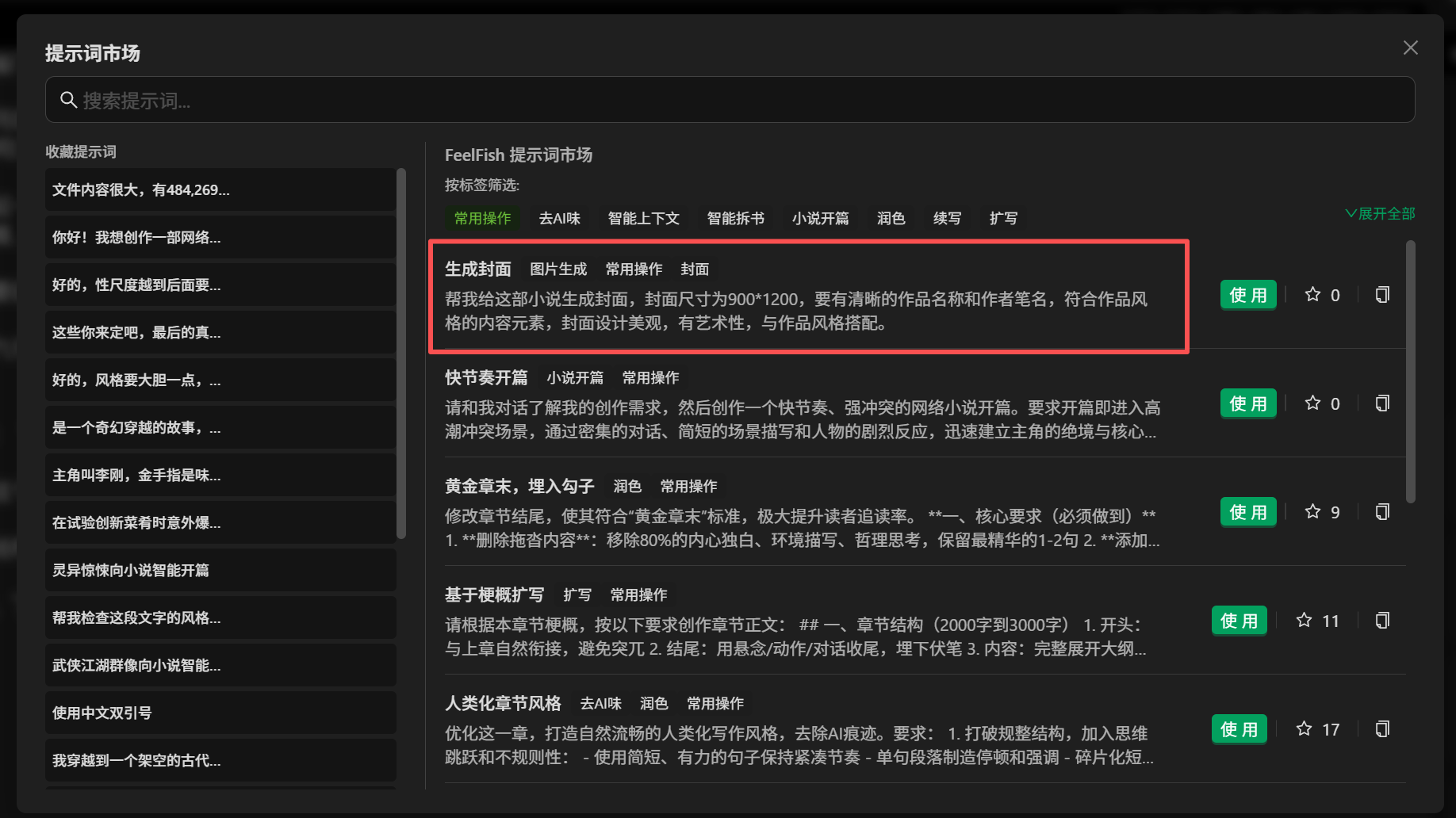
You can use this prompt to generate a cover. Of course, you can also converse with FeelFish and use any command to have it generate images according to your requirements, including covers, illustrations, and more. Come and explore!
Let's see the effect of generating a cover using the prompts from our prompt marketplace:
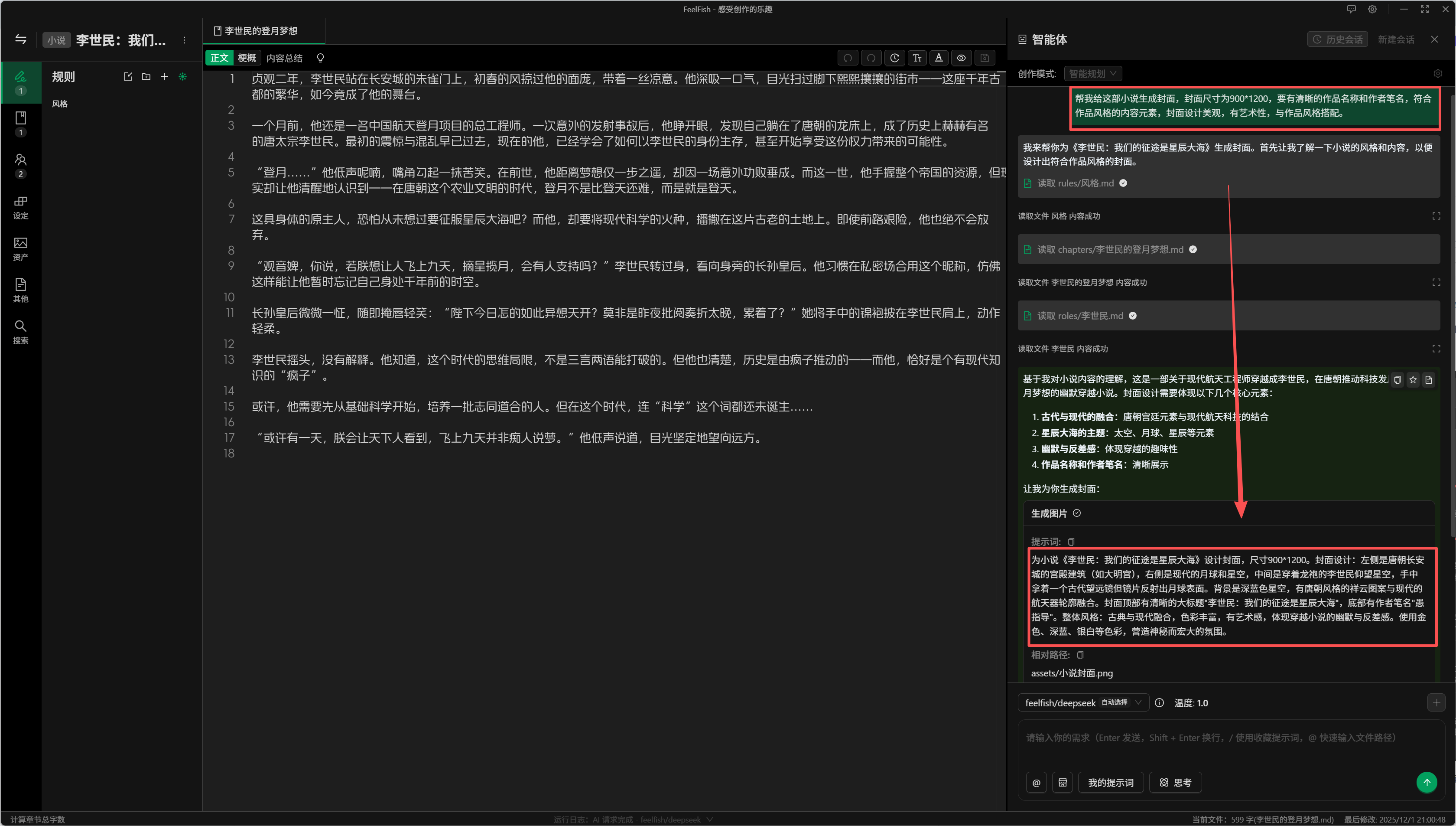
As you can see in the image above, the AI will automatically read the content of your novel, design the cover based on that content, and then call upon a professional image generation model to produce the final image. Here’s an example of the cover we get:

What do you think? Pretty good, right? If you're not satisfied, you can continue the conversation and have FeelFish generate a new cover, or make adjustments based on the already generated cover.
After the image is generated, it will be saved in the `assets` folder within your novel's directory. You can directly upload it to platforms like Qidian for use.
Come and give it a try! In the future, we plan to support even more diverse scenarios, such as manga. If you have any suggestions, please feel free to contact us and provide feedback.
---
### FeelFish Smart Planning Mode: Making AI Novel Writing More Planned
URL: https://www.feelfish.com/en/blog/2025-11-18
Date: 2025-11-18
# FeelFish Smart Planning Mode: Making AI Novel Writing More Planned
In the process of AI-assisted novel creation, many creators have encountered this problem: while AI-generated content is fluent, it often lacks overall planning, leading to inconsistent plots or deviations from expectations. The **Smart Planning Mode** newly introduced in FeelFish 2.8.0 is designed to solve this problem, making AI novel writing more planned and predictable.
## What is Smart Planning Mode?
Smart Planning Mode is a brand new creation mode introduced in FeelFish 2.8.0. Unlike traditional direct creation mode, Smart Planning Mode emphasizes the concept of "plan first, then execute." The AI will create a detailed creation plan before starting to write, confirm it with the user, and then execute it, ensuring the creation direction meets expectations.
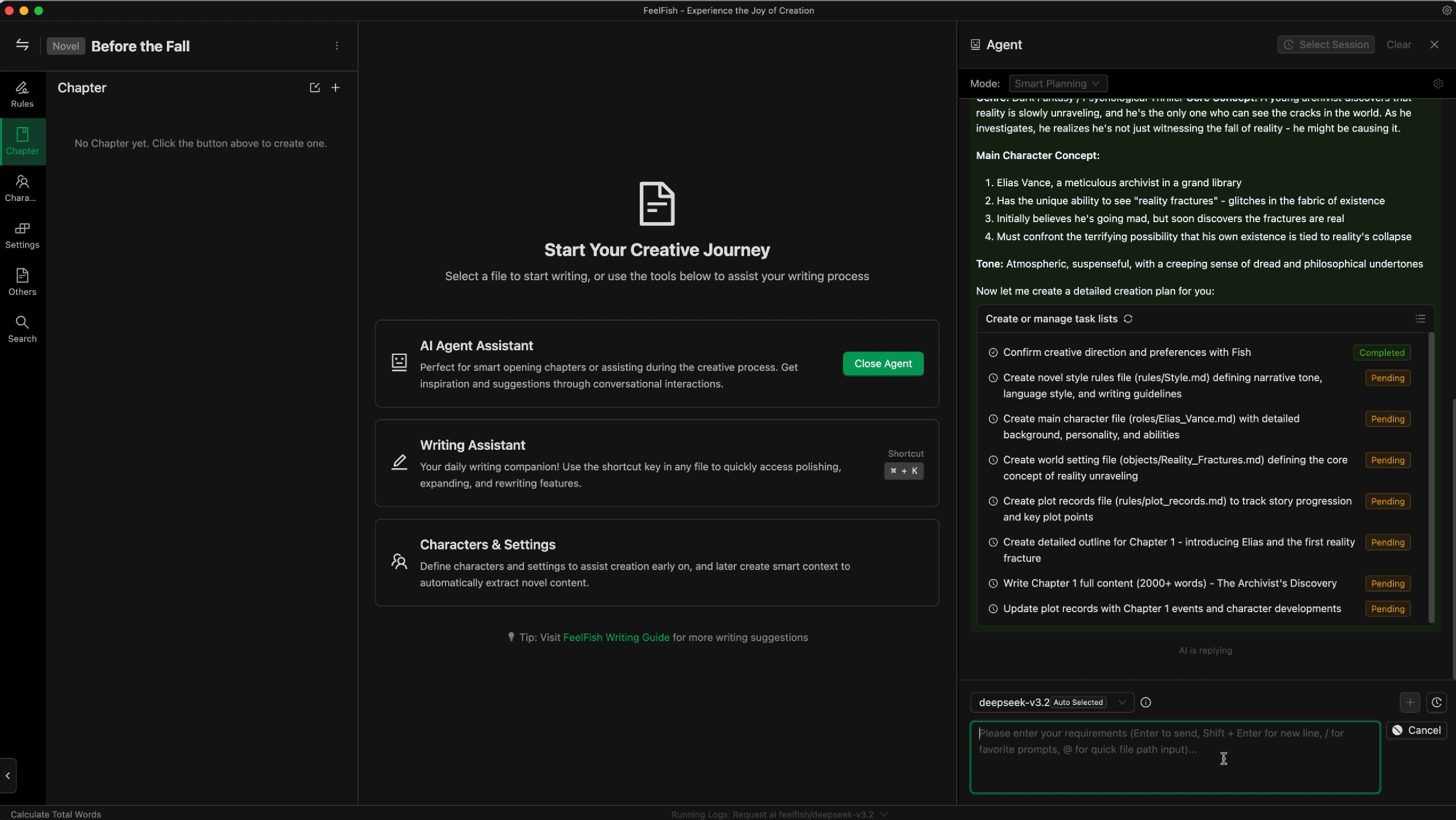
## Core Features of Smart Planning Mode
### 1. Plan Before Creation, Confirm the Creation Plan with You
In Smart Planning Mode, the AI will not directly start creating content. Instead, it will first analyze your creation needs and formulate a detailed creation plan. This plan will include:
- Creation goals and direction
- Expected scope of creation content
- Characters and settings to be involved
- Key points and considerations for creation
The AI will actively present this plan to you and wait for your confirmation or modification suggestions. Only after you confirm will the AI begin executing the creation task. This ensures that creation proceeds in the right direction from the start.
### 2. Align the Outline Before Creating the Main Text
Before starting to create the main text content, the AI will first align the chapter outline with you. This means:
- The AI will generate a detailed chapter outline based on the creation plan
- You can view, modify, or confirm this outline
- Only after the outline is confirmed will the AI begin creating the main text
This step ensures that the structure and direction of the main text content are under your control, avoiding situations where you discover the content doesn't meet expectations after creation is complete.
### 3. Create Main Text Content Based on the Outline
Once the outline is confirmed, the AI will strictly follow the confirmed outline to create the main text content. This ensures:
- High consistency between the main text and the outline
- No deviation from the theme
- More structured and organized creation content
### 4. Automatically Update Related Documents
After creation is complete, Smart Planning Mode will automatically update related documents in the project, including:
- **Character Documents**: Update character information, personality, relationships, etc. based on the creation content
- **Setting Documents**: Update setting information such as items, scenes, concepts, etc.
- **Plot Records**: Record important plot points and foreshadowing
- **Creation Plans**: Update subsequent creation plans and suggestions
This feature ensures the real-time and accuracy of project documents, providing complete contextual support for subsequent creation.
## Advantages of Smart Planning Mode
### Plan First, Then Execute, Content is More Predictable
Traditional AI creation modes are often "improvisational." While they can quickly generate content, the results are often unpredictable. Smart Planning Mode, through the "plan first, then execute" process, allows you to see the complete creation plan before creation begins, greatly improving the predictability of creation results.
You can:
- Understand the AI's creation ideas in advance
- Adjust and optimize the plan before creation
- Ensure the creation direction meets your expectations
### Timely Update of Related Files, Ensuring Plot Continuity
In long novel creation, maintaining plot continuity and consistency is a huge challenge. Smart Planning Mode automatically updates related documents after each creation, bringing the following benefits:
- **Character Consistency**: Character personality, relationships, experiences, and other information remain up-to-date
- **Setting Completeness**: All setting information is recorded and updated in a timely manner
- **Plot Coherence**: Important plot points and foreshadowing are recorded to avoid contradictions
- **Creation Continuity**: Subsequent creation can be based on the latest document information, ensuring coherent story development
## How to Use Smart Planning Mode?
Using Smart Planning Mode is very simple:
1. **Open FeelFish** and enter your novel project
2. **Create a new conversation** or open an existing conversation
3. **Find the mode switch option** at the top of the conversation interface
4. **Switch to "Smart Planning Mode"**
5. **Start chatting with the AI**, and the AI will automatically follow the Smart Planning Mode workflow for creation
In Smart Planning Mode, you can:
- Directly tell the AI your creation needs, such as "Help me write Chapter 1"
- The AI will first create a plan and ask for your opinion
- After confirming the plan, the AI will generate an outline for your confirmation
- After confirming the outline, the AI will begin creating the main text
- After creation is complete, related documents will be automatically updated
The entire process is clear and transparent, with every step under your control.
## Applicable Scenarios
Smart Planning Mode is particularly suitable for the following scenarios:
- **Long Novel Creation**: Long works that require maintaining long-term consistency and coherence
- **Complex Plot Structures**: Complex stories involving multiple threads and characters
- **Series Work Creation**: Series novels that need to maintain character and setting consistency
- **Fine-grained Management**: Creators who want precise control over creation direction and content

## Conclusion
FeelFish 2.8.0's Smart Planning Mode brings a brand new experience to AI-assisted novel creation. Through the "plan first, then execute" concept and automatic document update functionality, Smart Planning Mode makes AI novel writing more planned and predictable, while ensuring plot continuity and consistency.
Whether you are an author creating a long novel or a creator who wants precise control over the creation process, Smart Planning Mode can provide you with a better creation experience. Update to FeelFish 2.8.0 now and experience the brand new creation method brought by Smart Planning Mode!

Visit [FeelFish Official Website](https://www.feelfish.com/) now to download the latest version and start your smart planning creation journey!
---
*This article introduces the core features and advantages of FeelFish 2.8.0 Smart Planning Mode. For more detailed information, please visit the FeelFish official website or follow our social media accounts.*
---
### Why Do AI-Written Novels Always Feel Repetitive? Can AI Really Write Compelling Stories?
URL: https://www.feelfish.com/en/blog/2025-10-16-how-to-use-ai
Date: 2025-10-16
# Why Do AI-Written Novels Always Feel Repetitive? Can AI Really Write Compelling Stories?
## The Root Cause: It's Not AI Writing Novels, It's You "Watching" AI Write
Many people have a fundamental misunderstanding about AI novel writing. They think AI can independently create compelling stories, but in reality, most AI novel writing platforms work more like "gacha games" - you choose plot directions, AI outputs content, and the entire process requires almost no deep thinking input from you.
In this mode, AI lacks memory and external input, naturally producing repetitive content. It's like asking someone who has never read any books to write a novel - they can only produce repetitions and combinations based on training data.
## Real Creation Requires Collaboration Between Writers and AI
Truly compelling stories require deep writer involvement and thinking. AI should become a writer's creative assistant, not a tool that replaces writer thinking. This is like Cursor editor in programming - it doesn't automatically write perfect code, but it helps programmers implement ideas more efficiently.
In novel creation, writers need to:
- **Set world-building and character backgrounds**: Provide unique frameworks for stories
- **Conceive plot development**: Ensure story logic and appeal
- **Control narrative pacing**: Make stories well-paced with tension and release
- **Inject personal style**: Give works unique literary value
## How to Write Compelling Stories with AI

### The Essence of Compelling Stories
Compelling stories are never randomly generated, but have clear structure and logic:
- **1. Emotional Resonance**: Stories must touch readers' hearts and evoke emotional responses
- **2. Conflict Tension**: Clear contradictions and conflicts that drive plot development
- **3. Character Growth**: Characters must change and grow, not remain static
- **4. Thematic Depth**: Core ideas or values to express
- **5. Pacing Control**: Well-balanced rhythm with rising climaxes
### What Writers Need to Input to AI
To make AI write compelling stories, writers need to provide **creativity and inspiration**, not all details. Details can be supplemented by AI, but creativity must come from writers' experiences and thinking.
#### 1. Core Creativity and Inspiration
- **Story Inspiration**: Unique ideas from life experiences and reading
- **Character Prototypes**: Character concepts based on real people or experiences
- **Emotional Experiences**: Emotions to express, themes to explore
- **Unique Perspectives**: Distinct insights and thoughts on topics
#### 2. Core World-building Settings
- **Core Conflict**: Main contradictions the story needs to resolve
- **Unique Elements**: Key settings that make the story distinctive
- **Value Systems**: Values and ideas the story wants to convey
#### 3. Core Character Traits
- **Character Essence**: Characters' fundamental traits and growth arcs
- **Motivational Drivers**: Characters' core desires and fears
- **Relationship Networks**: Important interpersonal relationship settings
#### 4. Creative Intent and Style
- **What to Express**: Core themes and meanings of the story
- **Target Audience**: Who to write for, what effects to achieve
- **Personal Style**: Writer's unique literary style and narrative preferences
**Key Point**: Writers need rich experiences and deep thinking. Creative inspiration based on these is what AI needs most. With these inputs, AI can create unique stories that belong to the writer. Specific detail descriptions, dialogue polishing, plot advancement, etc., are all supplementary work that AI excels at.
### Creative Insights from Classic Works
Let's see how those classic works were born:
**"To Live" - Yu Hua**
- Inspiration Source: Yu Hua's deep thinking about life's meaning, observations of ordinary people's fates during historical changes
- Core Input: Unique understanding of death, suffering, hope
- If AI wrote it: Might just be an ordinary tragedy
- With Yu Hua's thinking: Becomes a soul-stirring hymn to life
**"One Hundred Years of Solitude" - Gabriel García Márquez**
- Inspiration Source: Márquez's childhood memories, Latin American history, magical realism cultural background
- Core Input: Philosophical thinking about solitude, time, fate
- If AI wrote it: Might just be a fantasy family history
- With Márquez's experience: Becomes an immortal classic in literary history
**"The Three-Body Problem" - Liu Cixin**
- Inspiration Source: Liu Cixin's sci-fi reading accumulation, deep thinking about universe and civilization
- Core Input: Unique insights into dark forest law, concerns about humanity's future
- If AI wrote it: Might just be an ordinary space adventure
- With Liu Cixin's thinking: Becomes an influential sci-fi masterpiece
**"Harry Potter" - J.K. Rowling**
- Inspiration Source: Rowling's life lows, imagination of magical world, understanding of friendship and love
- Core Input: Deep thinking about growth, choices, sacrifice
- If AI wrote it: Might just be an ordinary magical adventure
- With Rowling's experience: Becomes a classic that accompanied a generation's growth
The success of these works all stems from authors' unique life experiences, deep thinking, and emotional experiences. AI can help authors polish words, supplement details, advance plots, but cannot replace authors' core creativity and life insights.
### The Essence of Prompts: Writers' Understanding of Creation
So prompts are important - prompts are the bridge connecting writers and AI.

Prompts are essentially writers' understanding and guidance of creation. Good prompts should include:
**1. Creative Intent**: What you want to express, what effects you want to achieve
**2. Creative Constraints**: What not to write, what styles to avoid
**3. Creative Guidance**: How to advance plots, how to shape characters
**4. Quality Requirements**: Specific requirements for writing style, logic, creativity
For example, an effective prompt might be:
```
Please continue this plot, noting:
- Maintain suspenseful atmosphere, but not overly terrifying
- Protagonist's personality should reflect his growth changes
- Dialogue should match characters' identities and era backgrounds
- Plant seeds for subsequent plot twists
- Control word count to 800-1000 words
```
### Recommended Tool: FeelFish
Strongly recommend **FeelFish Novel Writing AI Agent**, designed specifically for professional writers, supporting:
- **Smart Context Management**: Automatically summarizes existing content, maintains plot coherence
- **Conversational Creation**: Like Cursor, making AI your creative partner
- **Professional Features**: Chapter management, character settings, rule configuration, etc.
## Whether AI Can Write Good Novels Depends on How You Use It

AI can indeed help writers:
- **Write Faster**: Improve creative efficiency
- **Write Better**: Provide inspiration and suggestions
- **Avoid Writer's Block**: Help break through creative bottlenecks
But AI cannot replace writers' core value:
- **Deep Thinking**: Insights into humanity and society
- **Unique Perspectives**: Reflection of personal experiences and values
- **Creative Intent**: Themes and emotions to express
## Conclusion: Tools Determine Results

Whether AI can write compelling novels depends entirely on how you use it and what tools you choose. If you just want AI to randomly output content, the results will inevitably be repetitive. But if you treat AI as a creative partner and deeply participate in the creative process, AI can become your capable assistant on the creative journey.
FeelFish is exactly such a tool that makes AI truly serve writers' creative needs, rather than making writers become AI's "audience." In the AI era, choosing the right tools can truly unleash AI's potential and create unique and compelling stories.
---
*Want to experience professional AI novel creation tools? Visit [FeelFish Official Website](https://www.feelfish.com/) to download and try now!*
---
### How to Avoid Plagiarism When Using AI to Write Novels
URL: https://www.feelfish.com/en/blog/2025-10-10-ai
Date: 2025-10-10
# How to Avoid Plagiarism When Using AI to Write Novels
With the rapid development of AI technology, more and more writers are beginning to use AI to assist in novel creation. However, how to avoid plagiarism issues while using AI has become an important topic that creators must face. This article will explore how to avoid plagiarism when using AI to write novels and how to properly use AI tools to improve creative efficiency.
## Why Does AI Novel Writing Easily Lead to Plagiarism Issues?
AI large models have learned a vast amount of text content from the internet during training, including novels, articles, news, and various other texts. When users directly ask AI to generate complete novel content, AI is likely to create based on similar content from its training data, which easily leads to plagiarism issues.

As one author mentioned in an article: "We can think of a large model as a specific person, for example, we can think of DeepSeek as a very thoughtful and knowledgeable writer. The question of originality becomes whether you are plagiarizing this writer."
## Correct AI-Assisted Creative Methods
### 1. Let AI Play a Supporting Role, Not Lead Creation
The correct approach is to let AI play a supporting role in efficiency improvement, rather than completely relying on AI for creation. Specifically:
- **Text Expression**: Let AI help polish text and adjust sentence structure
- **Story Core**: Must be completed by the writer, including core concepts, key plots, character settings, etc.
- **Inspiration Acquisition**: Can get creative inspiration through dialogue with AI, but must integrate your own unique thinking
### 2. Structured Creation Through FeelFish
FeelFish, as a professional AI novel creation assistant, provides a structured approach to creation that can effectively avoid plagiarism issues:

#### First Define Characters and Settings
In FeelFish, you can first define in detail:
- **Character Settings**: Core characteristics such as personality, background, motivation
- **Worldview Settings**: Environment, rules, historical background where the story takes place
- **Item Settings**: Important props, weapons, magical items, etc.
- **Scene Settings**: Descriptions and atmosphere of key locations

#### Create Based on Settings
With detailed settings, let AI create specific content based on these settings, rather than letting AI freely create. This ensures:
- The core concept of the story comes from the author
- AI only fills in specific content according to settings
- Avoids AI directly copying content from training data
### 3. Application of Smart Context Rules
FeelFish's smart context function can automatically update rules based on novel content, helping maintain creative consistency:

By setting creative rules, you can:
- Define the style and tone of the novel
- Set creative guidelines and precautions
- Ensure AI creates according to your requirements
## How to Determine if Content is Original?
Based on the judgment standard of "has it passed through your brain":
### Situations Considered Original:
- You gained inspiration through AI, then processed it with your own thinking into a new story
- You defined the core settings of the story, AI only helped fill in specific content
- You made extensive modifications and reorganization to AI's output
### Situations Not Considered Original:
- Completely copying AI's output content
- Simply modifying character names, place names and other details generated by AI
- Using AI content directly without deep thinking through your own brain
## Creative Suggestions
### 1. Clarify Creative Goals
Before starting creation, first clarify the core themes and emotions you want to express, which is your original foundation.
### 2. Deeply Participate in the Setting Process
When creating characters and settings in FeelFish, inject your own thinking and creativity, don't simply let AI generate them.
### 3. Maintain Creative Control
Always remember that AI is just your creative tool, the real creative control should be in your hands.
### 4. Regularly Review Content
During the creative process, regularly check whether the content truly reflects your original thinking.
## Conclusion
AI will not destroy originality; the key lies in how to use it correctly. Through professional tools like FeelFish, combined with correct creative methods, we can enjoy the convenience brought by AI while maintaining the originality of our works. Remember, true originality comes from your thinking, and AI is just a tool to help you better express these thoughts.

Let's embrace AI-era creation in the right way, let technology serve creativity, rather than let creativity be kidnapped by technology.
---
### FeelFish: Professional AI Novel Writing Agent Software
URL: https://www.feelfish.com/en/blog/2025-10-10-feelfish
Date: 2025-10-10
# FeelFish: Professional AI Novel Writing Agent Software
In the digital age, AI technology is profoundly transforming the landscape of content creation. For novel writers, traditional writing methods often face challenges such as creative blocks, plot stagnation, and difficulties in character development. FeelFish, as a professional AI writing agent software, provides novel creators with a completely new creative experience, making AI your dedicated writing companion.
## What is FeelFish?
FeelFish is an AI writing PC client software specifically designed for novel creators. It's not just a simple text generation tool, but a powerful novel writing assistant. Through intelligent conversational interaction and professional creative management features, FeelFish helps creators break through creative bottlenecks, improve writing efficiency, and create more exciting novel works.

## Core Features
### 1. Conversation as Creation, Immersive Writing Experience
FeelFish's biggest feature is the concept of "conversation as creation." Users can interact with AI through natural language dialogue, just like communicating with an experienced writing mentor. Whether it's plot conception, character development, or style adjustment, everything can be easily accomplished through conversation.
### 2. Intelligent Context Management, No Foreshadowing or Suspense Missed
FeelFish has powerful intelligent context functionality that can automatically track and analyze the overall content of novels, ensuring consistency between front and back plots. Whether it's planting foreshadowing or echoing suspense, AI can intelligently remind creators to avoid logical loopholes in creation.
### 3. Professional Project Management Features
FeelFish provides a complete project management system, including:
- **Chapter Management**: Support for creating, deleting, renaming, and reordering operations
- **Character Settings**: Creating and managing various characters in novels
- **Rule Setting**: Setting creative rules and style guidelines
- **Setting Management**: Managing items, scenes, concepts, and other novel elements
- **Creative Notes**: Recording inspiration, plans, and creative insights

### 4. Flexible Chapter Status Management
FeelFish supports two chapter statuses:
- **Content**: Complete chapter content
- **Outline**: Chapter summaries including outlines, rough outlines, detailed outlines, etc.
Creators can flexibly switch chapter statuses as needed, either writing outlines first and then perfecting content, or directly creating content.
### 5. Intelligent Rule System
FeelFish provides two types of rules:
- **Regular Rules**: User-defined creative rules and style guidelines
- **Intelligent Context Rules**: Smart rules that automatically update based on novel content
Intelligent context rules automatically adjust based on novel development, ensuring consistency and coherence in creation.

### 6. Global Large Model Support
FeelFish supports integration with major AI models worldwide, allowing creators to choose the AI assistant that best suits their creative needs. Whether for Chinese creation or multilingual creation, suitable model support can be found.
## Why Choose FeelFish?
### High Professionalism
FeelFish is specifically designed for novel creation, deeply understanding the needs and pain points of novel writing, providing targeted solutions.
### High Intelligence Level
Through AI technology, FeelFish can understand creative intentions and provide intelligent creative suggestions and content generation.
### Excellent User Experience
Simple and intuitive interface design with smooth interactive experience allows creators to focus on creation itself.
### Complete Functionality
From project management to content creation, FeelFish provides a one-stop creative solution.
## Target Audience
FeelFish is suitable for the following groups:
- **Online Novel Authors**: Online literature creators who need to efficiently create large amounts of content
- **Traditional Novel Writers**: Writers who want to improve creative efficiency with AI technology
- **Writing Enthusiasts**: Hobbyists interested in novel creation who want to improve their writing skills
- **Content Creators**: Self-media creators and content creators who need to create story-based content
- **Screenwriters and Script Creators**: Film and television workers who need to create scripts and story outlines
## Conclusion
FeelFish, as a professional AI writing agent software, brings a completely new creative experience to novel creators. Through intelligent conversational interaction, professional project management features, and powerful context understanding capabilities, FeelFish not only improves creative efficiency but also helps creators break through creative bottlenecks and create more exciting works.
In today's rapidly developing AI technology era, FeelFish represents the future development direction of novel creation tools. Whether you're an experienced writer or a newcomer to the writing field, FeelFish can become your capable assistant on your creative journey.
Visit [FeelFish Official Website](https://www.feelfish.com/) immediately to experience this professional AI writing agent software and start your intelligent creative journey!
---
*This article introduces FeelFish's core features and value. For more detailed information, please visit the FeelFish official website or follow our social media accounts.*
---
## Technical Information
- **Platform**: Cross-platform desktop application (Windows, macOS)
- **Architecture**: Built with modern web technologies, packaged as native desktop apps
- **AI Integration**: RESTful API integration with multiple large language model providers
- **Multi-Agent & Skills**: Custom multi-agents with assignable roles; Skills as installable extensions; resource types include prompt, skill, agent, solution
- **Context Management**: Intelligent memory system for maintaining narrative consistency
- **File Management**: Native file system integration for novel project management
---
Generated at: 2026-10-21T05:59:50.749Z
Website: https://www.feelfish.com
llms.txt: https://www.feelfish.com/llms.txt
### 🌍 Other Language Users
**Email Support:** contact@mail.feelfish.com
---
> 💡 **Tip**: When contacting support, please provide detailed information about your issue, including your operating system version and error messages, so we can assist you more quickly.
---
#### Model Pricing and Credit Consumption Guide
URL: https://www.feelfish.com/en/docs/models-cost
Date: 2025-06-06
## Credit Consumption Explanation
🔊 Most of FeelFish's costs come from the computing power consumption of large model providers, which corresponds to AI Token consumption. FeelFish supports mainstream models worldwide, and the same AI request can choose different models. Since different models have different Token prices, FeelFish uses unified credits to measure computing power consumption.
Therefore, different models have their own credit consumption prices for Tokens. **Taking DeepSeek V3.2 as an example**, every million Tokens (roughly corresponding to 100,000 words or more) input requires 28,000,000 credits consumption, and output requires 42,000,000 credits consumption. **It's roughly equivalent to consuming 28 credits for sending one character and 42 credits for returning one character.**
🧑💻 Of course, when actually creating content, the Tokens consumed for creating content are uncertain, so the actual credit consumption during creation depends on the creator's creative approach. To avoid wasting credits, we recommend:
- Use the auxiliary creation panel for daily continuation and modification, which can output a large amount of content with minimal context.
- When creating in intelligent agents, start a new conversation for each independent task, so each task carries less historical message context and consumes relatively fewer credits.
- Try to use model services with input caching (such as DeepSeek), so that the credit consumption of historical messages will be less (for example, for DeepSeek V3.2, the credit consumption brought by historical messages is one-tenth of that of new messages)
- Choose appropriate models for creation, and recommend using DeepSeek's latest models for daily creation.
## Model Credit Consumption Comparison
The following table shows the credit consumption comparison of different models, all based on the official interface pricing of large model providers. Actual consumption is based on the number of input and output Tokens for each request to the large model. The table below only shows some model pricing and does not include the discounted prices provided by FeelFish cloud services.
**For specific credit consumption corresponding to actual Tokens of all large models, please log in and visit [Credit Consumption](/account/credits) to view.**
| Model Name | Credits per token (input/output) | Price Rating |
| ---------------- | --------------------------------- | ------------------- |
| DeepSeek-R1 | 55/219 | ⭐⭐⭐ (Moderate) |
| DeepSeek-V3.2 | 28/42 ❤️ Recommended | ⭐⭐ (Economical) |
| DeepSeek-V3.1 | 56/168 | ⭐⭐ (Economical) |
| DeepSeek-V3 | 27/110 | ⭐⭐ (Economical) |
| Kimi-K2 | 48/192 | ⭐⭐ (Economical) |
| gpt-4.1 | 200/800 | ⭐⭐⭐⭐ (Expensive) |
| gpt-4o | 250/1000 | ⭐⭐⭐⭐ (Expensive) |
| qwen-plus | 11/28 | ⭐ (Very Economical) |
| qwen-turbo | 4/7 | ⭐ (Very Economical) |
| gemini-2.5-pro | 125/1000 | ⭐⭐⭐⭐ (Expensive) |
| grok-3 | 300/1500 | ⭐⭐⭐⭐ (Expensive) |
- ⭐: Very Economical
- ⭐⭐: Economical
- ⭐⭐⭐: Moderate
- ⭐⭐⭐⭐: Expensive
- ⭐⭐⭐⭐⭐: Very Expensive
## About Historical Message Credit Consumption
When you create content in intelligent agents, each request sends all historical messages of the current conversation to the model. These messages also count as model Tokens and generate credit consumption. So when you continue creating in the same conversation, the credit consumption of historical messages will increase more and more.
Of course, because large model providers cache historical messages, the credit consumption of historical messages will be relatively less. For example, **for DeepSeek V3.2, the credit consumption brought by historical messages is one-tenth of that of new messages**. So the consumption of historical messages is not that large, but if you continue creating in the same conversation, the credit consumption of historical messages will increase more and more. So we recommend that after experiencing dozens of rounds of conversation, after completing an independent creative task, start a new conversation to continue creating. For example, you can create each chapter or a few chapters in a continuous plot in one conversation. When a plot is completed, start a new conversation to continue creating. You can ask the intelligent agent to help update the creative style, characters and setting information before starting a new conversation, and create a new intelligent context so that the plot and style consistency can be maintained in the new conversation.
You need to note that different models have different prices, and some model services do not have historical message caching services. You need to visit [/account/credits](/account/credits) to view the specific credit consumption of models.
## How to View Credit Consumption for Each Request
You can view the credit consumption of each request in the log in the status bar below the FeelFish client editor, supported after version 2.5.2 (the displayed credit consumption does not consider historical message caching, so the displayed credits will be higher than the actual consumption, which will be fixed in version 2.7.3 and later. For actual consumption, please refer to the actual changes in account credits).
---
#### Writing Tips: How to Manage Novel Context
URL: https://www.feelfish.com/en/docs/context-manager
Date: 2025-12-02
## What is Context?
AI large language models essentially do not have memory. You need to provide your novel content or related requirements together with your prompts to the model so that it can better create content according to your instructions.
As shown below, FeelFish allows you to carry creation rules (such as style, guidance, outlines, etc.), novel characters, and world settings. This helps you create more coherent plots that better convey your creative ideas.

In agents, AI has powerful tool-calling capabilities. If AI needs to read file content, it can actively call tools to read it. Therefore, in agent conversations, it is not strictly necessary to add file content to the context in advance.
However, in the assistant writing panel (as shown below), AI will not actively read files, so you need to manually add the file content that should be included in the context.

## Which Files Should I Add to the Context?
**In the early stages of creation, because there is relatively little content, you can add more complete information. You can include all rules, characters, settings, the current chapter, and the previous chapter.**
At this stage, there is not much content, so the AI will not reject your request due to an oversized context. Of course, if your task does not need that much information, you do not need to add it. As long as the necessary information is provided, keeping the context smaller can reduce distractions for the AI and help it complete the task more accurately.
For example, if you are only fixing grammar mistakes or typos in a paragraph, you do **not** need to add any files to the context.
**In the later stages of creation, character and setting files may become very numerous and long.** If you always add too many files by default, you may quickly exhaust the model's context window, and later conversations will easily hit context-size errors.
In this case, **we recommend only adding the essential guiding rules and character settings, and letting AI read other content on demand during creation.**
For example, when writing a new chapter, we recommend attaching the following by default:
- Writing style rules: help AI maintain a consistent style
- Writing plan or story outline: give AI a global view of the story
- List of foreshadowings and details: help AI reference important details, especially early foreshadowing
- Character relationship map: help AI understand the global network of characters
How can you generate these writing rules and guides? There are several options:
- **Use FeelFish's [Smart Context](/docs/smart-context) feature in Professional Assistant mode to extract information from existing content**, as shown in Figure 1. You can customize prompts to control how information is extracted.
- **In Planning mode, FeelFish automatically maintains related information.** Planning mode is still in public beta, and we will continue to improve it to help authors automate more of their workflow.
- **You can add a custom AI operating mode** (click the settings button to the right of the conversation mode selector) and set your own system prompt so the AI writes according to your requirements. For example, you can refer to Planning mode and **ask the AI to proactively update character information and character maps after each writing round.**
- You can also manually edit the writing rules and guidance, or guide the AI via prompts so that it can flexibly meet your creative needs.


## What If the Conversation Exceeds the Context Window?
As shown below, you may see an error like this in an agent conversation. This is because large models have a context window limit.
For example, for DeepSeek 3.2, the context window limit is 128K (128,000) tokens, which is roughly enough for a few hundred thousand characters of text.
This limit applies to **all** content in the current conversation. If the error is due to a very long-running conversation, we recommend starting a new conversation. We suggest treating each independent creative task (for example, each new chapter) as a separate conversation.

If the conversation is not very long, or you see this error on the very first message, it usually means the default attached files are too many or too large.
In that case, refer to the “Which Files Should I Add to the Context?” section above and reduce the default attached files. We recommend selecting only "All Rules".
You can also build “character relationship map”–style smart contexts to help AI understand the global information with only a small amount of context.
A small tip: you can expand the attached context details to see how much of the context window is consumed by the files included in this conversation:

---
#### Writing Tips: Smart Context
URL: https://www.feelfish.com/en/docs/smart-context
Date: 2025-08-03
# 🧠 Smart Context
## 🤔 What is Smart Context?
**Smart Context is a powerful feature of FeelFish that automatically generates novel style, character information, and other content based on existing content, providing richer and more accurate context to large language models more intelligently. Making novel creation easier and more efficient!** ✨
When creating novels in FeelFish, we typically start by setting rules and characters, then create the novel based on these settings. The large language model will create better novels according to our settings.
However, as novel creation progresses, maintaining characters and rules becomes very troublesome. Smart Context can automatically generate novel style, character information, and other content based on existing content, making it more convenient to provide richer and more accurate context to large language models, helping us create novels with more coherent plots and consistent styles. 🎯
## ➕ How to Create New Smart Context?
As shown in the figure below, in the rules list, we've added a button to create smart context:

### 📝 Creation Steps:
1. **Click the Create Button** - Find the "Create Smart Context" button in the rules list
2. **Enter a Name** - Enter a descriptive name for your smart context
3. **Confirm Creation** - Click confirm to create the smart context
> 💡 **Tip**: Smart Context cannot be edited. It is automatically generated by FeelFish to ensure content accuracy and consistency.
Smart Context is also used as a rule in FeelFish, so you can use it like other rules by selecting and checking the corresponding Smart Context rule when creating novels.

This way, FeelFish will include Smart Context during creation! 🚀
## ⚙️ How to Customize Smart Context Generation Rules?
After you become familiar with using Smart Context, you may have more advanced needs. For example, you might want a Smart Context that only helps generate character information without generating novel style.
In FeelFish, you can achieve this by customizing the prompts used for Smart Context generation. As shown in the figure below, when you open a Smart Context rule file, there will be a selection above it where you can choose the prompts used by Smart Context.

## 🎯 Usage Recommendations
1. **When to Enable Smart Context** - Enable Smart Context after you have some content
2. **What Model Does Smart Context Use** - Smart Context uses the Qwen-Plus-Latest model by default, which offers great value for money, but don't regenerate too frequently. FeelFish will automatically update incrementally
Give it a try! Smart Context is your good helper for creating better novels! 🎉📚
---
#### Writing Tips: Agent
URL: https://www.feelfish.com/en/docs/agent
Date: 2025-08-15
# Agent: Your Novel Writing Assistant
FeelFish's Agent is a powerful AI writing partner specifically designed for novel writing. It not only understands your creative intentions but also proactively provides valuable suggestions and inspiration for your stories.
## How to Launch the Agent
There are two ways to activate the agent:
1. **Mouse Operation**: Click the agent button in the bottom right corner of the interface
2. **Keyboard Shortcut**: Use `Ctrl + O` (Windows/Linux) or `Cmd + O` (macOS)
## Agent Capabilities
### 🤖 Intelligent Context Understanding
The agent automatically carries relevant context information and can actively read the background content it needs. No matter how complex your questions are, it can accurately understand and provide targeted responses.
### ✨ Comprehensive Creative Support
The agent can assist you in various aspects of novel writing:
- **Character Development**: Help you design rich character images, personality traits, and background stories
- **Plot Development**: Assist in conceiving chapter content and advancing story plots
- **Inspiration Sparking**: Provide new creative directions when you encounter writer's block
- **Style Enhancement**: Optimize text expression and improve work quality
### 🎯 Don't Hesitate, Be Bold and Experimental
You can ask the agent any questions about novel writing. Its capabilities often exceed your imagination and will bring you unexpected surprises!
## 💡 Beginner's Tip: Use "Smart Opening"
If you're starting a brand new novel, we strongly recommend using the built-in **"Smart Opening"** prompt:
1. When the novel is still in a blank state
2. Launch the agent
3. Select the "Smart Opening" prompt
4. Let AI generate the opening of your first chapter
This feature is especially suitable for:
- Authors lacking opening inspiration
- Creators who want to try different opening styles
- Writers who want to quickly get into the creative flow
## 🚀 Join the Beta, Experience the Future
FeelFish Agent is currently in **active beta testing**! [Download now](/download) to experience it! As a continuously evolving AI assistant, it will keep learning and improving, providing increasingly powerful support for your creative journey.
Come experience this revolutionary writing tool and let AI become your most capable creative partner!
*If you have any usage questions or suggestions, feel free to contact us at any time (contact@mail.feelfish.com). Let's open the new era of AI-assisted writing together!*
---
#### Creative Tips: Managing Your Prompts
URL: https://www.feelfish.com/en/docs/prompts-manager
Date: 2025-10-01
# 📝 Managing Your Prompts
You can manage your own prompts in the FeelFish desktop app.
## 🤔 Why Are Prompts Important?
**In the AI creation era, prompts are your resource accumulation!** ✨
Prompts are the bridge connecting you and AI. Good prompts can:
- 🎯 **Express needs precisely** - Let AI accurately understand your creative intentions
- 🚀 **Boost creation efficiency** - Reduce repeated debugging, quickly achieve ideal results
- 💎 **Accumulate creative experience** - Excellent prompts can be reused, becoming your creative assets
- 🎨 **Maintain consistent style** - Ensure unified work style through standardized prompts
FeelFish provides powerful prompt management features, allowing you to easily manage and use various types of prompts, making AI creation more efficient!
## 📋 Detailed Explanation of Prompt Types
FeelFish supports multiple types of prompt configurations, each with its specific use cases:
### ⭐ Favorite Prompts
**Use Case**: Most commonly used, can be used in any scenario
Favorite prompts are your personal collection of most commonly used prompts:
- 🏆 **Personal creative habits** - Save your commonly used creative styles
- 🎯 **Specific needs** - Dedicated prompts for specific types of content
- 💡 **Creative inspiration** - Record sudden creative ideas

### 🔧 Insert Prompts
**Use Case**: Used when invoking the auxiliary creation panel (Ctrl/Cmd+K) in chapter files
Insert prompts are mainly used to add content at specific positions, such as:
- 📖 **Continue story plots** - Continue advancing plot development
- 💬 **Insert dialogue scenes** - Add character dialogue
- 🌅 **Insert environmental descriptions** - Enrich scene descriptions
Characters, styles, and settings also have their own insert prompt configurations. Characters can configure character insert prompts, and so on.

### ✏️ Modify Prompts
**Use Case**: Used when selecting text and invoking the auxiliary panel
Modify prompts are used to optimize and improve existing content:
- ✨ **Polish text expression** - Enhance linguistic literary quality
- 💝 **Strengthen emotional expression** - Deepen character emotional portrayal
- ⚔️ **Intensify conflict** - Enhance dramatic effects
Characters, styles, and settings also have their own modify prompt configurations. Characters can configure character modify prompts, and so on.

### ➕ Supplement Prompts
**Use Case**: Can be used in any scenario, supplementing after user prompts
Supplement prompts are used to add additional constraints or requirements:
- 📏 **Word count limits** - Such as "keep within 100 words"
- 🎭 **Style requirements** - Such as "maintain humorous style"
- 📝 **Format requirements** - Such as "use dialogue format"

### 🧠 Smart Context Prompts
**Use Case**: Automatically generate novel context information
Smart context prompts are used for:
- 📊 **Comprehensive extraction of novel information** - Extract style, characters, worldview, etc.
- 📋 **Automatically summarize key plots** - Generate plot summaries

## 🔗 Detailed Explanation of User Prompt Prefix
When configuring prompts, you'll find that some prompts have "User Prompt Prefix" configuration (supplement prompts and favorite prompts don't have this configuration).
### 📝 What is User Prompt Prefix?
User prompt prefix is used to work with user-input prompts. It's added between the system prompt and the user's own input prompt.

## 🎯 Usage Recommendations
### 📚 Build Personal Prompt Library
1. **Collect excellent prompts** - Save useful prompts promptly when encountered
2. **Categorize and organize** - Classify by type and purpose
3. **Regular optimization** - Continuously improve based on usage effects
### 🔄 Flexible Combination Usage
1. **Basic prompts** - Choose appropriate basic prompts
2. **Supplement constraints** - Use supplement prompts to add additional requirements
3. **Personal favorites** - Combine favorite prompts to reflect personal style
### 📈 Continuous Improvement
1. **Record effects** - Record which prompts work well
2. **Analyze reasons** - Analyze characteristics of successful prompts
3. **Iterative optimization** - Continuously optimize and improve prompts
## 🚀 Getting Started
Start managing your prompts now! In FeelFish:
1. **Explore built-in prompts** - First familiarize yourself with various prompts provided by the system
2. **Create personal favorites** - Save your commonly used prompts
3. **Customize supplements** - Add supplement prompts according to needs
4. **Continuous optimization** - Continuously improve based on usage effects
Remember: **Good prompts are the key to AI creation success!** Investing time in prompt management will make your creative efficiency twice as effective! 🎉📚
---
#### Custom Model
URL: https://www.feelfish.com/en/docs/custom-model
Date: 2025-11-18
FeelFish has built-in support for multiple models optimized for novel writing scenarios, with default recommendations for the most cost-effective models. DeepSeek, OpenAI, AiHubMix, and others provide AI model technology support. For most users, the built-in models are sufficient, but for some users who need to use custom models, FeelFish also provides related support.
Here are the specific steps:
## Step 1: Add Custom Model API
In the model settings window, expand the advanced settings at the bottom to see the "Model API List". By default, only FeelFish's built-in model APIs are available. You can click the "Add Model API" button to add a custom model API.
> If you want to add other models supported by FeelFish, you can skip this step and go to the second step.

## Step 2: Add Model to Available Model List


Then you can see and use your custom model in the model list.
---
## Blog Posts
### FeelFish Now Supports HarmonyOS PC
URL: https://www.feelfish.com/en/blog/2026-08-11
Date: 2026-09-24
As the HarmonyOS continues to evolve and more users are adopting HarmonyOS PCs, FeelFish has now added support for HarmonyOS PC to meet the needs of our users and to support the development of the HarmonyOS.
You can access [https://appgallery.huawei.com/app/detail?id=com.feelfish.desktop](https://appgallery.huawei.com/app/detail?id=com.feelfish.desktop) on your HarmonyOS PC to get the relevant content.
As shown in the image below, the future versions of HarmonyOS PC will be feature-synchronized with Windows and MAC.

Please note that the mobile and tablet versions of FeelFish on HarmonyOS are designed as supplementary tools and do not have full functionality. Only the HarmonyOS PC or 2-in-1 tablet+PC systems support the complete client features of FeelFish.
---
### FeelFish 4.0 Major Release 🐟 – Building a Professional-Grade Novel Writing Workbench
URL: https://www.feelfish.com/en/blog/2026-08-05
Date: 2026-08-05
# FeelFish 4.0 Major Release 🐟 – Building a Professional-Grade Novel Writing Workbench
It has been over a year since the release of FeelFish, and throughout this journey, we have remained true to our original mission: to serve professional novel writers, help you create higher-quality content, and make the writing process more efficient and enjoyable. ✨
That is why our product roadmap has never been about offering cookie-cutter templates or enabling writers to mass-produce "quick-fix" novels mindlessly. We firmly believe that AI can make creation better—and we equally believe that great content cannot be achieved without true human-AI collaboration. It requires writers to infuse their own inspiration and thinking, working hand in hand with AI to polish a masterpiece. 🤝
Of course, we also strive to make it easier for newcomers to produce high-quality work, but never through fully automated methods that churn out "digital slop." Our target audience has always been professional creators. Even if some power users build automated workflows based on FeelFish, those are customized solutions tailored to their personal creative processes—and this is precisely the capability we envisioned when we introduced "Custom Solutions" in version 3.0. 🎯
After the 3.0 release, Custom Solutions received widespread acclaim, and many excellent creative solutions emerged from the community. However, as a tool serving professional creators, we still have room for improvement. For instance, large-screen adaptation was not ideal, leaving screen space underutilized; and agents were not yet supported on mobile devices, preventing creators from working anytime, anywhere. That is exactly why we embarked on version 4.0. In this update, we have made extensive technical upgrades to better implement numerous features, truly establishing FeelFish as a professional novel writing workbench. 🚀
Now, let's take a look at what's new in 4.0~👇
## 4.0 New Features Overview
### 📱 Mobile Remote Control Support
You can now use your computer as an AI brain and remotely control it from your mobile device to assist with your writing anytime, anywhere. The primary writing workbench remains on the computer, but when you step away temporarily, you can seamlessly pick up where you left off on your phone—checking current progress and the latest file content, as well as sending new instructions to have the agent optimize your content.

> Click the bottom-left corner of the software to enable mobile control. Currently, mobile control is web-based, but a dedicated mobile client is coming soon—stay tuned!

### 🧩 Multi-Department Collaboration Support
Previously, only single-agent conversations were supported. Now, you can add multiple departments and run several agent conversations simultaneously! For example, while working with the built-in "Editorial Department" on your writing, you can also use a custom "Quality Assurance Department" to review earlier chapters, or create a new department to gather materials for future chapters. Each department can customize its own smart solution, allowing you to build a dedicated professional team tailored to your needs. 👥

We have also included a "Secretary Department"—it does not directly participate in writing, but it knows the software inside out. You can ask it any question, and it will even provide daily creative suggestions for you~📋
For large-screen users, you can now open the chat dialog in a separate window to make better use of screen space and boost your workflow efficiency.

### ✍️ Annotation and Citation
Great content cannot rely on AI alone—it thrives on human-AI collaboration. For instance, you can manually revise content and then ask AI to polish it further, or have AI generate a draft and then provide feedback for it to refine.
In 4.0, simply select any text to easily annotate or cite it in your agent conversations, allowing you to communicate your needs more precisely and make AI a truly capable assistant. 🎯

### 🔒 Enhanced Content Security Protection
Content security is a creator's bottom line, and losing your drafts can be devastating. That is why we have comprehensively upgraded our cloud storage and recovery features.
- For Advanced and Professional members, enabling cloud storage now triggers **automatic sync**—no manual action required as in 3.0. Content is synced to the cloud in real time, with all versions from the past 30 days preserved. We highly recommend turning this on ☁️
- For local changes on your computer, every modification is fully recorded. With the "Project Time Machine" feature, you can revert your content to any point in time, supporting both full-project recovery and single-file recovery. ⏳
- We have also integrated these capabilities into the Secretary Department—should any anomaly occur, you can ask the Secretary to help you quickly retrieve historical content and write with peace of mind~

### 🎨 More Personalized Customization
In addition to professionalism, we also care about creators' personalization needs. Since you spend long hours staring at a screen, the overall visual theme can significantly affect your creative flow. 4.0 introduces two new built-in themes and supports flexible custom themes. You can ask the Secretary Department to create a custom theme for you, and even generate images via AI to set as background images~🖼️
There are many more details waiting for you to explore: customizable shortcuts, reverse file sorting, project list cover display, content read-aloud, full-text Q&A, smart context support for specified directories, and more—each designed to make your writing process smoother and more enjoyable. 🔧

## 🔭 Future Outlook
Of course, 4.0 is just a new beginning. Going forward, we will continue to refine every detail, enhance the writing experience and intelligence level, and help every creator write their own outstanding works more efficiently and joyfully. 💪
If you have any suggestions or feedback, please don't hesitate to reach out—your voice matters to us more than anything. ❤️
---
### A First Principles Approach to Web Novel Writing
URL: https://www.feelfish.com/en/blog/2026-06-07
Date: 2026-09-24
In the age of AI, what's truly valuable is not skill, but cognition. The same applies to web novels. AI can help you improve your skills, but cognition is something that needs to be deeply ingrained in you. Only then can you effectively utilize AI to create great works. Below, we share a reflection on the essence of web novels, derived from discussions with the most advanced models and based on first principles, for your reference.
The essence of writing web novels is not simply about "writing well" in a general sense, but rather:
**Continuously generating psychological rewards that readers are willing to pay attention to.**
When a reader opens your novel, they are essentially trading their time for an experience: excitement, immersion, emotional release, companionship, fantasy fulfillment, intellectual satisfaction, relationship projection, and anticipation of fate. Your traffic and completion rates ultimately depend on one thing: **whether each chapter makes the reader feel that "continuing to read is more worthwhile than stopping."**
**First Principle: Web Novels Are Attention Products**
Web novels do not follow the award-winning logic of traditional literature; they are continuous consumption products. The key metrics are not about "how beautiful the language is," but rather:
1. Whether the reader immediately knows who the protagonist is, what they want, and what obstacles they face.
2. Whether the reader develops anticipation: what will happen next?
3. Whether the reader receives emotional rewards: excitement, heartache, sweetness, thrill, fear, anger, sympathy, or catharsis.
4. Whether the reader forms a habit: wanting to come back every day.
5. Whether the reader believes the author will deliver on their promises.
Therefore, the most important ability in writing web novels is not just literary skill, but **managing expectations, delaying gratification, and delivering emotions.**
**Essential Techniques of Novels**
First, the protagonist must have a strong desire.
A weak protagonist is the easiest way to lose readers. It's not about the protagonist being extroverted or powerful, but about having a clear internal drive: to survive, to win, to seek revenge, to prove themselves, to protect someone, to escape fate, or to gain love.
Readers don't follow the "setting"; they follow the "desire."
For example:
- "He was transported to a cultivation world" is just a setting.
- "He has only three months to live and must steal the Longevity Scripture before the sect competition" is a story.
Second, conflicts should be specific, and pressure should be continuous.
Without pressure, there is no motivation to read. Conflicts in web novels should not be abstract like "fate is hard," but specific and immediate:
- He will be forced to break off his engagement tomorrow.
- He will be unable to pay rent in three days.
- His opponent already knows his secret.
- His master is about to die.
- The female lead misunderstands him.
- If he fails the system task, he will be erased.
- His family plans to sell him for resources.
The more specific the pressure, the easier it is for readers to get involved.
Third, each chapter should have a "hook."
A hook is not just a mechanical cliffhanger, but something that creates a sense of incompleteness. Common hooks include:
- Information hook: revealing only half the truth.
- Crisis hook: the trouble has just escalated.
- Emotional hook: the reader is feeling angry, excited, sympathetic, or anticipatory.
- Relationship hook: a change in the relationship between two characters.
- Choice hook: the protagonist must make a decision.
- Reversal hook: the reader's assumptions are overturned.
Chapter endings should not just be "he fell asleep" or "they went back." Try to end at the point where the reader most wants to continue.
Fourth, the real pleasure comes from "release after suppression."
The true formula for excitement is:
**Being suppressed → Being misunderstood → Being pushed to the brink → The protagonist retaliates in a way the reader approves → The antagonist pays the price → The protagonist's status changes.**
If the protagonist overpowers everyone from the start, the excitement quickly fades. Excitement needs to build up. The more frustrated the reader feels, the more satisfying the retaliation. However, frustration should not last too long, or the reader will abandon the story. Web novels need to maintain a rhythm: **small suppressions frequently released, large suppressions periodically released.**
Fifth, characters should have "memorable tags."
Readers remember characters not because of their complexity, but because of their distinctiveness.
For example:
- Seemingly weak, actually crazy.
- Harsh in words but protective of loved ones.
- Gentle father figure, extremely ruthless when crossed.
- Greedy heroine, willing to sacrifice herself in critical moments.
- Cold-faced politician, only losing control around the heroine.
- The protagonist is very cautious, but always ends up as the big winner.
Complexity can be added later, but the first impression must be striking.
Sixth, settings should serve emotions, not show off.
Many authors get lost in world-building, levels, systems, history, and maps. But what readers care about most is: how do these things relate to the protagonist? Can they create conflict? Can they bring excitement?
Good settings are not about being "vast," but about "generating stories."
For example, "there are nine stages in cultivation" is ordinary; but if "each stage requires losing an important memory," the story immediately gains stakes, choices, and emotions.
**How to Enhance Cognition**
You need to shift from "what I want to express" to "why the reader should read."
This is not about pleasing the reader, but understanding the transactional structure of creation. Web novel authors sell not just words, but experiences. You need to understand users like a product manager, direct emotions like a director, understand desires like a psychologist, and respect feedback like a businessman.
Here are three cognitive habits to develop:
1. **Analyze bestsellers, not for the plot, but for why readers can't stop reading.**
For each chapter, ask: what expectation does this chapter create? What emotion does it resolve? What question does it leave unanswered?
2. **Translate abstract evaluations into behavioral metrics.**
"Not interesting" usually means: slow start, weak goal, vague conflict, unfulfilled emotions, characters without tags, chapters without hooks.
3. **Rewrite the outline from the reader's perspective.**
Don't just write "where the protagonist goes and what they do." Write: what the reader expects, worries about, finds exciting, and why they turn to the next chapter.
Finally, an important criterion:
**Readers continue reading not because you wrote a lot, but because they still have an unmet expectation.**
A master of web novels is essentially a master of managing expectations. What you need to practice is not just piling on plot points, but continuously creating a psychological pull that makes readers think, "I still want to know more," "I still want to see them win," "I still want to see them together," and "I still want to uncover the truth."
We recommend using FeelFish to help you make the most of AI, refine your skills, and write great novels, creating outstanding works that are uniquely yours~
---
### DeepSeek V4 Novel Writing Capability Review (II)
URL: https://www.feelfish.com/en/blog/2026-05-02
Date: 2026-09-24
Following up on the previous article [DeepSeek V4 Novel Writing Capability Review (Part 1)](https://www.feelfish.com/zh/blog/2026-04-24), this article will further explore DeepSeek V4's ability to write novels.
First, we need to look at DeepSeek's ability to follow skills. Skills are a crucial aspect of FeelFish Agents, and large models need to be able to use and adhere to these skills effectively to meet our creative needs.
We started a new novel project and tried adding an opening skill:

After adding the skill, we asked the Agent to start the novel, using the DeepSeek V4 Flash thinking mode for testing:

The skill was successfully invoked, and the thought process is as follows:
```
Thought Process
Collapse
The user wants to create a web novel, with the project name "Opening a Restaurant in Tang Dynasty" and the pen name "Foolish Guide." This is a new project with no existing files.
I need to guide the user step by step:
1. Understand the user's creative intentions and preferences - through dialogue
2. Help build the overall outline of the novel
3. Define the main character settings
4. Establish the overall style and creation rules of the novel
5. Finally, create the content for the first chapter
However, the user has already provided a project name, "Opening a Restaurant in Tang Dynasty," which suggests a theme of time travel to the Tang Dynasty and running a restaurant. This should be a light-hearted, food-themed novel.
But the user said, "Please help me through dialogue," so I should first engage in conversation with the user to understand their ideas rather than making all the decisions for them.
Wait, let me re-examine this. The user said, "Guide me step by step," so I can start by asking questions to understand the user's preferences and then build based on their responses.
Since the user hasn't provided more information, I can start by asking some questions to understand their preferences.
Considering the project name "Opening a Restaurant in Tang Dynasty" and the pen name are already determined, the user might already have some ideas.
Let me check if there are any skill files that need to be read.
The system prompt says: When the conversation gets too long, the user may start a new conversation or summarize the current one. To use a specific skill, read the skill file.
It mentions the "Plot Tree Construction" skill, stating, "This skill must be used during the initial construction of the novel, the opening, and when building each chapter."
So, I should first read this skill file.
However, I want to first converse with the user to understand their thoughts and then proceed step by step.
Let me see what's currently in the project and then start the conversation with the user.
Actually, the user's message is already included in , so I need to respond directly to the user.
Let me first read the skill file to understand the content of the Plot Tree Construction skill.
Okay, I'll read the skill file first and then start the conversation with the user.
```
It seems the Agent considered all the aspects we set. Let's now look at the results of following the skill. I won't show the intermediate steps, but the final result shows that the skill requirements were generally followed well, though some details were missed. Overall, it's acceptable but still has room for improvement.
For example, the format for creating the synopsis was correct:

However, the last few suggestions in the skill were overlooked:

In total, we had the Agent build a 100-chapter outline based on the Plot Tree Construction skill. The overall plan was for five volumes, but within these 100 chapters, it included content that was supposed to be spread across the five volumes, deviating from the initial plan. However, if we look at just these 100 chapters, the design is logical and meets expectations.
In summary, DeepSeek-V4-Flash scores 80 points for word count control and skill adherence, with 20 points lost on some details. For memory, it scores 70 points, passing but with significant room for improvement. In terms of content creation, without any skills, it might only score 60 points, especially in handling chapter endings, which are somewhat abrupt, and the suspense and hooks are not well designed, requiring skill guidance.
It is recommended that if you use DeepSeek V4, try the Pro version with thinking mode, which should perform better. The Flash version still requires skill or prompt guidance and cannot be fully relied upon. However, based on recent community feedback, V4 Pro does not show a significant improvement in writing capabilities. It's not realistic to expect AI to generate excellent content entirely on its own in the short term. Nonetheless, with appropriate skills and prompts, AI can efficiently complete related tasks. We will continue to evaluate and provide more useful skills to guide DeepSeek V4 in creating better content.
---
### Recruit Partners, Enjoy Cash Sharing
URL: https://www.feelfish.com/en/blog/2026-04-27
Date: 2026-09-24
If you have some experience in novel writing, if you are willing to share your knowledge with more authors who share the same passion, and if you want to monetize your expertise, then become our partner! ✨
By sharing your knowledge, you not only help others but also grow and gain rewards. Help more creators use AI 🤖 effectively to create great stories 📖, and you will also benefit from this process.
AI-assisted writing is a new field 🚀, but the art of storytelling is not. To make AI a better tool for creating compelling stories, traditional writing techniques and literary aesthetics remain crucial 🎨. With the aid of new tools, these skills become even more important and powerful, enabling us to create even better works with AI. This helps more people express their stories!
However, how to integrate traditional writing techniques with new AI tools 🔗 is a new challenge that requires exploration by more professionals. We hope to attract friends who have already accumulated experience in the creative field, join us as partners 🤝, and share the benefits brought by the development of AI 📈.
## 🎁 Partner Benefits
- Free FeelFish Professional Annual Membership 💳
- **Earn 5 yuan for each invited registered user**, with no upper limit 💰
- Receive payment for the content and courses you create (the specific amount depends on the type of commission) 📝
- Official support in connecting with more creators, promoting courses, and sharing the benefits of knowledge monetization 📢
- Potential future opportunities to join our team~
## 🔥 Partner Requirements
- Published at least 300,000 words of web novels, and earned at least 10,000 yuan from your novels within the last year 📊
- Passionate about novel writing ❤️ and have ideas on how AI can improve the writing process 💡
- Familiar with FeelFish, AI skills, and the concept and basic techniques of Agents 🤖
## 🛠️ What Partners Need to Do
- You have the freedom to publish your novel writing courses in any format 🎓. Users who register through your unique link will bring you a share of the revenue 🔗
- Collaborate with us to create courses and skills, and we will pay you in the form of royalties 💎. We will also promote and disseminate your work officially 📣
## ✅ How to Become a Partner
- If you meet the requirements, please contact us via WeChat at feelfish-ai 💬. We will discuss the details with you 🤝.
---
### DeepSeek V4 with Million-Context Capacity, Fit Your Entire Novel In!
URL: https://www.feelfish.com/en/blog/2026-04-26
Date: 2026-09-24
> Upgrade to FeelFish 3.3.1 to experience the full-text Q&A feature with a million-token context!
The highly anticipated DeepSeek V4 has been released, supporting 1M tokens of context, allowing you to input over a million characters without any issues!
More importantly, DeepSeek's new retrieval technology ensures that even with such a large context, it can accurately identify and recall key information, unlike some models that claim to support a million tokens but struggle to deliver effective results.
But what does DeepSeek V4's true million-token context mean for novel writing?
The answer is **even more powerful full-text Q&A**.
While FeelFish previously supported [semantic search](https://www.feelfish.com/blog/2026-02-09) using vector retrieval technology, the RAG retrieval method based on vector retrieval typically involved first matching parts of the content and then summarizing the answer from the matched content.
With **million-token context, it truly allows the AI to process the entire text, enabling it to retrieve information from all the content without missing a single word.**
To help the agents make better use of this capability and to help everyone save credits, FeelFish has introduced a new full-text Q&A feature:

We have found that for novels up to a million words, we can provide excellent full-text Q&A. Even for novels that exceed a million words and reach up to three million words, we can still provide good answers after reasonable trimming.
Importantly, we leverage DeepSeek's powerful caching capabilities to minimize credit consumption. **Even for a million-word Q&A, with cache optimization, a single Q&A session will consume less than 200,000 credits.** For novels around 200,000 to 300,000 words, the consumption is even lower. Even if there are additions or modifications to the content, we strive to ensure the reliability of the cache and minimize credit consumption as much as possible.
This capability has a significant use case: it can be invoked in an Agent for book analysis or to help the Agent better access global information about the novel during the creative process. Just check the option "Allow Agent to call full-text Q&A tool":

Here is an example:

Come and give it a try! However, please note the credit consumption, especially for the first question without a cache, which will consume more credits. We recommend using DeepSeek-V4-Flash, which has stronger caching capabilities and is more cost-effective.
You can find the entry in the Toolbox:

---
### DeepSeek V4 Novel Writing Capability Evaluation (Part One)
URL: https://www.feelfish.com/en/blog/2026-04-24
Date: 2026-09-24
DeepSeek officially released the V4 version on April 24, 2026. For more details, see the [official DeepSeek announcement](https://mp.weixin.qq.com/s/8bxXqS2R8Fx5-1TLDBiEDg).
It supports two model versions, Flash and Pro, both of which support 1M context. According to the official description:
- **Significantly Enhanced Agent Capabilities**: Compared to previous models, the Agent capabilities of DeepSeek-V4-Pro have been significantly improved. In Agentic Coding evaluations, V4-Pro has reached the best level among current open-source models and has also performed excellently in other Agent-related assessments. Currently, DeepSeek-V4 is being used by internal employees for Agentic Coding, with user feedback indicating a better experience than Sonnet 4.5 and delivery quality close to Opus 4.6 in non-thought mode, though it still lags behind Opus 4.6 in thought mode.
- **Rich World Knowledge**: In world knowledge evaluations, DeepSeek-V4-Pro significantly outperforms other open-source models, coming in just slightly behind the top closed-source model, Gemini-Pro-3.1.
- **World-Class Reasoning Performance**: In evaluations of mathematics, STEM, and competitive coding, DeepSeek-V4-Pro has surpassed all publicly evaluated open-source models, achieving results on par with the world's top closed-source models.
Compared to DeepSeek-V4-Pro, DeepSeek-V4-Flash has slightly less extensive world knowledge but demonstrates comparable reasoning abilities. Due to its smaller model parameters and activations, V4-Flash can provide faster and more cost-effective API services.
In Agent evaluations, DeepSeek-V4-Flash performs comparably to DeepSeek-V4-Pro in simple tasks but shows a gap in more complex tasks.
So, how does it perform in novel writing? Let's evaluate it using [FeelFish](https://www.feelfish.com/zh).
First, we will use the professional assistance mode with the DeepSeek-V4-Flash model, enabling the thinking mode without any additional skills, to start writing a novel titled "Opening a Restaurant in Tang Dynasty."



Initially, we can see that the instructions are followed quite well. After a few rounds of dialogue, compared to previous versions, it seems to be more proactive in asking the user for input rather than operating on its own.

It can also accurately identify errors:

The initial style generated is quite good, and the content mentioned in the dialogue is included:

Finally, the first chapter is completed, with a word count of 2800 words, which is an improvement over V3.2! V3.2 typically produces chapters of 3000 to 4000 words. Let's take a look at the content:
```
Yu Hang's last memory was in an abandoned ancient temple deep in the Qinling Mountains.
He was holding his phone, passionately explaining to the camera, with an old, moss-covered well behind him. The live chat was filled with messages like "Little Chef Yu, be careful" and "This place looks so eerie." Just as he was about to say, "The more such places, the better the ingredients," he slipped and fell backward.
And then, there was nothing.
When he woke up again, Yu Hang found himself lying in a dense forest, with sunlight filtering through the leaves and birds chirping around him. The air was incredibly fresh.
"Did my fans save me?"
He sat up and dusted off the dirt from his clothes. His phone was still in his hand, but the screen was shattered and unresponsive. His backpack was still there, containing a few packs of instant noodles, a thermos, a multi-tool knife, and half a pack of compressed biscuits.
"Well, this will make for some exciting video footage."
Yu Hang stood up, brushed the mud off his pants, and started walking down the mountain. After about half an hour, he saw the first living person—a farmer in coarse clothing, leading an ox along the ridge.
"Sir!" Yu Hang greeted him warmly, "Could you tell me how to get to the nearest village?"
The old farmer looked up, his eyes filled with shock and confusion. It was no wonder; a young man in a white T-shirt and jeans, covered in dirt, appearing on the field path would leave anyone bewildered.
"Who... who are you?" The old farmer took two steps back, sizing Yu Hang up and down.
Yu Hang was taken aback. The old man was speaking Mandarin, but with an odd accent, like something from an ancient drama on TV. The good news was that he could understand it.
"I'm... a traveler who got lost," Yu Hang smiled. "Sir, is there a town nearby?"
"Follow this road east for twenty li, and you'll reach Chang'an."
Chang... An?
Yu Hang's brain froze for three seconds.
"Sir, may I ask, which dynasty is this?"
"Dynasty?" The old farmer looked at him as if he were an idiot. "It's the nineteenth year of the Kaiyuan era. How could you not know this?"
The nineteenth year of the Kaiyuan era. Emperor Xuanzong. Yang Guifei. Li Bai. And—An Lushan Rebellion.
Yu Hang felt like his whole world had turned upside down.
He spent an entire day digesting this fact: he had time-traveled. Not for a show, not a dream, but truly from 2025 to the prosperous Kaiyuan era of 731 AD in the Tang Dynasty.
The good news was: he had traveled to the most prosperous period of the Tang Dynasty, to the capital city of Chang'an, where opportunities were abundant.
The bad news was: all he had was a broken-screen phone, half a pack of compressed biscuits, a packet of instant noodles, a thermos, and a small knife. Things that were worthless in the modern world were even less valuable here, not even enough to buy a steamed bun.
"Alright, since I'm here, I might as well make the best of it." Standing before the grand gates of Chang'an, Yu Hang took a deep breath. "In the江湖,哪能不挨刀。挨了刀也要笑着继续飘。"
Chang'an was even more magnificent than he had imagined. The towering city walls stretched endlessly, and a long queue formed at the gate, with camel-riding merchants, peddlers carrying baskets, and rich young men on tall horses, creating a bustling scene.
There was no entrance fee, but one needed to show a travel permit (identity document). As Yu Hang was worrying about how to get in, a merchant caravan ahead started arguing with the guards, drawing their attention. He seized the opportunity and slipped into the city, head down.
Once inside, the strong atmosphere of the marketplace hit him. Shops lined both sides of the street, selling cloth, jewelry, and flatbreads, with vendors shouting their wares. The ground was made of compacted earth, trodden firm by countless feet. Passersby wore a variety of clothing, from silk robes of wealthy merchants to coarse cotton shirts of commoners, and even turbans of foreign traders.
Yu Hang felt like he had stepped onto the set of *The Longest Day in Chang'an*.
But he had no time to admire the sights. His stomach growled, reminding him of a very real problem—he was hungry.
After rummaging through his pockets, he found only a set of modern keys and a few hundred-yuan bills. He squatted by the roadside, watching the passing crowd, his mind racing.
What could a food blogger do in ancient times?
The answer was obvious.
He observed the street food stalls. Flatbreads, steamed buns, and porridge were the main offerings, with cooking methods limited to roasting, steaming, and boiling. The aromas were simple, mostly just salt and soy sauce.
"Stir-frying hasn't become popular yet..." Yu Hang licked his lips.
Iron pot smelting technology in the Tang Dynasty was not advanced enough, and while stir-frying had appeared, it was far from widespread. Most people still used clay pots or bronze cauldrons for cooking.
And he, a modern food blogger proficient in Sichuan, Shandong, Cantonese, and Huaiyang cuisines, had a complete system of stir-frying techniques and seasoning concepts in his head. If he could put them to use, it would be a culinary revolution for the Tang Dynasty.
The problem was, he didn't even have a pot.
After wandering the streets for a while, Yu Hang finally found a discarded, rusty iron pot at a scrap collector's. The pot had a small hole in the bottom and was covered in rust. He used some stones to hammer it, then patched the hole with mud and broken tiles.
He asked the old man for a few bamboo skewers, a small jar of salt, and a small jar of oil. The old man, seeing his plight, agreed to give him these in exchange for helping him unload a cart of firewood. Without a word, Yu Hang helped the old man, working until his back ached, but he finally got what he needed.
"The beginning is always the hardest." Yu Hang encouraged himself.
He found a corner near the Western Market, built a makeshift stove with stones, and gathered some dry wood to start a fire. He placed the patched pot on the stove and poured in a little oil—oil was precious, and plant oils were not as cheap in the Tang Dynasty as they were in modern times.
It was midday, and the street was bustling with people. A little girl in tattered clothes, her face dirty, walked past him, clutching a copper coin. She hesitated in front of a flatbread stall but eventually couldn't bring herself to buy anything.
Yu Hang felt a pang of sympathy. He remembered the feeling of craving street food as a child but not being able to afford it.
"Little girl, come here," he called out, waving to her.
The little girl looked at him warily and took a step back.
"Don't be afraid, I'm not a bad person," Yu Hang smiled. "I'll give you something to eat, for free."
He took out the packet of instant noodles from his backpack—the only thing he had that could be considered "food." He tore open the package, broke the noodle cake into pieces, and poured out the seasoning powder, which contained salt, MSG, and spices, a veritable elixir for Tang Dynasty palates.
The pot heated up, and he added the oil, filling the air with a fragrant aroma. He quickly stirred the broken noodles, and the starches caramelized, releasing a rich, wheaty scent. He sprinkled in the seasoning powder, and the air was filled with a mouth-watering fragrance.
Passersby stopped to look, curious.
"What is that smell?" "It smells so good..." "I've never smelled anything like this before!"
Yu Hang picked up a small clump of the stir-fried noodles with a bamboo skewer and offered it to the little girl. She hesitated for a moment, then took it and put it in her mouth—
Her eyes widened instantly.
It was a flavor she had never experienced. The intense savory taste exploded on her tongue, and the complex aroma of the spices rushed to her head. The fried noodles were crispy on the outside and soft on the inside, each bite a new and delightful experience.
"S-S-So delicious!" The little girl's voice trembled with excitement.
The onlookers around him began to stir with excitement. A middle-aged man in a long robe approached and asked, "Young man, what are you selling? And how much is it?"
Yu Hang grinned, continuing to stir-fry the noodles in the pot.
"Special homemade stir-fried noodles, three coins per serving."
Three coins, the price of a flatbread, was not expensive.
"I'll have one!" "Me too!" "I was here first!"
In no time, a long line formed in front of Yu Hang's battered pot. He only had three packs of instant noodles in his backpack; he had given one to the little girl as a treat, and the remaining two were quickly sold out.
In the end, he made ten servings of stir-fried noodles, each for three coins—totaling thirty coins.
Yu Hang clutched the small string of copper coins, his hands trembling. Not from excitement, but because—this was such a meager amount. Thirty coins in Chang'an City would only be enough for a few simple meals, and not even enough to rent a decent place to stay.
But, this was the first money he had earned since arriving in the Tang Dynasty.
Thirty coins.
Yu Hang counted the copper coins one by one, tucking them into his pocket, and a bright smile spread across his face.
"Alright, a good start."
He looked up at the grayish-blue sky of Chang'an, taking a deep breath. In the distance, an endless sea of rooftops stretched out, with banners on the taverns flapping in the wind, and the sound of camel bells from foreign traders echoing from around the corner. The entire city was like a massive, boiling furnace.
Yu Hang, a food blogger from 1,300 years in the future, was determined to make a splash in this world.
"Boss, are you coming back tomorrow?" a diner called out as he caught up.
Yu Hang turned, grinning:
"Of course. I'll bring something even more impressive tomorrow."
He had already made up his mind—tomorrow, he would make a real egg-fried rice. That would be his first step in conquering the taste buds of Chang'an.
The overall logic is smooth, and the key prop, "a few packs of instant noodles," is well-referenced throughout the first chapter. However, the ending still has the same old issue of becoming overly sentimental, indicating that skill tuning is still needed.
I also tried changing the protagonist's name to "Shen Yi," and the tool worked without any issues, updating all the relevant files:

From the initial look, DeepSeek V4-Flash is no worse than DeepSeek V3.2. Tool invocation, communication, and logical capabilities seem to be on par. Given that it's nearly half the price of DeepSeek V3.2, it's definitely worth it!
We will continue to evaluate the performance of DeepSeek V4 Flash and Pro in terms of skill invocation and maintaining long-form plot consistency. Stay tuned for our upcoming articles.
---
### Novel Writing Enters the Multi-Agent Era — Introducing FeelFish 3.0
URL: https://www.feelfish.com/en/blog/2026-03-10
Date: 2026-03-10
# Novel Writing Enters the Multi-Agent Era — Introducing FeelFish 3.0
> **Official Announcement · 2026 · FeelFish Team**
---
While other AI tools are still helping you tweak a single line of dialogue through a simple chat interface, FeelFish has been asking a much bigger question: **What would writing look like if every stage of the creative process had its own dedicated AI expert?**
Today, we have the answer.
FeelFish 3.0 is built on the industry's most advanced **MCP, multi-agent collaboration, and reusable Skill architecture**. This is more than a feature update — it's a shift in the creative paradigm, bringing agent-powered collaborative writing out of the realm of concept and onto every writer's desktop.
---
## Meet the New Trinity: Solutions, Agents, and Skills
Everything in FeelFish 3.0 is built around three core concepts. Understand them, and you hold the key to crafting your own personalized writing workflow.
### 📋 Solution
A **Solution** determines which agents are active in a conversation, who leads, and who assists. Switching solutions means swapping out an entire agent configuration in one click — no need to adjust settings one by one.
- **Built-in Solutions**: "Professional Assist," "Multi-Agent," "Smart Planning," "Adventure Mode," and more — ready to use out of the box;
- **Custom Solutions**: Automatically generated when you configure your agent setup in the panel; saved to your project's `.feelfish` directory and scoped to that project only;
- **Marketplace Solutions**: Download solutions shared by other writers and apply them instantly.
### 🤖 Agent
An **Agent** is an AI role that handles a specific type of task, complete with its own system prompt, available tools, and linked skills.
- **Primary Agent**: Coordinates the overall workflow; intelligently decides whether to delegate a subtask to a more specialized sub-agent based on its own role definition and the descriptions of other agents;
- **Built-in Agents**: Professional Assist, Planner, Writer, Editor, Reviewer, and more — cannot be deleted, but can be enabled/disabled per project and configured with skill overrides;
- **Custom Agents**: Define behavior and constraints in Markdown; saved as `.feelfish/agents/.md` and associable with any skill.
### 📚 Skill
A **Skill** is a reusable "instruction document" that can be shared across multiple agents. It captures writing standards, stylistic rules, or creative processes — and agents read it on demand at runtime, so your hard-won expertise actually shapes the output.
- Skills use `SKILL.md` as their main file, stored under `.feelfish/skills//`;
- Each skill has a `name` (identifier) and `description` (brief summary) that agents use to decide whether to invoke it for a given task;
- Skills can be imported from local files, shared to the marketplace, and reused across your team in one click.
---
## No More Going It Alone
The core problem with traditional AI writing tools: one model is expected to simultaneously serve as outliner, style consultant, line editor, and logic reviewer — and ends up doing all of them at 60%.
FeelFish 3.0's multi-agent system lets you assemble a professional team:
- **Planner Agent** handles worldbuilding and chapter outlines;
- **Writer Agent** focuses on generating prose;
- **Editor Agent** polishes the language and strips out the AI aftertaste;
- **Reviewer Agent** catches logic gaps and inconsistencies.
Four specialists, each in their lane, collaborating to bring your manuscript to life. The primary agent acts like a seasoned editor-in-chief — knowing when to hand work off to the right person rather than doing everything itself.
---
## Turn Your Creative Experience Into Reusable Wisdom
Every experienced writer has a personal playbook. Until now, that playbook only lived in your head. With FeelFish 3.0, it can become a **Skill** — callable by any of your agents at any time.
| Skill Example | Linked Agent | Result |
|---|---|---|
| Outline structure guide | Planner Agent | Every outline follows your preferred format |
| De-AI-ification editing guide | Editor Agent | Prose feels more like your own voice |
| Character description handbook | Writer Agent | Characters are consistent, vivid, and believable |
| World-setting reference doc | All agents | No contradictions across the entire manuscript |
Creating a skill is straightforward: open the Skills tab, create a new skill, write your guidelines in Markdown, then link it to the relevant agent under "Associated Skills." You can also import existing documents from your local files or browse skills shared by other writers on the marketplace.
---
## Five Steps to Your Custom Writing Pipeline
1. **Start with a built-in solution and run through it once** — begin with "Multi-Agent" or "Professional Assist" to get a feel for agent collaboration before customizing anything.
2. **Create 1–2 core skills** — capture the writing rules you care about most: your outline format, character sheet template, stylistic no-gos. Write them once, use them forever.
3. **Link skills to the right agents** — make sure each specialist reads the right instruction doc, so you never have to re-teach the AI from scratch.
4. **Create custom agents as needed** — if the built-in roles aren't enough, define your own: a "dedicated outliner," an "editor who only touches dialogue." Write their behavior guidelines clearly in Markdown.
5. **Share to the marketplace, or draw inspiration from it** — browse solutions, agents, and skills shared by the community; apply them with one click, or publish your own to help other writers.
> 💡 **Tip**: There's no need to "create a solution" manually. Just configure your agents in the panel — choose who's in and who's primary — and your custom solution is formed automatically.
---
## The Foundation: MCP Makes Agents Actually Do Things
FeelFish 3.0 is built on best practices from **MCP (Model Context Protocol)**. Agents don't just reply in a chat window — they can read files, invoke tools, retrieve content from your knowledge base, and execute creative tasks directly within your real project directory.
Every configuration — skill files, agent definitions, solution setups — is stored as plain-text Markdown inside the `.feelfish` project directory. Version-controllable, portable, and shareable with your team. Your writing workflow truly belongs to you.
---
## Get Started Now
FeelFish 3.0 is available today. All multi-agent and skill features are accessible in version 3.0.0 and above.
👉 [Read the full documentation](https://www.feelfish.com/docs/custom-agent-solution) and start your multi-agent writing journey.
**Write more. Write better. Let the agents do the heavy lifting. 🚀**
---
### FeelFish 2.13 is here with tons of new features! Come and try it out!
URL: https://www.feelfish.com/en/blog/2026-02-15
Date: 2026-02-15
## New Paper Theme Released! Writing That's Gentler on the Eyes!

Additionally, we've added the LXGW WenKai font, and now support customizing the file list and the font size for agent messages. Give it a try! ~
## Files Now Support Preview, Dual-Column Mode, and Opening in a New Window for Easier Reading

Opening in an independent window also allows you to pin it to the front, making it even more convenient when you need to reference a file.

You can also display file content in a floating window:

## Smart Context Capabilities Significantly Enhanced! Save More Credits!
Is AI struggling with long-form writing? Can't remember previous content? Too much information? FeelFish has a Smart Context feature that automatically summarizes existing content. However, users have been troubled by issues: the Smart Context generation was too slow and consumed too many credits.
In the new version, we've introduced a new model and optimized the caching logic based on automatic updates. The user experience has reached a whole new level, with credit consumption reduced by five times and speed doubled!
Moreover, we've empowered agents with the ability to automatically create Smart Contexts. Now you can leverage the Smart Context capability to better assist AI creation. For example, you can tell the AI, "Please help me create a new Smart Context to record the protagonist's current timeline." By using multiple Smart Contexts, the AI can obtain key information more clearly and effectively during the creative process, providing better support for your writing! ~

## Cloud Sync Feature Launched! Supports Semantic Search! And Custom Knowledge Bases!
FeelFish version 2.13.0+ unlocks three core features for Premium and Professional members: Cloud Sync, Exclusive Knowledge Base, and Intelligent Semantic Search! 💡
From managing your creations seamlessly across multiple devices, to efficiently integrating knowledge and materials, and finally to precise content retrieval – we use technology to build a more efficient and intelligent creative system for creators. Let the inspiration for AI creation be boundless, and boost your creative efficiency comprehensively! 🚀

What can these features do? Simply put:
- Cloud backup ensures your content is never lost and supports synchronization across multiple devices.
- Upload existing chapters to the cloud for intelligent parsing, allowing you to ask questions based on that content. For example, you can ask, "How old is the protagonist, Lin Chen?"
- Create new knowledge base items and link them to your novel to assist AI in creation. For instance, you can create a "Tang Dynasty History" knowledge base to help you better write a time-travel novel set in the Tang Dynasty. In the future, we will also collaborate with copyright holders to provide more high-quality public knowledge bases. Stay tuned! ~
## Give It a Try Now!
In addition to the features above, we've also optimized the auxiliary creation panel, improved the word count statistics logic, and fixed several issues. Update and experience it now by triggering the update via the settings pop-up window~

---
### FeelFish 2.13.0 Major Update: Cloud Drive + Knowledge Base + Semantic Search, Redefining the New Experience of AI Creation
URL: https://www.feelfish.com/en/blog/2026-02-09
Date: 2026-02-09
Dear Creators, the wait is over! ✨
FeelFish version 2.13.0 is officially here, unlocking three core features—**Cloud Sync, Exclusive Knowledge Base, and Intelligent Semantic Search**—exclusively for Premium and Professional members! 💡
From multi-device sync management of your creative content, to efficient integration of knowledge materials, and precise content retrieval, we use technology to build a more efficient and intelligent creation system for creators, allowing AI-powered inspiration to flow freely and elevating creative productivity to new heights! 🚀
---
### **Cloud Sync: Seamless Multi-Device Connectivity, Never Lose Your Creative Flow**
Have you ever lost draft work due to switching devices? Struggled with transferring chapters, character profiles, settings, and other files across devices? The new cloud sync feature makes managing and syncing your creative content simple.
By linking cloud projects, you can easily achieve two-way sync between local and cloud content: chapters, character settings, style rules, historical creative messages, and more created locally can be uploaded to the cloud with one click; on a new device, simply link to the original cloud project to quickly download or sync all content, allowing you to pick up right where you left off anytime, anywhere.
We’ve also included an auto-sync feature. Once enabled, local file saves are automatically uploaded to the cloud without manual intervention, fundamentally preventing loss of creative work. Whether you’re brainstorming ideas on your home computer or refining details on a tablet, your creative content stays seamlessly connected, ensuring your creative rhythm is never interrupted by device changes. 💾
---
### **Semantic Search: Beyond Keywords, Accurately Retrieve Your Creative Content**
Traditional search only matches keywords. When faced with a sea of creative documents, finding specific character details or plot settings often requires flipping through files, which is time-consuming and laborious.
FeelFish’s new semantic search feature breaks through the limitations of keyword-based retrieval, enabling intelligent search based on semantic understanding of content. You can simply ask questions in natural language, such as “How old is Lin Yi?” or “What are Zhao Si’s skills and specialties?” The system will perform deep semantic analysis on your cloud-based creative content, quickly and accurately matching relevant information, extracting key answers directly, and citing the source files, helping you find exactly what you need at a glance. 🔍
The AI agent will also utilize semantic search capabilities during the creation process, autonomously retrieving related content to ensure consistency in character settings and plot development, avoiding contradictions.
> ⚠️ **Note**: After a file is uploaded to the cloud, the system typically completes semantic analysis within seconds to a few minutes. Once analyzed, the content becomes searchable. Files under 100KB (approximately 30,000 words) can be indexed, and the status bar will provide real-time feedback on file size. We recommend splitting larger chapter documents accordingly.
---
### **Exclusive Knowledge Base: Integrate Creative Materials, Adding Depth to AI Creations**
Creative inspiration often stems from accumulated knowledge, but scattered reference materials and organized key points are often hard for AI to utilize effectively. The FeelFish Knowledge Base feature builds a dedicated creative material library for you, giving AI creations structure and substance. 📚
You can create exclusive knowledge base projects, importing and uploading organized historical materials, culinary knowledge, character reference profiles, fan-creation resources, and more to the cloud. You can also link existing cloud-based creative projects as knowledge bases. During creation, simply add a knowledge base to your current project, and the AI agent will autonomously retrieve information from it as needed, deeply integrating your exclusive materials with your creative content. This ensures AI-generated content aligns more closely with your needs, offering greater professionalism and uniqueness.
When adding a knowledge base, providing a concise and clear description helps the AI better understand its purpose and retrieve information more precisely. You can also add multiple knowledge bases—whether referencing historical materials for period-themed works or tapping into original settings for fan fiction—allowing you to call upon creative materials with a single click, making integration and usage highly efficient.
---
### **Details on Feature Usage**
- **Point Consumption**: Semantic search answer extraction is powered by the lightweight and efficient qwen-flash model, consuming only minimal points—negligible compared to AI agent creation. Cloud Sync and Knowledge Base features are currently free benefits for Premium and Professional members.
- **Semantic Search Activation**: After modifying a file, sync it to the cloud. The system will complete analysis within seconds to a few minutes, after which search results will update automatically. With auto-upload enabled, saving triggers immediate sync—no manual steps required.
- **Sync Conflict Handling**: Simultaneous editing across multiple devices may cause sync conflicts. We recommend syncing to the latest cloud version before switching devices. If conflicts occur, you can choose to overwrite the cloud with local content or overwrite local with cloud content. The system will retain backup versions, but we still recommend manually backing up important content.
- **Knowledge Base Retrieval Limits**: Only files under 100KB can be indexed by the knowledge base. We suggest splitting large material files into smaller ones for easier management.
---
### **In Closing**
From standalone AI creation to comprehensive management of the entire creative workflow, FeelFish has always prioritized creators’ needs. The three major features in version 2.13.0 aim to address pain points in content management, material integration, and information retrieval, ensuring AI creation is not only inspired but also efficiently managed and professionally supported.
Moving forward, we will continue refining these features, enhancing the Cloud Sync experience, expanding Knowledge Base use cases, and improving the accuracy of Semantic Search—all to build a smarter, more convenient AI creation platform for every creator.
**Update to FeelFish 2.13.0 now to unlock the three new features and make your creative process more efficient and your inspiration boundless! 🌟**
If you encounter any issues or have suggestions while using the features, feel free to share your feedback with us—we’ll respond as quickly as possible.
FeelFish—Experience the Joy of Creation ✨
---
### FeelFish 2.12.0 Released, Supports Generating Covers Based on Novel Content
URL: https://www.feelfish.com/en/blog/2026-01-12
Date: 2026-09-24
Have you ever encountered this issue where you've finished writing your novel, but when you go to publish it on Qidian, they require a cover image? Whether you use Dobe or Qwen to generate the cover, the results are often unsatisfying.
To address this not-so-small problem, FeelFish version 2.12.0 now supports generating images. With a simple command, you can have FeelFish automatically create a cover based on the content of your novel.
As shown in the image below, we've added a new prompt in the FeelFish prompt marketplace:

You can use this prompt to generate a cover. Of course, you can also converse with FeelFish and use any command to have it generate images according to your requirements, including covers, illustrations, and more. Come and explore!
Let's see the effect of generating a cover using the prompts from our prompt marketplace:

As you can see in the image above, the AI will automatically read the content of your novel, design the cover based on that content, and then call upon a professional image generation model to produce the final image. Here’s an example of the cover we get:

What do you think? Pretty good, right? If you're not satisfied, you can continue the conversation and have FeelFish generate a new cover, or make adjustments based on the already generated cover.
After the image is generated, it will be saved in the `assets` folder within your novel's directory. You can directly upload it to platforms like Qidian for use.
Come and give it a try! In the future, we plan to support even more diverse scenarios, such as manga. If you have any suggestions, please feel free to contact us and provide feedback.
---
### FeelFish Smart Planning Mode: Making AI Novel Writing More Planned
URL: https://www.feelfish.com/en/blog/2025-11-18
Date: 2025-11-18
# FeelFish Smart Planning Mode: Making AI Novel Writing More Planned
In the process of AI-assisted novel creation, many creators have encountered this problem: while AI-generated content is fluent, it often lacks overall planning, leading to inconsistent plots or deviations from expectations. The **Smart Planning Mode** newly introduced in FeelFish 2.8.0 is designed to solve this problem, making AI novel writing more planned and predictable.
## What is Smart Planning Mode?
Smart Planning Mode is a brand new creation mode introduced in FeelFish 2.8.0. Unlike traditional direct creation mode, Smart Planning Mode emphasizes the concept of "plan first, then execute." The AI will create a detailed creation plan before starting to write, confirm it with the user, and then execute it, ensuring the creation direction meets expectations.

## Core Features of Smart Planning Mode
### 1. Plan Before Creation, Confirm the Creation Plan with You
In Smart Planning Mode, the AI will not directly start creating content. Instead, it will first analyze your creation needs and formulate a detailed creation plan. This plan will include:
- Creation goals and direction
- Expected scope of creation content
- Characters and settings to be involved
- Key points and considerations for creation
The AI will actively present this plan to you and wait for your confirmation or modification suggestions. Only after you confirm will the AI begin executing the creation task. This ensures that creation proceeds in the right direction from the start.
### 2. Align the Outline Before Creating the Main Text
Before starting to create the main text content, the AI will first align the chapter outline with you. This means:
- The AI will generate a detailed chapter outline based on the creation plan
- You can view, modify, or confirm this outline
- Only after the outline is confirmed will the AI begin creating the main text
This step ensures that the structure and direction of the main text content are under your control, avoiding situations where you discover the content doesn't meet expectations after creation is complete.
### 3. Create Main Text Content Based on the Outline
Once the outline is confirmed, the AI will strictly follow the confirmed outline to create the main text content. This ensures:
- High consistency between the main text and the outline
- No deviation from the theme
- More structured and organized creation content
### 4. Automatically Update Related Documents
After creation is complete, Smart Planning Mode will automatically update related documents in the project, including:
- **Character Documents**: Update character information, personality, relationships, etc. based on the creation content
- **Setting Documents**: Update setting information such as items, scenes, concepts, etc.
- **Plot Records**: Record important plot points and foreshadowing
- **Creation Plans**: Update subsequent creation plans and suggestions
This feature ensures the real-time and accuracy of project documents, providing complete contextual support for subsequent creation.
## Advantages of Smart Planning Mode
### Plan First, Then Execute, Content is More Predictable
Traditional AI creation modes are often "improvisational." While they can quickly generate content, the results are often unpredictable. Smart Planning Mode, through the "plan first, then execute" process, allows you to see the complete creation plan before creation begins, greatly improving the predictability of creation results.
You can:
- Understand the AI's creation ideas in advance
- Adjust and optimize the plan before creation
- Ensure the creation direction meets your expectations
### Timely Update of Related Files, Ensuring Plot Continuity
In long novel creation, maintaining plot continuity and consistency is a huge challenge. Smart Planning Mode automatically updates related documents after each creation, bringing the following benefits:
- **Character Consistency**: Character personality, relationships, experiences, and other information remain up-to-date
- **Setting Completeness**: All setting information is recorded and updated in a timely manner
- **Plot Coherence**: Important plot points and foreshadowing are recorded to avoid contradictions
- **Creation Continuity**: Subsequent creation can be based on the latest document information, ensuring coherent story development
## How to Use Smart Planning Mode?
Using Smart Planning Mode is very simple:
1. **Open FeelFish** and enter your novel project
2. **Create a new conversation** or open an existing conversation
3. **Find the mode switch option** at the top of the conversation interface
4. **Switch to "Smart Planning Mode"**
5. **Start chatting with the AI**, and the AI will automatically follow the Smart Planning Mode workflow for creation
In Smart Planning Mode, you can:
- Directly tell the AI your creation needs, such as "Help me write Chapter 1"
- The AI will first create a plan and ask for your opinion
- After confirming the plan, the AI will generate an outline for your confirmation
- After confirming the outline, the AI will begin creating the main text
- After creation is complete, related documents will be automatically updated
The entire process is clear and transparent, with every step under your control.
## Applicable Scenarios
Smart Planning Mode is particularly suitable for the following scenarios:
- **Long Novel Creation**: Long works that require maintaining long-term consistency and coherence
- **Complex Plot Structures**: Complex stories involving multiple threads and characters
- **Series Work Creation**: Series novels that need to maintain character and setting consistency
- **Fine-grained Management**: Creators who want precise control over creation direction and content

## Conclusion
FeelFish 2.8.0's Smart Planning Mode brings a brand new experience to AI-assisted novel creation. Through the "plan first, then execute" concept and automatic document update functionality, Smart Planning Mode makes AI novel writing more planned and predictable, while ensuring plot continuity and consistency.
Whether you are an author creating a long novel or a creator who wants precise control over the creation process, Smart Planning Mode can provide you with a better creation experience. Update to FeelFish 2.8.0 now and experience the brand new creation method brought by Smart Planning Mode!

Visit [FeelFish Official Website](https://www.feelfish.com/) now to download the latest version and start your smart planning creation journey!
---
*This article introduces the core features and advantages of FeelFish 2.8.0 Smart Planning Mode. For more detailed information, please visit the FeelFish official website or follow our social media accounts.*
---
### Why Do AI-Written Novels Always Feel Repetitive? Can AI Really Write Compelling Stories?
URL: https://www.feelfish.com/en/blog/2025-10-16-how-to-use-ai
Date: 2025-10-16
# Why Do AI-Written Novels Always Feel Repetitive? Can AI Really Write Compelling Stories?
## The Root Cause: It's Not AI Writing Novels, It's You "Watching" AI Write
Many people have a fundamental misunderstanding about AI novel writing. They think AI can independently create compelling stories, but in reality, most AI novel writing platforms work more like "gacha games" - you choose plot directions, AI outputs content, and the entire process requires almost no deep thinking input from you.
In this mode, AI lacks memory and external input, naturally producing repetitive content. It's like asking someone who has never read any books to write a novel - they can only produce repetitions and combinations based on training data.
## Real Creation Requires Collaboration Between Writers and AI
Truly compelling stories require deep writer involvement and thinking. AI should become a writer's creative assistant, not a tool that replaces writer thinking. This is like Cursor editor in programming - it doesn't automatically write perfect code, but it helps programmers implement ideas more efficiently.
In novel creation, writers need to:
- **Set world-building and character backgrounds**: Provide unique frameworks for stories
- **Conceive plot development**: Ensure story logic and appeal
- **Control narrative pacing**: Make stories well-paced with tension and release
- **Inject personal style**: Give works unique literary value
## How to Write Compelling Stories with AI

### The Essence of Compelling Stories
Compelling stories are never randomly generated, but have clear structure and logic:
- **1. Emotional Resonance**: Stories must touch readers' hearts and evoke emotional responses
- **2. Conflict Tension**: Clear contradictions and conflicts that drive plot development
- **3. Character Growth**: Characters must change and grow, not remain static
- **4. Thematic Depth**: Core ideas or values to express
- **5. Pacing Control**: Well-balanced rhythm with rising climaxes
### What Writers Need to Input to AI
To make AI write compelling stories, writers need to provide **creativity and inspiration**, not all details. Details can be supplemented by AI, but creativity must come from writers' experiences and thinking.
#### 1. Core Creativity and Inspiration
- **Story Inspiration**: Unique ideas from life experiences and reading
- **Character Prototypes**: Character concepts based on real people or experiences
- **Emotional Experiences**: Emotions to express, themes to explore
- **Unique Perspectives**: Distinct insights and thoughts on topics
#### 2. Core World-building Settings
- **Core Conflict**: Main contradictions the story needs to resolve
- **Unique Elements**: Key settings that make the story distinctive
- **Value Systems**: Values and ideas the story wants to convey
#### 3. Core Character Traits
- **Character Essence**: Characters' fundamental traits and growth arcs
- **Motivational Drivers**: Characters' core desires and fears
- **Relationship Networks**: Important interpersonal relationship settings
#### 4. Creative Intent and Style
- **What to Express**: Core themes and meanings of the story
- **Target Audience**: Who to write for, what effects to achieve
- **Personal Style**: Writer's unique literary style and narrative preferences
**Key Point**: Writers need rich experiences and deep thinking. Creative inspiration based on these is what AI needs most. With these inputs, AI can create unique stories that belong to the writer. Specific detail descriptions, dialogue polishing, plot advancement, etc., are all supplementary work that AI excels at.
### Creative Insights from Classic Works
Let's see how those classic works were born:
**"To Live" - Yu Hua**
- Inspiration Source: Yu Hua's deep thinking about life's meaning, observations of ordinary people's fates during historical changes
- Core Input: Unique understanding of death, suffering, hope
- If AI wrote it: Might just be an ordinary tragedy
- With Yu Hua's thinking: Becomes a soul-stirring hymn to life
**"One Hundred Years of Solitude" - Gabriel García Márquez**
- Inspiration Source: Márquez's childhood memories, Latin American history, magical realism cultural background
- Core Input: Philosophical thinking about solitude, time, fate
- If AI wrote it: Might just be a fantasy family history
- With Márquez's experience: Becomes an immortal classic in literary history
**"The Three-Body Problem" - Liu Cixin**
- Inspiration Source: Liu Cixin's sci-fi reading accumulation, deep thinking about universe and civilization
- Core Input: Unique insights into dark forest law, concerns about humanity's future
- If AI wrote it: Might just be an ordinary space adventure
- With Liu Cixin's thinking: Becomes an influential sci-fi masterpiece
**"Harry Potter" - J.K. Rowling**
- Inspiration Source: Rowling's life lows, imagination of magical world, understanding of friendship and love
- Core Input: Deep thinking about growth, choices, sacrifice
- If AI wrote it: Might just be an ordinary magical adventure
- With Rowling's experience: Becomes a classic that accompanied a generation's growth
The success of these works all stems from authors' unique life experiences, deep thinking, and emotional experiences. AI can help authors polish words, supplement details, advance plots, but cannot replace authors' core creativity and life insights.
### The Essence of Prompts: Writers' Understanding of Creation
So prompts are important - prompts are the bridge connecting writers and AI.

Prompts are essentially writers' understanding and guidance of creation. Good prompts should include:
**1. Creative Intent**: What you want to express, what effects you want to achieve
**2. Creative Constraints**: What not to write, what styles to avoid
**3. Creative Guidance**: How to advance plots, how to shape characters
**4. Quality Requirements**: Specific requirements for writing style, logic, creativity
For example, an effective prompt might be:
```
Please continue this plot, noting:
- Maintain suspenseful atmosphere, but not overly terrifying
- Protagonist's personality should reflect his growth changes
- Dialogue should match characters' identities and era backgrounds
- Plant seeds for subsequent plot twists
- Control word count to 800-1000 words
```
### Recommended Tool: FeelFish
Strongly recommend **FeelFish Novel Writing AI Agent**, designed specifically for professional writers, supporting:
- **Smart Context Management**: Automatically summarizes existing content, maintains plot coherence
- **Conversational Creation**: Like Cursor, making AI your creative partner
- **Professional Features**: Chapter management, character settings, rule configuration, etc.
## Whether AI Can Write Good Novels Depends on How You Use It

AI can indeed help writers:
- **Write Faster**: Improve creative efficiency
- **Write Better**: Provide inspiration and suggestions
- **Avoid Writer's Block**: Help break through creative bottlenecks
But AI cannot replace writers' core value:
- **Deep Thinking**: Insights into humanity and society
- **Unique Perspectives**: Reflection of personal experiences and values
- **Creative Intent**: Themes and emotions to express
## Conclusion: Tools Determine Results

Whether AI can write compelling novels depends entirely on how you use it and what tools you choose. If you just want AI to randomly output content, the results will inevitably be repetitive. But if you treat AI as a creative partner and deeply participate in the creative process, AI can become your capable assistant on the creative journey.
FeelFish is exactly such a tool that makes AI truly serve writers' creative needs, rather than making writers become AI's "audience." In the AI era, choosing the right tools can truly unleash AI's potential and create unique and compelling stories.
---
*Want to experience professional AI novel creation tools? Visit [FeelFish Official Website](https://www.feelfish.com/) to download and try now!*
---
### How to Avoid Plagiarism When Using AI to Write Novels
URL: https://www.feelfish.com/en/blog/2025-10-10-ai
Date: 2025-10-10
# How to Avoid Plagiarism When Using AI to Write Novels
With the rapid development of AI technology, more and more writers are beginning to use AI to assist in novel creation. However, how to avoid plagiarism issues while using AI has become an important topic that creators must face. This article will explore how to avoid plagiarism when using AI to write novels and how to properly use AI tools to improve creative efficiency.
## Why Does AI Novel Writing Easily Lead to Plagiarism Issues?
AI large models have learned a vast amount of text content from the internet during training, including novels, articles, news, and various other texts. When users directly ask AI to generate complete novel content, AI is likely to create based on similar content from its training data, which easily leads to plagiarism issues.

As one author mentioned in an article: "We can think of a large model as a specific person, for example, we can think of DeepSeek as a very thoughtful and knowledgeable writer. The question of originality becomes whether you are plagiarizing this writer."
## Correct AI-Assisted Creative Methods
### 1. Let AI Play a Supporting Role, Not Lead Creation
The correct approach is to let AI play a supporting role in efficiency improvement, rather than completely relying on AI for creation. Specifically:
- **Text Expression**: Let AI help polish text and adjust sentence structure
- **Story Core**: Must be completed by the writer, including core concepts, key plots, character settings, etc.
- **Inspiration Acquisition**: Can get creative inspiration through dialogue with AI, but must integrate your own unique thinking
### 2. Structured Creation Through FeelFish
FeelFish, as a professional AI novel creation assistant, provides a structured approach to creation that can effectively avoid plagiarism issues:

#### First Define Characters and Settings
In FeelFish, you can first define in detail:
- **Character Settings**: Core characteristics such as personality, background, motivation
- **Worldview Settings**: Environment, rules, historical background where the story takes place
- **Item Settings**: Important props, weapons, magical items, etc.
- **Scene Settings**: Descriptions and atmosphere of key locations

#### Create Based on Settings
With detailed settings, let AI create specific content based on these settings, rather than letting AI freely create. This ensures:
- The core concept of the story comes from the author
- AI only fills in specific content according to settings
- Avoids AI directly copying content from training data
### 3. Application of Smart Context Rules
FeelFish's smart context function can automatically update rules based on novel content, helping maintain creative consistency:

By setting creative rules, you can:
- Define the style and tone of the novel
- Set creative guidelines and precautions
- Ensure AI creates according to your requirements
## How to Determine if Content is Original?
Based on the judgment standard of "has it passed through your brain":
### Situations Considered Original:
- You gained inspiration through AI, then processed it with your own thinking into a new story
- You defined the core settings of the story, AI only helped fill in specific content
- You made extensive modifications and reorganization to AI's output
### Situations Not Considered Original:
- Completely copying AI's output content
- Simply modifying character names, place names and other details generated by AI
- Using AI content directly without deep thinking through your own brain
## Creative Suggestions
### 1. Clarify Creative Goals
Before starting creation, first clarify the core themes and emotions you want to express, which is your original foundation.
### 2. Deeply Participate in the Setting Process
When creating characters and settings in FeelFish, inject your own thinking and creativity, don't simply let AI generate them.
### 3. Maintain Creative Control
Always remember that AI is just your creative tool, the real creative control should be in your hands.
### 4. Regularly Review Content
During the creative process, regularly check whether the content truly reflects your original thinking.
## Conclusion
AI will not destroy originality; the key lies in how to use it correctly. Through professional tools like FeelFish, combined with correct creative methods, we can enjoy the convenience brought by AI while maintaining the originality of our works. Remember, true originality comes from your thinking, and AI is just a tool to help you better express these thoughts.

Let's embrace AI-era creation in the right way, let technology serve creativity, rather than let creativity be kidnapped by technology.
---
### FeelFish: Professional AI Novel Writing Agent Software
URL: https://www.feelfish.com/en/blog/2025-10-10-feelfish
Date: 2025-10-10
# FeelFish: Professional AI Novel Writing Agent Software
In the digital age, AI technology is profoundly transforming the landscape of content creation. For novel writers, traditional writing methods often face challenges such as creative blocks, plot stagnation, and difficulties in character development. FeelFish, as a professional AI writing agent software, provides novel creators with a completely new creative experience, making AI your dedicated writing companion.
## What is FeelFish?
FeelFish is an AI writing PC client software specifically designed for novel creators. It's not just a simple text generation tool, but a powerful novel writing assistant. Through intelligent conversational interaction and professional creative management features, FeelFish helps creators break through creative bottlenecks, improve writing efficiency, and create more exciting novel works.

## Core Features
### 1. Conversation as Creation, Immersive Writing Experience
FeelFish's biggest feature is the concept of "conversation as creation." Users can interact with AI through natural language dialogue, just like communicating with an experienced writing mentor. Whether it's plot conception, character development, or style adjustment, everything can be easily accomplished through conversation.
### 2. Intelligent Context Management, No Foreshadowing or Suspense Missed
FeelFish has powerful intelligent context functionality that can automatically track and analyze the overall content of novels, ensuring consistency between front and back plots. Whether it's planting foreshadowing or echoing suspense, AI can intelligently remind creators to avoid logical loopholes in creation.
### 3. Professional Project Management Features
FeelFish provides a complete project management system, including:
- **Chapter Management**: Support for creating, deleting, renaming, and reordering operations
- **Character Settings**: Creating and managing various characters in novels
- **Rule Setting**: Setting creative rules and style guidelines
- **Setting Management**: Managing items, scenes, concepts, and other novel elements
- **Creative Notes**: Recording inspiration, plans, and creative insights

### 4. Flexible Chapter Status Management
FeelFish supports two chapter statuses:
- **Content**: Complete chapter content
- **Outline**: Chapter summaries including outlines, rough outlines, detailed outlines, etc.
Creators can flexibly switch chapter statuses as needed, either writing outlines first and then perfecting content, or directly creating content.
### 5. Intelligent Rule System
FeelFish provides two types of rules:
- **Regular Rules**: User-defined creative rules and style guidelines
- **Intelligent Context Rules**: Smart rules that automatically update based on novel content
Intelligent context rules automatically adjust based on novel development, ensuring consistency and coherence in creation.

### 6. Global Large Model Support
FeelFish supports integration with major AI models worldwide, allowing creators to choose the AI assistant that best suits their creative needs. Whether for Chinese creation or multilingual creation, suitable model support can be found.
## Why Choose FeelFish?
### High Professionalism
FeelFish is specifically designed for novel creation, deeply understanding the needs and pain points of novel writing, providing targeted solutions.
### High Intelligence Level
Through AI technology, FeelFish can understand creative intentions and provide intelligent creative suggestions and content generation.
### Excellent User Experience
Simple and intuitive interface design with smooth interactive experience allows creators to focus on creation itself.
### Complete Functionality
From project management to content creation, FeelFish provides a one-stop creative solution.
## Target Audience
FeelFish is suitable for the following groups:
- **Online Novel Authors**: Online literature creators who need to efficiently create large amounts of content
- **Traditional Novel Writers**: Writers who want to improve creative efficiency with AI technology
- **Writing Enthusiasts**: Hobbyists interested in novel creation who want to improve their writing skills
- **Content Creators**: Self-media creators and content creators who need to create story-based content
- **Screenwriters and Script Creators**: Film and television workers who need to create scripts and story outlines
## Conclusion
FeelFish, as a professional AI writing agent software, brings a completely new creative experience to novel creators. Through intelligent conversational interaction, professional project management features, and powerful context understanding capabilities, FeelFish not only improves creative efficiency but also helps creators break through creative bottlenecks and create more exciting works.
In today's rapidly developing AI technology era, FeelFish represents the future development direction of novel creation tools. Whether you're an experienced writer or a newcomer to the writing field, FeelFish can become your capable assistant on your creative journey.
Visit [FeelFish Official Website](https://www.feelfish.com/) immediately to experience this professional AI writing agent software and start your intelligent creative journey!
---
*This article introduces FeelFish's core features and value. For more detailed information, please visit the FeelFish official website or follow our social media accounts.*
---
## Technical Information
- **Platform**: Cross-platform desktop application (Windows, macOS)
- **Architecture**: Built with modern web technologies, packaged as native desktop apps
- **AI Integration**: RESTful API integration with multiple large language model providers
- **Multi-Agent & Skills**: Custom multi-agents with assignable roles; Skills as installable extensions; resource types include prompt, skill, agent, solution
- **Context Management**: Intelligent memory system for maintaining narrative consistency
- **File Management**: Native file system integration for novel project management
---
Generated at: 2026-10-21T05:59:50.749Z
Website: https://www.feelfish.com
llms.txt: https://www.feelfish.com/llms.txt