
4.0.0 🎉
FeelFish 4.0 Release 🎉
The new version is officially live — download it now on the official website.
Thank you for being part of the FeelFish journey. We're committed to giving back with a better product every step of the way. 4.0 is a complete evolution from the inside out — smoother creation, AI that truly understands your project, and the freedom to keep writing even when you step away from your computer.
⚡ Upgraded Technical Foundation for a More Powerful Creative Workbench
In 4.0, we've fully decoupled the AI's "brain" from its "interface": tasks run independently in the background, so no amount of window-switching or page-refreshing will interrupt your creative flow. Plus, you can now control it remotely via mobile.
You'll notice right away:
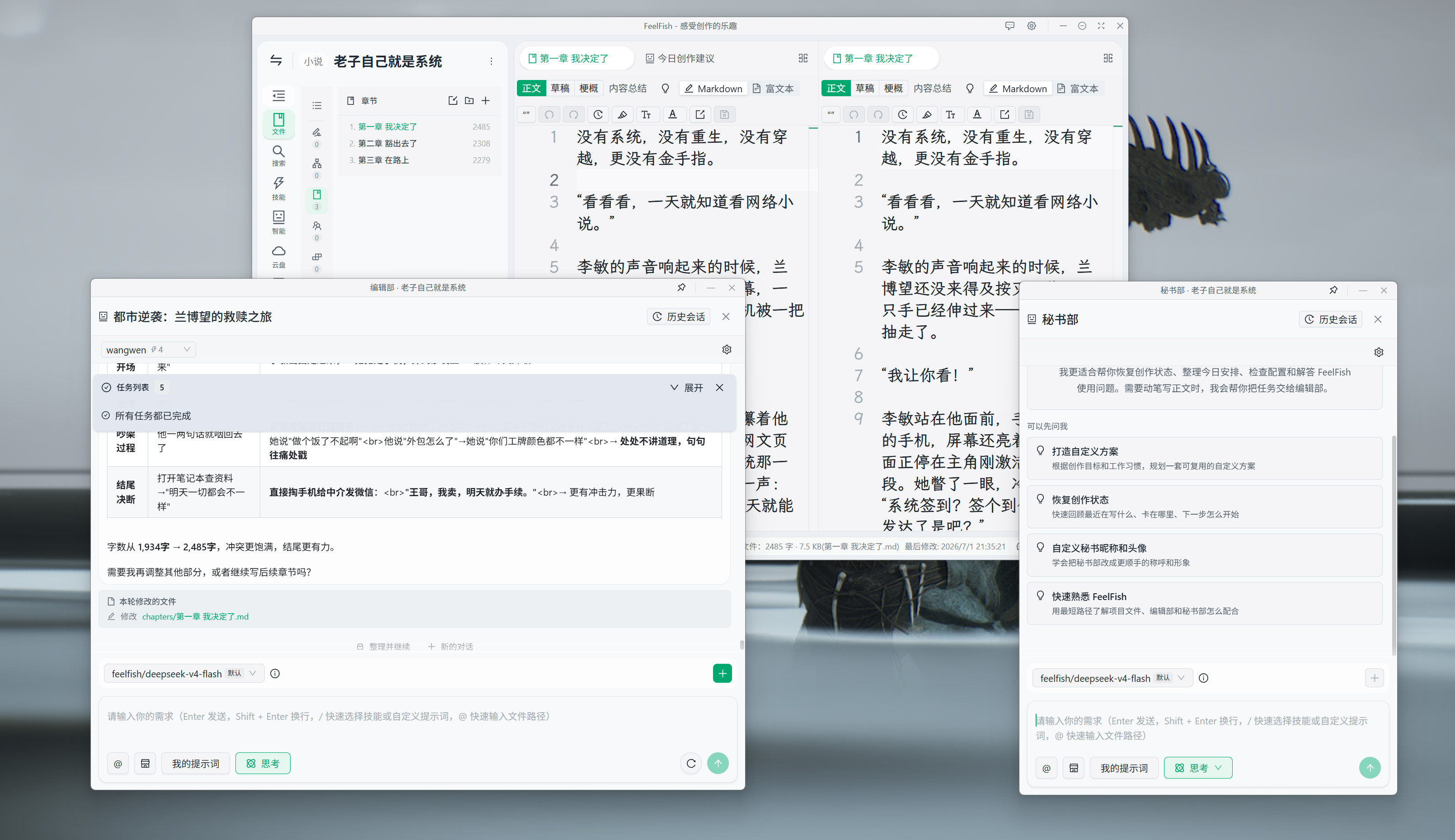
- Standalone conversation windows, built for large screens and professional writers 🖥️ — Drag the AI panel to a second monitor, ultrawide display, or iPad sidecar, while your main text fills the primary screen. The conversation stays right at your fingertips. No more toggling back and forth between the editor and the AI panel — write a chapter, revise a passage, ask a follow-up question, all without taking your eyes off your manuscript. For pros who open a dozen conversations and revise constantly throughout the day, this "writing area + conversation area" split-screen setup is infinitely more efficient than cramming everything into one window.
- Fully synchronized state with the main window — This isn't a "separate little window that sort of works." Progress, pending changes, and review alerts stay perfectly in sync across both views — like two displays showing the same live creative session.
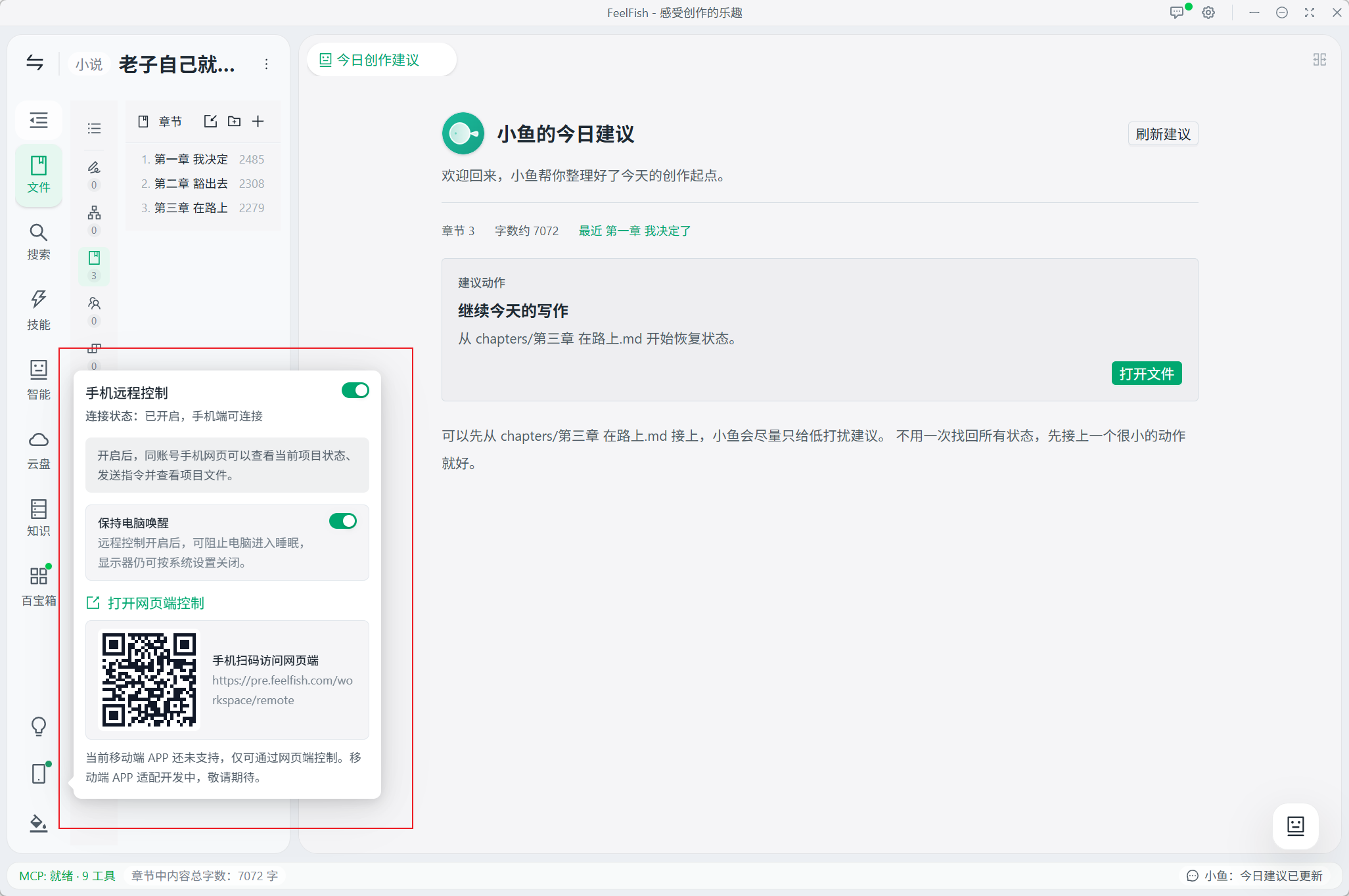
- Your computer becomes an AI-powered smart host, with mobile remote control that never drops out — Remote control uses the exact same AI engine as the desktop version, no compromises.
This is the foundation of 4.0. The Secretary Department, multi-department workflows, and remote control — all built on this more reliable engine.
🤵 Secretary Department: Your Dedicated AI Steward
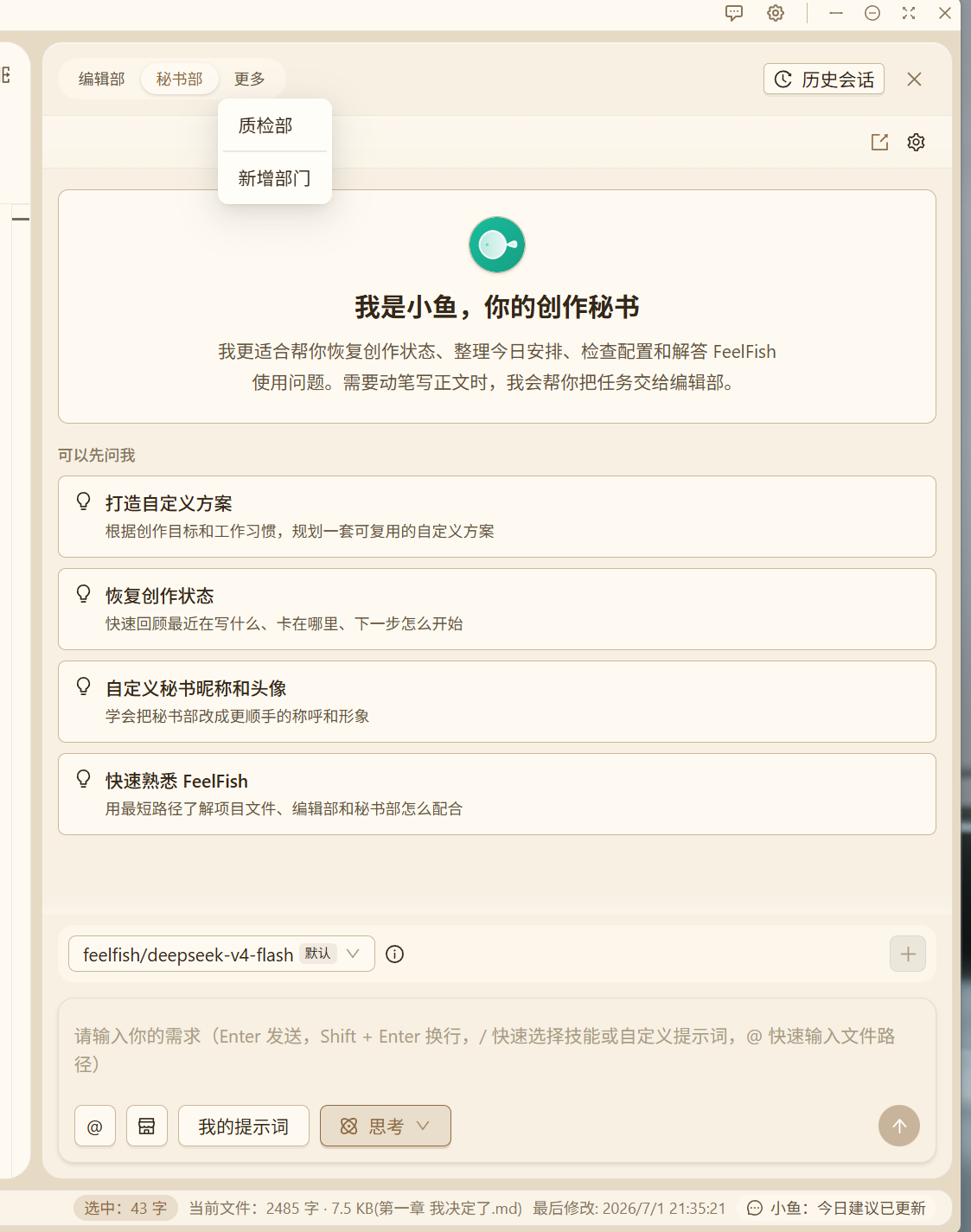
4.0 introduces the all-new Secretary Department — an AI assistant built specifically to help you manage FeelFish and your creative projects. This is not just another generic chatbox.
The Secretary Department can help you with:
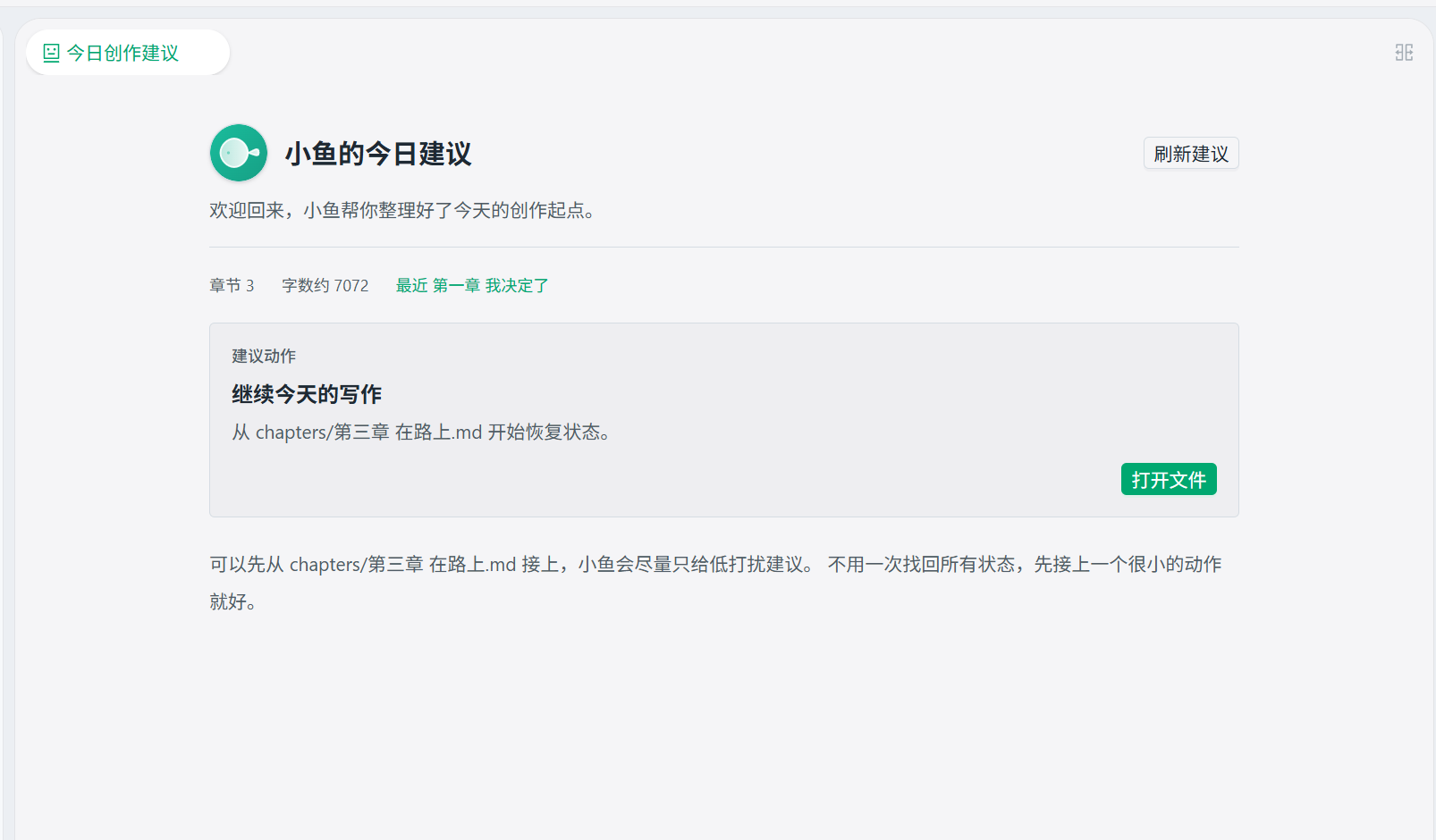
- 📋 Today's creative suggestions — Open a project and receive proactive writing prompts based on your current progress.
- ⚙️ Software & project management — Create/switch projects, configure models, export manuscripts, restore historical versions — just say the word. Ask anything you're unsure about!
- 🎨 Personalized secretary — Customize your secretary's nickname and avatar, or have the AI generate a unique portrait for them.
- 🧠 Gets smarter the more you use it — The secretary quietly organizes project insights in the background, learns your habits, and offers suggestions that increasingly match your style.
- 🔀 Knows who to route to — Continuation and manuscript review go to the Editorial Department; software configuration and project management stay with the Secretary — handoffs are automatic.
When entering API keys, use the dedicated secure input — no plaintext appears in conversations or logs. Configure with confidence.
🏢 Multi-Department Studio: Like Leading an AI-Powered Team
FeelFish 4.0 upgrades from a "single AI panel" to a multi-department concurrent workspace:
| Department | What It Does |
|---|---|
| ✍️ Editorial Department | Continuation, rewriting, manuscript review, plot planning — your creative command center |
| 🤵 Secretary Department | Software operations, project management, configuration & export |
| 🎯 Custom Departments | Build specialized AI teams for your needs — e.g., "Worldbuilding Group," "Dialogue Team" |
A few things you'll love:
- Multiple departments working simultaneously — Write the main text while fleshing out lore on the side, without interrupting each other. If two departments edit the same file, the system alerts you to conflicts to protect your work.
- One-click task handoff — When AI determines the right department for a task, it smoothly transfers the conversation with confirmation prompts and unread notifications.
- Each department can have its own window — Put Editorial, Worldbuilding, and Secretary side by side in separate panels. On a large screen, you can see exactly who's doing what at a glance — multi-threaded progress with no clashes.
- Different departments, different configurations — Bind different AI models and skill sets to each department (e.g., Editorial vs. Worldbuilding).
📜 Creative Time Machine: Never Lose a Version Again
Worried about AI messing up your files? 4.0 comes with built-in project version management:
- Pending changes preview — Every AI edit shows you a preview first; changes are only saved when you approve.
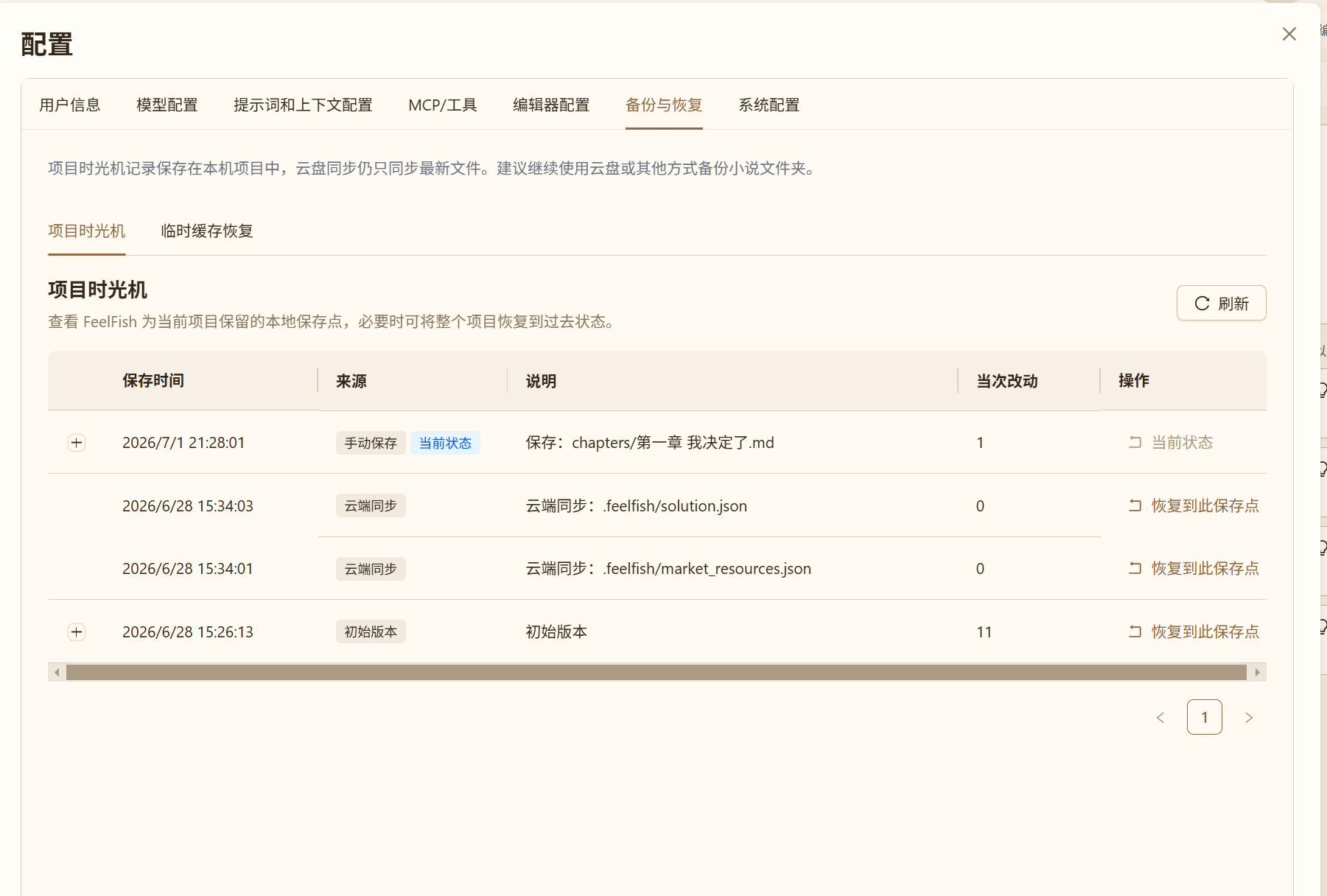
- Per-file history — View the revision timeline of any chapter and restore to any previous version with one click.
- Full project restore — Made a major mistake? Roll back your entire project to a historical snapshot.
- Backup and versioning integrated — Backups are no longer just file copies; they're traceable creative histories.
- Cloud drive automation sync — Cloud drive experience upgraded with intelligent auto-sync — no more manual handling required.
Local version records stay on your computer, while project files sync to the cloud as usual — each manages its own, no interference.
✍️ Paper Studio: A More Immersive Writing Experience
Brand New Visual Design
4.0 brings you Paper Studio — a warm paper-toned workspace with gentle sidebars and a distraction-free writing area. New themes like Paper, Midnight, Misty Blue, and Forest make you feel like you're sitting at a desk with a notebook, not staring at a cold screen.
Writing Workflow
- Split-pane multi-tabs — Outline on the left, main text on the right, plus another pane for reference materials.
- Chapter draft status — Distinguish between "synopsis" and "final text" at a glance, with clear progress indicators.
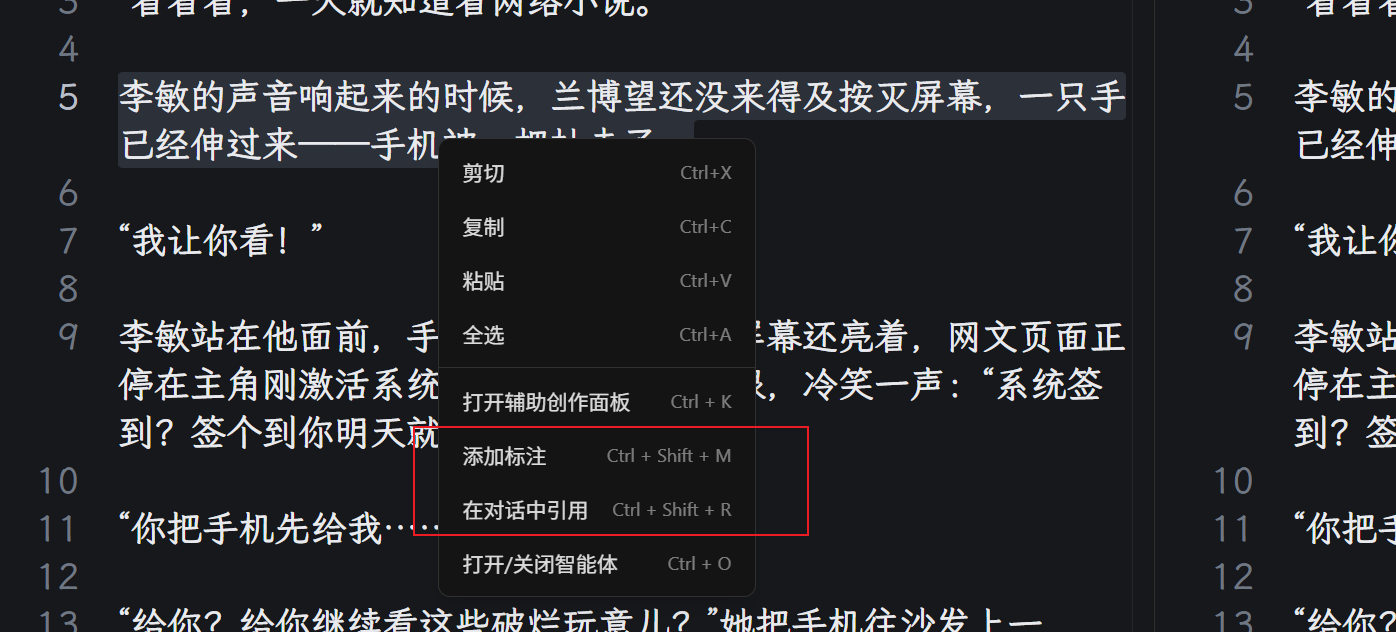
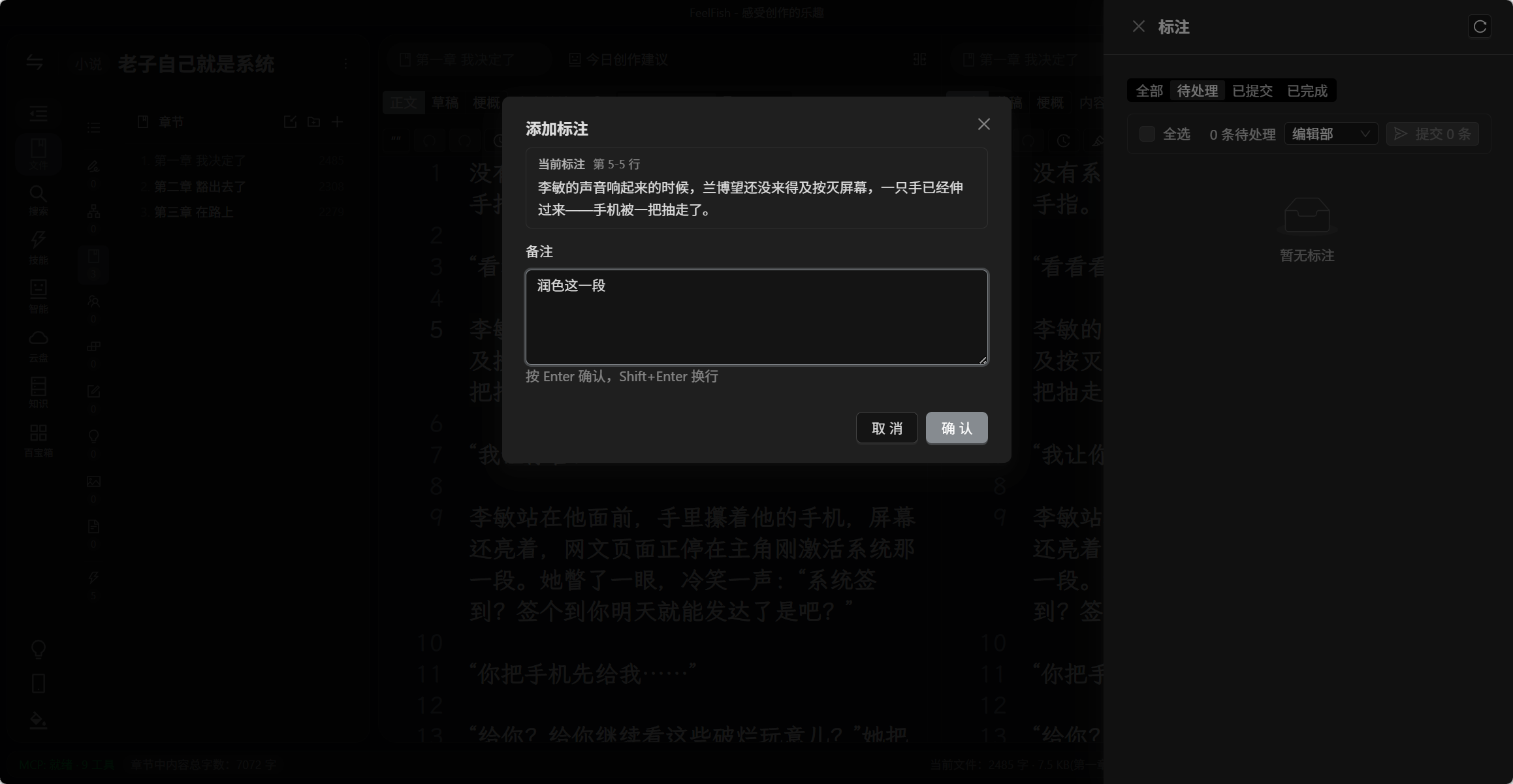
- Paragraph annotations — Highlight text and add comments; AI applies edits precisely based on your annotations.
- Quote source text in conversations — Reference specific paragraphs in AI conversations — point to what you want changed.
- Folder-based summaries and Q&A — Generate summaries for specific chapters or character folders without feeding the entire project into the context.
- Chat with characters individually 🎭 — Start a conversation with a character based on their profile, accessible from the toolbox or right-click menu.
- Long conversations never lose context — The AI automatically condenses context during extended chats, keeping critical information intact and maintaining coherence.
- Collapse completed steps — The conversation area only shows ongoing and final results; expand details on demand.
🖥️ More Platforms, More Choice
| Platform | What's New in 4.0 |
|---|---|
| macOS | Smaller update packages, faster downloads |
| Windows | Brand new installation experience; smooth upgrades for existing users |
| HarmonyOS PC 🆕 | HarmonyOS PC version coming soon — stay tuned |
🚀 Get Started Now
- To try the Secretary Department: Open any project and click the Secretary entry on the right.
- To use mobile remote control: Enable Remote Control in project settings and access via the mobile web (native mobile app features are still in development — stay tuned).
FeelFish 4.0 has gone through multiple beta releases and hundreds of iterations — a more reliable AI engine, Secretary Department, multi-department workflows, version management, remote control, and Paper Studio — all for one purpose: letting you focus on what matters most — your creation.
Download FeelFish 4.0 and step into the next generation of AI-powered creative writing. ✨