Writing Tips: How to Manage Novel Context
What is Context?
AI large language models essentially do not have memory. You need to provide your novel content or related requirements together with your prompts to the model so that it can better create content according to your instructions.
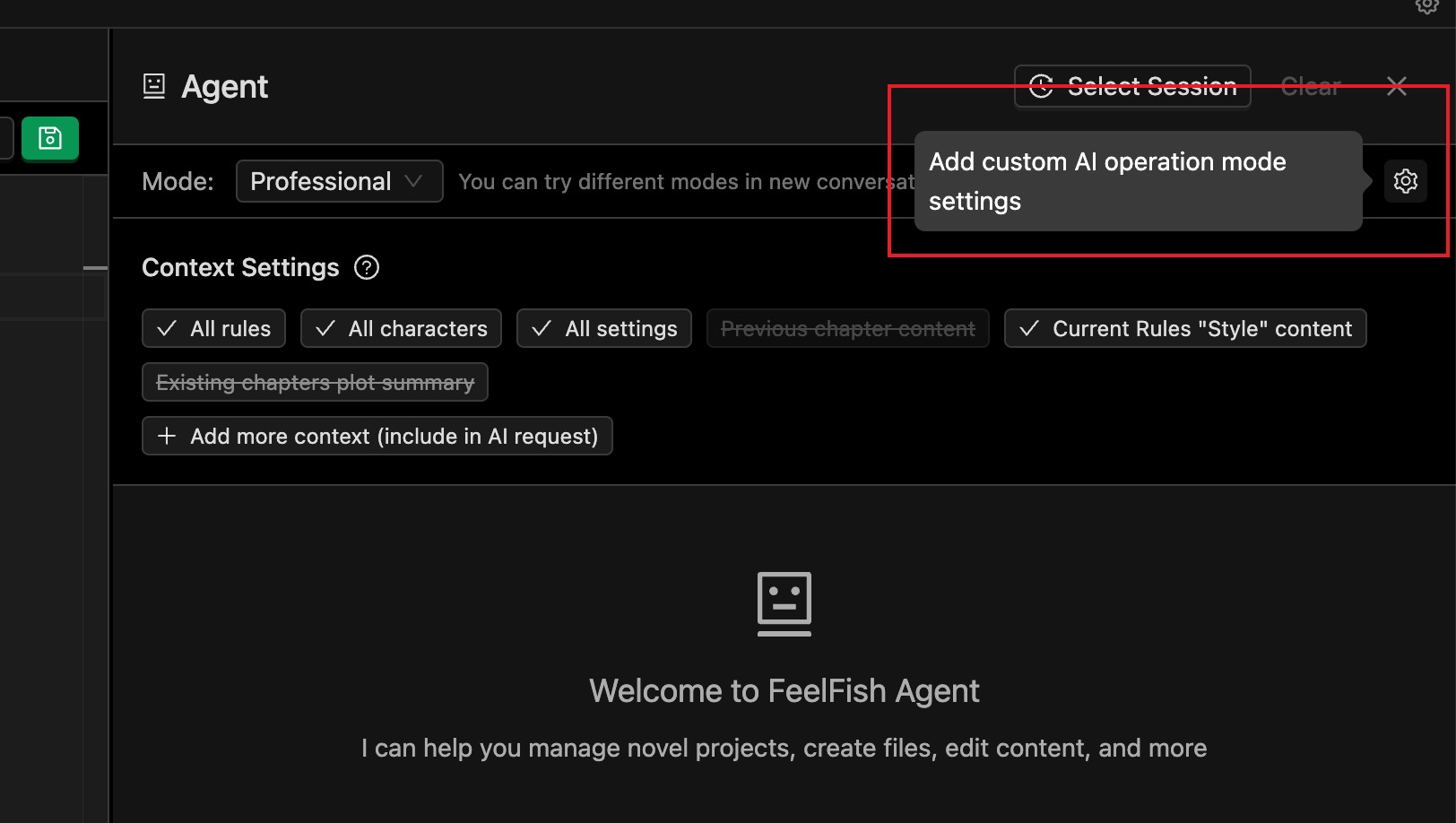
As shown below, FeelFish allows you to carry creation rules (such as style, guidance, outlines, etc.), novel characters, and world settings. This helps you create more coherent plots that better convey your creative ideas.
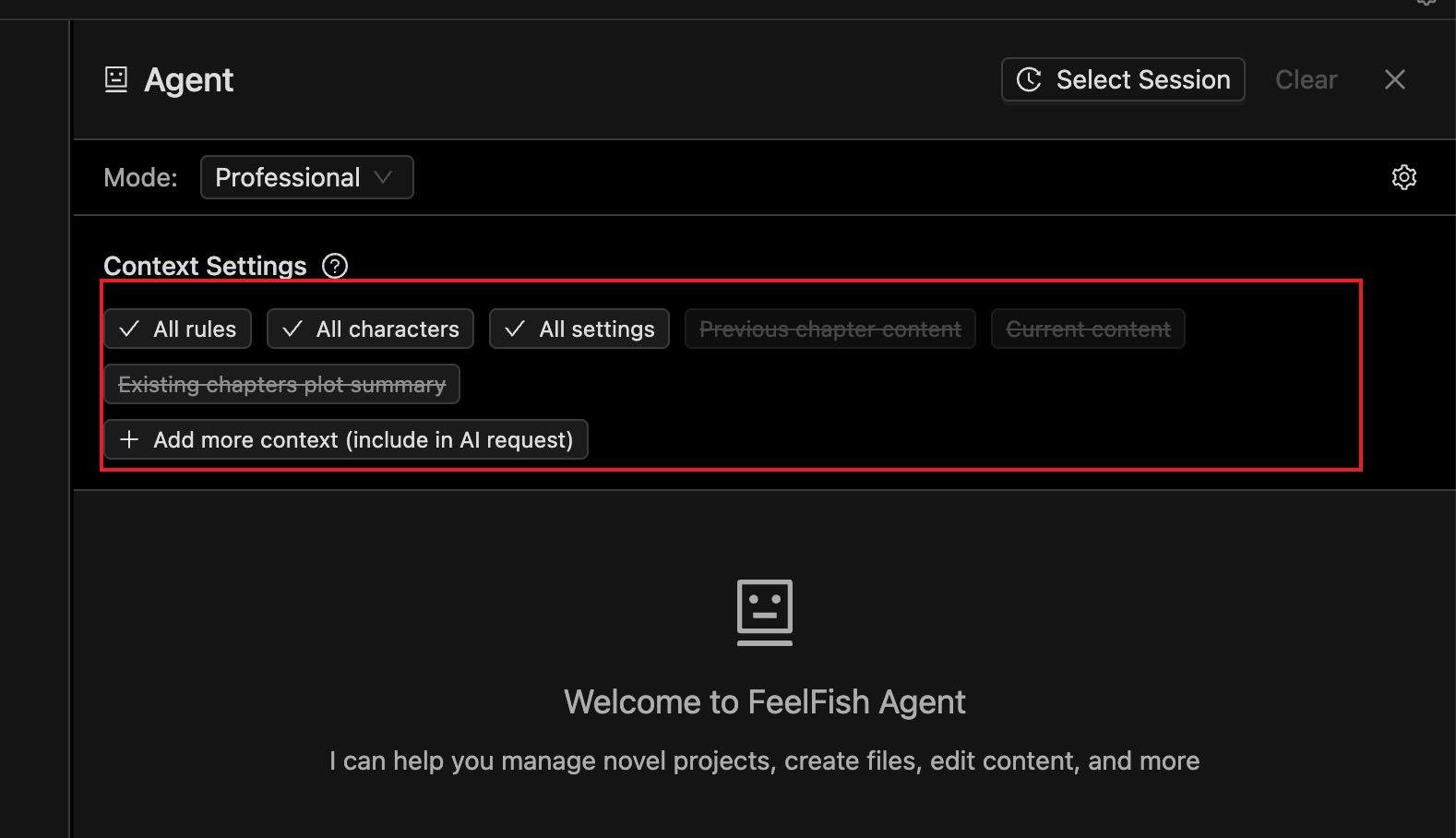
In agents, AI has powerful tool-calling capabilities. If AI needs to read file content, it can actively call tools to read it. Therefore, in agent conversations, it is not strictly necessary to add file content to the context in advance.
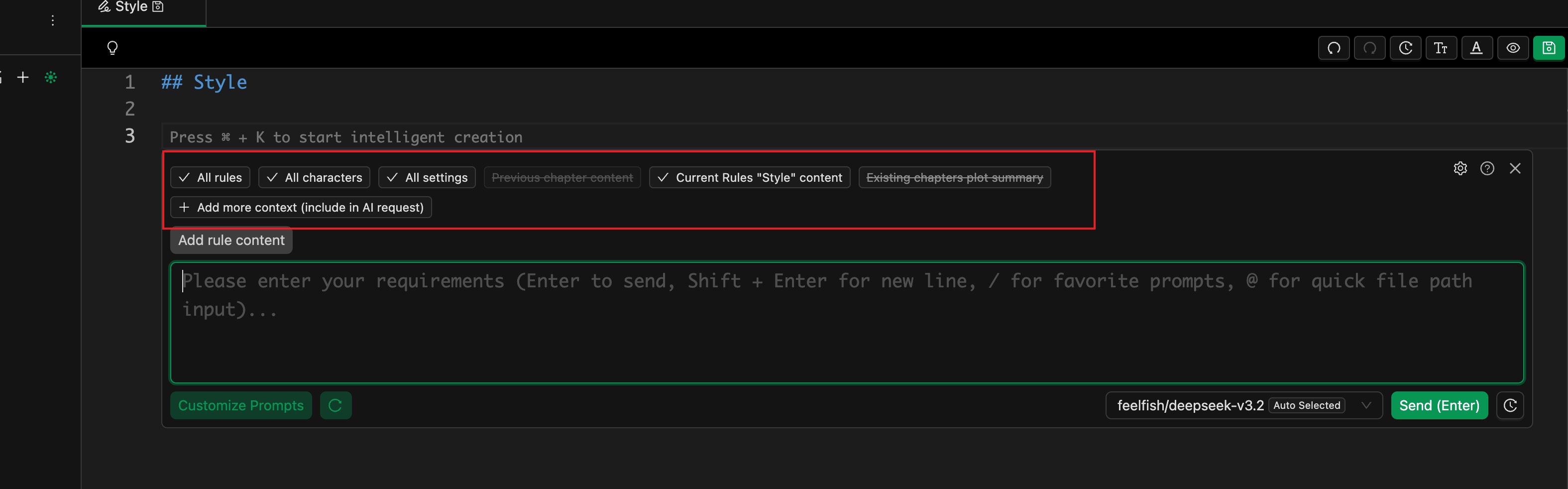
However, in the assistant writing panel (as shown below), AI will not actively read files, so you need to manually add the file content that should be included in the context.
Which Files Should I Add to the Context?
In the early stages of creation, because there is relatively little content, you can add more complete information. You can include all rules, characters, settings, the current chapter, and the previous chapter.
At this stage, there is not much content, so the AI will not reject your request due to an oversized context. Of course, if your task does not need that much information, you do not need to add it. As long as the necessary information is provided, keeping the context smaller can reduce distractions for the AI and help it complete the task more accurately.
For example, if you are only fixing grammar mistakes or typos in a paragraph, you do not need to add any files to the context.
In the later stages of creation, character and setting files may become very numerous and long. If you always add too many files by default, you may quickly exhaust the model's context window, and later conversations will easily hit context-size errors.
In this case, we recommend only adding the essential guiding rules and character settings, and letting AI read other content on demand during creation.
For example, when writing a new chapter, we recommend attaching the following by default:
- Writing style rules: help AI maintain a consistent style
- Writing plan or story outline: give AI a global view of the story
- List of foreshadowings and details: help AI reference important details, especially early foreshadowing
- Character relationship map: help AI understand the global network of characters
How can you generate these writing rules and guides? There are several options:
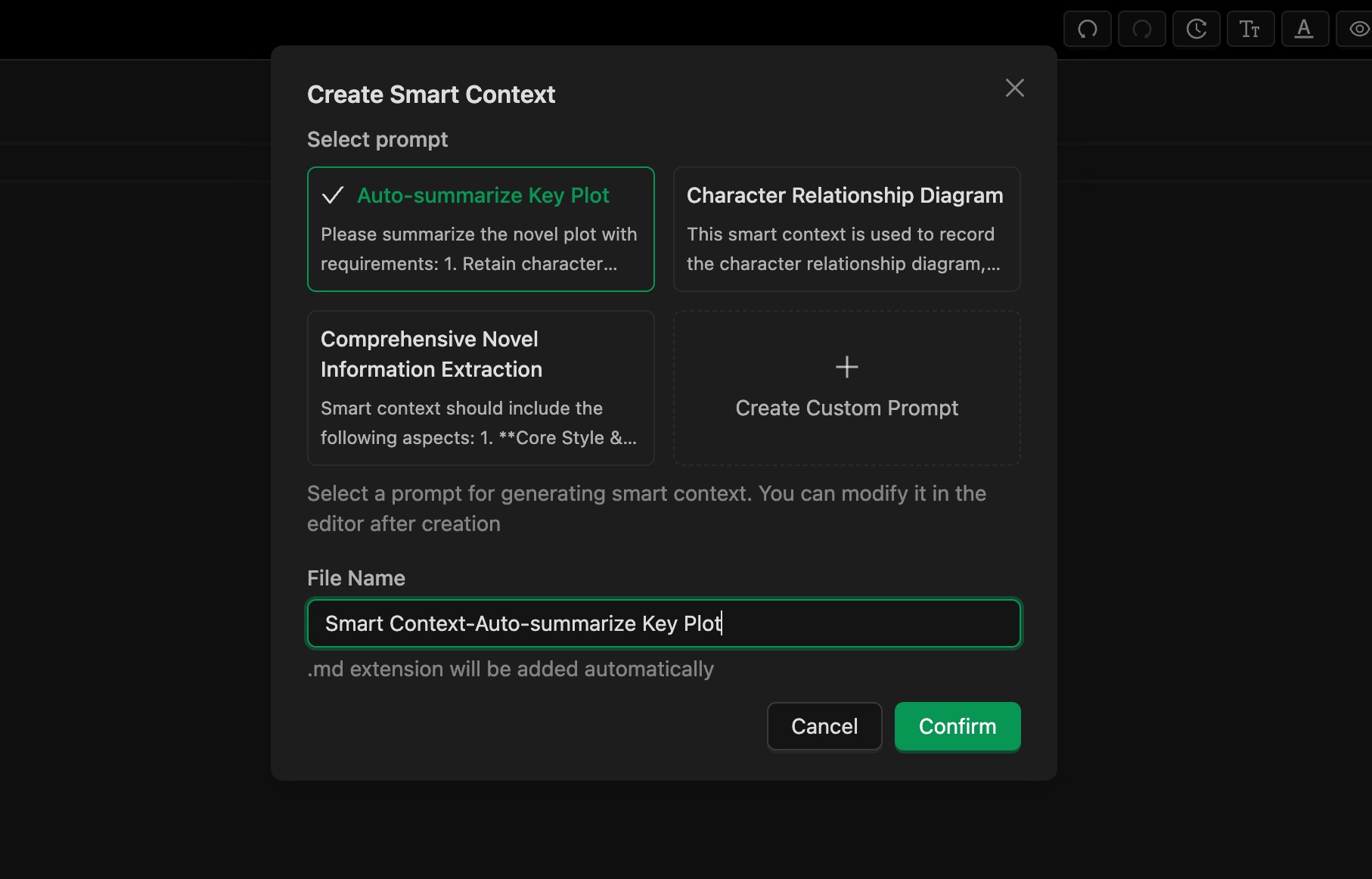
- Use FeelFish's Smart Context feature in Professional Assistant mode to extract information from existing content, as shown in Figure 1. You can customize prompts to control how information is extracted.
- In Planning mode, FeelFish automatically maintains related information. Planning mode is still in public beta, and we will continue to improve it to help authors automate more of their workflow.
- You can add a custom AI operating mode (click the settings button to the right of the conversation mode selector) and set your own system prompt so the AI writes according to your requirements. For example, you can refer to Planning mode and ask the AI to proactively update character information and character maps after each writing round.
- You can also manually edit the writing rules and guidance, or guide the AI via prompts so that it can flexibly meet your creative needs.
What If the Conversation Exceeds the Context Window?
As shown below, you may see an error like this in an agent conversation. This is because large models have a context window limit.
For example, for DeepSeek 3.2, the context window limit is 128K (128,000) tokens, which is roughly enough for a few hundred thousand characters of text.
This limit applies to all content in the current conversation. If the error is due to a very long-running conversation, we recommend starting a new conversation. We suggest treating each independent creative task (for example, each new chapter) as a separate conversation.
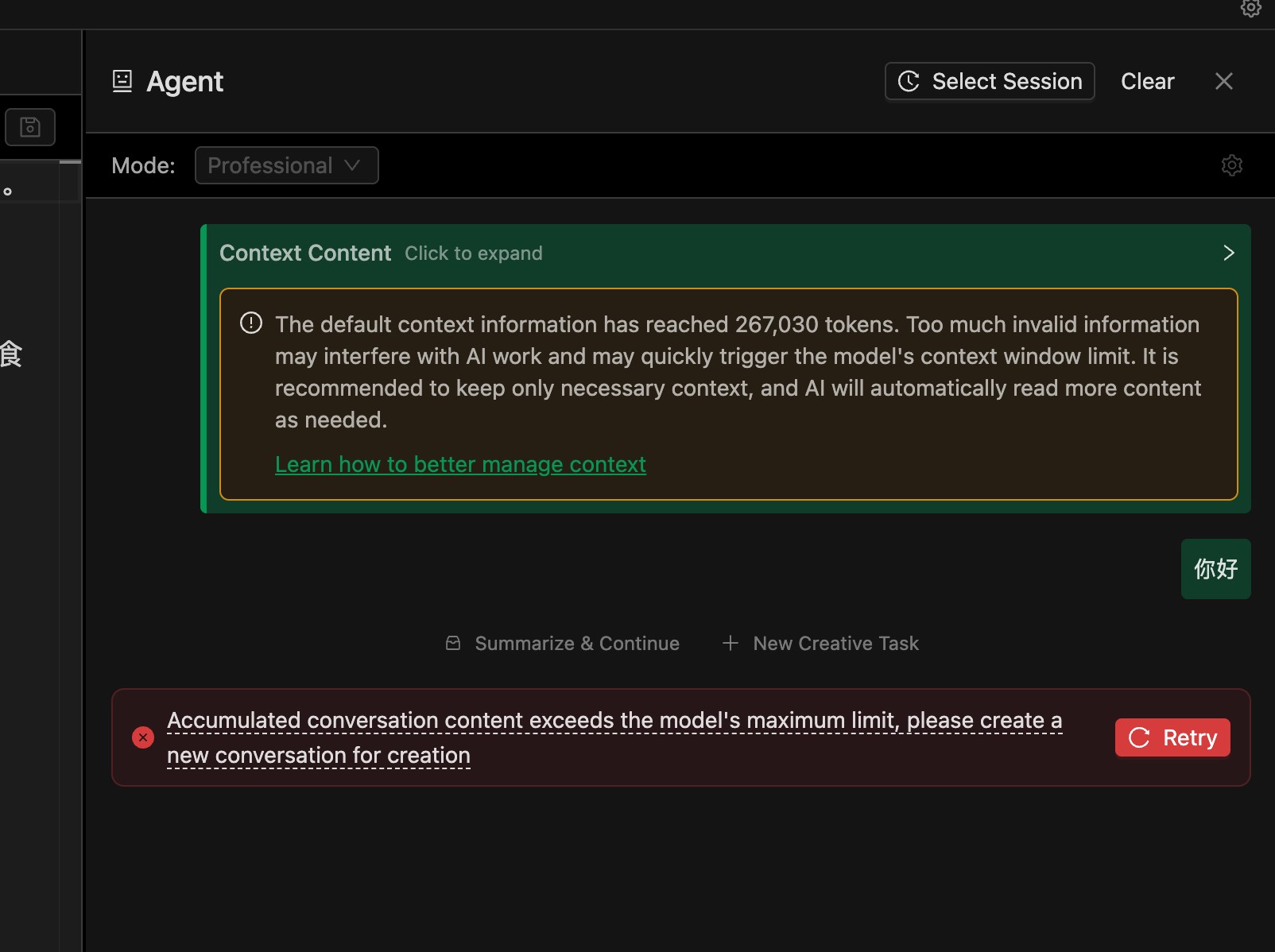
If the conversation is not very long, or you see this error on the very first message, it usually means the default attached files are too many or too large.
In that case, refer to the “Which Files Should I Add to the Context?” section above and reduce the default attached files. We recommend selecting only "All Rules".
You can also build “character relationship map”–style smart contexts to help AI understand the global information with only a small amount of context.
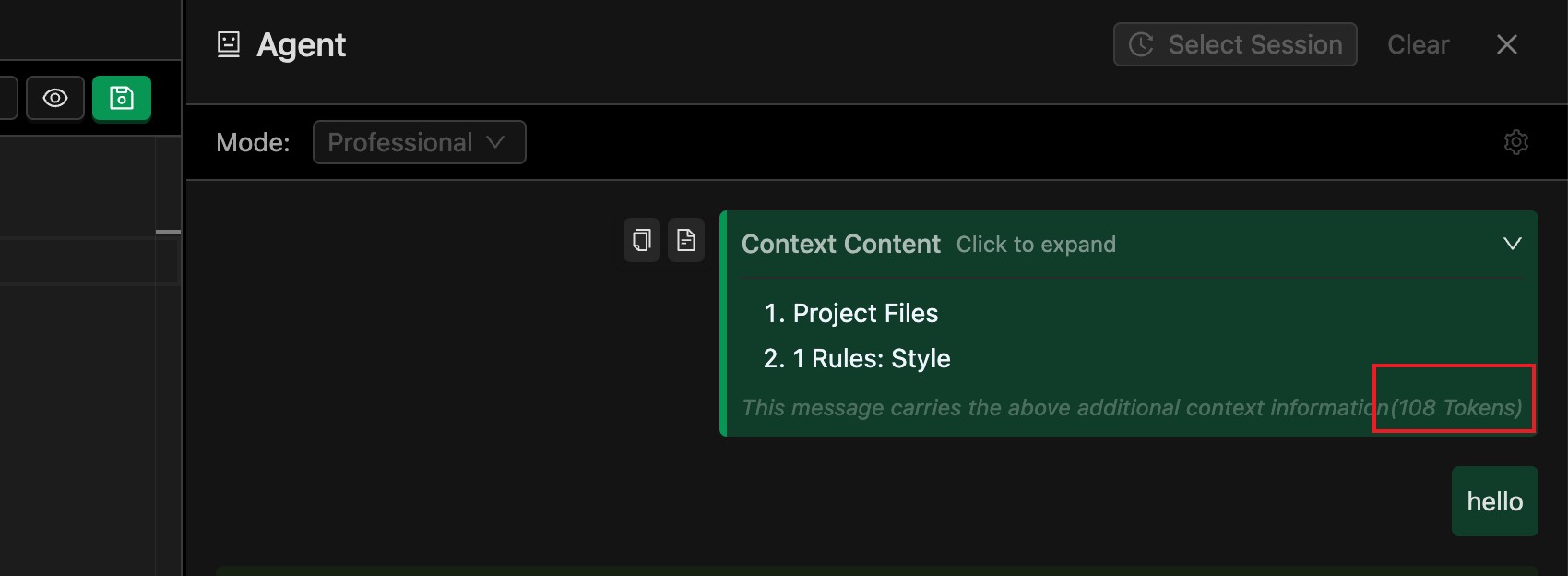
A small tip: you can expand the attached context details to see how much of the context window is consumed by the files included in this conversation: