
docs
安裝遇到問題?
2026-02-26
FeelFish Team
🔧 安裝遇到問題?
如果在安裝 FeelFish 時遇到問題,請按照以下步驟進行排查和解決:
📋 系統要求
FeelFish APP 當前只支援以下系統:
- Windows 10 及以上版本
- macOS(支援 M 系列晶片和 Intel 晶片,請選擇對應版本下載安裝)
請確保您的系統滿足以上要求。
🛡️ 安全軟件攔截
安裝失敗最常見的原因是安全軟件誤攔截:
- 360 安全衛士
- 騰訊電腦管家
- Windows Defender
- 其他第三方安全軟件
解決方法:
- 臨時關閉安全軟件的即時保護功能
- 重新下載並安裝 FeelFish
- 安裝完成後,將 FeelFish 添加到安全軟件的白名單中
- 重新開啟安全軟件的即時保護功能
MAC 電腦無法安裝?
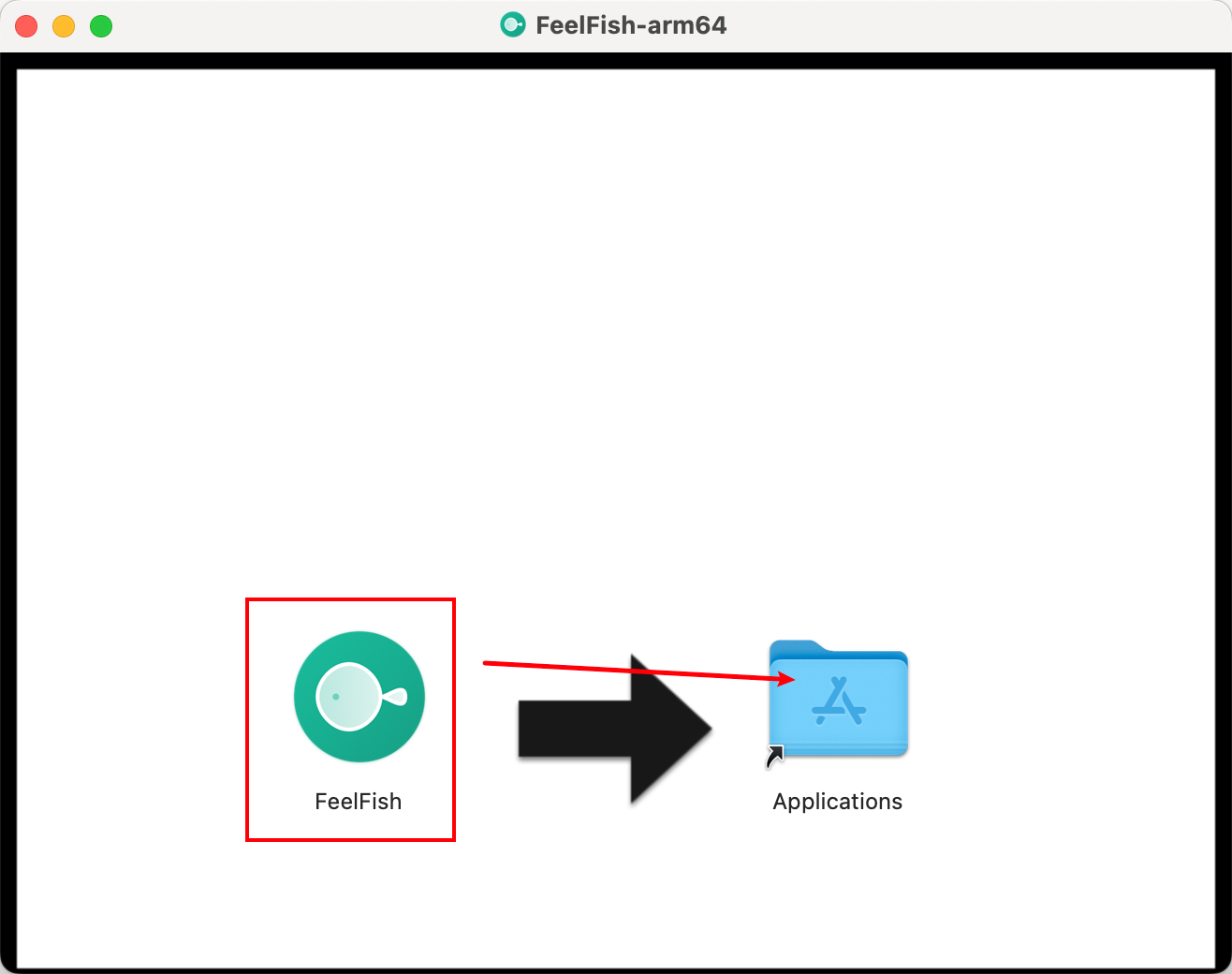
蘋果電腦需要拖動 FeelFish 到應用文件夾來安裝,如下圖:
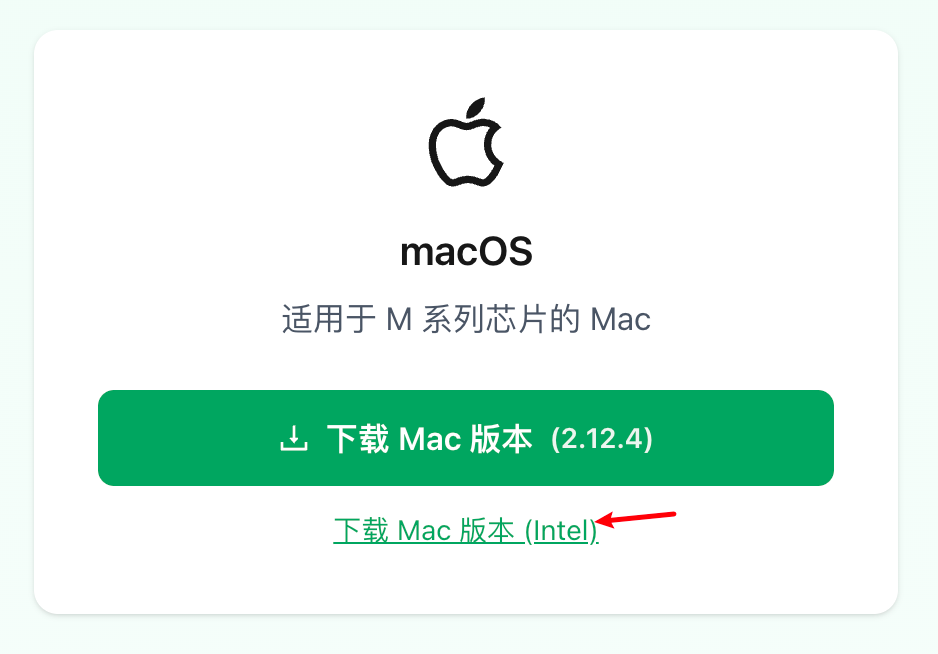
另外蘋果電腦注意選擇正確的版本安裝,如果是老款電腦(幾年前的非 M 系列晶片),需要選擇 Intel 版本安裝。
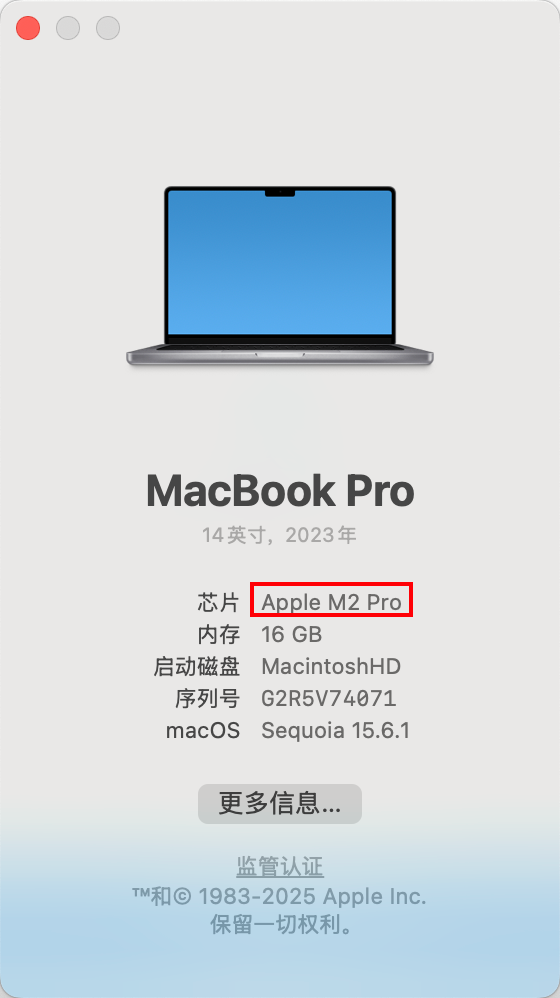
如何判斷是不是 M 系列晶片?左上角點擊關於本機查看:
📞 聯絡客服
如果按照上述方法仍然無法解決問題,請聯絡我們的客服團隊:
🇨🇳 中文用戶
微信客服: 掃描下方二維碼添加客服微信

🌍 其他語言用戶
郵箱客服: feelfish@foxmail.com
💡 溫馨提示:在聯絡客服時,請詳細描述您遇到的問題,包括操作系統版本、錯誤信息等,這樣我們能夠更快地為您提供幫助。