
Creative Techniques: Customizing AI Behavior
How to Make AI Better Suit My Creative Habits?
Different people have different creative habits, and for different types of content, we expect AI to assist in different ways. FeelFish provides two methods for you to customize the AI's operating mode, allowing you to more conveniently train the AI to better meet your creative needs.
- Add a custom AI operating mode.
- Create an
AGENT.mdfile to supplement the system prompts for the agent.
Next, we will explain in detail the applicable scenarios and usage methods of these two approaches.
Add a Custom AI Operating Mode
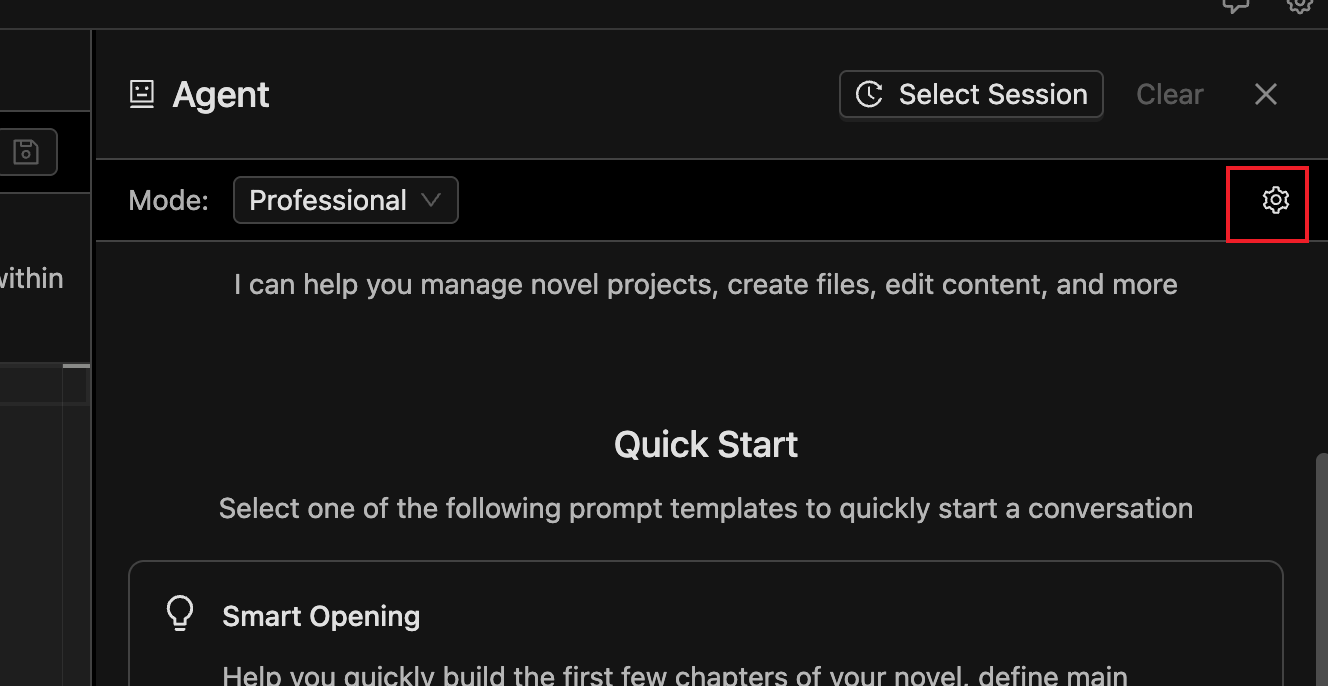
Above the agent dialog, there is a settings button. Clicking it allows you to add a custom AI operating mode:
It is recommended to describe your custom requirements concisely and clearly. Avoid using Markdown headings; instead, describe directly or write a list. For example:
Before writing the main text, always outline first. Only begin writing the main text after I confirm the outline meets the requirements.
Another example:
- Please address me as "Little Cutie."
- Please strictly adhere to the definitions in the "Style" document within the rules when creating.
The requirements added here will be included in the AI's system prompts with high priority. This includes, but is not limited to, setting the AI's writing style, work mode, communication attitude, etc.
Create AGENT.md to Supplement Agent System Prompts
Under other sections, you can create an AGENT.md file.
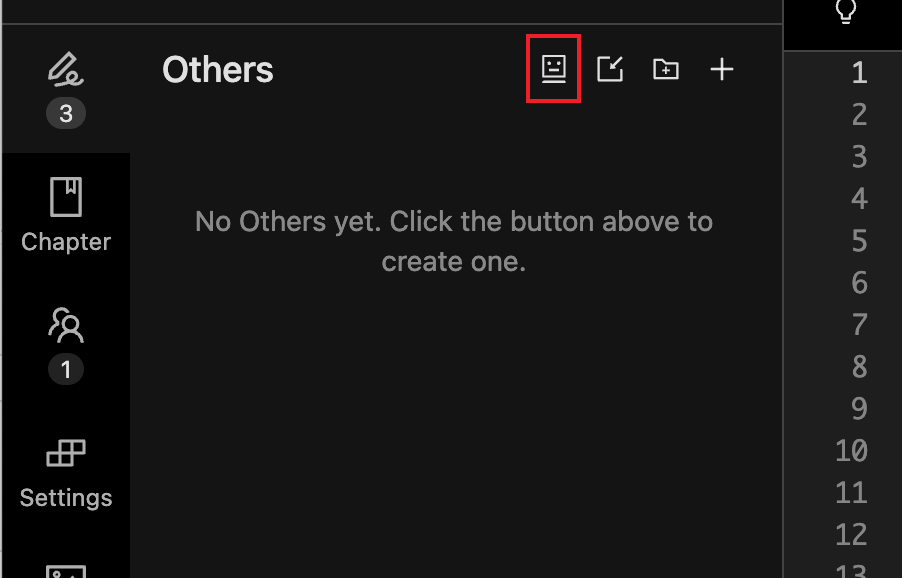
AGENT.md has a similar effect to custom AI operating modes but with relatively lower priority. It's more suitable for containing reference information rather than strict requirements. You can use Markdown syntax to write more comprehensive content.
For example:
## Guide to Reducing AI Tone

### Requirements
1. **Language Expression**: Use concise and refined sentences with appropriate embellishments. Avoid repetition, redundancy, and excessive decoration.
2. **Dialogue Handling**: Employ colloquial dialogue to shape well-rounded characters.
3. **Narrative Techniques**: Utilize diverse descriptive methods to avoid monotonous narration. Skillfully advance the plot through dialogue, action, and details.
4. **Emotional Portrayal**: Delicately and naturally depict emotional fluctuations. Avoid being overly direct or forcedly sentimental. Integrate elements that resonate.
5. **Conflict and Tension**: Enhance character immersion, dialogue conflict, and visual imagery. Establish effective contrasts.

### Examples
- Use fragmented phrases to increase urgency (e.g., "The phone rang. Three times. I didn't answer.")
- Use suspense and twists to engage readers (e.g., "The door opened. The person standing outside made me gasp.")
The above is just an example. In practice, to reduce AI tone, you can explore norms that better suit your creative requirements based on the models you use.
You can also configure the custom AI operating mode mentioned above for use. For example, you can configure in the AI operating mode: "When creating chapter content, please refer to the [Guide to Reducing AI Tone] for creation."
Frequently Asked Questions
What's the Difference Between FeelFish's Intelligent Planning Mode and Professional Assistant Mode?
FeelFish's Intelligent Planning Mode is based on the Professional Assistant Mode, incorporating some best practices and customizing certain AI operating modes. The added custom logic typically includes:
- Generating "Style," "Creation Plan," "Character Relationship Chart," "Plot Record," and "Details & Foreshadowing Checklist" during creation.
- Requiring the AI to advance the creation of each chapter using a task list format, and to create an outline before writing the main text.
If you want better control and customization of the AI, it is recommended to continuously optimize and define your preferred working mode based on the Professional Assistant Mode. If you prefer an easier experience, you can use the Intelligent Planning Mode. The Intelligent Planning Mode will be continuously modified based on official practices and may have some degree of uncertainty. If you're unsure which to choose, you can try the Professional Assistant Mode first and then explore based on it. It is recommended to customize operating modes based on the Professional Assistant Mode.