
Custom Model
FeelFish has built-in support for multiple models optimized for novel writing scenarios, with default recommendations for the most cost-effective models. DeepSeek, OpenAI, AiHubMix, and others provide AI model technology support. For most users, the built-in models are sufficient, but for some users who need to use custom models, FeelFish also provides related support.
Here are the specific steps:
Step 1: Add Custom Model API
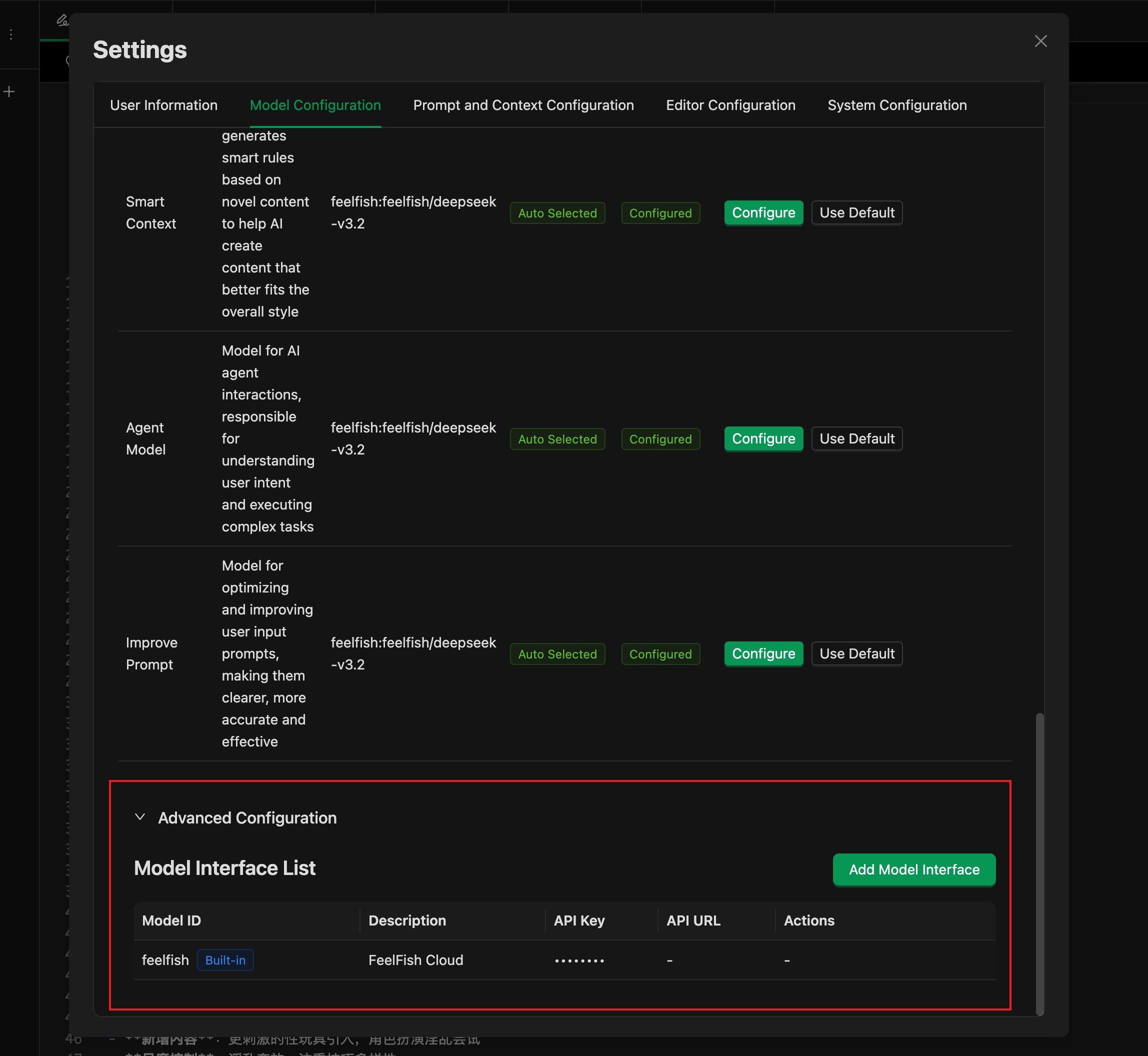
In the model settings window, expand the advanced settings at the bottom to see the "Model API List". By default, only FeelFish's built-in model APIs are available. You can click the "Add Model API" button to add a custom model API.
If you want to add other models supported by FeelFish, you can skip this step and go to the second step.
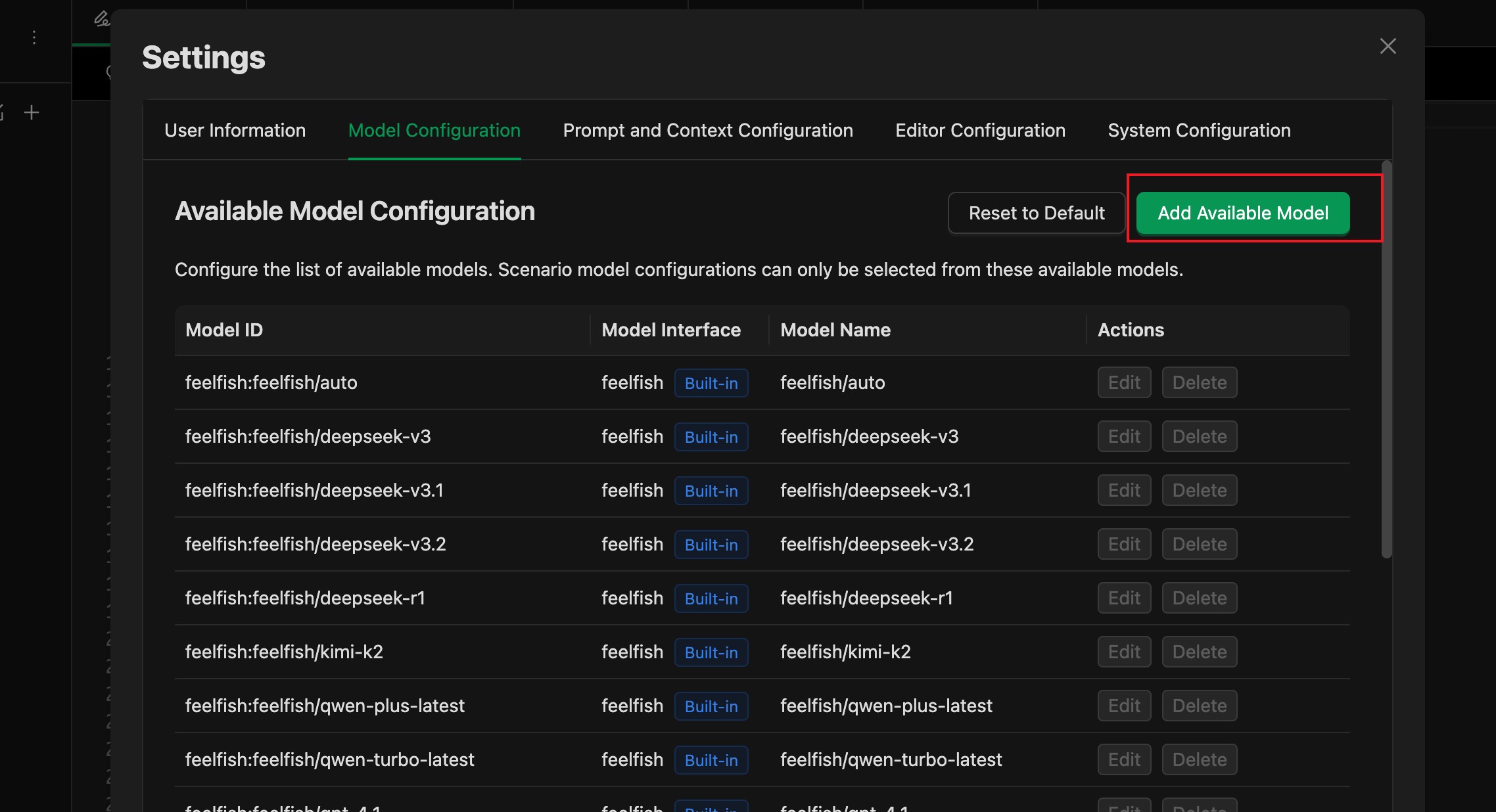
Step 2: Add Model to Available Model List
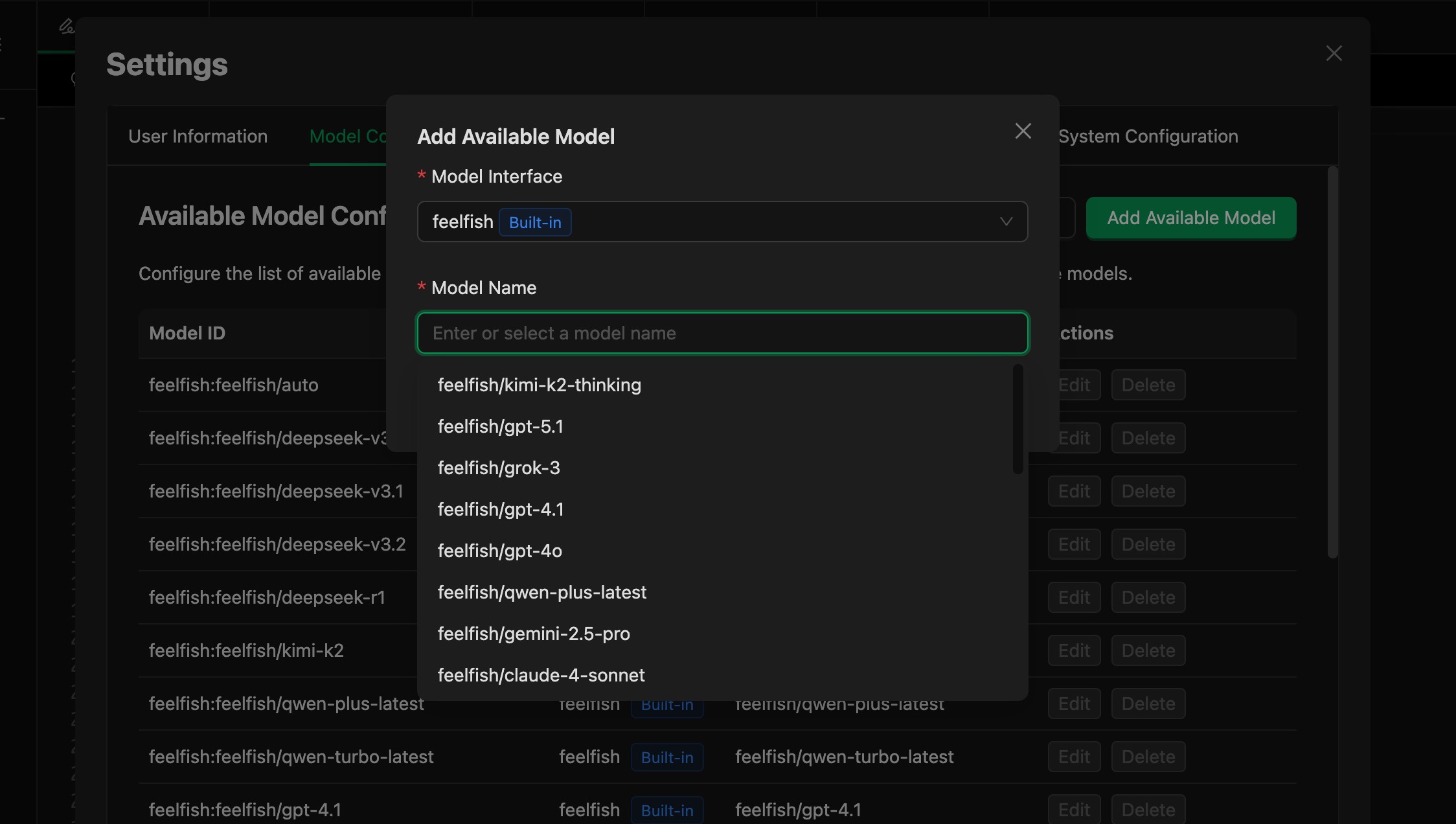
Then you can see and use your custom model in the model list.
Using only your own models is free. Since FeelFish 4.0, custom model configuration has been open to everyone, including non-members: add your own model API and API key and use it without a membership (member-only features such as web search are not included). Model usage fees are billed by your model provider. Different scenarios use different model settings, so to use only your own models, set every scenario to your custom model in the model settings dialog.